1. Introducere
This user manual provides comprehensive instructions for the LAMTTO RC07B 9-inch Touchscreen Wireless CarPlay Android Auto Car Audio System. Please read this manual thoroughly before installation and operation to ensure proper use and to maximize the device's functionality. Keep this manual for future reference.
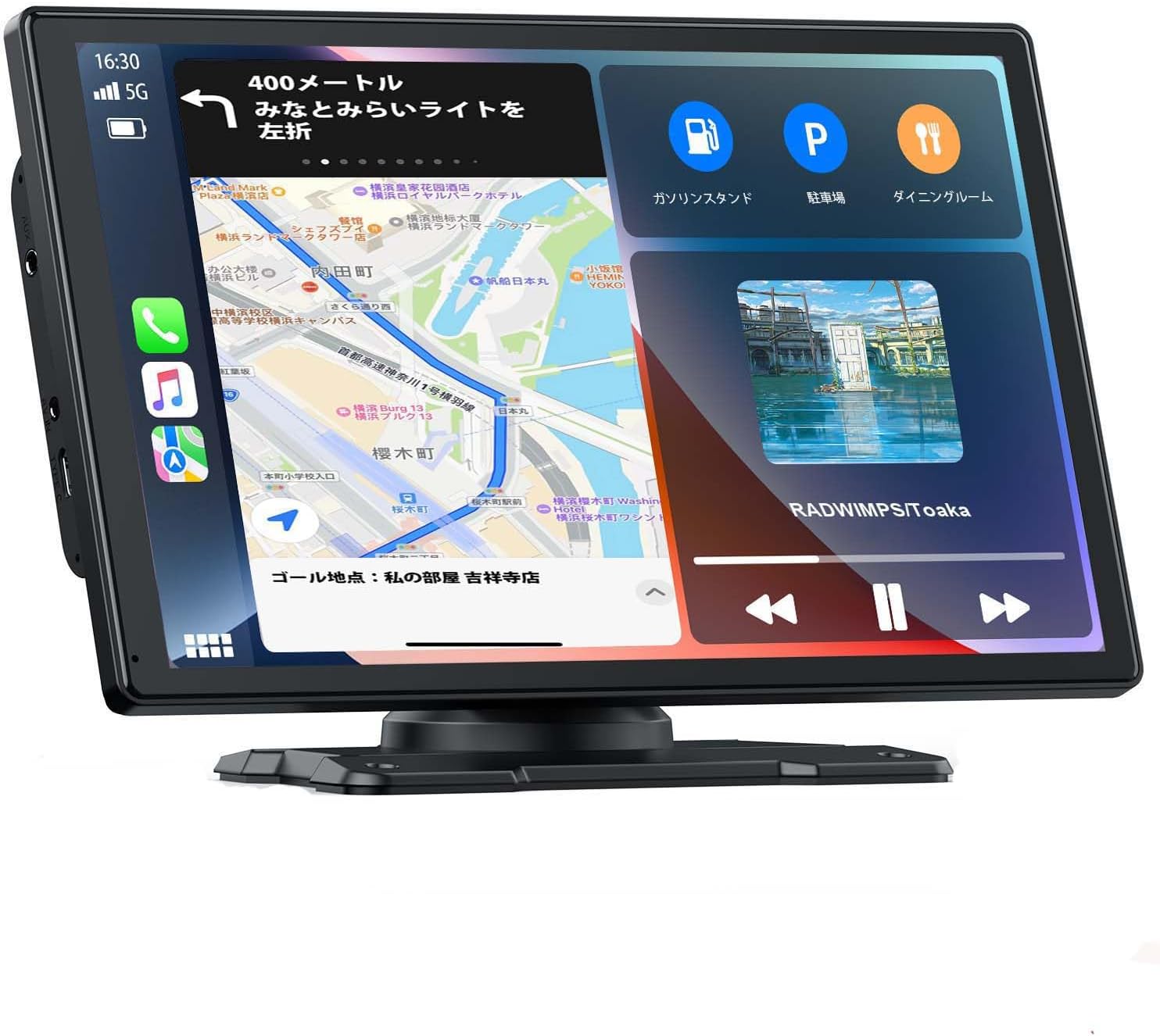
Image: The LAMTTO RC07B unit showcasing its 9-inch display with navigation and media playback.
2. Informații de siguranță
- Nu utilizați dispozitivul într-un mod care vă distrage atenția de la condus. Prioritizați întotdeauna siguranța rutieră.
- Asigurați-vă că dispozitivul este montat în siguranță și nu vă obstrucționează view sau interferează cu comenzile vehiculului.
- Evitați expunerea dispozitivului la temperaturi extreme, la lumina directă a soarelui pentru perioade lungi de timp sau la umiditate excesivă.
- Nu încercați să dezasamblați sau să modificați dispozitivul. Apelați la personal calificat pentru orice intervenție de service.
- Use only the provided accessories and power cables to prevent damage or malfunction.
3. Conținutul pachetului
Verificați dacă toate articolele sunt prezente în colet:
- LAMTTO RC07B 9-inch Display Unit
- Power Cable (Cigarette Lighter Adapter)
- Mounting Bracket (Suction Cup Type)
- Mounting Bracket (Dashboard Adhesive Type)
- Rear Camera (with cable)
- Cablu AUX
- Manual de utilizare
4. Caracteristicile produsului
The LAMTTO RC07B offers a range of features designed to enhance your driving experience:
- Ecran tactil de 9 inci: Large, clear display for easy interaction.
- Apple CarPlay și Android Auto fără fir: Seamless smartphone integration for navigation, music, and calls.
- Opțiuni multiple de ieșire audio: Built-in speaker, AUX, FM Transmitter, and Bluetooth for flexible audio routing.
- Control vocal: Supports Siri and Google Assistant for hands-free operation.
- Asistență la parcare: Includes a rear camera with adjustable guidelines for safer parking.
- Mirrorlink Function: Display your iPhone screen directly on the unit (iOS only).
- Compatibilitate largă cu vehiculele: Operates on 12-24V, suitable for various vehicles including cars, trucks, and buses.

Image: Visual representation of the system's core features.
5. Instalare
5.1 Montarea afișajului
The unit comes with two types of mounting brackets: a suction cup mount and a dashboard adhesive mount. Choose the most suitable option for your vehicle, ensuring the display does not obstruct your view sau să interfereze cu comenzile de conducere.
- Suport cu ventuză: Attach the suction cup to a clean, smooth surface on your windshield or dashboard. Secure it by pressing down and locking the lever.
- Dashboard Adhesive Mount: Clean the desired dashboard area thoroughly. Peel off the protective film from the adhesive base and firmly press it onto the dashboard. Allow sufficient time for the adhesive to set before attaching the display unit.

Image: Mounting options for the display unit.
5.2 Conectarea puterii
Connect the provided cigarette lighter adapter to your vehicle's 12V/24V power outlet. The unit will power on automatically. Route the cable neatly to avoid interference with driving.

Image: Recommended power cable routing for a tidy installation.
5.3 Conectarea camerei din spate
The included rear camera provides parking assistance. Follow these steps for installation:
- Mount the rear camera at the back of your vehicle, ensuring a clear view.
- Conectați cablul video al camerei la portul AV IN de pe unitatea principală.
- Connect the camera's power cable to your vehicle's reverse light power supply. This enables automatic display of the rear view la schimbarea în treapta de mers înapoi.

Imagine: Schema de conectare a camerei spate.
6. Instrucțiuni de utilizare
6.1 Pornire/Oprire
The unit powers on automatically when connected to the vehicle's power supply. To power off, disconnect the power cable from the cigarette lighter adapter.
Conexiune wireless Apple CarPlay 6.2
To connect your iPhone to Apple CarPlay wirelessly:
- Ensure Wi-Fi and Bluetooth are enabled on your iPhone.
- On the RC07B unit, select 'Apple CarPlay'.
- On your iPhone, go to Bluetooth settings and pair with the device named 'T86-XXXXX'.
- Confirm the pairing request on both devices.
- CarPlay will launch automatically within 10-20 seconds.

Image: Wireless Apple CarPlay connection steps.
6.3 Conexiune wireless Android Auto
To connect your Android smartphone to Android Auto wirelessly:
- Ensure Wi-Fi and Bluetooth are enabled on your Android phone.
- On the RC07B unit, select 'Android Auto'.
- On your Android phone, go to Bluetooth settings and pair with the device named 'T86-XXXXX'.
- Confirm the pairing request on both devices.
- Android Auto will launch automatically within 10-20 seconds.
Nota: Android Auto requires Android 8.0 or higher. For some Android phone brands, Android 11 or higher may be required.

Image: Wireless Android Auto connection steps.
6.4 Audio Output Methods
The RC07B offers several ways to output audio:
- Difuzor încorporat: The unit has an integrated speaker for direct audio output.
- Cablu AUX: Connect the provided AUX cable from the unit to your vehicle's AUX input for higher quality audio through your car's speakers.
- Transmițător FM: Select an unused FM frequency on the RC07B and tune your car's radio to the same frequency to transmit audio wirelessly.
- Bluetooth: Once your smartphone is connected via Bluetooth, audio can be routed through your car's Bluetooth audio system for optimal sound quality.

Image: Various audio output options available.
6.5 Control vocal (Siri/Asistent Google)
Utilize voice commands for hands-free control:
- Once connected to CarPlay or Android Auto, activate Siri or Google Assistant through the unit's interface or by using the voice command trigger (e.g., "Hey Siri" or "Hey Google").
- You can use voice commands for navigation, making calls, sending messages, and playing music.

Image: Voice control functionality with Siri and Google Assistant.
6.6 Mirrorlink Function (iOS Only)
The Mirrorlink function allows you to mirror your iPhone's screen onto the RC07B display. This feature is compatible with iOS devices only.
- Ensure your iPhone is connected to the unit's Wi-Fi.
- On your iPhone, open the Control Center and tap 'Screen Mirroring'.
- Select 'SmartScreen' from the list of available devices.
- Your iPhone screen will now be mirrored on the RC07B display.
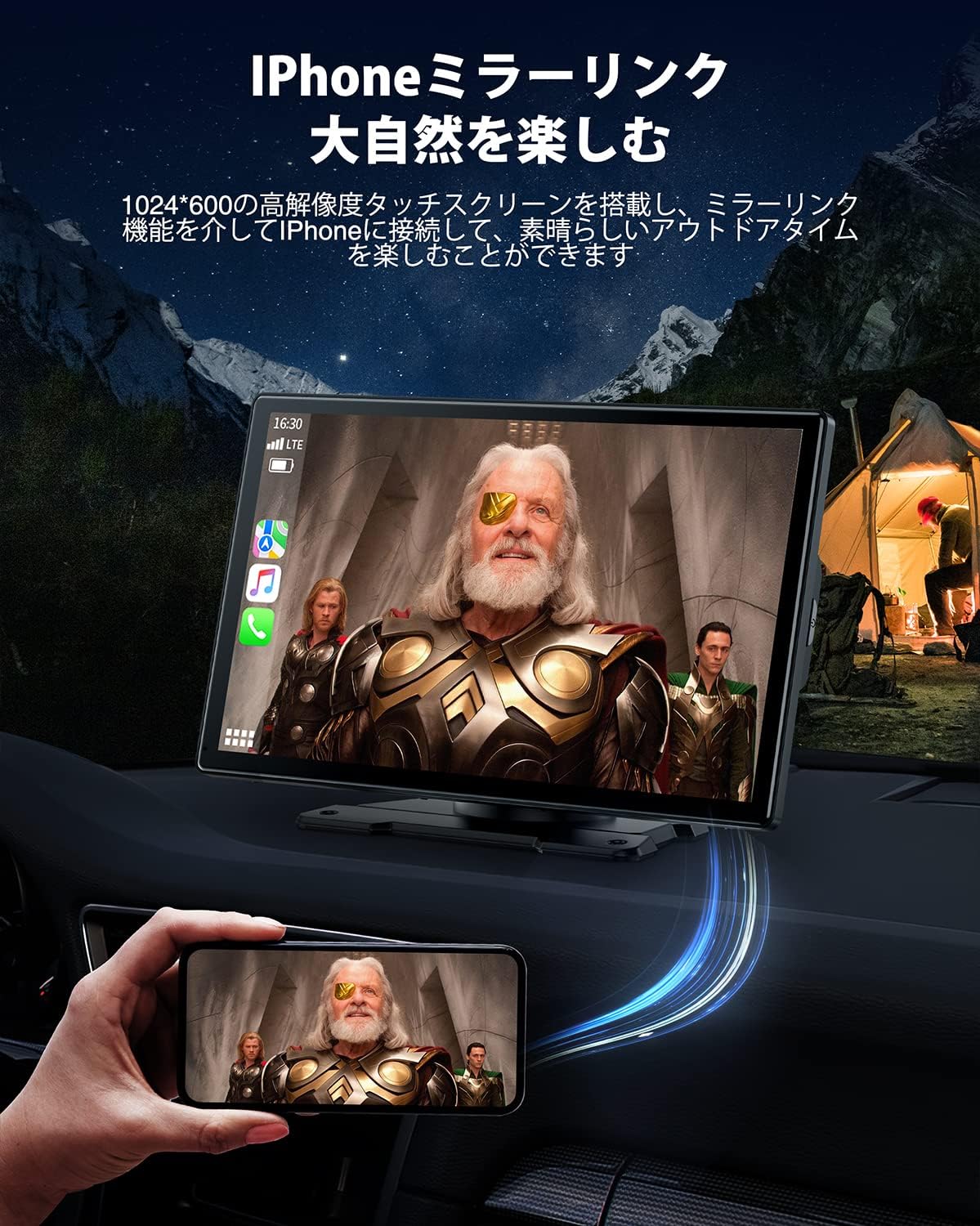
Image: iPhone Mirrorlink displaying video content.
6.7 Parking Assistance System
When the rear camera is properly installed and connected to the reverse light, the display will automatically switch to the rear view when you engage reverse gear. Adjustable parking guidelines assist in safe maneuvering.

Image: Parking assistance view with adjustable guidelines.
7. Întreținere
- Curățarea ecranului: Folosiți o lavetă moale, fără scame, pentru a șterge ușor ecranul tactil. Pentru petele persistente, ștergeți ușor.ampCurățați laveta cu apă sau cu un produs de curățare sigur pentru ecran. Evitați substanțele chimice dure.
- Curatenie generala: Păstrați unitatea curată de praf și resturi. Folosiți o perie moale sau aer comprimat pentru a curăța crăpăturile.
- Organizare de cabluri: Periodically check all cables for wear or damage. Ensure they are securely connected and not pinched.
- Actualizări de software: The unit does not require manual software updates for CarPlay/Android Auto data, as it utilizes your smartphone's applications. Ensure your smartphone apps are up-to-date for the latest navigation and features.
8. Depanare
| Problemă | Cauza posibila | Soluţie |
|---|---|---|
| Unitatea nu pornește. | No power from cigarette lighter; faulty cable. | Check cigarette lighter connection. Test with another 12V/24V outlet. Ensure cable is not damaged. |
| CarPlay/Android Auto nu se conectează. | Bluetooth/Wi-Fi off; incorrect pairing; phone OS version. | Ensure phone's Bluetooth/Wi-Fi is on. Re-pair the device. Check phone's OS version compatibility (Android 8.0+, iOS 13+). Reset unit and phone's network settings if persistent. |
| Fără sunet sau calitate audio slabă. | Incorrect audio output selected; low volume; FM interference. | Verify audio output setting (AUX, FM, Bluetooth). Adjust volume on both unit and car stereo. Change FM frequency if experiencing static. |
| Camera din spate nu afișează. | Camera not connected; faulty wiring; reverse light issue. | Check camera cable connection to AV IN. Ensure camera power is correctly wired to reverse light. Test reverse light functionality. |
| Ecranul tactil nu răspunde. | Eroare temporară de software; daune fizice. | Restart the unit by disconnecting and reconnecting power. If issue persists, contact customer support. |
9. Specificații
- Model: RC07B
- Marca: LAMTTO
- Dimensiunea ecranului: 9 inci
- Metoda de control: Touch screen
- Conectivitate: Bluetooth, Wi-Fi (for Wireless CarPlay/Android Auto)
- Dispozitive compatibile: Android smartphones (Android 8.0+), iPhones (iOS 13+, iPhone 5 and later)
- Mirrorlink: iPhone only
- Vol. De operaretage: 12-24 V
- Greutate produs: 1.31 kilograme
- Caracteristici speciale: Touchscreen, Parking Assistance, Voice Control
- UPC: 793032832526

Image: The LAMTTO RC07B is compatible with a wide range of 12-36V vehicles.
10. Garanție și asistență
For warranty information and technical support, please refer to the documentation included with your purchase or contact LAMTTO customer service through their official channels. Keep your proof of purchase for warranty claims.


