1. Produs terminatview
The FITNATE Smart Door Knob offers convenient keyless entry with biometric fingerprint recognition and remote app control. Designed for enhanced security and ease of use, it is suitable for various indoor applications such as bedrooms, apartments, hotels, and offices. This smart lock combines modern design with advanced security features, including unlock records and automatic locking.

Figure 1: FITNATE Smart Door Knob with app interface and traditional keys.
2. Conținutul pachetului
- FITNATE Smart Door Knob (Exterior and Interior Knobs)
- Mecanism de blocare
- Șuruburi de montare
- Chei mecanice (2)
- Șablon de instalare
- Manual de utilizare (acest document)
3. Specificații
| Caracteristică | Detaliu |
|---|---|
| Marca | FITNATE |
| Numele modelului | Door Knob (HS0396K-BDFBA) |
| Tip blocare | Biometric |
| Caracteristica specială | Amprenta |
| Material | Metal |
| Culoare | Negru Mat |
| Dimensiuni articol (L x l x H) | 7.95 x 3.23 x 3.23 inci |
| Greutatea articolului | 2 lire sterline |
| Metoda de control | Aplicație, atingere |
| Protocol de conectivitate | Bluetooth |
| Sursa de alimentare | 4 x baterii AA (nu sunt incluse) |
4. Ghid de instalare
Before installation, ensure your door meets the required dimensions:
- Door Hole Diameter: 2-1/8" (54mm)
- Door Thickness: 1-3/8" to 2-1/8" (35-54mm)
- Backset: Adjustable for 2-3/8" or 2-3/4" (60 or 70mm)

Figura 2: Cerințe privind dimensiunile ușii pentru instalare.
4.1 Instalare pas cu pas
- Pregătiți ușa: If replacing an existing knob, remove it. Use the provided template to mark and drill holes if installing on a new door.
- Instalați zăvorul: Insert the latch into the door edge hole. Ensure the latch bolt faces the correct direction for your door swing. Secure it with screws.
- Instalați butonul exterior: Pass the spindle and power cable from the exterior knob through the latch and door hole.
- Instalați butonul interior: Connect the power cable from the exterior knob to the interior knob. Align the interior knob with the exterior knob and secure it with the long screws. Ensure the power cable is not pinched.
- Introduceți bateriile: Open the battery cover on the interior knob. Insert 4 AA alkaline batteries, ensuring correct polarity (+/-).
- Attach Battery Cover: Atașați bine capacul bateriei.

Figure 3: Visual guide for easy installation, showing components and suitable door types.
4.2 Ghid video de instalare
For a detailed visual guide on installation, please refer to the official video below:
Video 1: "How to Install - FITNATE Door Knob HS0396". This video provides a comprehensive step-by-step guide for installing the smart door knob.
5. Instrucțiuni de utilizare
5.1 Descărcarea și configurarea aplicației
To utilize the smart features of your FITNATE door knob, download the "TUYA SMART" or "SMART LIFE" app from your device's app store (iOS App Store or Google Play Store).

Figure 4: The smart lock integrates with the app for user management and tracking unlock history.
- Creează cont: Deschide aplicația și creează un cont de utilizator nou sau autentifică-te dacă ai deja unul.
- Adăugați dispozitiv: Click the "+" icon in the upper right corner of the app. Ensure Bluetooth is enabled on your phone. Touch the fingerprint screen of the lock to enable Bluetooth for easier connection.
- Discover & Add: The app will discover the "JB-ZAM" device. Click "Add" to pair.
- Rename Lock: Once successfully connected, you can click the device icon (e.g., "KNOB LOCK") to rename your lock for easy identification.
For a visual guide on app setup and usage, refer to the videos below:
Video 2: "FITNATE Fingerprint Door Knob with App Control". This video demonstrates the app control features of the smart door knob.
Video 3: "FITNATE HS0396 Door Knob - How to Use the APP". This video provides instructions on how to effectively use the app with your smart door knob.
5.2 Gestionarea amprentei
The lock supports storing up to 20 fingerprints for various users.

Figure 5: The smart door knob supports multiple user fingerprints for access.
- Adăugați amprenta: In the app, navigate to "Member Management". Choose "Admin" or another user, then click "Fingerprint" and "Add".
- Înregistrare amprentă: Follow the on-screen prompts to place your finger on the sensor multiple times, adjusting the angle slightly for comprehensive enrollment. Ensure your finger is clean and dry.
- Rename Fingerprint: After successful enrollment, you can name the fingerprint for easy identification.
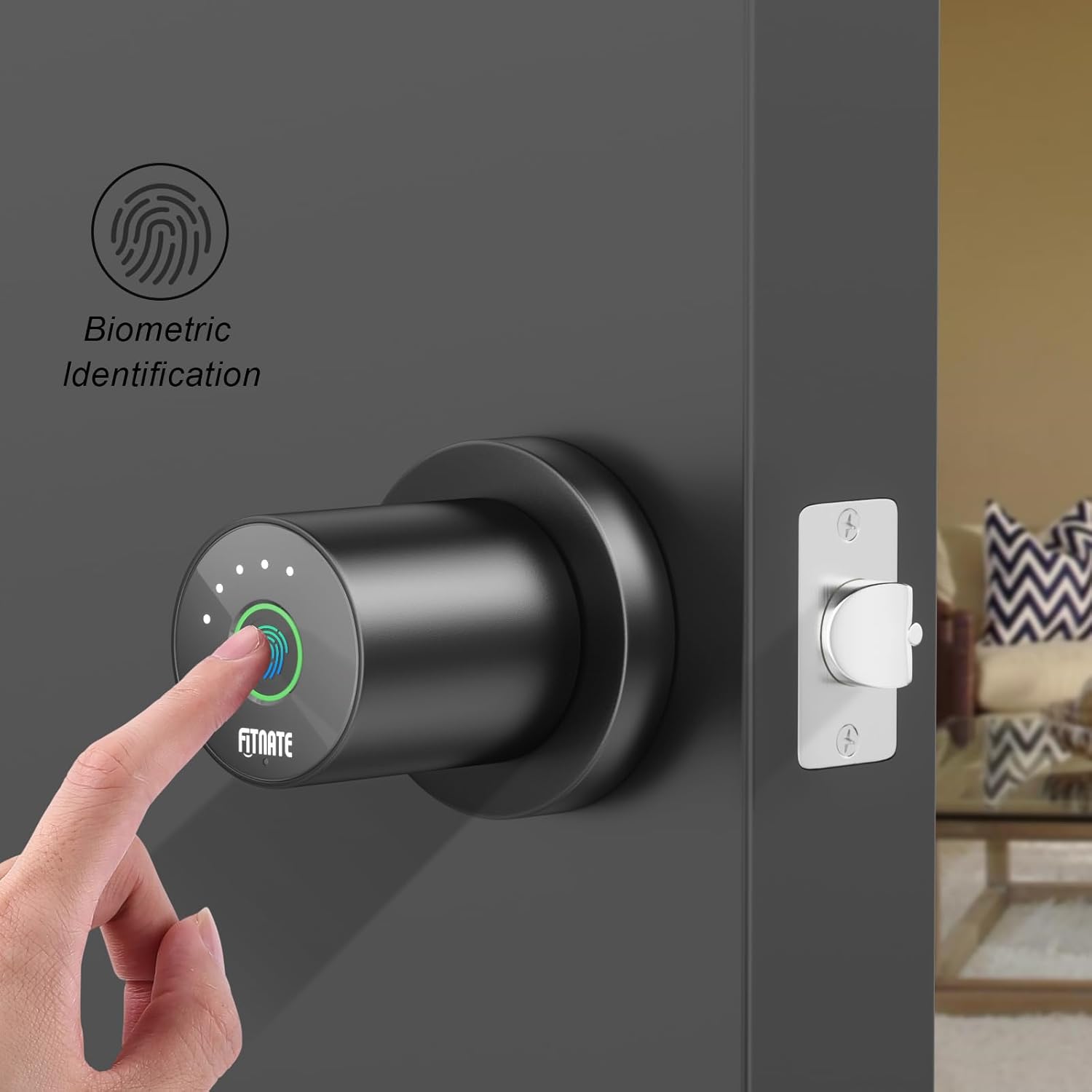
Figure 6: Biometric identification in action on the smart door knob.
5.3 Metode de deblocare
- Deblocarea amprentei digitale: Place your enrolled finger on the sensor. The light will turn green, and the lock will unlock.
- Deblocare aplicație: Open the app, and on the main lock page, hold and drag the key icon to the unlocked padlock icon to unlock the door remotely.
- Deblocare cu cheie mecanică: In case of battery depletion or electronic malfunction, use the provided mechanical keys to unlock the door. The keyhole is located at the bottom of the knob.

Figure 7: The smart door knob offers convenient one-touch fingerprint unlocking.

Figure 8: The lock features a low battery alarm and a mechanical key for backup access.
5.4 Funcții avansate ale aplicației
- Deblocare istoric: View a record of when the lock was opened and by which user. Access this by entering the lock page and clicking "Unlock Record" at the bottom.
- Mod de trecere: Enable this mode in the app (under "More") to keep the lock in a normally open state, allowing free passage without requiring a fingerprint or app unlock.
- Mute Lock Volume: Adjust or mute the lock's sound volume through the app settings (under "More" > "Lock Volume").
- Deblocare de la distanță: The app allows for remote unlocking, enabling you to grant access from anywhere.
- Blocare automată: Configure automatic locking settings to ensure the door is secured after a set period.
6. Întreținere
- Înlocuire baterie: The door lock requires four LR6/AA/1.5V alkaline batteries. When a low battery reminder occurs (battery icon red with continuous beeping), replace the batteries within a week to ensure proper functionality.
- curatenie: Ștergeți suprafața încuietorii cu o cârpă moale și uscată. Evitați utilizarea de produse de curățare abrazive sau solvenți care ar putea deteriora finisajul sau componentele electronice.
- Îngrijirea senzorului de amprentă: Păstrați senzorul de amprentă curat și uscat pentru o performanță optimă.
7. Depanare
- Încuietoarea nu răspunde:
- Verificați nivelul bateriei și înlocuiți-o dacă este scăzută.
- Ensure the power cable connection inside the interior knob is secure.
- Amprentă nerecunoscută:
- Asigurați-vă că degetul este curat și uscat.
- Try re-enrolling your fingerprint, adjusting the angle during the process.
- Ensure the fingerprint sensor is clean.
- Probleme de conectare la aplicație:
- Asigurați-vă că Bluetooth este activat pe telefon.
- Reporniți aplicația și încercați să vă reconectați.
- Touch the fingerprint sensor on the lock to activate Bluetooth pairing mode.
- Door does not lock/unlock properly:
- Check for any obstructions in the door frame or latch.
- Verify that the latch mechanism is installed correctly and moves freely.
- Ensure the interior and exterior knobs are properly aligned and secured.
- Red light on fingerprint sensor: Indicates an unlock failed. Re-attempt with an enrolled fingerprint.
8. Garanție și asistență
FITNATE products are designed for durability and performance. For warranty information, technical support, or assistance with your Smart Door Knob (Model: HS0396K-BDFBA), please refer to the contact information provided on the product packaging or the official FITNATE website-ul.
De asemenea, puteți găsi asistență suplimentară și întrebări frecvente pe FITNATE Store on Amazon.


