Introducere
The bopmen Star10 Wireless Bluetooth Karaoke Microphone is a versatile 4-in-1 device designed for singing, acting as a portable handheld microphone, speaker, and featuring an integrated disco light. It offers high-resolution audio quality and extensive compatibility, making it suitable for various entertainment settings including car travel, home parties, and general use for adults and children.

Image: The Star10 Wireless Bluetooth Karaoke Microphone in Rose Gold, showcasing its sleek design and integrated disco ball.
Informații de siguranță
- Nu expuneți dispozitivul la temperaturi extreme sau umiditate.
- Evitați scăderea sau supunerea dispozitivului la impacturi puternice.
- A nu se lăsa la îndemâna copiilor mici pentru a preveni riscul de sufocare cu piese mici.
- Use only the provided USB C-A cable for charging.
- Nu încercați să dezasamblați sau să modificați dispozitivul.
- Curățați dispozitivul cu o lavetă moale și uscată. Evitați utilizarea substanțelor chimice dure sau a detergenților abrazivi.
Conținutul pachetului
Vă rugăm să bifați căsuța pentru următoarele elemente:
- 1 x Karaoke microphone (Star10)
- 1 x USB C-A charging cable
- 1 x manual de utilizare
Produs terminatview
Familiarize yourself with the main controls and ports of your Star10 microphone.

Image: Detailed diagram illustrating the main control panel and bottom ports of the Star10 microphone, including Microphone Volume, On/Off/Play/Pause, Reverb On/Off, Volume Up/Down, Next/Previous Song, Tone Mode, Disco Light Control, USB Port, 3.5mm Earphone Jack, and TF Card slot.
Principalele comenzi:
- Microphone Volume / Accompaniment Mode On/Off: Adjusts microphone volume or toggles accompaniment.
- On/Off, Play/Pause: Powers the device on/off and controls music playback.
- Reverb On/Off / Bluetooth & TF Card Mode: Toggles reverb effect and switches between input modes.
- Volum sus/jos: Adjusts overall speaker volume.
- Melodia anterioară/următoare: Navighează prin piste.
- Modul Ton: Cycles through different voice effects.
- Disco Light Control / Twins Pairing: Controls the disco light and initiates Twins Mode pairing.
Porturi inferioare:
- Indicator luminos: Shows device status (e.g., charging, connected).
- 3.5 mm Earphone Jack / Re-Set button inside: For private listening or resetting the device.
- Port USB: Pentru încărcarea microfonului.
- Slot pentru carduri TF: For playing music directly from a micro TF card (up to 32GB, not included).
Înființat
Încărcarea microfonului:
- Connect the provided USB C-A cable to the USB port on the bottom of the microphone.
- Conectați celălalt capăt al cablului la un adaptor de alimentare USB compatibil (nu este inclus) sau la un port USB al computerului.
- The indicator light will show charging status. A full charge provides up to 10 hours of use (minimum 5 hours).
Pornire/Oprire:
- Țineți apăsat butonul Pornit/Oprit/Redare/Pauză button for a few seconds to power on the microphone. You will hear an audible prompt.
- To power off, press and hold the same button until you hear the power-off prompt.
Instrucțiuni de operare
Conexiune Bluetooth:
The Star10 microphone uses Bluetooth 5.2 for seamless connection to your devices.
- Power on the microphone. It will automatically enter Bluetooth pairing mode.
- On your smartphone, tablet, or other Bluetooth-enabled device, open the Bluetooth settings.
- Caută "STAR 10" in the list of available devices and select it to pair.
- Once connected, you will hear a confirmation prompt. You can now play music from your device through the microphone's speaker and sing along.

Image: The Star10 microphone demonstrating its wide compatibility, connecting wirelessly to smartphones, tablets, and laptops via Bluetooth.
Mod card TF:
Play music directly from a micro TF card.
- Insert a micro TF card (up to 32GB, not included) with your music files into the TF Card slot on the bottom of the microphone.
- The microphone will automatically switch to TF Card mode. If not, press the Reverb On/Off / Bluetooth & TF Card Mode buton pentru a schimba modurile.
- Utilizați Melodia anterioară / următoare butoane pentru navigarea pe piste și Redare/Pauză pentru controlul redării.
Disco Light Control:
Enhance your karaoke experience with the built-in disco light.
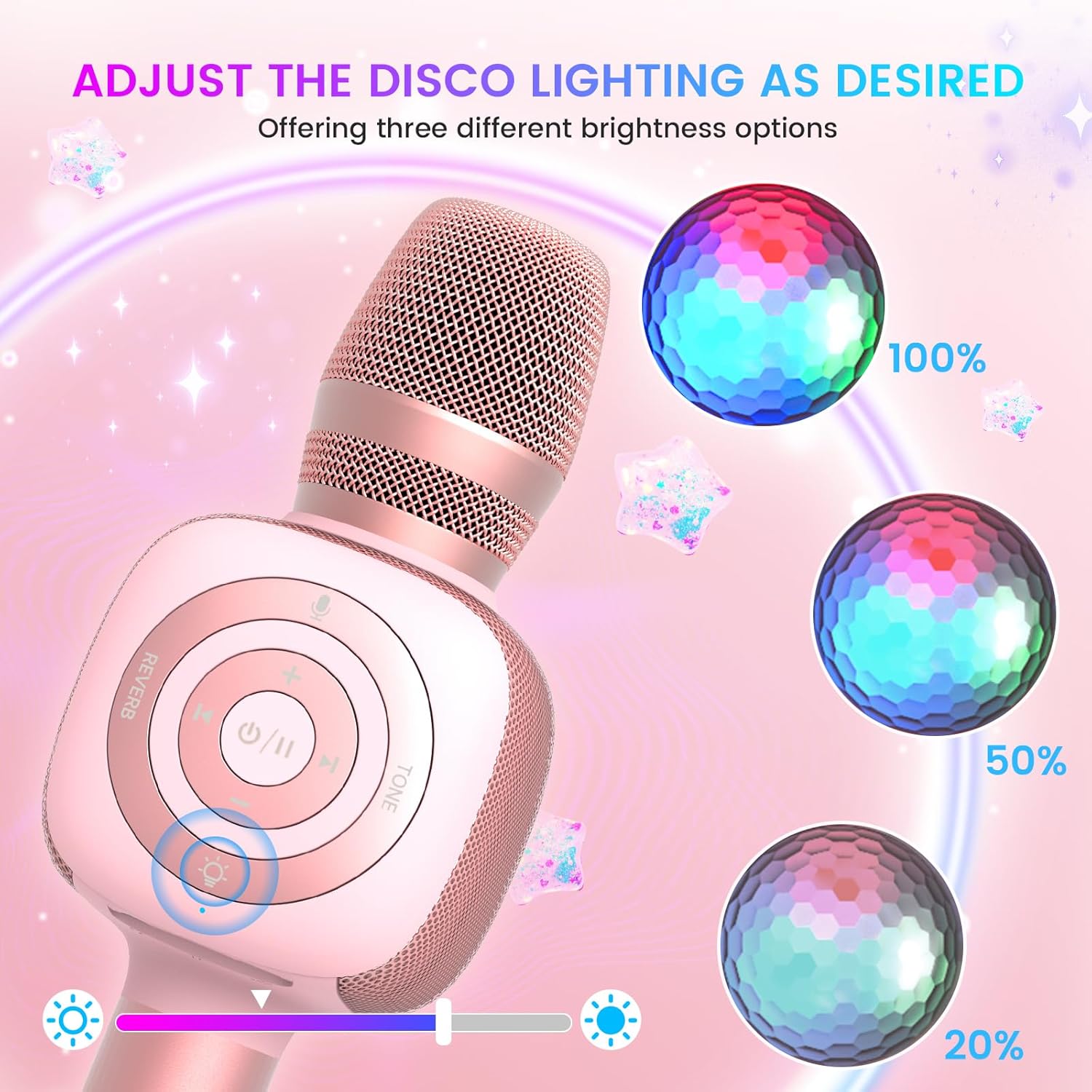
Image: The Star10 microphone's disco light feature, illustrating three adjustable brightness levels (100%, 50%, 20%) to suit different ambiance needs.
- Apăsați tasta Disco Light Control button (light bulb icon) to cycle through three RGB color modes and brightness levels.
- Press again to turn the disco light off.
Tone Modes (Magic Mode):
Experiment with different voice effects for added fun.

Image: The Star10 microphone's "Magic Mode" feature, depicting icons for Male Voice, Female Voice, Cartoon Voice, and Monster Sound effects.
- Apăsați tasta Modul Ton button to cycle through various voice effects such as Male Voice, Female Voice, Cartoon Voice, and Monster Sound.
- Continue pressing to return to the original tone.
Twins Mode (Duet Mode):
Pair two Star10 microphones for a duet experience.

Image: Two individuals enjoying a duet, each holding a Star10 microphone, illustrating the "Twins Mode" functionality for shared singing experiences.
- Ensure both Star10 microphones are powered on.
- On one microphone, press and hold the Disco Light Control button for 2 seconds until a prompt tone "LINK CONNECTED" is heard. This microphone is now in Twins Mode pairing.
- On your cellphone/device, perform Bluetooth pairing selection and choose either of the two microphones. Both microphones will now be connected and output audio.
- To exit Twins Mode, press and hold the Disco Light Control button on the paired microphone for 2 seconds.
Întreţinere
- curatenie: Wipe the microphone with a soft, dry cloth. Do not use liquid cleaners or aerosols.
- Depozitare: Depozitați microfonul într-un loc răcoros și uscat, ferit de lumina directă a soarelui și de temperaturi extreme.
- Îngrijirea bateriei: For optimal battery life, charge the microphone regularly, even if not in frequent use. Avoid fully discharging the battery for extended periods.
Depanare
| Problemă | Cauza posibila | Soluţie |
|---|---|---|
| Microfonul nu pornește. | Baterie descărcată; Butonul de pornire nu a fost ținut apăsat suficient de mult timp. | Charge the microphone fully; Press and hold the power button for 3-5 seconds. |
| Nu se poate conecta prin Bluetooth. | Microphone not in pairing mode; Device Bluetooth off; Interference. | Ensure microphone is on and in pairing mode; Enable Bluetooth on your device; Move closer to the microphone; Restart both devices. |
| Niciun sunet din difuzor. | Volume too low; Device volume too low; Incorrect mode. | Increase microphone volume; Increase device volume; Ensure correct mode (Bluetooth/TF Card). |
| Voice effects not working. | Apăsare greșită a butonului. | Press the 'Tone Mode' button repeatedly to cycle through effects. |
| Disco light not working. | Lumina s-a stins. | Press the 'Disco Light Control' button to turn on/cycle modes. |
Specificații
- Model: STEA 10
- Marca: bopmen
- Factor de formă a microfonului: De mână
- Tehnologie de conectivitate: Bluetooth 5.2
- Sursa de alimentare: Alimentat cu baterii (incluse 2 baterii litiu-ion)
- Durata de viață a bateriei: Up to 10 hours (minimum 5 hours)
- Dimensiuni produs: 18.7 x 16.54 x 12.2 inci
- Greutatea articolului: 1.19 lire sterline (540 grame)
- Raport semnal-zgomot: 52 dB
- Raspuns in frecventa: 10 KHz
- Dispozitive compatibile: Personal Computer, Smartphone, Karaoke Machine
- Caracteristica speciala: Mute Function, Disco Light, Voice Changer, Twins Mode
- Culoare: Aur roz
- Utilizări recomandate: Interior/Exterior
Garanție și suport
Your bopmen Star10 Karaoke Microphone comes with a standard manufacturer's warranty. For detailed warranty information, please refer to the warranty card included in your package or visit the official bopmen website-ul.
If you encounter any issues or have questions regarding your product, please do not hesitate to contact our professional customer service team. We are committed to providing support and assistance within 24 hours to ensure your satisfaction.
Informații de contact: Please refer to the contact details provided in your product packaging or on the official bopmen support page for the most up-to-date information.


