1. Introducere
This manual provides essential instructions for setting up, operating, and maintaining your Tibuta Android 13 Tablet. Please read this guide thoroughly to ensure proper use and to maximize your device's performance.
The Tibuta 10-inch tablet features the Android 13 operating system, an Octa-Core processor, 8GB RAM, 64GB internal storage (expandable up to 1TB), a 7000mAh battery, and a 1280x800 IPS display. It supports Wi-Fi 6, Bluetooth 5.2, and Widevine L1 for enhanced streaming.

Image 1.1: Tibuta Android 13 Tablet overview, highlighting its 8GB+64GB configuration, Android 13 OS, Wi-Fi 6, 7000mAh battery, and Widevine L1 support.
2. Dispozitiv Dispozitiv
Familiarize yourself with the physical components and ports of your tablet.

Imaginea 2.1: Față și laterală view of the tablet with numbered components and dimensions.
Identificarea componentelor:
- Buton de alimentare: Folosit pentru a porni/opri dispozitivul sau a activa/dezactiva ecranul.
- Port de tip C: Pentru încărcarea tabletei și transferul de date.
- Butoane de volum: Reglați volumul audio.
- Slot pentru card Micro SD: Insert a Micro SD card for expanded storage.
- Camera: Cameră pentru spate.
- Buton de resetare: A small pinhole button to force restart the device if unresponsive.
- Headphone Terminal: Mufă audio de 3.5 mm pentru căști.
- Difuzoare: Ieșire audio.

Imaginea 2.2: Detaliată view of the tablet's ports and buttons, including front and rear cameras, speakers, and the 3.5mm headphone jack.
3. Noțiuni introductive
3.1. Încărcarea bateriei
Before first use, fully charge the tablet's 7000mAh lithium polymer battery. Connect the provided Type-C cable to the tablet's Type-C port and the other end to the power adapter, then plug the adapter into a wall outlet. The charging indicator will show the charging status.

Image 3.1: Visual representation of the tablet's 7000mAh battery capacity and Type-C charging port.
3.2. Pornire/Oprire
- Pentru a porni: Press and hold the Power Button until the Tibuta logo appears on the screen.
- Pentru a opri: Press and hold the Power Button until the power options menu appears, then select 'Power off'.
- A dormi/a te trezi: Apăsați scurt butonul de alimentare pentru a trece tableta în modul repaus sau pentru a o activa.
3.3. Configurare inițială
Upon first power-on, the tablet will guide you through an initial setup process. This includes selecting your language, connecting to a Wi-Fi network, and setting up your Google account. Follow the on-screen prompts to complete the setup.
4. Operații de bază
4.1. Gesturi pe ecranul tactil
The tablet's 10.1-inch IPS touchscreen responds to various gestures:
- Robinet: Selectați un element sau activați un buton.
- Atingeți și mențineți apăsat: Access contextual menus or drag items.
- Beţivan: Navigate through screens or scroll lists.
- Ciupire pentru zoom: Măriți sau micșorați imaginile și web pagini.
4.2. Conexiune Wi-Fi
Pentru a vă conecta la o rețea Wi-Fi:
- Du-te la Setări > Rețea și internet > Internet.
- Activați Wi-Fi.
- Selectați rețeaua dorită din listă și introduceți parola dacă vi se solicită.
The tablet supports 2.4G/5G dual-band Wi-Fi 6 for stable and fast connections.
4.3. Asociere Bluetooth
Pentru a asocia cu un dispozitiv Bluetooth:
- Du-te la Setări > Dispozitive conectate > Preferințe de conexiune > Bluetooth.
- Activați Bluetooth.
- Asigurați-vă că dispozitivul Bluetooth este în modul de asociere.
- Select the device from the 'Available devices' list and follow any on-screen prompts.
4.4. Utilizarea camerei
The tablet is equipped with an 8MP rear camera and a 5MP front camera. Open the Camera application to capture photos and videos.

Imaginea 4.1: Examples of camera usage and the split-screen function for multitasking.
4.5. Managementul stocării
The tablet comes with 64GB of internal storage. You can expand this by inserting a Micro SD card (up to 1TB) into the dedicated slot.
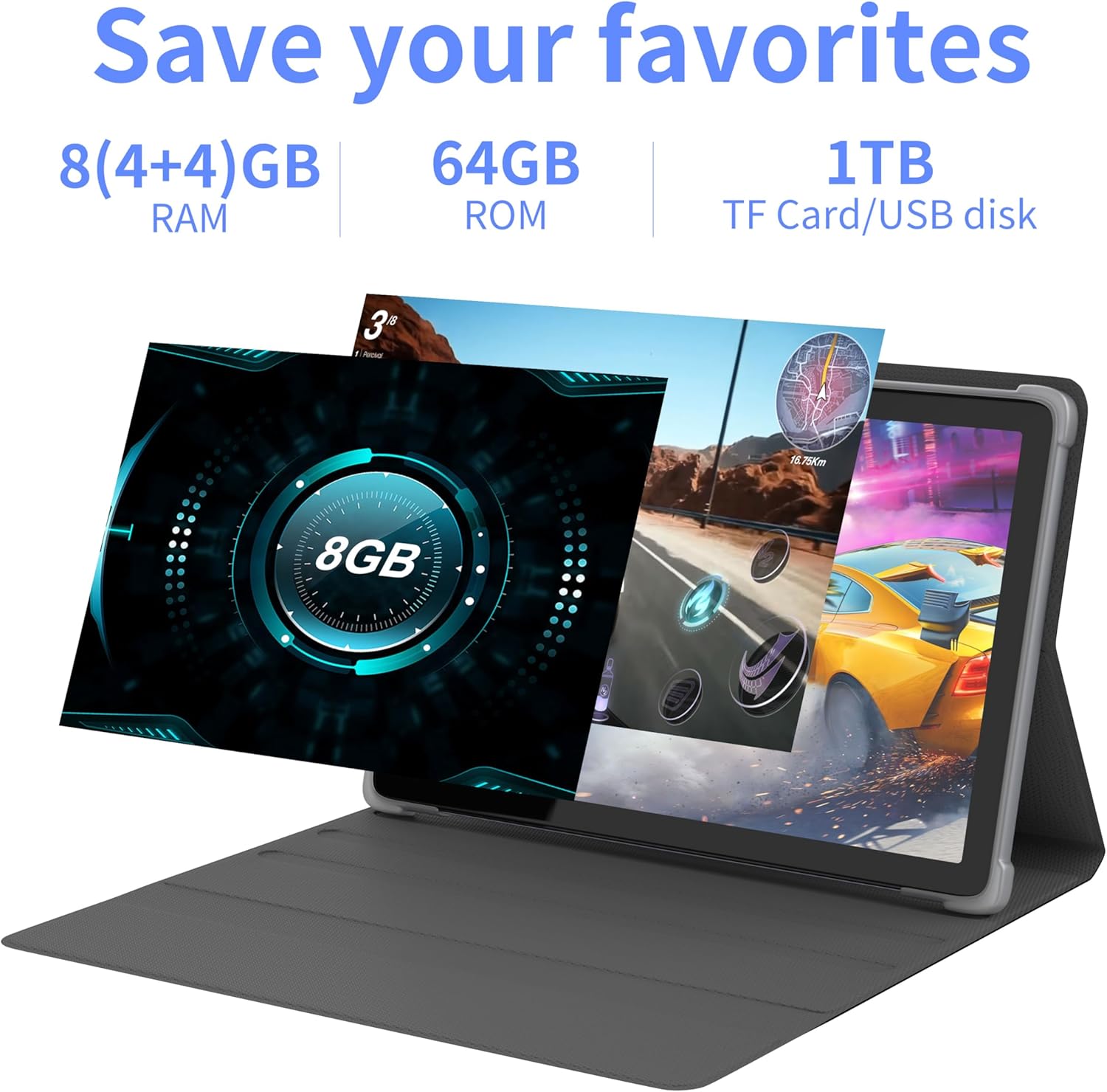
Imaginea 4.2: Pesteview of the tablet's memory and storage capabilities, including RAM, ROM, and expansion options.
4.6. Funcția de ecran divizat
Android 13 allows for split-screen multitasking. To activate, open an app, then swipe up from the bottom of the screen to view recent apps. Touch and hold the app icon at the top of the app's card, then select 'Split screen'. Choose a second app to use simultaneously.
5. Caracteristici de afișare
The tablet features a 10.1-inch IPS display with a resolution of 1280 x 800 pixels, providing clear visuals and wide viewunghiuri de ing.

Image 5.1: The tablet's 10.1-inch HD IPS display, showcasing its resolution and wide-angle viewcapacități de ing.
5.1. Suport Widevine L1
The tablet supports Widevine L1, enabling high-definition streaming content from compatible services.
6. Întreținere
6.1. Curățarea dispozitivului
Folosiți o lavetă moale, fără scame, pentru a curăța ecranul și corpul tabletei. Evitați utilizarea substanțelor chimice dure sau a materialelor abrazive.
6.2. Actualizări software
Verificați și instalați periodic actualizări de sistem pentru a asigura performanță și securitate optime. Accesați Setări > Sistem > Actualizare de sistem.
6.3. Optimizarea stocării
Pentru a menține performanța, ștergeți periodic informațiile inutile files și aplicații. Accesați Setări > Depozitare pentru a gestiona spațiul de stocare al dispozitivului.
7. Depanare
Această secțiune abordează problemele frecvente pe care le-ați putea întâmpina.
| Problemă | Soluţie |
|---|---|
| Tableta nu pornește. | Ensure the battery is charged. Connect the tablet to the charger for at least 30 minutes before attempting to power on again. |
| Tablet is unresponsive. | Use a thin pin or paperclip to press the Reset Button (refer to Device Layout section) to force a restart. |
| Nu se poate conecta la Wi-Fi. | Check if Wi-Fi is enabled in Settings. Ensure the Wi-Fi password is correct. Restart your router and the tablet. |
| Performanță lentă. | Închideți aplicațiile neutilizate. Ștergeți memoria cache și cele temporare files. Consider performing a factory reset if the issue persists (backup data first). |
8. Specificații
Detailed technical specifications for the Tibuta Android 13 Tablet (Model: 8GB+64GB).
| Caracteristică | Detaliu |
|---|---|
| Marca | Tibuta |
| Numărul de model | 8GB+64GB |
| Sistem de operare | Android 13 |
| Procesor | Octa-Core (Allwinner A523) |
| RAM | 8 GB (4 GB + 4 GB virtual) |
| Stocare internă | 64 GB |
| Stocare extensibilă | Până la 1 TB (card Micro SD) |
| Dimensiunea ecranului | 10.1 inchi |
| Rezoluția ecranului | 1280 x 800 pixeli (IPS) |
| Camera spate | 8 MP |
| Cameră frontală | 5 MP |
| Capacitatea bateriei | Litiu polimer de 7000 mAh |
| Durata medie a bateriei | Până la 8 ore (în funcție de utilizare) |
| Conectivitate | Wi-Fi 6 (802.11ac, b, g, n), Bluetooth 5.2 |
| Dimensiuni | 24.8 x 16.7 x 1.2 cm |
| Greutate | 539 g |
| Culoare | Gri |
| Caracteristici speciale | Widevine L1, Certificat GMS |
9. Suport
For technical assistance or if you encounter any issues with your Tibuta tablet, please contact our customer service team. Refer to your purchase documentation or the retailer's website pentru date de contact specifice.


