1. Introducere
This manual provides comprehensive instructions for the installation, operation, maintenance, and troubleshooting of your Anpviz 4K PoE Turret IP Camera, Model IPC-D3A83W-S. Please read this manual thoroughly before using the product to ensure proper functionality and safety. Keep this manual for future reference.
2. Produs terminatview
The Anpviz 4K PoE Turret IP Camera is designed for both indoor and outdoor security surveillance, offering high-resolution video and advanced detection capabilities.
Caracteristici cheie:
- 4K Ultra HD (8MP) Resolution: Provides clear video at 3840x2160 pixels.
- Lentila cu unghi larg de 2.8 mm: Oferă un câmp de 110 de grade view.
- Alimentare prin Ethernet (PoE): Simplifies installation with a single cable for power and data.
- Detectarea oamenilor și a vehiculelor prin inteligență artificială: Reduces false alarms by accurately identifying human and vehicle movement.
- Smart Dual Light Color Night Vision: Features infrared night vision (up to 98ft) and warm lights for color night vision upon motion detection.
- Microfon încorporat: Enables one-way audio monitoring.
- Evaluare de impermeabilitate IP66: Asigură durabilitate pentru utilizare în exterior.
- Acces de la distanță: View trăi footage and recordings via mobile app or PC client.
Continutul pachetului:
- 1x Anpviz 4K PoE Turret IP Camera (Model IPC-D3A83W-S)
- 1x Capac impermeabil
- 1x Manual de utilizare
- Screw Packs for installation
- 1x Card post-vânzare
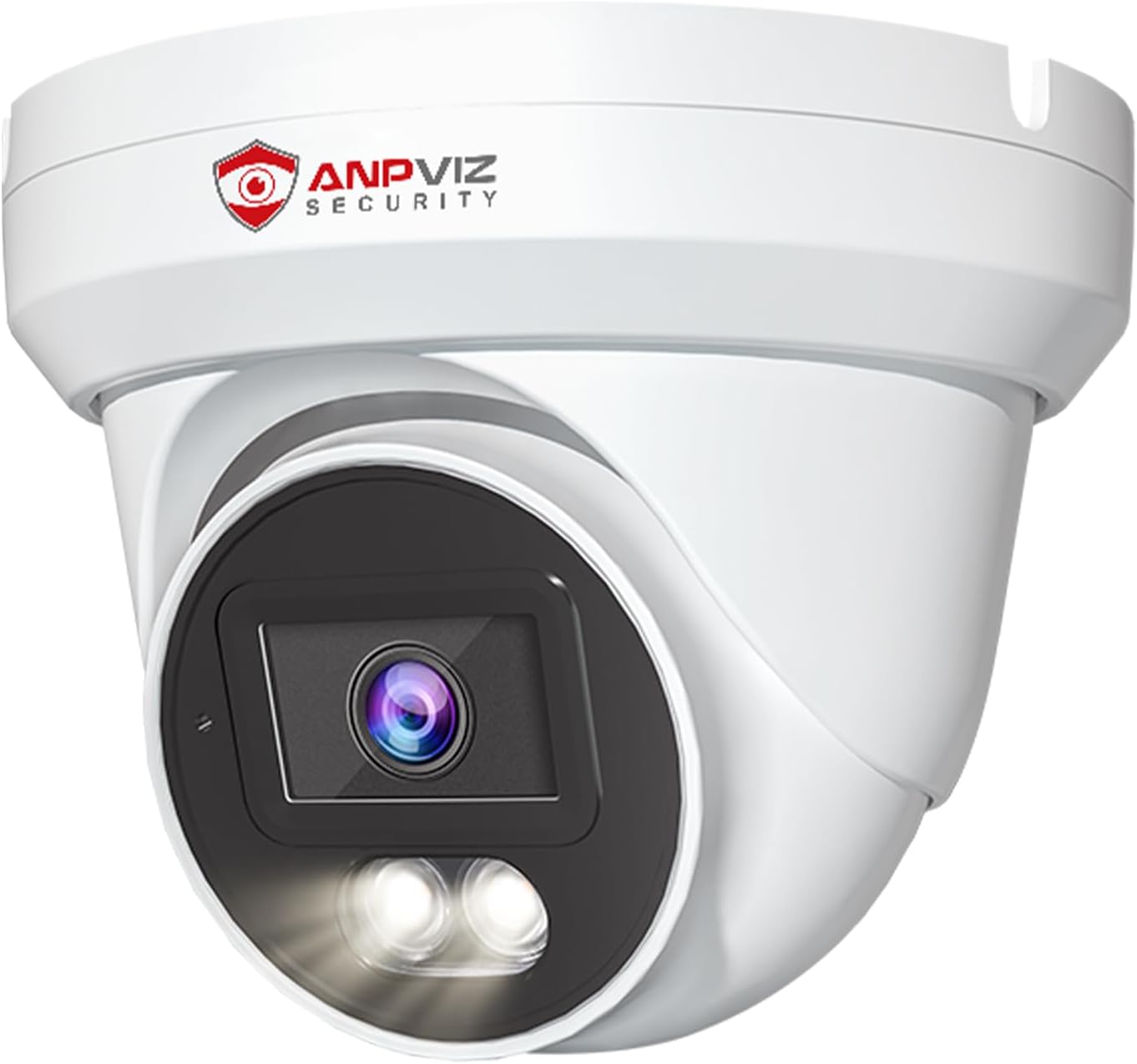
Imaginea 1: Față view of the Anpviz 4K PoE Turret IP Camera, showcasing designul său compact și obiectivul.
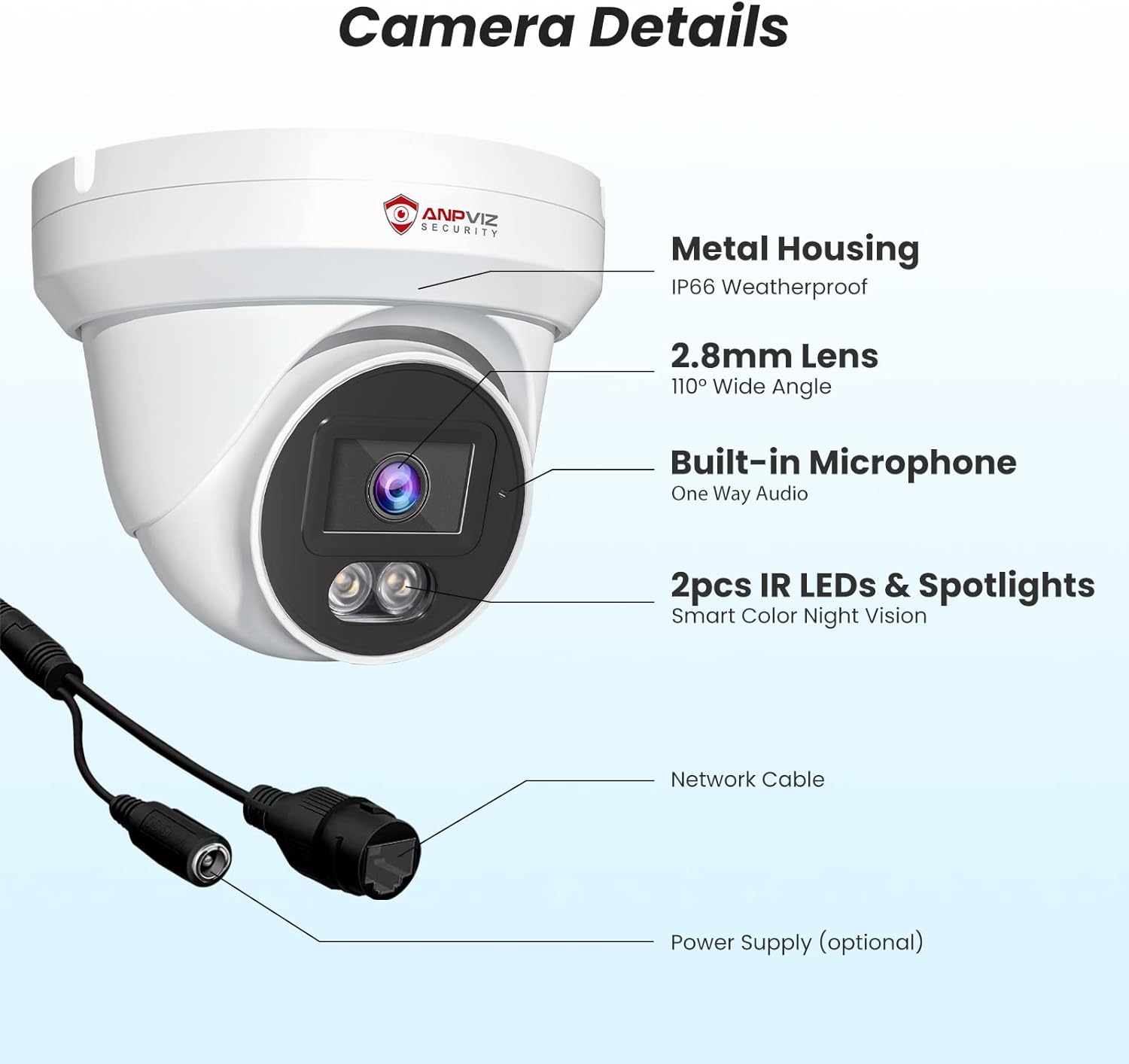
Imaginea 2: Detaliată view of the camera components, including the metal housing, 2.8mm lens, built-in microphone, IR LEDs, spotlights, network cable, and optional power supply port.
3. Configurare și instalare
The Anpviz 4K PoE Turret IP Camera supports Power over Ethernet (PoE) for simplified installation. A single Ethernet cable provides both power and data connection to a compatible PoE NVR or PoE switch.
3.1 Instalare fizică
- Alegeți o locație de montare: The camera can be ceiling-mounted or wall-mounted. Ensure the chosen location provides the desired field of view and is within range of your PoE network.
- Pregătiți suprafața: Use the provided screw packs and waterproof lid for secure outdoor installation. Drill pilot holes as needed.
- Conectați cablul Ethernet: Connect a standard Ethernet cable from your PoE NVR or PoE switch to the camera's network port. Ensure the waterproof lid is properly installed over the connection for outdoor use.
- Securizați camera: Mount the camera securely using the provided screws. Adjust the camera's angle to cover the desired surveillance area.

Image 3: Diagram illustrating the PoE Plug & Play setup, showing the camera connected to an NVR and router via a single Ethernet cable.
3.2 Initial Configuration (NVR Connected)
If connecting to an Anpviz U-Series NVR, the camera should be automatically detected. For initial setup and configuration, refer to the NVR's user manual. The following video demonstrates how to preview the PoE camera via a monitor connected to the NVR:
Video 1: Instructions on how to preview the PoE camera feed using a monitor connected to an NVR, including initial NVR configuration steps like setting a new password and accessing camera settings.
4. Instrucțiuni de utilizare
4.1 4K Ultra HD Video Monitoring
The camera delivers 4K (3840x2160) resolution video, providing detailed and clear images for surveillance. The 110-degree wide-angle lens ensures a broad coverage area.

Image 4: Visual comparison demonstrating the superior clarity and detail of 4K Ultra HD (8MP) resolution compared to 1080P resolution.

Image 5: Illustration of the 110-degree wide-angle lens coverage, showing how it captures a larger area.
4.2 AI Human & Vehicle Detection
The camera features advanced AI technology to distinguish between human and vehicle movements and other environmental factors like leaves or insects. This reduces false alarms and ensures you receive relevant alerts.
- Configurare: Enable human and vehicle detection settings through the NVR interface or mobile application.
- Alerte: Receive notifications on your smartphone or email when human or vehicle activity is detected.
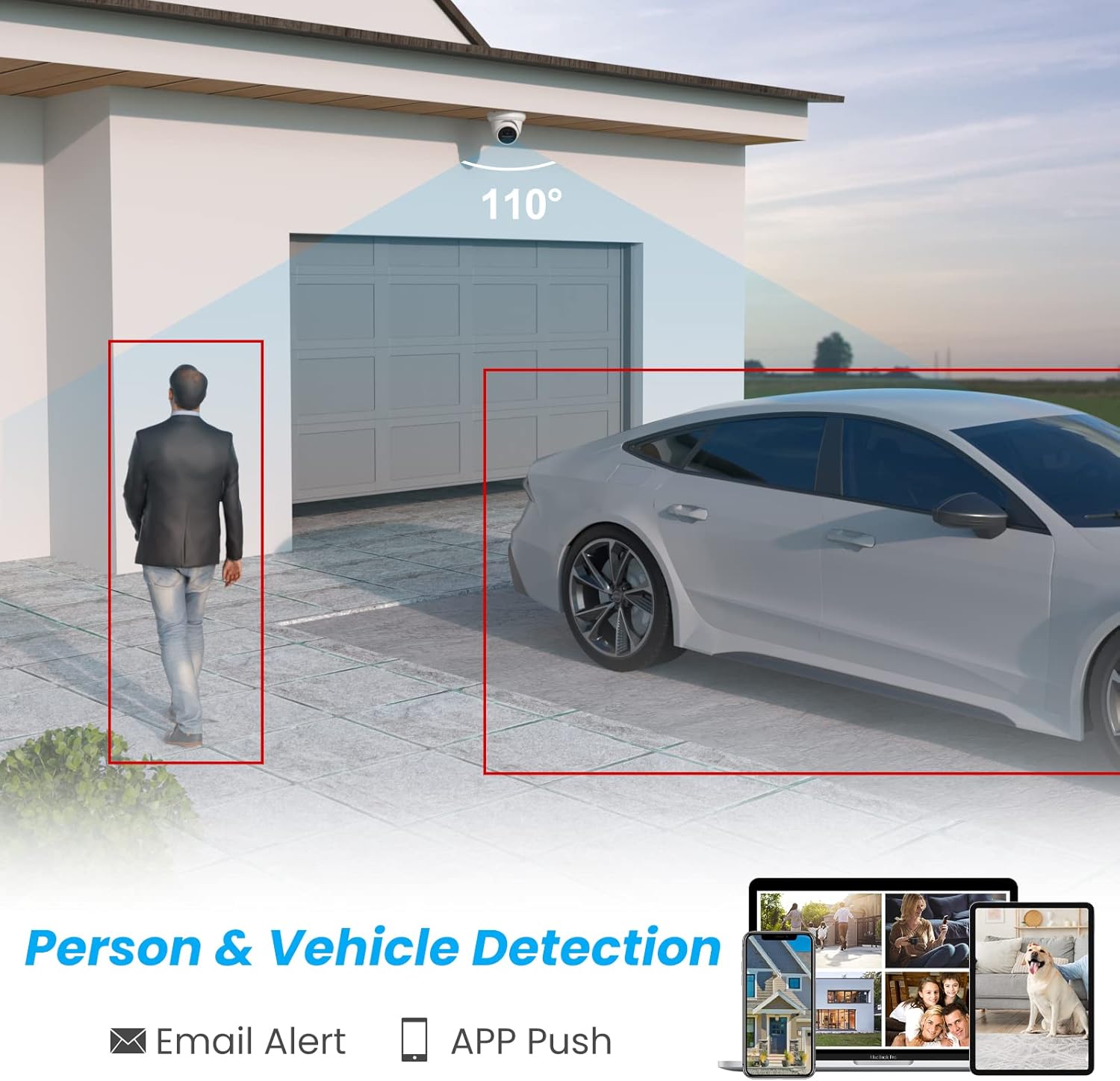
Image 6: Graphic demonstrating the camera's ability to detect and highlight human and vehicle presence within its field of view, triggering email and app push notifications.

Image 7: Illustration showing how the AI detection system filters out irrelevant alerts, focusing only on people and vehicles.
4.3 Smart Dual Light Color Night Vision
The camera offers flexible night vision options:
- Viziune de noapte IR: Provides black and white video in low-light conditions using infrared LEDs.
- Vedere de noapte color: When motion is detected, the camera's warm lights illuminate the area, providing full-color video.
- Personalizare: You can customize the night vision mode to suit your preferences via the camera settings.
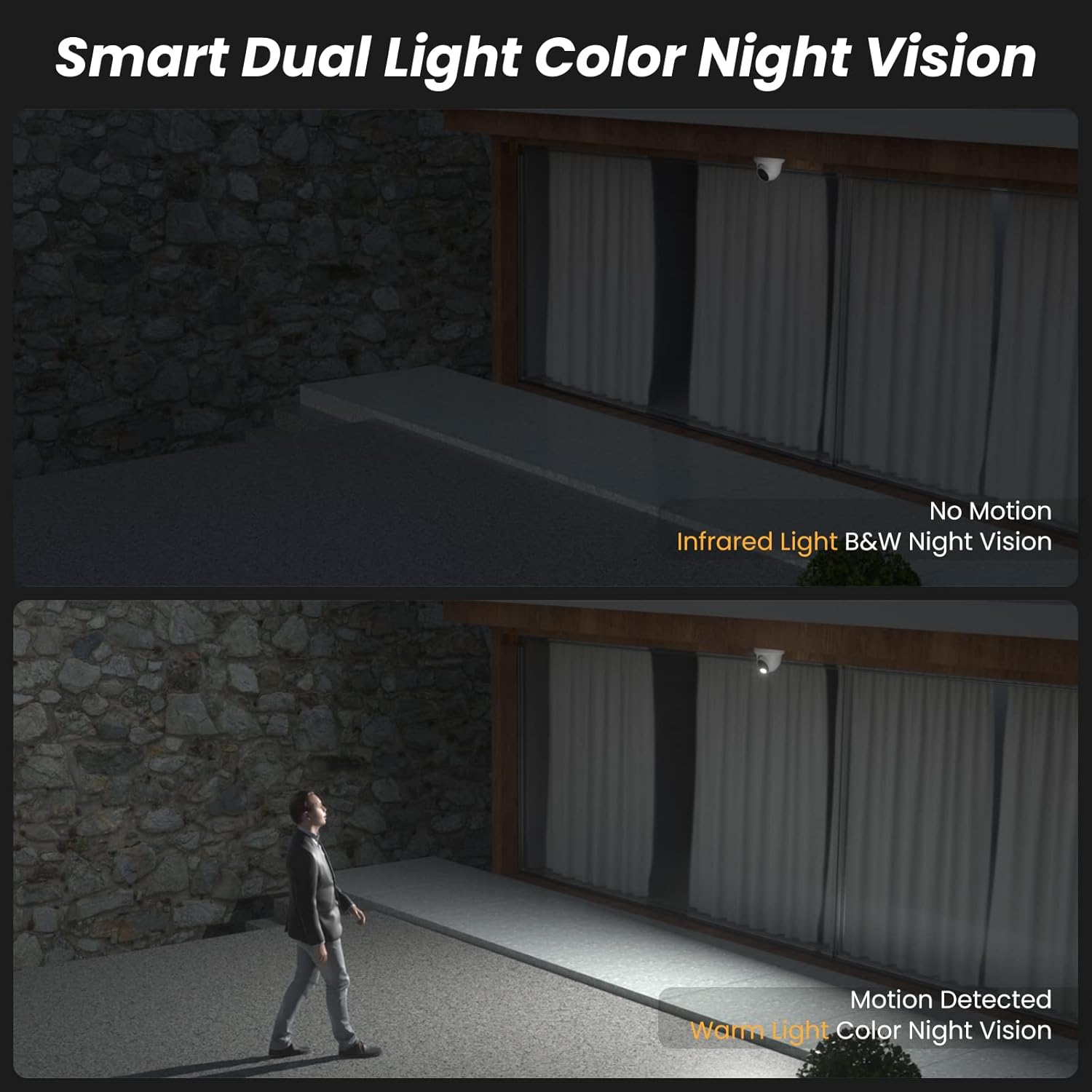
Image 8: Comparison showing infrared black and white night vision without motion, and color night vision with warm light activation upon motion detection.
Video 2: A short demonstration of the camera's infrared black and white night vision mode when no motion is detected.
Video 3: A short demonstration of the camera's white light color night vision mode activating upon motion detection.
4.4 One-Way Audio
The integrated microphone allows for one-way audio monitoring, capturing sounds from the camera's vicinity. This feature enhances situational awareness.

Image 9: Illustration showing the camera's built-in microphone capturing audio, which can be monitored remotely via an NVR or mobile device.
4.5 Remote Access and Live View
Accesează transmisiunea live a camerei tale și înregistrările de mâncaretage from anywhere using the dedicated mobile app (VideoLink) or PC client (LMS).
- Aplicație mobilă: Download the VideoLink app from the App Store or Google Play.
- PC Client: Download the LMS client from the Anpviz support website-ul.
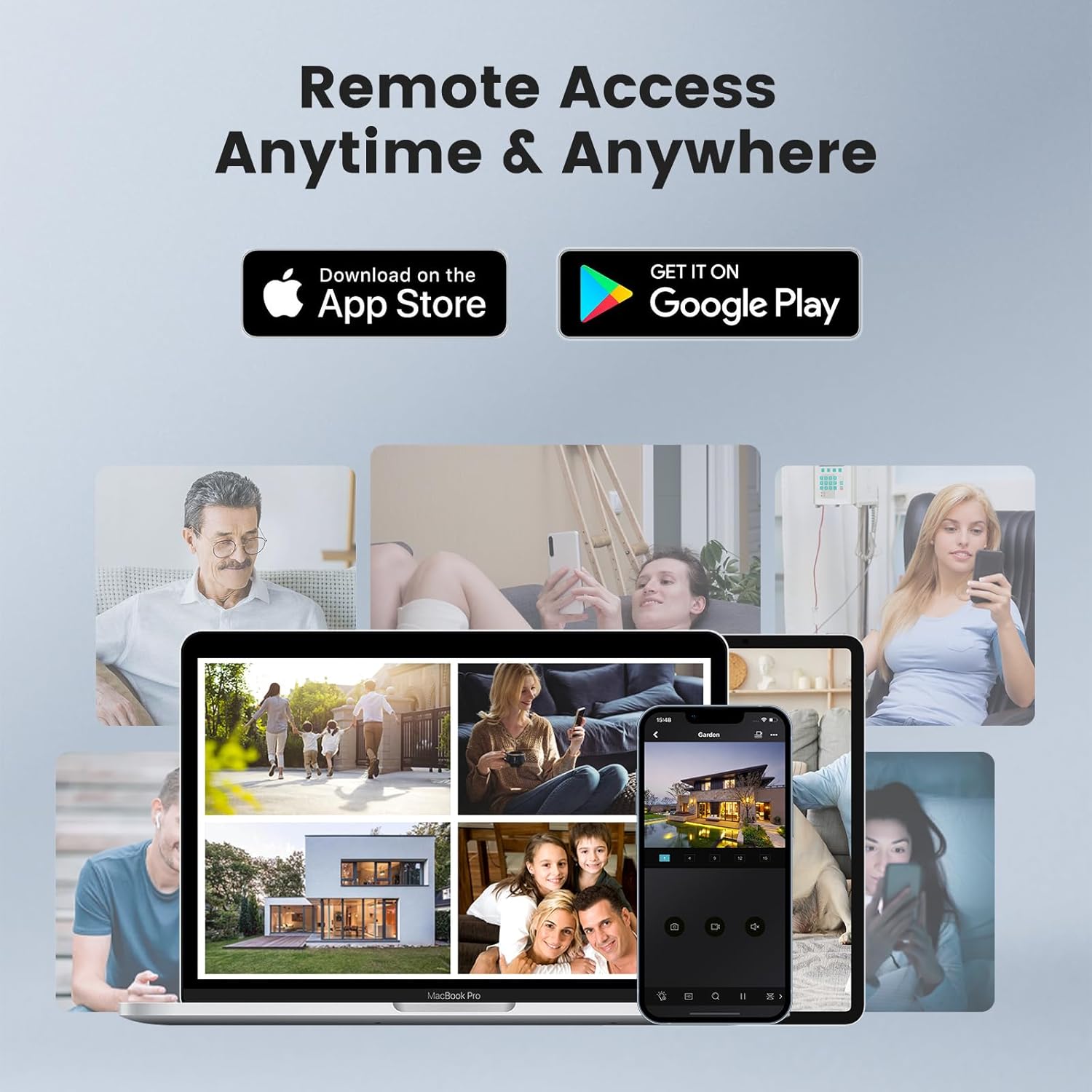
Image 10: Depiction of remote access capabilities, showing live camera feeds on various devices like smartphones, tablets, and laptops.

Imaginea 11: Pesteview of multi-platform remote access, highlighting the VideoLink mobile app and LMS PC client for various operating systems and browsers.
The following video demonstrates how to download the VideoLink and LMS applications for PC:
Video 4: A short instructional video on how to download the VideoLink and LMS applications for PC from the Anpviz support website-ul.
5. Întreținere
- Curățare regulată: Periodically clean the camera lens with a soft, dry cloth to ensure clear image quality. Avoid abrasive cleaners.
- Actualizări firmware: Check the Anpviz support website regularly for firmware updates. Keeping your camera's firmware up-to-date ensures optimal performance and security.
- Verificarea cablului: For outdoor installations, periodically inspect the Ethernet cable and waterproof connections for any signs of wear or damage.
- Ciclu de alimentare: If the camera experiences issues, try power cycling it by disconnecting and reconnecting the PoE cable.
6. Depanare
- Fără flux video:
- Ensure the PoE connection is secure and the NVR/switch is powered on.
- Verificați conectivitatea la rețea.
- Check if the camera is properly added and configured in your NVR or viewing software.
- Calitate slabă a imaginii:
- Curățați obiectivul camerei.
- Ensure sufficient lighting in the area, especially at night.
- Check video resolution settings in your NVR or app.
- Alerte de mișcare falsă:
- Adjust the sensitivity settings for human/vehicle detection.
- Asigurați câmpul de lumină al camerei view is not obstructed by moving objects like tree branches.
- Probleme de acces la distanță:
- Verificați conexiunea la internet.
- Ensure the NVR or camera is properly connected to the internet and port forwarding (if applicable) is configured correctly.
- Update the mobile app or PC client to the latest version.
7. Specificații
| Caracteristică | Caietul de sarcini |
|---|---|
| Numele modelului | IPC-D3A83W-S |
| Rezoluție captură video | 4K (3840x2160) |
| Rezoluție statică efectivă | 8 MP |
| Viewunghiul ing | 110 de grade |
| Obiectiv | 2.8mm |
| Gama de vedere nocturnă | 98 picioare |
| Tehnologie cu lumină scăzută | Smart Color Night Vision (Default), Infrared Night Vision (Optional), Color Night Vision (Optional) |
| Tehnologia de conectivitate | Cu fir (PoE) |
| Protocol de conectivitate | Ethernet |
| Audio | Built-in Microphone (One-way audio) |
| Tip de alertă | Motion Only (AI Human & Vehicle Detection) |
| Evaluarea internațională de protecție | IP66 (impermeabil) |
| Utilizare în interior/exterior | În interior, în aer liber |
| Tip de montare | Ceiling Mount, Wall-Mounted |
| Material | Metal |
| Dimensiuni produs (L x l x H) | 4.72 x 4.72 x 4.92 inci |
| Greutatea articolului | 1.01 lire sterline (0.46 kilograme) |
| Sursa de alimentare | Corded Electric (via PoE) |
| Dispozitive compatibile | Smartphone, PC, Monitor, Computer, Laptop |
8. Garanție și asistență
Anpviz provides a 1-year warranty and lifetime technical support for this product. For any questions or issues, please contact our professional technical staff.
Informații de contact:
- Vânzător Amazon: Contact through the Amazon platform.
- Asistență prin e-mail: support@anpvizsecurity.com
- Ore de funcționare: Monday - Friday, 9:00 AM - 6:00 PM (Time Zone not specified, assume PST or EST based on Amazon.com)

Image 12: Graphic detailing Anpviz's 1-year warranty and lifetime technical support, including contact methods and operating hours.


