1. Introducere
Welcome to the DOOGEE V MAX Plus 5G Rugged Smartphone user manual. This guide will assist you in understanding the features and functions of your new device, ensuring optimal performance and longevity. Please read this manual thoroughly before using your smartphone.

Figure 1: DOOGEE V MAX Plus 5G Rugged Smartphone
2. Dispozitiv terminatview
The DOOGEE V MAX Plus is designed for durability and high performance. Key features include a large battery, advanced camera system, and robust construction.
2.1 Conținutul pachetului
- DOOGEE V MAX Plus Rugged Phone
- Cablu USB-C
- Adaptor de alimentare
- Instrumentul Ejector SIM
- Manual de utilizare (acest document)
Video 1: Unboxing the DOOGEE S100 PRO (similar model, demonstrates package contents and initial handling).
3. Configurare
3.1 Introducerea cardului SIM/SD
- Localizați suportul pentru cartela SIM pe lateralul dispozitivului.
- Introduceți instrumentul de ejectare a cartelei SIM în orificiul mic de lângă tavă pentru a o deschide.
- Introduceți cartela (cartelele) Nano-SIM și/sau cardul microSD în tavă cu contactele aurii în jos, asigurând orientarea corectă.
- Carefully push the tray back into the slot until it is flush with the device. Ensure the rubber seal is properly seated to maintain water and dust resistance.

Figure 2: SIM/SD card tray location (image shows Android 14, but the phone's side profile is visible).
3.2 Pornirea inițială și configurarea de bază
- Apăsați și mențineți apăsat butonul de pornire (situat pe lateral) până când apare sigla DOOGEE.
- Urmați instrucțiunile de pe ecran pentru a selecta limba, a vă conecta la Wi-Fi și a configura contul Google.
- Configurați setările de securitate, cum ar fi deblocarea cu amprentă sau un cod PIN/un model.
4. Utilizarea smartphone-ului
4.1 Baterie și încărcare
The DOOGEE V MAX Plus features a 22000mAh battery. Use the provided 33W fast charger for optimal charging. The device also supports OTG for reverse charging other devices.
- Încărcare: Connect the USB-C cable to the phone's charging port and the power adapter. Plug the adapter into a wall outlet.
- Durata de viață a bateriei: Expect extended usage times, including up to 2350 hours of standby and 130 hours of calls.
- Funcția OTG: Connect an OTG cable (not included) to the USB-C port to charge other devices.

Figure 3: Battery and 33W fast charging capabilities.
Video 2: Demonstrates the 22000mAh battery and camping light feature (from a similar model).
4.2 Funcțiile camerei
The smartphone is equipped with a versatile camera system:
- Cameră principală de 200MP: Pentru fotografii de înaltă rezoluție.
- Cameră frontală de 32MP: Pentru selfie-uri și apeluri video.
- Cameră cu vedere nocturnă de 20MP: Pentru imagini clare în condiții de lumină slabă.
- Cameră cu unghi larg de 50MP: Pentru fotografii de peisaje ample.
- Cameră teleobiectivă de 8MP: For detailed zoomed-in photos.
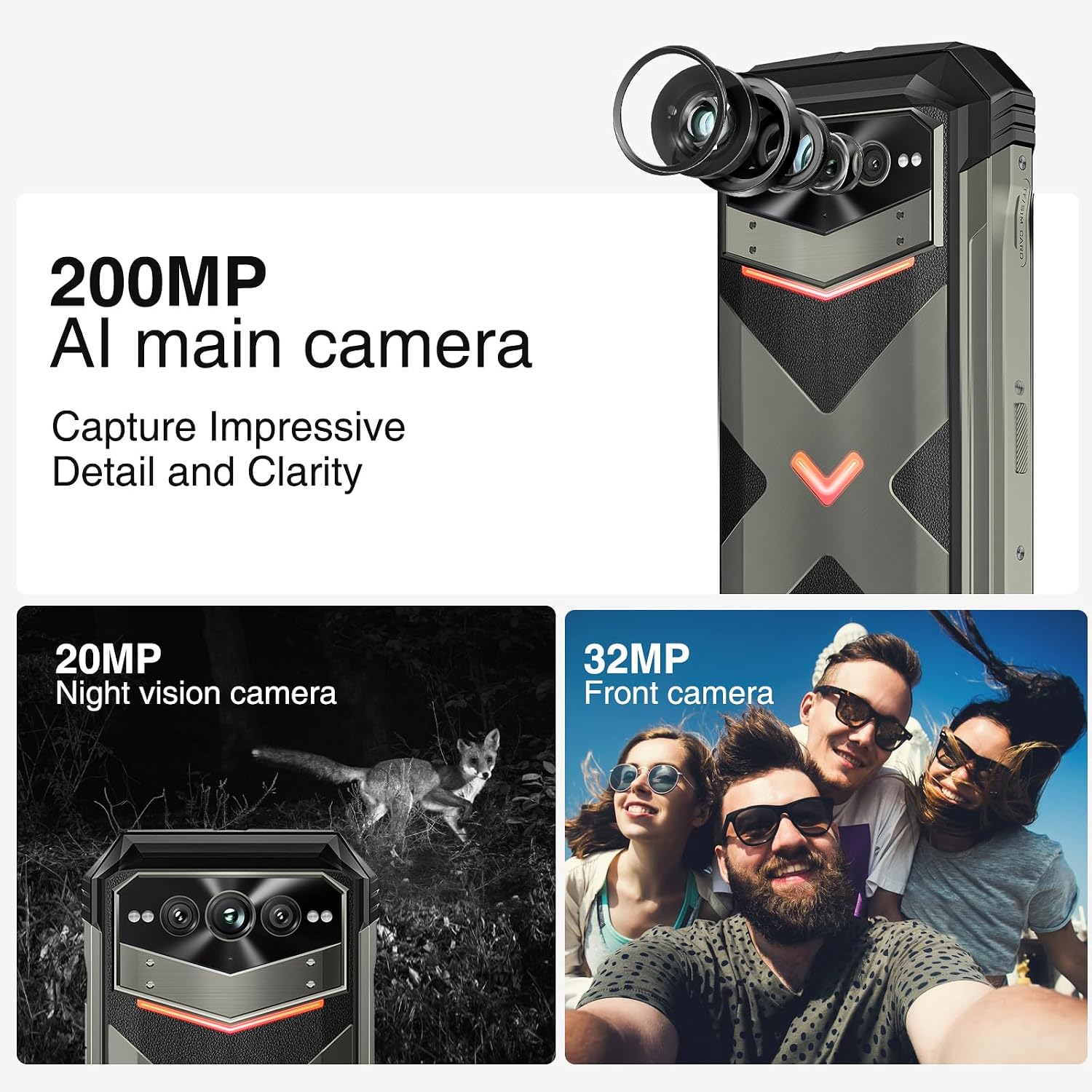
Figura 4: Pesteview of the 200MP AI main camera, 20MP night vision camera, and 32MP front camera.
4.3 Afișare și interacțiune
The device features a 6.58-inch FHD+ display with a 120Hz refresh rate for smooth visuals.
- Ecran: 6.58-inch FHD+ (2408x1080) display with Corning Gorilla Glass.
- Intelligent Interaction Lights: Customizable LED lights on the back for notifications, calls, and charging status.
- Deblocare cu amprentă laterală: For quick and secure access.

Figure 5: Display specifications including size, resolution, aspect ratio, and refresh rate.

Figure 6: Key interaction and connectivity features.
4.4 Conectivitate și performanță
The DOOGEE V MAX Plus supports 5G connectivity and runs on Android 14, powered by a MediaTek Dimensity 7050 processor.
- Sistem de operare: Android 14 for enhanced privacy and personalized settings.
- Procesor: MediaTek Dimensity 7050 6nm 2.2GHz for efficient performance.
- Memorie și stocare: Up to 36GB RAM (12GB physical + 24GB virtual) and 512GB internal storage, expandable up to 2TB via microSD.
- Fără fir: Wi-Fi 6, Cellular (5G), NFC, GPS.

Figure 7: Processor, RAM, and ROM details.
5. Întreținere
To ensure the longevity and optimal performance of your rugged smartphone, follow these maintenance guidelines:
- curatenie: Folosiți un moale, damp cloth to clean the device. Avoid harsh chemicals or abrasive materials. Ensure all port covers are securely closed before cleaning with water.
- Rezistenta la apa si praf: The device is IP68/IP69K rated. Ensure all port covers (USB-C, SIM tray) are fully sealed to maintain water and dust resistance. Do not intentionally submerge the device beyond its rated depth or duration.
- Îngrijirea bateriei: Avoid extreme temperatures. Do not fully discharge the battery regularly. For long-term storage, charge the battery to about 50% and power off the device.
- Actualizări de software: Verificați și instalați periodic actualizări de sistem pentru a vă asigura că dispozitivul are cele mai recente corecții de securitate și îmbunătățiri de performanță.
6. Depanare
This section addresses common issues you might encounter with your DOOGEE V MAX Plus.
| Emisiune | Cauza posibila | Soluţie |
|---|---|---|
| Dispozitivul nu pornește | Baterie descărcată, blocare software | Încărcați dispozitivul timp de cel puțin 30 de minute. Apăsați și mențineți apăsat butonul de pornire timp de 10-15 secunde pentru a forța repornirea. |
| Semnal slab de rețea | SIM card not properly inserted, network coverage issue | Reinsert the SIM card. Move to an area with better network coverage. Contact your carrier if the issue persists. |
| Camera glitches (e.g., video not saving) | Software bug, insufficient storage | Clear camera app cache/data. Ensure sufficient storage space. Check for system updates. If persistent, consider a factory reset (backup data first). |
| Screen scrolling is jerky | High background app usage, software issue | Close unnecessary background apps. Restart the device. Ensure software is up to date. |
| Device is heavy/bulky | Inherent design due to large battery and rugged build | This is a characteristic of rugged phones with large batteries. No specific solution, but users may adapt over time. |
7. Specificații
| Caracteristică | Detaliu |
|---|---|
| Numele modelului | VMAXPLUS |
| Sistem de operare | Android 14 |
| Procesor | MediaTek Dimensity 7050 (viteză procesor 2.2 GHz) |
| RAM | 12 GB (extensibil până la 36 GB) |
| Stocare internă | 512 GB (extensibil până la 2 TB prin microSD) |
| Dimensiunea ecranului | 6.58 inchi |
| Rezoluţie | 2408*1080 (FHD+) |
| Rata de reîmprospătare | 120 Hz |
| Camera principală | 200MP |
| Cameră frontală | 32MP |
| Camera de vizionare de noapte | 20MP |
| Capacitatea bateriei | 22000 mAh |
| Încărcare | Încărcare rapidă de 33 W |
| Conectivitate | 5G, Wi-Fi 6, NFC, GPS |
| Rezistenta la apa/praf | IP68/IP69K, MIL-STANDARD-810H |
| Dimensiuni | 6.85 x 31.97 x 8.15 inci |
| Greutate | 15.2 uncii (430 grame) |
8. Garanție și asistență
8.1 Informații despre garanție
Your DOOGEE V MAX Plus 5G Rugged Smartphone comes with a standard manufacturer's warranty. Please refer to the warranty card included in your product packaging for specific terms, conditions, and duration of coverage. Keep your proof of purchase for warranty claims.
8.2 Asistență pentru clienți
For further assistance, technical support, or service inquiries, please contact DOOGEE customer support through their official website or the contact information provided in your product documentation. You may also visit the Magazinul DOOGEE pe Amazon pentru informații și resurse suplimentare despre produse.


