1. Introducere
Thank you for choosing the Rapoo V16RGB Optical Gaming Wired Mouse. This high-performance gaming mouse is designed for precision and comfort, featuring an ergonomic design, onboard memory, 6 programmable buttons, and up to 12800 DPI for a customizable gaming experience. Its braided cable ensures durability and a hassle-free connection.
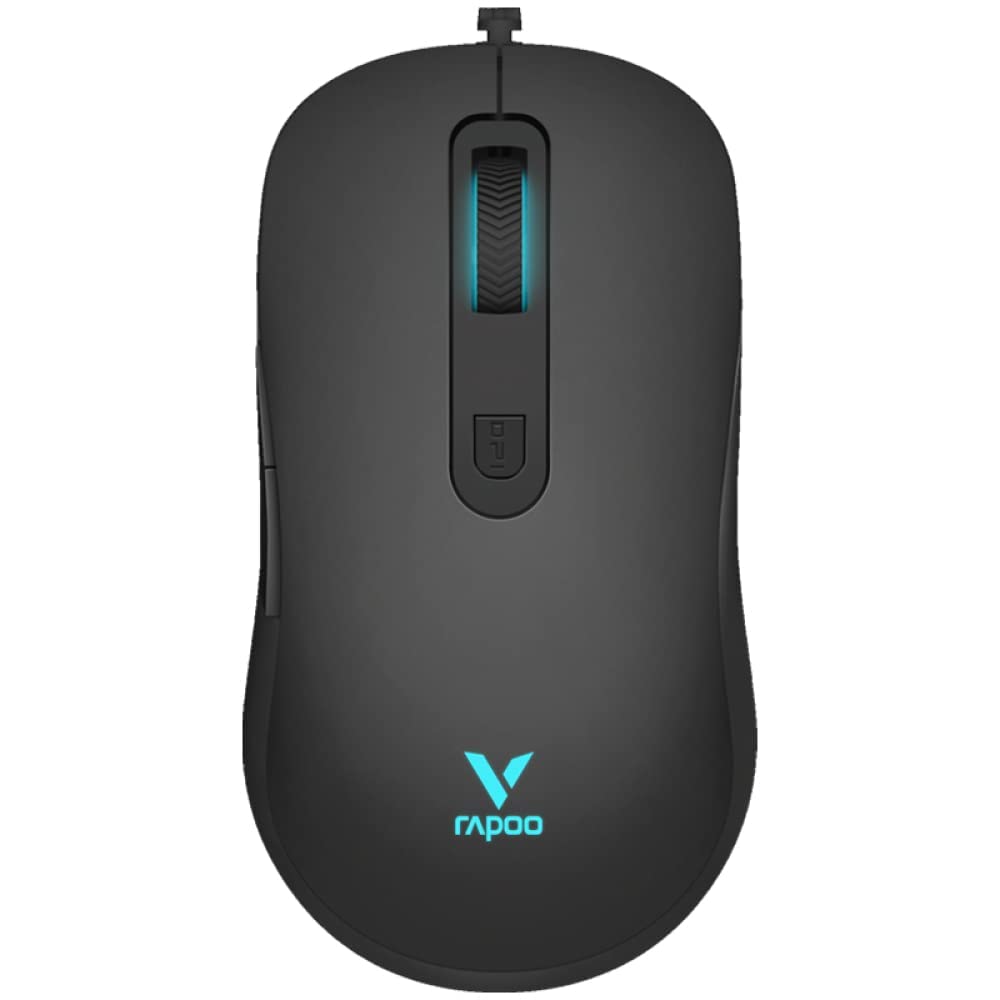
Figura 1: Sus view of the Rapoo V16RGB Optical Gaming Wired Mouse, showcasing its sleek black design and illuminated scroll wheel and logo.

Figure 2: Illustration highlighting the ergonomic design of the Rapoo V16RGB mouse, showing its comfortable contour for extended use.
2. Configurare
2.1 Conținutul pachetului
- Rapoo V16RGB Optical Gaming Wired Mouse
- Manual de utilizare (acest document)
2.2 Conectarea mouse-ului
- Găsiți un port USB disponibil pe computer.
- Plug the USB connector of the Rapoo V16RGB mouse into the USB port.
- The mouse is plug-and-play and should be automatically recognized by your operating system (Windows 8, Windows XP, Laptop, Personal Computer).
- For advanced customization, download the official Rapoo V16RGB driver software from the Rapoo website-ul.
3. Utilizarea mouse-ului
3.1 Funcțiile butoanelor
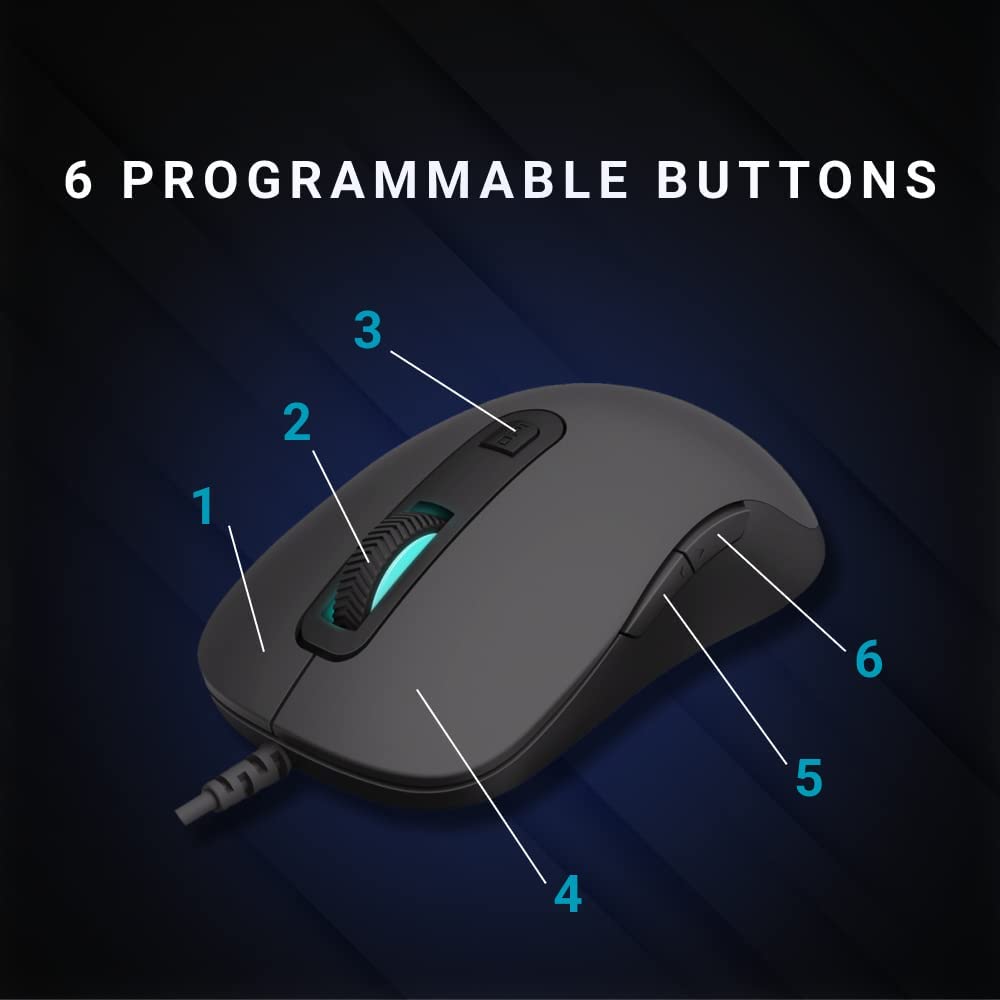
Figure 3: Diagram illustrating the 6 programmable buttons on the Rapoo V16RGB mouse. Buttons are numbered 1 through 6 for easy identification.
- Clic stânga (1): Buton principal standard.
- Clic dreapta (4): Buton secundar standard.
- Rotiță de derulare (2): For scrolling up and down. Can also be pressed for a middle-click function.
- Butonul DPI (3): Adjusts the mouse sensitivity (DPI) in real-time.
- Buton Înainte (5): Navighează înainte în web browsere sau file exploratori.
- Buton Înapoi (6): Navighează înapoi în web browsere sau file exploratori.
3.2 Reglarea sensibilității DPI
The Rapoo V16RGB features an adjustable real-time DPI button, allowing you to switch between different sensitivity modes on the fly.
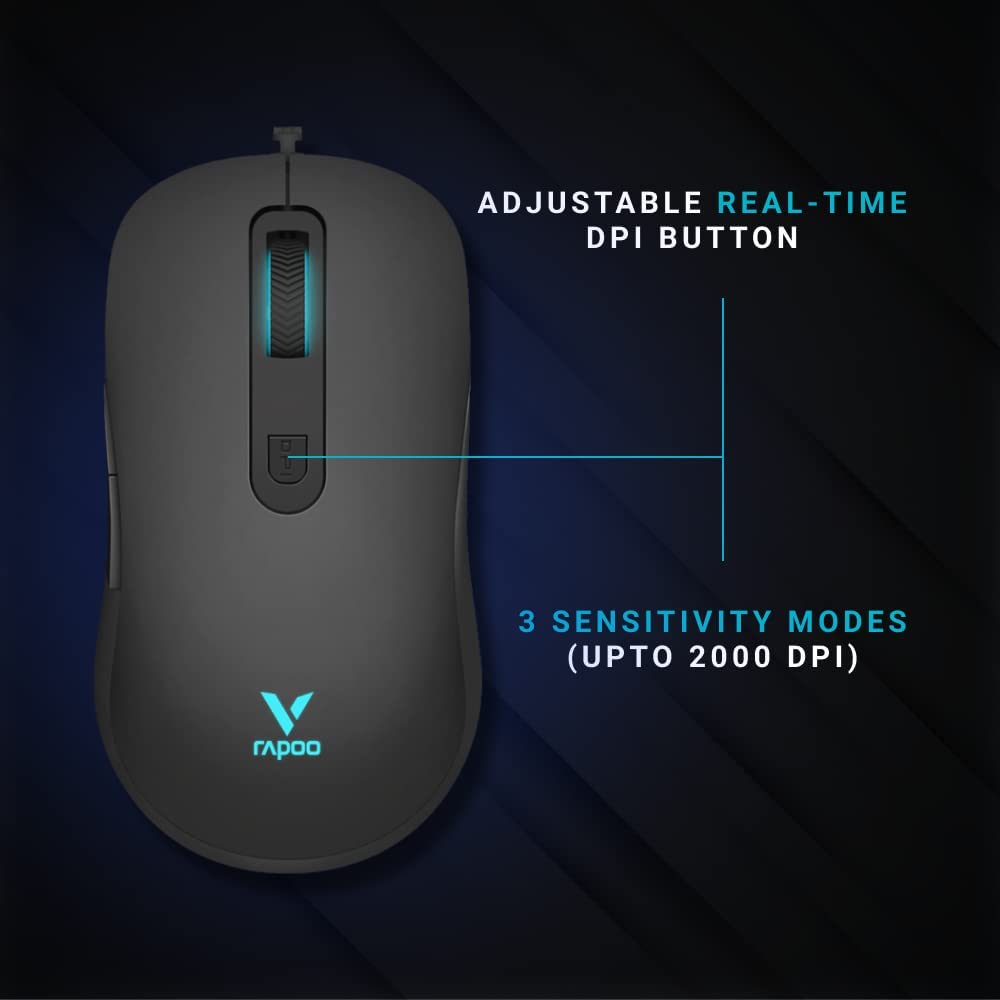
Figure 4: Close-up of the Rapoo V16RGB mouse highlighting the adjustable real-time DPI button and indicating 3 sensitivity modes up to 2000 DPI.
- Press the DPI button (3) to cycle through the available DPI settings.
- The mouse supports up to 12800 DPI, with multiple sensitivity modes.
- The current DPI setting may be indicated by the LED lighting on the mouse.
3.3 Customizing Buttons and Settings
For full customization of the 6 programmable buttons, RGB lighting, and advanced DPI settings, please install the official Rapoo V16RGB driver software. This software allows you to:
- Assign macros and functions to each button.
- Adjust DPI levels and create custom profiles.
- Control the single RGB lighting breathing modes.
- Utilize the onboard memory to save your settings directly to the mouse.
4. Întreținere
4.1 Cleaning Your Mouse
- Deconectați mouse-ul de la computer înainte de curățare.
- Utilizați ușor o cârpă moale, fără scame dampclătiți cu apă sau o soluție de curățare blândă pentru a șterge suprafața mouse-ului.
- Nu utilizați substanțe chimice dure, abrazive sau solvenți.
- Use a soft brush or compressed air to clean dust and debris from around the scroll wheel and sensor.
4.2 Îngrijirea cablurilor
The Rapoo V16RGB features a durable braided cable. To prolong its lifespan:
- Evitați curbele sau îndoiturile ascuțite ale cablului.
- Do not pull the cable forcefully when disconnecting the mouse.
- Depozitați cablul în mod ordonat atunci când nu îl utilizați pentru a preveni încurcarea.
5. Depanare
5.1 Mouse-ul nu răspunde
- Asigurați-vă că cablul USB este conectat corect la un port USB funcțional al computerului.
- Încearcă să conectezi mouse-ul la un alt port USB.
- Reporniți computerul.
- Testați mouse-ul pe un alt computer pentru a determina dacă problema este cu mouse-ul sau cu sistemul dumneavoastră.
5.2 Cursor Movement is Erratic or Jumpy
- Curățați senzorul optic din partea inferioară a mouse-ului.
- Asigurați-vă că utilizați mouse-ul pe o suprafață curată, nereflectorizantă și uniformă (de exemplu, un mouse pad).
- Adjust the DPI settings using the DPI button or software.
5.3 Programmable Buttons Not Working
- Ensure the Rapoo V16RGB driver software is installed and running.
- Check the button assignments within the software to ensure they are configured correctly.
- Reporniți software-ul sau computerul.
6. Specificații
| Caracteristică | Detaliu |
|---|---|
| Marca | Rapoo |
| Model | V16-RGB |
| Tehnologia de conectivitate | Cu fir (USB) |
| Tehnologia de detectare a mișcării | Optic |
| Sensibilitate DPI | Până la 12800 DPI (reglabil) |
| Butoane programabile | 6 |
| Design ergonomic | Da |
| memorie la bord | Da |
| Tip cablu | Impletit |
| Iluminat | Single RGB lighting (breathing modes) |
| Culoare | Negru |
| Greutatea articolului | 50 g |
| Product Dimensions (Approx. LxWxH) | 125.3 x 68.2 x 38.6 mm (from image) |
| Sisteme de operare compatibile | Windows 8, Windows XP, Laptop, Personal Computer |
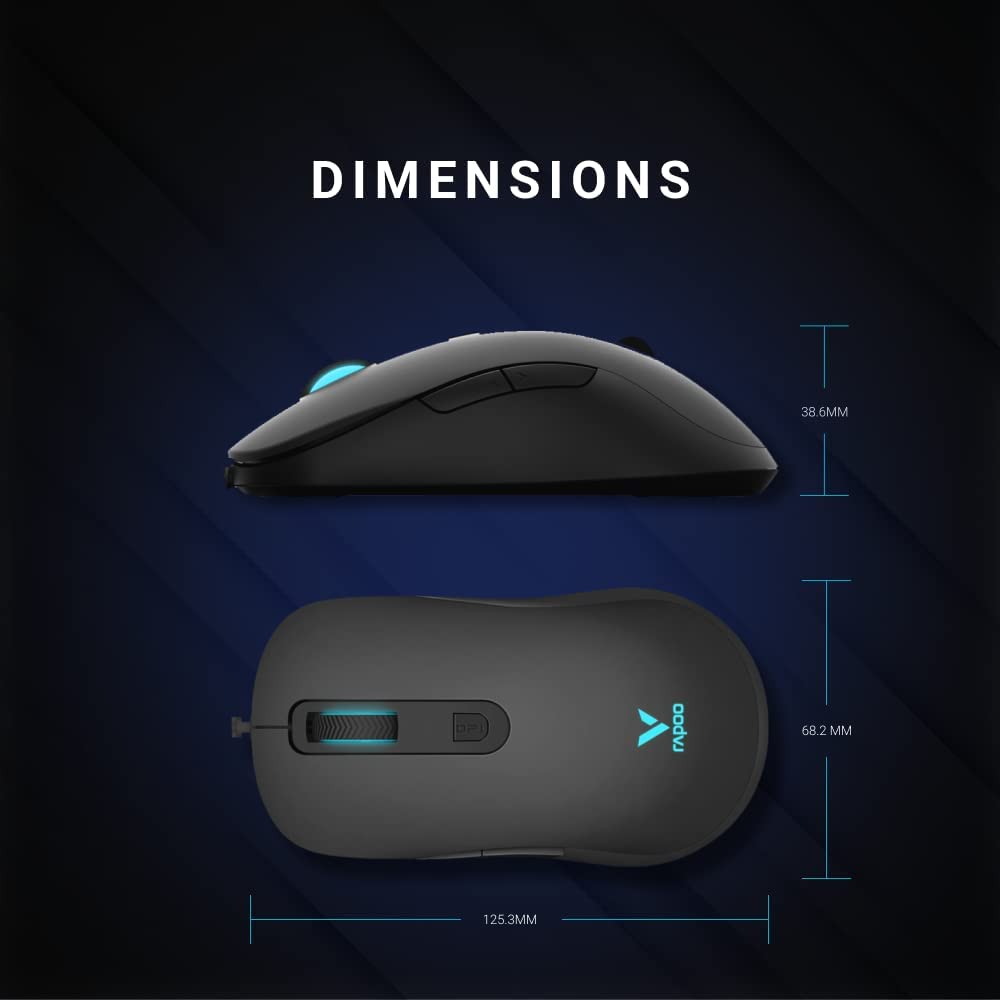
Figure 5: Detailed dimensions of the Rapoo V16RGB mouse, showing length (125.3mm), width (68.2mm), and height (38.6mm).
7. Garanție și asistență
7.1 Informații despre garanție
Rapoo products are manufactured to the highest quality standards. For specific warranty terms and conditions applicable to your region, please refer to the warranty card included with your product or visit the official Rapoo webPăstrați bonul fiscal ca dovadă a achiziției pentru reclamații în garanție.
7.2 Suport tehnic
If you encounter any issues or have questions regarding your Rapoo V16RGB mouse, please visit the official Rapoo support website for FAQs, driver downloads, and contact information for technical assistance.
- Official Rapoo Website: www.rapoo.com
- Descărcări drivere: Check the support section of the Rapoo website for the latest V16RGB driver software.


