1. Introducere
This manual provides essential information for the proper setup, operation, and maintenance of your Sceptre C345B-QUT168 34-Inch Curved Ultrawide WQHD Monitor. Please read this manual thoroughly before using the product and retain it for future reference.

Figure 1: Sceptre 34-Inch Curved Ultrawide WQHD Monitor
The Sceptre C345B-QUT168 is a 34-inch curved ultrawide monitor designed for both productivity and immersive entertainment. It features a WQHD (3440 x 1440) resolution, up to 180Hz/165Hz refresh rate, 1ms Moving Picture Response Time (MPRT), 1500R curvature, 99% sRGB color gamut, Picture-by-Picture (PBP) functionality, built-in speakers, and AMD FreeSync Premium support.
2. Configurare
2.1 Despachetarea și conținutul pachetului
Carefully remove all components from the packaging. Ensure all items listed below are present. A screwdriver is included for assembly.

Figura 2: Accesorii incluse
- Sceptre C345B-QUT168 Monitor
- Suport monitor (bază și gât)
- Adaptor de alimentare și cablu
- Cablu DisplayPort
- Şurubelniţă
- Mounting Screws (for stand and VESA)
- Manual de utilizare și informații despre garanție
2.2 Asamblarea suportului
Attach the monitor stand base to the neck, then secure the assembled stand to the back of the monitor using the provided screws and screwdriver. The monitor is also VESA mount compatible (75x75mm) for alternative mounting solutions.
2.3 Conectivitate
The monitor offers multiple input options for connecting to your devices:
- 2 porturi HDMI 2.0: Supports WQHD resolution up to 100Hz.
- 2 x DisplayPort 1.4 Ports: Supports WQHD resolution up to 165Hz (or 180Hz, depending on model year and settings).
- 1 x Audio Out (3.5mm): Pentru conectarea difuzoarelor externe sau a căștilor.

Figure 3: Monitor rear ports
Connect the appropriate cable from your computer or gaming console to the corresponding port on the monitor. Ensure the power adapter is securely connected to the monitor and a power outlet.
2.4 Pornirea inițială
Press the power button (often integrated with the OSD joystick) to turn on the monitor. The monitor will automatically detect the input signal. If no signal is detected, check your cable connections and device power.
Video: Sceptre 34-Inch Curved Gaming Monitor C345B-QUT168 Unboxing. This video demonstrates the unboxing process and initial setup of the monitor.
3. Instrucțiuni de utilizare
3.1 Navigare pe ecran (OSD)
The monitor features a single joystick control located on the bottom center of the rear panel for navigating the On-Screen Display (OSD) menu. This joystick allows you to power on/off the monitor, select input sources, and adjust various display settings.

Figure 4: OSD Navigation Joystick
3.2 Setări de afișare
- Rezoluţie: The native resolution is 3440 x 1440 (WQHD). For optimal clarity, set your device's output resolution to match.
- Rata de reîmprospătare: The monitor supports up to 165Hz (or 180Hz via DisplayPort). Adjust your device's display settings to utilize the higher refresh rates for smoother visuals.
- Timp de răspuns (1ms MPRT): This feature reduces motion blur and ghosting, ideal for fast-paced content.
- Curvature (1500R): Curbura de 1500R oferă o experiență captivantă viewing experience, bringing the edges of the ultrawide screen closer to your field of vision.
- Imagine cu imagine (PBP): This feature allows you to display content from two different input sources simultaneously on the screen. Refer to the OSD menu for PBP activation and layout options.
- AMD FreeSync Premium: Synchronizes the monitor's refresh rate with your GPU's frame rate to eliminate screen tearing and stuttering. Ensure FreeSync is enabled in both the monitor's OSD and your graphics card settings.
- Luminous Backcover Lights: The monitor features customizable LED lights on the back for aesthetic enhancement. These can be configured via the OSD menu.

Figure 5: Key display features
3.3 Ultrawide Experience
The 21:9 ultrawide aspect ratio provides 30% more screen space compared to conventional monitors, enhancing productivity by allowing multiple windows to be open side-by-side, and offering a more expansive view in games and media.
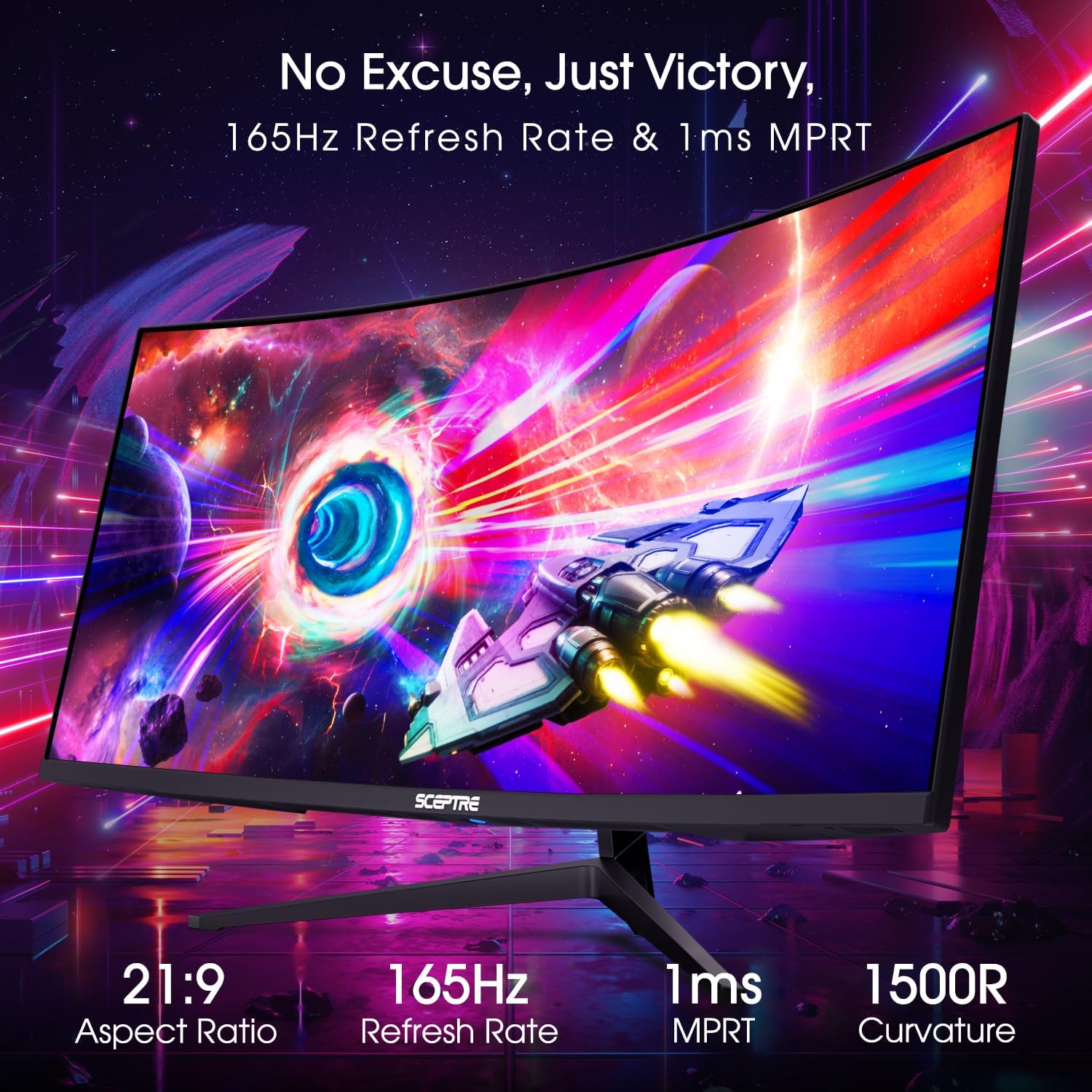
Figure 6: Experience the ultrawide range of view
Video: Sceptre Gaming Monitors. This video provides a general overview of Sceptre's gaming monitor features, including the ultrawide experience.
Video: Sceptre 34-Inch Curved Ultrawide WQHD Monitor up to 165Hz. This video highlights the key features and performance of the monitor.
Video: Not just for gamers! This video showcases the monitor's utility in a professional work environment, emphasizing its ultrawide screen for multitasking.
4. Întreținere
Pentru a asigura longevitatea și performanța optimă a monitorului, urmați aceste instrucțiuni de întreținere:
- Curățarea ecranului: Ștergeți ușor ecranul cu o lavetă moale, fără scame. Pentru petele persistente, utilizați o soluție de curățare a ecranului special concepută pentru monitoare, aplicată pe lavetă, nu direct pe ecran.
- Curățarea C-uluiasing: Folosiți o cârpă moale și uscată pentru a curăța partea monitorului.asing. Evitați utilizarea de produse de curățare sau solvenți abrazivi.
- Ventilare: Asigurați-vă că orificiile de ventilație ale monitorului nu sunt blocate pentru a preveni supraîncălzirea.
- Oprire: Opriți întotdeauna monitorul atunci când nu îl utilizați pentru perioade lungi de timp.
5. Depanare
If you encounter issues with your Sceptre C345B-QUT168 monitor, refer to the following common solutions:
- Fără putere: Check if the power cable is securely connected to both the monitor and the power outlet. Ensure the power adapter is functioning.
- Nici un semnal: Verify that the video cable (DisplayPort or HDMI) is correctly connected to both the monitor and your source device. Ensure the correct input source is selected via the OSD menu.
- Flickering/Tearing/Stuttering: Ensure AMD FreeSync Premium is enabled in both the monitor's OSD and your graphics card settings. Check that your graphics drivers are up to date.
- Rezoluție/Rată de reîmprospătare incorectă: Adjust the display settings in your operating system or game to match the monitor's native WQHD resolution and desired refresh rate (up to 165Hz/180Hz).
- Ghosting/Estocare de mișcare: While the monitor features 1ms MPRT, some ghosting can be typical with ultrawide panels. Adjust the 'Overdrive' setting in the OSD menu if available, or refer to the full user manual for advanced settings.
- Probleme audio: Check the audio cable connection to the 3.5mm audio out port. Ensure the volume is not muted or set too low in both the monitor's OSD and your device's audio settings.
Video: Join the Ultrawide revolution - at 165hz! This video demonstrates refresh rate performance, ghosting, and input lag tests, which can be helpful for troubleshooting display issues.
6. Specificații
| Caracteristică | Caietul de sarcini |
|---|---|
| Dimensiunea ecranului | 34 inchi |
| Rezoluția ecranului | 3440x1440 (WQHD) |
| Raportul de aspect | 21:9 |
| Rata de reîmprospătare maximă | Până la 165 Hz (DisplayPort), Până la 100 Hz (HDMI) |
| Timp de răspuns | 1 ms MPRT |
| Curbură | 1500R |
| Gama de culori | 99% sRGB |
| Conectivitate | 2 x HDMI 2.0, 2 x DisplayPort 1.4, 1 x Audio Out |
| Difuzoare încorporate | Da |
| Compatibilitate VESA | 75 x 75 mm |
| Dimensiuni (Lxlxh) | 8.6 x 31.8 x 17.96 inci |
| Greutate | 15.32 lire sterline |

Figure 7: Monitor dimensions
7. Garanție și asistență
7.1 Informații despre garanție
Your Sceptre C345B-QUT168 monitor comes with a 1-year limited product warranty. Please refer to the included warranty card or the Sceptre website for full details regarding warranty coverage and terms.
7.2 Asistență pentru clienți
For technical assistance, troubleshooting, or warranty claims, please contact Sceptre Customer Support. Contact information can be found on the Sceptre website sau în documentația inclusă.


