Introducere
Thank you for choosing the BUFFBEE Sound Machine & Alarm Clock. This versatile 2-in-1 device combines a high-quality sound machine with a fully functional alarm clock, designed to help you achieve restful sleep and wake up refreshed. Its intuitive controls and customizable features make it an essential addition to any bedroom.

Image: The Buffbee Sound Machine and Alarm Clock highlighting its dual functionality as both a sound machine and an alarm clock.
Informații de siguranță
- Nu expuneți dispozitivul la apă sau umiditate excesivă.
- A se feri de sursele de căldură și de lumina directă a soarelui.
- Utilizați numai adaptorul de alimentare furnizat.
- Nu încercați să dezasamblați sau să reparați singur dispozitivul. Contactați asistența pentru clienți pentru asistență.
- Asigurați-vă că dispozitivul este așezat pe o suprafață stabilă, plană.
Conținutul pachetului
- BUFFBEE Sound Machine & Alarm Clock (Model: BK11)
- Adaptor de alimentare
- Manual de utilizare
Produs terminatview
Familiarizați-vă cu componentele și comenzile dispozitivului:

Image: A detailed diagram illustrating the top panel controls (Alarm, Volume Control, Sound Machine, Night Light) and the rear panel (Display Dimmer, Adapter port).
- Controale din panoul superior: Alarm button, Timer button, Volume Up/Down, Previous/Next Sound, Sound Machine button, Night Light button.
- Afișaj frontal: Afișaj digital ceas.
- Lumină de jos: Integrated colored light.
- Panoul din spate: DC 5V Adapter port, 0-100% Display Dimmer knob.
Înființat
- Plasare: Place the device on a stable surface, such as a nightstand or desk.
- Conexiune de alimentare: Insert the power adapter into the DC 5V port on the rear of the device, then plug it into a standard electrical outlet.
- Pornire inițială: The clock display will illuminate.
- Setați ora: Refer to the 'Operating Instructions' section for setting the current time.
Instrucțiuni de operare
Setarea orei
- Țineți apăsat butonul Timp button (clock icon) on the top panel until the hour digits flash.
- Utilizați Anterior (◀︎) or Următorul (▶︎) buttons to adjust the hour.
- Apăsați tasta Timp Apăsați din nou butonul pentru a confirma ora și a trece la setarea minutelor.
- Utilizați Anterior (◀︎) or Următorul (▶︎) buttons to adjust the minutes.
- Apăsați tasta Timp button one more time to confirm the minutes and exit time setting.
Setarea alarmei
- Țineți apăsat butonul Alarma button (bell icon) on the top panel until the alarm hour digits flash.
- Utilizați Anterior (◀︎) or Următorul (▶︎) buttons to adjust the alarm hour.
- Apăsați tasta Alarma button again to confirm the hour and move to alarm minute setting.
- Utilizați Anterior (◀︎) or Următorul (▶︎) buttons to adjust the alarm minutes.
- Apăsați tasta Alarma button one more time to confirm the minutes. The alarm icon will appear on the display, indicating the alarm is set.
- Pentru a dezactiva alarma, apăsați tasta Alarma button once. The alarm icon will disappear.
Using the Sound Machine
The device offers 18 soothing sounds, including 5 white noises, 3 fan sounds, and 10 nature sounds (ocean, lullaby, waves, rain, thunderstorm, brook, croaking, bird chirping, summer night, and campfoc).
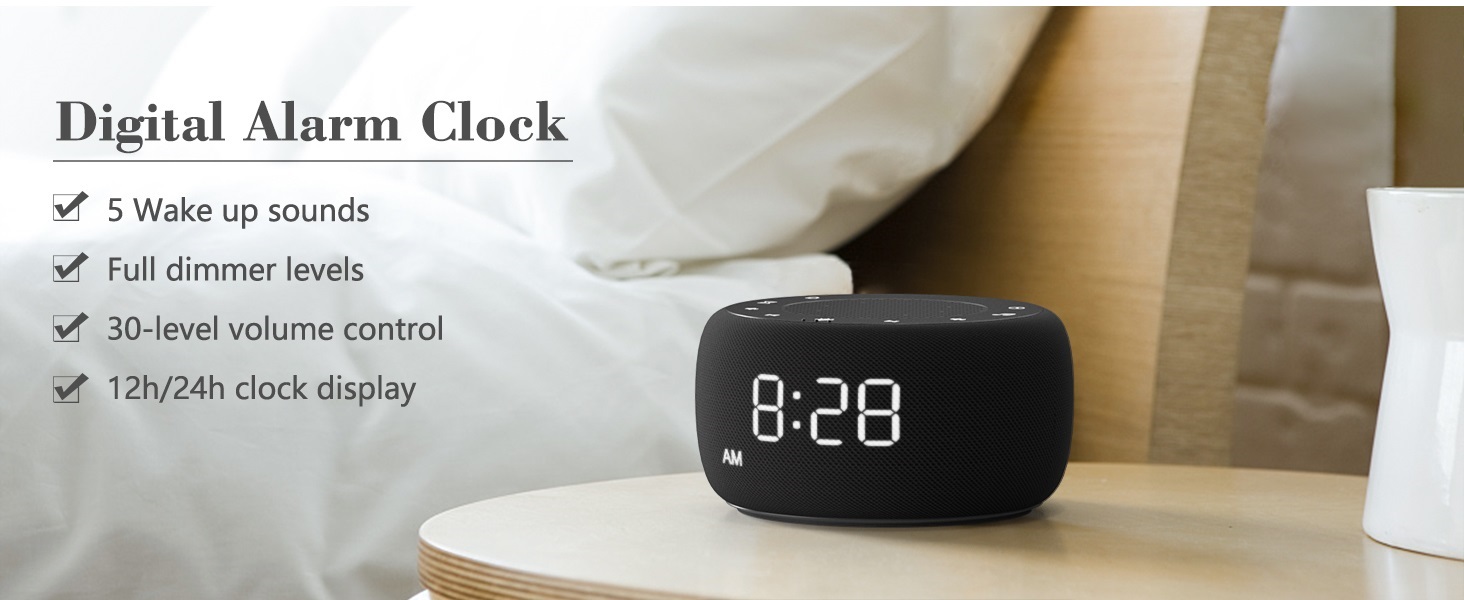
Image: An infographic displaying the 18 soothing sounds categorized into 3 fan sounds, 5 white noises, and 10 nature sounds, including ocean, lullaby, waves, rain, thunderstorm, brook, croaking, bird chirping, summer night, and campfoc.
- Apăsați tasta Aparat de sunet button (music note icon) to cycle through the available sounds.
- Utilizați Creșterea volumului (▲) și Reducerea volumului (▼) buttons to adjust the volume (30 levels).
- To turn off the sound, press the Aparat de sunet button until no sound is playing.
Sleep Timer
Set a timer for the sound machine to automatically turn off.

Image: The top panel of the Buffbee Sound Machine, highlighting the Auto-Off Timer button and the Volume Control buttons.
- Apăsați tasta Cronometru button (hourglass icon) to cycle through timer options: 15, 30, 60, 90, 120 minutes, or continuous play.
- The selected timer duration will be displayed on the screen.
Adjusting Clock Face Brightness
The clock display brightness can be adjusted from 0% (completely dark) to 100%.

Image: The Buffbee Sound Machine demonstrating its 0-100% display dimmer feature, showing the clock face at 0%, partial, and 100% brightness.
- Localizați Afișaj Dimmer knob on the rear of the device.
- Rotate the knob to increase or decrease the brightness of the clock display to your preference.
Using the Bottom Colored Light
The device features a bottom light with 7 color options to create a relaxing ambiance.

Image: The Buffbee Sound Machine displaying its bottom colored light feature, showing various color options and the ability to turn it on or off.
- Apăsați tasta Lumină de noapte button (light bulb icon) to cycle through the 7 color options.
- Continue pressing the button to turn the light off.
Întreţinere
- curatenie: Ștergeți dispozitivul cu o lavetă moale și uscată. Nu utilizați substanțe de curățare abrazive sau solvenți.
- Depozitare: Când nu este utilizat pentru perioade lungi de timp, depozitați dispozitivul într-un loc răcoros și uscat.
Depanare
| Problemă | Cauza posibila | Soluţie |
|---|---|---|
| Dispozitivul nu pornește. | Adaptorul de alimentare nu este conectat corect sau problemă cu priza. | Asigurați-vă că adaptorul de alimentare este conectat corect la dispozitiv și la o priză electrică funcțională. Încercați o altă priză. |
| Clock display is too bright/dim. | Display dimmer setting needs adjustment. | Adjust the 0-100% Display Dimmer knob on the rear of the device. |
| Sunetul nu este suficient de puternic. | Volumul este setat prea mic. | Apăsați tasta Creșterea volumului (▲) button to increase the volume. The device has 30 volume levels. |
| Alarma nu sună. | Alarm is not set or is turned off. | Asigurați-vă că alarma este setată corect și că pictograma alarmei este vizibilă pe afișaj. |
Specificații
| Caracteristică | Detaliu |
|---|---|
| Numărul de model | BK11 |
| Dimensiuni | 5.63 x 4.57 x 3.03 inci |
| Greutate | 11.64 uncii |
| Sursa de alimentare | Battery Powered (for backup) / AC Adapter |
| Ieșire difuzor | 5W |
| Opțiuni de sunet | 18 (5 white noises, 3 fan sounds, 10 nature sounds) |
| Niveluri de volum | 30 |
| Sleep Timer | 15, 30, 60, 90, 120 de minute sau continuu |
| Luminozitatea afișajului ceasului | 0-100% reglabil |
| Bottom Light Colors | 7 opțiuni |
| Material | Plastic, acrilonitril butadien stiren (ABS) |
Garanție și suport
For warranty information and customer support, please refer to the contact details provided on the product packaging or visit the official BUFFBEE website-ul. Păstrați chitanța de achiziție pentru cererile de garanție.


