1. Introducere
Mulțumesc pentru achizițieasing the Sharp CP-SS30(BK) Active Bookshelf Speakers. These speakers are designed to provide superior sound reproduction with versatile connectivity options. Please read this manual carefully before using the product to ensure proper operation and to maximize your listening experience.
The CP-SS30(BK) features a robust plywood cabinet, 60W RMS (2 x 30W) two-way active sound, and multiple input options including Bluetooth v5.0, USB, Optical, Auxiliary, and RCA. It also includes an equalizer with preset and custom bass/treble adjustments, and a full-function remote control for convenience.
2. Informații de siguranță
Please observe the following safety precautions to prevent damage to the product and to ensure your safety:
- Nu expuneți difuzoarele la ploaie sau umezeală.
- Nu blocați orificiile de ventilație.
- Nu instalați lângă nicio sursă de căldură, cum ar fi calorifere, registre de căldură, sobe sau alte aparate (inclusiv ampliificatori) care produc căldură.
- Protejați cablul de alimentare să nu fie călcat sau ciupit, în special la prize, prize convenabile și la punctul de ieșire din aparat.
- Utilizați numai atașamente/accesorii specificate de producător.
- Deconectați acest aparat din priză în timpul furtunilor cu fulgere sau când nu este utilizat pentru perioade lungi de timp.
- Toate lucrările de întreținere se adresează personalului de service calificat. Întreținerea este necesară atunci când aparatul a fost deteriorat în vreun fel, cum ar fi cablul de alimentare sau ștecherul este deteriorat, s-a vărsat lichid sau au căzut obiecte în aparat, aparatul a fost expus la ploaie sau umezeală, nu funcționează normal , sau a fost abandonat.
3. Conținutul pachetului
Vă rugăm să verificați dacă toate articolele sunt prezente și în stare bună:
- 2 x Sharp CP-SS30(BK) Bookshelf Speakers
- 1 x telecomandă (baterii incluse)
- 1 x RCA Audio Cable (3 meters)
- 1 x AUX Audio Cable (1.2 meters)
- 1 x Power Cable (1.2 meters)
- 1 x Speaker Connection Cable
- Documentația utilizatorului

Image: All components included in the Sharp CP-SS30(BK) package, including two speakers, remote control, and various cables.
4. Caracteristicile produsului
The Sharp CP-SS30(BK) speakers offer a range of features for an enhanced audio experience:
- Ieșire audio puternică: 60W RMS (2 x 30W) two-way active speakers for clear and dynamic sound.
- Construcție premium: Plywood cabinet design ensures superior sound reproduction and durability.
- Conectivitate wireless: Seamless audio streaming with Bluetooth v5.0.
- Intrări multiple: Connect various devices via Bluetooth, USB, Optical, Auxiliary (AUX), and RCA inputs.
- Sunet personalizabil: Built-in equalizer with five preset settings and independent bass and treble adjustment.
- Design modern: Removable speaker grilles allow for a contemporary aesthetic.
- Control convenabil: Full-function remote control for easy operation from a distance.

Imagine: față view of the Sharp CP-SS30(BK) speakers with the remote control, showcasindatorită designului și dimensiunilor lor compacte.

Imagine: Un prim-plan view of the front panel of one Sharp CP-SS30(BK) speaker with the grille removed, highlighting the tweeter, woofer, indicator light, and volume/input knob.
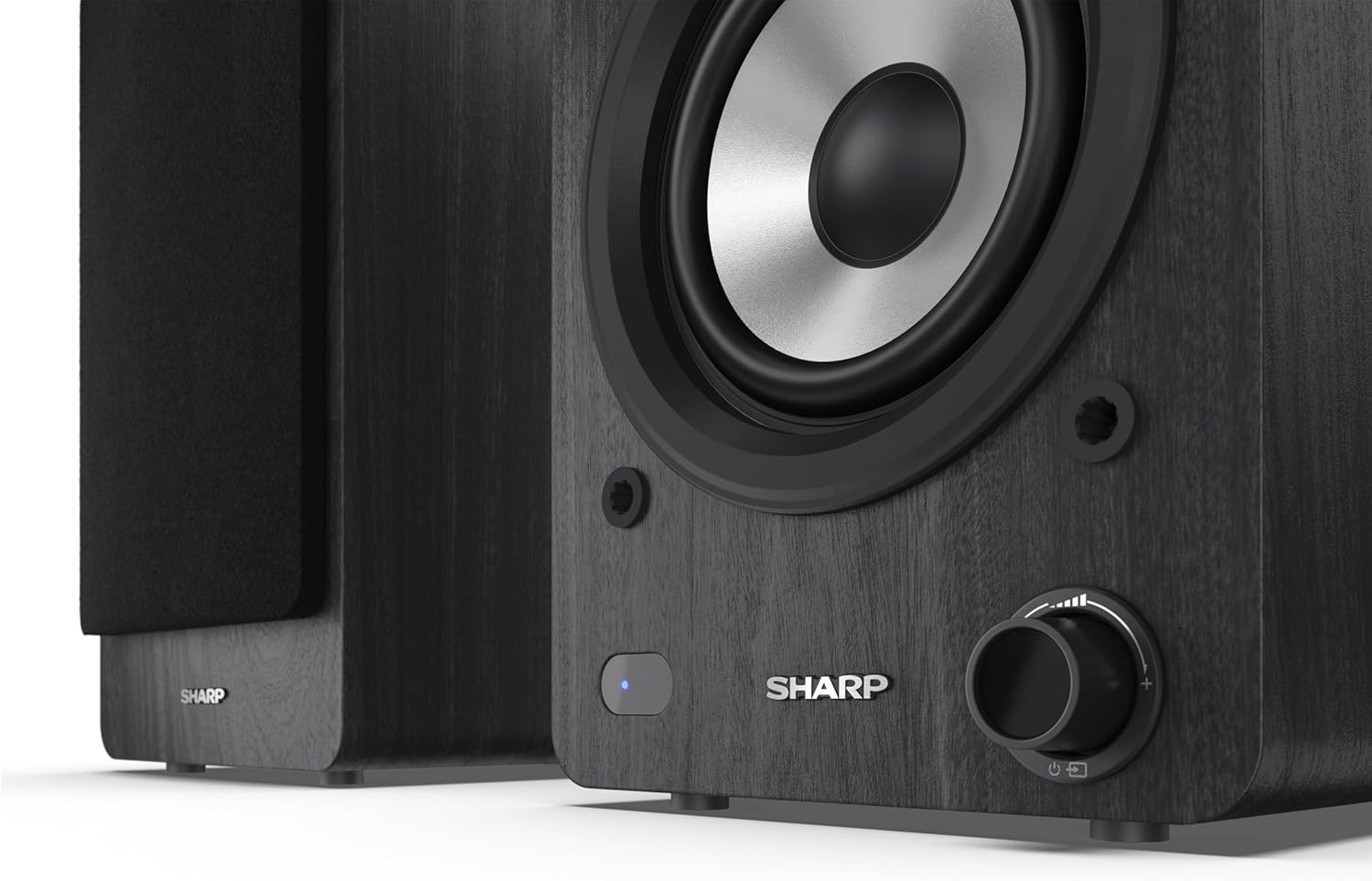
Image: A detailed shot of the control knob and the blue indicator light on the Sharp CP-SS30(BK) speaker, showing the subtle branding.
5. Configurare
5.1 Plasarea difuzoarelor
For optimal sound quality, place the speakers on a stable, flat surface. Position them at an equal distance from your listening position, forming an equilateral triangle for the best stereo imaging. Ensure there is adequate space behind the speakers for ventilation and cable connections.
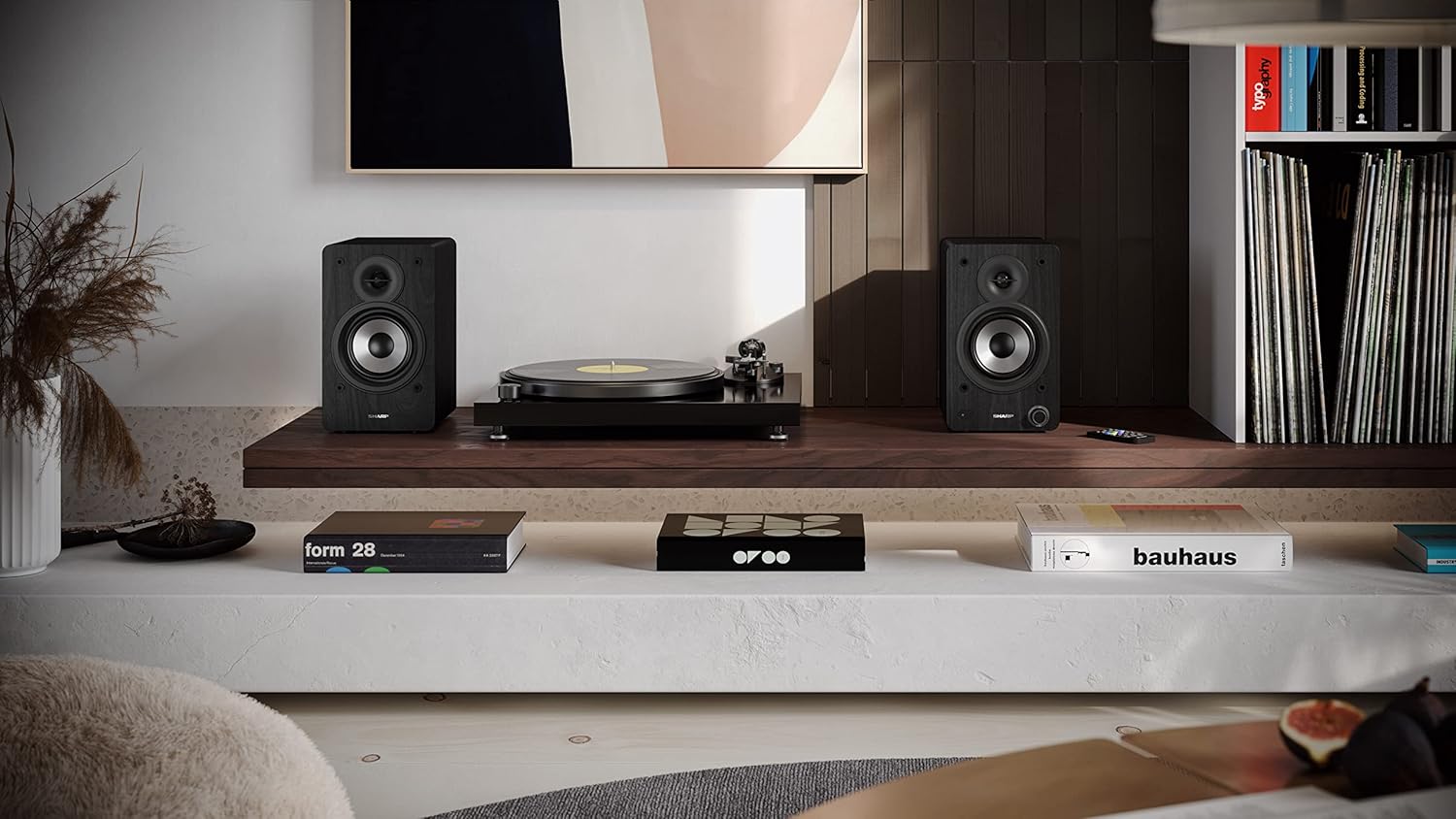
Image: The Sharp CP-SS30(BK) speakers positioned on a shelf in a living room setting, demonstrating a typical setup with a turntable.
5.2 Conectarea difuzoarelor
The CP-SS30(BK) consists of one active (main) speaker and one passive (secondary) speaker. Connect them using the provided speaker connection cable.
- Identificați difuzorul activ (cu comenzi și porturi de intrare) și difuzorul pasiv.
- Connect one end of the speaker connection cable to the speaker terminals on the active speaker, ensuring correct polarity (+ to + and - to -).
- Connect the other end of the speaker connection cable to the speaker terminals on the passive speaker, maintaining correct polarity.

Image: The rear panel of the Sharp CP-SS30(BK) speakers, illustrating the various input ports (USB, Optical, RCA, AUX) and the speaker connection terminals.
5.3 Conexiune la alimentare
- Ensure the power switch on the active speaker is in the OFF position.
- Connect the provided power cable to the AC input on the active speaker.
- Conectați celălalt capăt al cablului de alimentare la o priză de perete adecvată.
6. Instrucțiuni de utilizare
6.1 Pornire/Oprire
To power on the speakers, flip the power switch on the active speaker to the ON position. The indicator light on the front will illuminate. To power off, flip the switch back to OFF.
6.2 Selectarea intrării
You can select the input source using the remote control or the knob on the front of the active speaker. Available inputs include Bluetooth, USB, Optical, Auxiliary (AUX), and RCA.
- Bluetooth: Select Bluetooth input. The indicator light will flash, indicating pairing mode. Caută "SHARP CP-SS30(BK)" on your device and connect. The light will become solid once paired.
- USB: Introduceți o unitate USB cu sunet files into the USB port on the active speaker.
- Optic: Connect an optical cable from your audio source (e.g., TV, game console) to the Optical input.
- AUX: Connect an AUX cable from your audio source (e.g., smartphone, tablet) to the AUX input.
- RCA: Connect RCA cables from your audio source (e.g., turntable, CD player) to the RCA inputs.
6.3 Controlul volumului
Adjust the volume using the remote control's volume buttons or by rotating the knob on the front of the active speaker.
6.4 Setări egalizator
The speakers feature an equalizer to tailor the sound to your preference. Use the remote control to:
- Select from five preset equalizer modes (e.g., Flat, Rock, Pop, Classical, Jazz).
- Adjust bass and treble levels independently for a customized sound profile.
7. Întreținere
To ensure the longevity and optimal performance of your Sharp CP-SS30(BK) speakers, follow these maintenance guidelines:
- curatenie: Use a soft, dry cloth to clean the speaker cabinets. Do not use liquid cleaners or aerosol sprays, as they may damage the finish or internal components.
- Grile: The speaker grilles are removable for cleaning. Gently pull them off to clean any dust accumulation on the drivers. Reattach them carefully.
- Ventilare: Ensure that the ventilation openings on the back of the active speaker are not obstructed to prevent overheating.
- Depozitare: If storing the speakers for an extended period, disconnect them from power and store them in a cool, dry place away from direct sunlight and extreme temperatures.
8. Depanare
If you encounter any issues with your speakers, please refer to the following common problems and solutions:
| Problemă | Cauza posibila | Soluţie |
|---|---|---|
| Fără putere | Power cable not connected; Power outlet not active; Power switch off. | Ensure power cable is securely connected. Check power outlet with another device. Flip power switch to ON. |
| Nici un sunet | Incorrect input selected; Volume too low; Cables not connected properly; Source device issue. | Select the correct input source. Increase volume. Check all audio cables (RCA, AUX, Optical, USB) and speaker connection cable for secure fit and correct polarity. Test with a different audio source. |
| Asocierea Bluetooth a eșuat | Difuzoarele nu sunt în modul de asociere; Dispozitivul este prea departe; Interferență. | Ensure Bluetooth input is selected and indicator light is flashing. Move device closer to speakers. Avoid strong electromagnetic interference. Try unpairing and re-pairing. |
| Sunet distorsionat | Volume too high; Source audio quality is poor; Speaker placement. | Reduce volume. Check the audio source quality. Adjust speaker placement to avoid reflections or resonance. |
| Telecomanda nu funcționează | Batteries depleted; Obstruction between remote and speaker; Remote not pointed correctly. | Replace remote control batteries. Remove any obstructions. Point the remote directly at the active speaker's sensor. |
9. Specificații
| Caracteristică | Detaliu |
|---|---|
| Numărul de model | CP-SS30(BK) |
| Putere de ieșire | 60 Watts RMS (2 x 30W) |
| Tip difuzor | Active Bookshelf, 2-Way |
| Material dulap | Wood (Plywood) |
| Tehnologia de conectivitate | Bluetooth v5.0, USB, Optical, Auxiliary (AUX), RCA |
| Versiune Bluetooth | v5.0 |
| Mod ieșire audio | Stereo (2.0 canale) |
| Raspuns in frecventa | 60 Hz |
| Tip controler | Buton, telecomandă |
| Dimensiuni produs (fiecare difuzor) | 19A x 15.8L x 24.8Î cm (7.5A x 6.2L x 9.8Î inci) |
| Greutatea articolului | 4.3 kilograme (9.5 lbs) |
| Culoare | Negru |
| Utilizări recomandate | Gaming console, Music player, Smartphone/Tablet, Ambient sound system, Television |
| Dispozitive compatibile | Laptop, Smartphone, Tabletă |

Image: Diagram showing the dimensions of one Sharp CP-SS30(BK) speaker (Height: 248mm, Width: 158mm, Depth: 190mm).
10. Garanție și asistență
Garantie: This product comes with a 1-year warranty for spare parts availability from the date of purchase. Please retain your proof of purchase for warranty claims.
For technical support, troubleshooting assistance beyond this manual, or warranty inquiries, please contact Sharp customer service. Refer to the contact information provided in the user documentation included in your package or visit the official Sharp website-ul.
Note: Software updates guaranteed until information is not available.


