1. Introducere
The Sharper Image Smartphone TV Screen Magnifier enhances your mobile viewing experience by transforming your smartphone screen into a larger, 12-inch curved display. This device is cordless and rechargeable, featuring dual 5W wireless speakers for an immersive audio experience. It is designed for convenient viewing of movies, videos, and games, and is suitable for travel or presentations.
2. Produs terminatview
Familiarize yourself with the components of your Smartphone TV Screen Magnifier.

Figura 2.1: The Smartphone TV Screen Magnifier with a phone mounted, showing the magnified display.
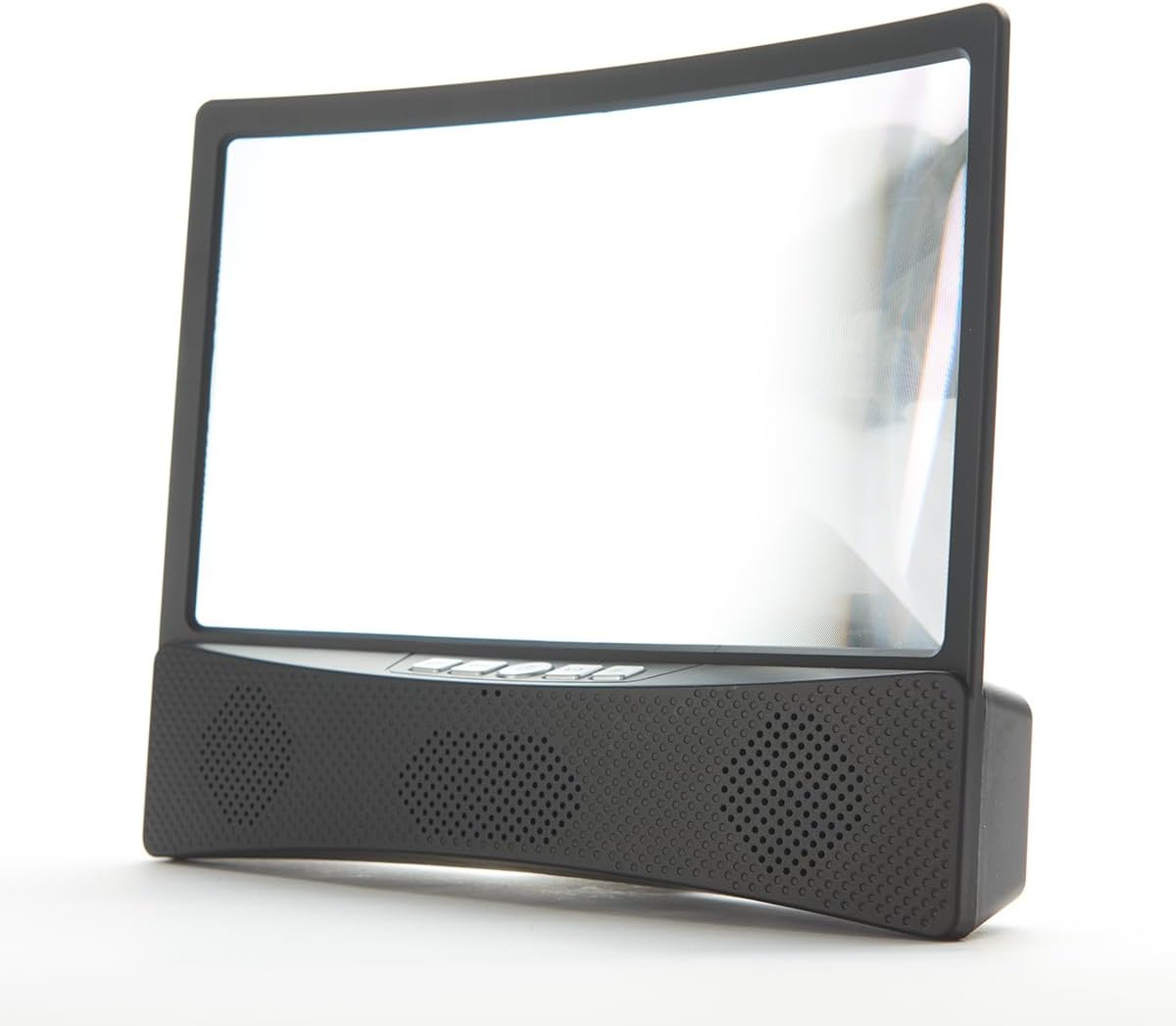
Figura 2.2: Faţă view of the device, highlighting the curved screen and integrated speaker grilles.

Figura 2.3: Latura view illustrating the device's profile and the adjustable phone stand.
Componente:
- Curved Magnifier Screen: 12-inch display for enlarged viewing.
- Suport pentru smartphone: Securely holds your smartphone above the magnifier.
- Integrated Speaker Base: Houses dual 5W wireless speakers and control buttons.
- Butoane de control: Power, volume, and playback controls (refer to device for specific button layout).
- Port de încărcare: Pentru reîncărcarea bateriei interne.
3. Configurare
3.1 Încărcarea dispozitivului
Before first use, fully charge the Smartphone TV Screen Magnifier. Connect the provided charging cable to the device's charging port and to a suitable USB power source. The charging indicator light will show the charging status.
3.2 Placing Your Smartphone
- Gently pull up the smartphone holder located at the top of the magnifier unit.
- Place your smartphone securely into the holder, ensuring it is stable.
- Adjust the angle of your phone for optimal viewing through the magnifier screen.
3.3 Pornirea și asocierea prin Bluetooth
- Press and hold the Power button on the speaker base until the indicator light illuminates.
- Pe smartphone, navigați la setările Bluetooth.
- Caută available devices and select "Sharper Image Magnifier" (or similar name) to pair.
- Once paired, you will hear a confirmation tone, and audio from your phone will play through the magnifier's speakers.
4. Funcționare
4.1 Using the Magnifier Screen
Once your smartphone is placed in the holder, content displayed on your phone screen will be magnified and projected onto the 12-inch curved screen. Adjust your viewing distance and the phone's angle for the clearest image.
4.2 Comenzi difuzoare
- Buton de alimentare: Apăsați lung pentru a porni sau opri dispozitivul.
- Volum sus/jos: Press the '+' or '-' buttons to adjust the speaker volume.
- Redare/Pauză: Press the Play/Pause button to control media playback on your connected smartphone.
- Treci peste urmărire: Use the appropriate buttons (refer to device markings) to skip forward or backward through tracks.
5. Întreținere
5.1 Curățare
- Ecran: Folosiți o cârpă moale, fără scame, ușor umezităampened with water or a screen-safe cleaner, to gently wipe the magnifier screen. Avoid abrasive materials or harsh chemicals.
- Corp: Ștergeți suprafețele exterioare cu o lavetă moale și uscată.
5.2 Îngrijirea bateriei
- Pentru a prelungi durata de viață a bateriei, evitați descărcarea completă frecventă a dispozitivului.
- Recharge the device regularly, even if not in constant use.
- Păstrați dispozitivul într-un loc răcoros și uscat atunci când nu este utilizat.
5.3 Depozitare
When not in use, fold down the smartphone holder and store the device in a clean, dry environment away from direct sunlight and extreme temperatures.
6. Depanare
6.1 Fara putere
- Asigurați-vă că dispozitivul este complet încărcat. Conectați-l la o sursă de alimentare și lăsați-l să se încarce timp de cel puțin 30 minute înainte de a încerca să îl porniți din nou.
- Verificați dacă cablul de încărcare și adaptorul funcționează corect.
6.2 No Sound from Speakers / Bluetooth Connection Issues
- Asigurați-vă că dispozitivul este pornit și încărcat complet.
- Verificați dacă Bluetooth este activat pe smartphone-ul dvs.
- Make sure the device is within the Bluetooth range (typically 10 meters or 33 feet).
- Unpair and re-pair the device from your smartphone's Bluetooth settings.
- Increase the volume on both the magnifier and your smartphone.
6.3 Screen Clarity Issues
- Ensure the magnifier screen is clean and free of dust or smudges.
- Adjust the position and angle of your smartphone in the holder.
- Reglați-vă viewing distance from the magnifier screen.
7. Specificații
- Dimensiunea ecranului: Ecran curbat de 12 inchi
- Ieșire difuzor: Boxe wireless duble de 5 W
- Sursa de alimentare: Baterie internă reîncărcabilă
- Conectivitate: Wireless (Bluetooth)
- Număr de model: B0BP6YDWHM
- Producător: Imagine mai clară
8. Demonstrații video
Watch these official videos for visual guidance on using your Sharper Image Smartphone TV Screen Magnifier.
8.1 Produs terminatview and Features (1:10)
Acest videoclip oferă o imagine generalăview of the Smartphone TV Screen Magnifier and its key features, including the magnified display and wireless speakers.
8.2 Setup and Basic Operation (1:28)
Learn how to set up your device, place your smartphone, and perform initial Bluetooth pairing for audio playback.
8.3 Advanced Usage Tips (1:50)
This video demonstrates additional tips for optimizing your viewing and audio experience with the magnifier.
8.4 Full Demonstration (3:10)
A comprehensive demonstration covering all aspects of the product, from unboxing to advanced features.
9. Informații de siguranță
- Nu expuneți dispozitivul la temperaturi extreme, la lumina directă a soarelui sau la umiditate ridicată.
- Țineți aparatul departe de apă sau alte lichide.
- Do not attempt to disassemble or modify the device. This will void any potential warranty.
- Folosiți doar cablul de încărcare furnizat sau un echivalent certificat.
- A nu se lăsa la îndemâna copiilor.
10. Garanție și asistență
Pentru informații despre garanție sau asistență tehnică, vă rugăm să contactați serviciul clienți Sharper Image. Consultați ambalajul produsului sau fișa oficială Sharper Image. website pentru detalii de contact.


