Introducere
The Logitech K585 Multi-Device Slim Wireless Keyboard is designed for versatile use across multiple devices, including laptops, tablets, desktops, and smartphones. Its compact and modern design aims to enhance productivity and comfort in various work environments. This manual provides essential information for setting up, operating, maintaining, and troubleshooting your keyboard.

Figure 1: Logitech K585 Multi-Device Slim Wireless Keyboard in Graphite.
Înființat
1. Unboxing și inspecție inițială
Scoateți cu grijă toate componentele din ambalaj. Asigurați-vă că sunt prezente următoarele articole:
- Tastatură Logitech K585
- 2 baterii AAA (preinstalate)
- Receptor USB unificator
- Documentația utilizatorului

Figure 2: Contents included in the Logitech K585 package.
2. Battery Installation (if not pre-installed or for replacement)
The keyboard comes with two AAA batteries pre-installed. If you need to replace them:
- Locate the battery compartment cover on the top edge of the keyboard, usually integrated with the device cradle.
- Glisați sau ridicați ușor capacul pentru a deschide compartimentul.
- Introduceți două baterii AAA, asigurându-vă că polaritatea este corectă (+/-).
- Închideți bine capacul compartimentului bateriei.
3. Connecting via USB Receiver (Logitech Unifying Receiver)
For devices without Bluetooth or for a stable 2.4 GHz wireless connection:
- Locate the Unifying USB receiver, typically stored inside the battery compartment or within the product packaging.
- Plug the Unifying USB receiver into an available USB-A port on your computer (laptop or desktop).
- Tastatura ar trebui să se conecteze automat.
4. Connecting via Bluetooth Wireless Technology
For devices with Bluetooth capability (laptops, tablets, smartphones):
- Turn on the keyboard using the power switch, usually located on the side.
- Apăsați și mențineți apăsată una dintre tastele Easy-Switch (1, 2 sau 3) timp de trei secunde, până când LED-ul de deasupra tastei începe să clipească rapid. Aceasta indică faptul că tastatura este în modul de asociere.
- Pe dispozitiv, accesați setările Bluetooth și căutați dispozitive noi.
- Selectați „Logitech K585” din lista de dispozitive disponibile.
- Follow any on-screen prompts to complete the pairing process. The LED light will turn solid for a few seconds and then turn off once connected.
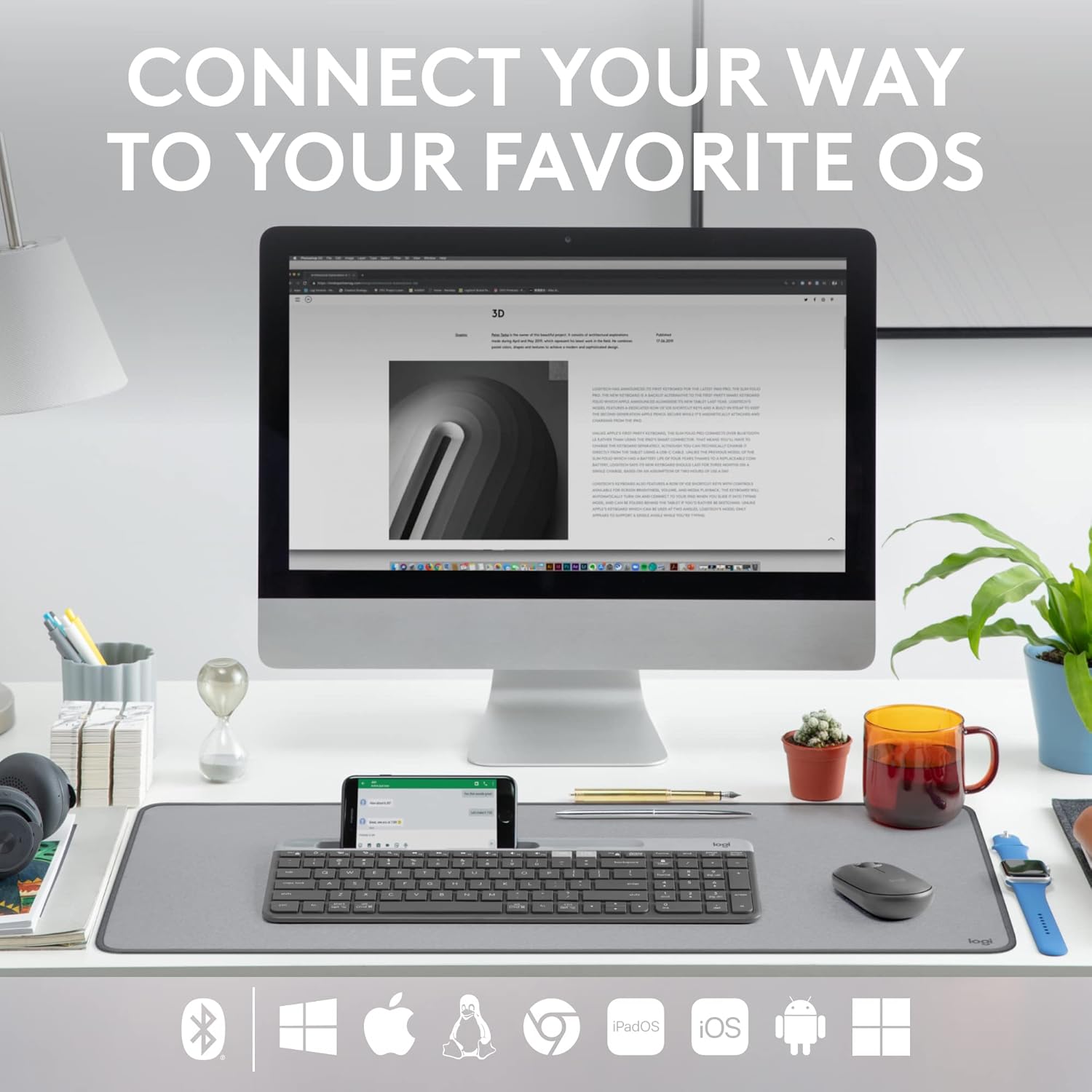
Figure 3: The Logitech K585 supports various operating systems including Windows, macOS, iOS, iPadOS, Android, and ChromeOS.
Operarea tastaturii
1. Funcționalitate Easy-Switch
The K585 keyboard allows you to seamlessly switch between up to three connected devices:
- Press the Easy-Switch key (1, 2, or 3) corresponding to the device you wish to use. The LED light above the selected key will briefly illuminate to confirm the switch.
- This feature enables quick transitions between typing on your computer, tablet, or smartphone.
2. Built-in Phone Cradle
The integrated cradle at the top of the keyboard is designed to hold your smartphone or tablet, providing an optimal viewing angle for multitasking.

Figure 4: The K585 keyboard with a smartphone positioned in the integrated cradle for enhanced multitasking.
3. FN Keys and Shortcuts
The keyboard features 12 FN keys that provide easy access to media controls and other shortcuts. These keys can be customized using Logi Options+ Software for enhanced productivity.
- Comenzi media: Play/pause, volume up/down, mute.
- Taste funcționale: F1-F12, often used for specific software functions.
- Personalizare: Download and install Logi Options+ Software from the official Logitech website to personalize FN key assignments.
4. Compatibilitate cu mai multe sisteme de operare
The keyboard layout is optimized for both Windows and Mac OS commands, ensuring a familiar typing experience regardless of your operating system. It also supports iOS, iPadOS, Android, and ChromeOS devices.

Figure 5: Universal compatibility of the Logitech K585 keyboard across different platforms.
Întreţinere
1. Battery Life and Management
The Logitech K585 keyboard offers an extended battery life of up to 24 months, thanks to its efficient design and an auto-sleep feature that activates when the keyboard is not in use. Battery life may vary based on user and computing conditions.

Figure 6: The K585 keyboard boasts a long-lasting 24-month battery life.
To maximize battery life, ensure the keyboard is switched off when not in use for extended periods.
2. Curățarea tastaturii
Pentru a menține aspectul și funcționalitatea tastaturii:
- Use a soft, lint-free cloth to wipe down the surface.
- Pentru murdăria persistentă, dreaptă ușoramproți cârpa cu apă sau cu un detergent ușor, neabraziv.
- Evitați pulverizarea lichidelor direct pe tastatură.
- Nu folosiți substanțe chimice dure sau materiale abrazive, deoarece acestea pot deteriora finisajul.
Depanare
If you encounter issues with your Logitech K585 keyboard, consider the following common solutions:
- Nici o conexiune:
- Asigurați-vă că tastatura este pornită.
- Verificați nivelul bateriei și înlocuiți-l dacă este necesar.
- For USB receiver connection, try plugging the receiver into a different USB port.
- For Bluetooth connection, ensure Bluetooth is enabled on your device and try re-pairing the keyboard.
- Întârzieri sau deconectări:
- Move the keyboard closer to the receiver or Bluetooth-enabled device.
- Avoid placing the keyboard near other wireless devices that might cause interference (e.g., Wi-Fi routers, cordless phones).
- Asigurați-vă că sistemul de operare și driverele Bluetooth ale dispozitivului sunt actualizate.
- Tastele nu răspund:
- Curățați zona din jurul tastelor afectate pentru a îndepărta orice reziduuri.
- Reporniți computerul sau dispozitivul.
- If using Logi Options+ Software, ensure it is running correctly and not causing conflicts.
Pentru depanare mai detaliată sau probleme persistente, consultați asistența oficială Logitech. website-ul web sau ghidul complet al utilizatorului disponibil pentru descărcare.
Specificații
| Caracteristică | Detaliu |
|---|---|
| Marca | Logitech |
| Numărul de model | 920-011479 |
| Tehnologia de conectivitate | Bluetooth, USB (2.4 GHz Unifying Receiver) |
| Dispozitive compatibile | Laptop, PC, Smartphone, Tabletă |
| Compatibilitatea sistemelor de operare | Windows, macOS, iOS, iPadOS, Android, ChromeOS |
| Culoare | Grafit |
| Greutatea articolului | 1.24 livre (aprox. 562 g) |
| Dimensiunile produsului (Lxlxh) | 14.7 x 5.6 x 0.76 inci (aprox. 37.3 x 14.2 x 1.9 cm) |
| Durata de viață a bateriei | Până la 24 luni (poate varia în funcție de utilizare) |
| wireless Range | Până la 10 m (33 ft) |

Figure 7: Detailed dimensions of the Logitech K585 keyboard.
Garanție și suport
Pentru informații despre garanție, asistență tehnică și resurse suplimentare, vă rugăm să vizitați pagina oficială de asistență Logitech. website. You can also find a comprehensive User Guide in PDF format for this product:
Documente conexe - 920-011479
 |
Ghid de configurare a tastaturii multi-dispozitiv Logitech K585 Ghid complet de configurare pentru tastatura wireless subțire multi-dispozitiv Logitech K585. Aflați cum să instalați bateriile, să vă conectați prin receptor USB sau Bluetooth, să asociați cu mai multe dispozitive și să selectați configurațiile sistemului de operare. |
 |
Tastatură multi-dispozitiv Logitech K780: Caracteristici, conectivitate și ghid de configurare Descoperiți tastatura multi-dispozitiv Logitech K780, o tastatură versatilă concepută pentru comutarea fără probleme între computere, smartphone-uri și tablete. Acest ghid detaliază caracteristicile sale, opțiunile de conectivitate duală (Bluetooth Smart și Unifying Receiver), funcțiile îmbunătățite și instrucțiunile de configurare pentru diverse sisteme de operare. |
 |
Tastiera Logitech K780 Multi-Device: Funzionalità, Connettività e Layout Guida completa alla tastiera Logitech K780 Multi-Device, che copre le sue funzionalità, come collegarla a più dispositivi tramite Bluetooth Smart e Unifying, funzioni ottimizzate e doppio layout per diversi sistemi operativi. |
 |
Manuale de utilizare pentru tastatura Logitech K380 și mouse-ul Pebble Ghiduri complete de utilizare pentru tastatura Bluetooth multi-dispozitiv Logitech K380 și mouse-ul wireless Logitech Pebble, care acoperă configurarea, funcțiile, comenzile rapide și gestionarea energiei. Include instrucțiuni detaliate pentru asociere, instalarea software-ului și funcțiile cheie. |
 |
Logitech K780 Multi-Device Keyboard: Seamless Connectivity for All Your Devices Explore the Logitech K780 Multi-Device Keyboard. Learn how to connect and use this versatile keyboard with your computer, tablet, and smartphone via Unifying or Bluetooth Smart for enhanced productivity. Discover its features, setup, and multi-device pairing. |
 |
Tastatură multi-dispozitiv Logitech K780: Ghid pentru conectivitate wireless, Bluetooth și unificare Ghid complet pentru tastatura multi-dispozitiv Logitech K780, care prezintă caracteristicile sale, configurația duală, comutarea ușoară între PC, Mac, tabletă și telefon și metodele de conectare prin Bluetooth Smart și receptorul Unifying. |