
Introducere
Welcome to the user manual for your ACAGET Wireless Earbuds. These earbuds are designed to provide a high-fidelity audio experience with advanced features for daily use, sports, and travel. This manual will guide you through setup, operation, maintenance, and troubleshooting to ensure optimal performance and enjoyment of your device.
Conținutul pachetului
Vă rugăm să verificați dacă toate articolele enumerate mai jos sunt incluse în pachetul dumneavoastră:
- 1x True Bluetooth Headphone (Wireless Earbuds)
- 1x cutie de încărcare
- 1x cablu de încărcare USB-C
- 1x Earhooks (for secure fit)
- 1x Silicone Earbud Protective Case
- 1x Manual de utilizare

Image: The package contents laid out, including the earbuds, charging case, USB-C cable, earhooks, and user manual.
Înființat
Încărcarea căștilor și a carcasei
The charging case has a 300mAh battery and can recharge the earbuds approximately 4 times, providing up to 25 hours of additional playtime. The earbuds themselves offer 4-5 hours of playtime on a single full charge.
To charge the case, connect the provided USB-C charging cable to the charging port on the case and a compatible power source. The indicator light on the case will illuminate to show charging status. A full charge for the case takes approximately 1.5 hours.
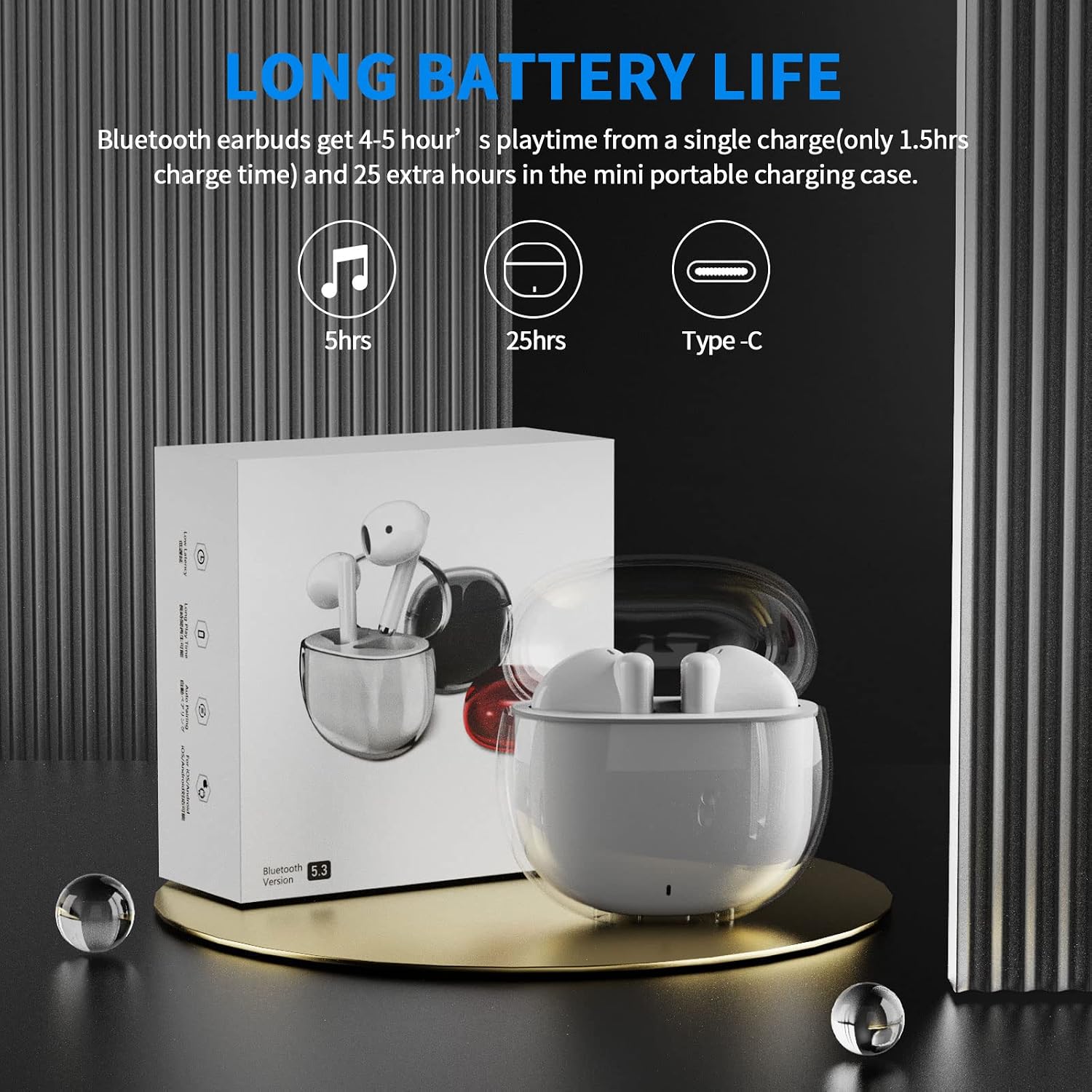
Image: A visual representation of the earbuds' battery life, showing 5 hours for earbuds and 25 hours total with the charging case, and the USB-C charging port.
Asocierea cu dispozitivul dvs.
The earbuds feature one-step pairing for quick and easy connection to your devices. They utilize advanced Bluetooth 5.3 technology for a stable and fast connection.
- Asigurați-vă că Bluetooth-ul dispozitivului este activat.
- Deschideți carcasa de încărcare. Căștile se vor porni automat și vor intra în modul de asociere.
- On your device (smartphone, tablet, laptop), go to the Bluetooth settings and select "ACA-i23" from the list of available devices to connect.
- După conectare, veți auzi un ton de confirmare, iar căștile vor fi gata de utilizare.

Image: A graphic illustrating the advanced Bluetooth 5.3 technology and the one-step pairing process with a smartphone, showing the "ACA-i23" device name.
Video: This official ACAGET video demonstrates the simple one-step pairing process and how to use the smart touch controls for music playback and call management.
Instrucțiuni de operare
Comenzi tactile inteligente
The earbuds feature intuitive touch controls for managing your audio and calls without needing to access your connected device.
- Redare/Întrerupe muzică: Atingeți de două ori casca dreaptă.
- Următoarea piesă: Atingeți de trei ori casca dreaptă.
- Pista anterioară: Atingeți de trei ori casca din stânga.
- Răspundeți/Terminați apelul: Atingeți de două ori oricare dintre căștile.
- Respinge apelul: Apăsați și țineți apăsat fiecare cască timp de 2 secunde.
- Wake Up Voice Assistant (Siri): Atingeți de două ori căștile din stânga.

Image: A visual guide detailing the various touch control gestures for music playback, call management, and voice assistant activation on the earbuds.
Video: This official ACAGET video highlights the ergonomic design, Bluetooth 5.3 features, smart touch controls, long battery life, and the secure fit provided by the included over-ear earhooks.
Întreţinere
Curatenie
To maintain optimal performance and hygiene, regularly clean your earbuds and charging case. Use a soft, dry, lint-free cloth. Avoid using harsh chemicals, abrasive materials, or excessive moisture, as these can damage the device.
Rezistenta la apa
The ACAGET Wireless Earbuds are rated IPX4 waterproof, meaning they are protected against splashing water from any direction. This makes them suitable for use during workouts, in light rain, or when sweating. Nota: The earbuds are not designed for submersion in water and should not be used for swimming or bathing.
Depanare
Probleme comune și soluții
Căștile nu se împerechează:
- Asigurați-vă că ambele căști sunt în carcasa de încărcare și complet încărcate.
- Make sure Bluetooth is enabled on your device and "ACA-i23" is selected from the available devices.
- Try resetting the earbuds by placing them in the case, closing the lid, and reopening after a few seconds.
Only one earbud charging/working:
- Verify that both earbuds are properly seated in the charging case and making firm contact with the charging pins.
- Clean the charging contacts on both the earbuds and the case with a dry cotton swab to remove any debris.
- Dacă problema persistă, contactați asistența pentru clienți pentru asistență suplimentară.
Probleme legate de calitatea sunetului:
- Ensure the earbuds are properly fitted in your ears for optimal sound delivery.
- Check the audio source and volume levels on your connected device.
- Move closer to your device to avoid interference or range issues, as the Bluetooth range is up to 15 meters.
Specificații
Specificatii tehnice
| Caracteristică | Detaliu |
|---|---|
| Numele modelului | Căști wireless i23 |
| Tehnologia de conectivitate | Fără fir |
| Tehnologia comunicațiilor fără fir | Bluetooth |
| Versiune Bluetooth | 5.3 |
| Gama Bluetooth | 15 metri |
| Durata de viață a bateriei (căști) | 5 de ore |
| Durata de viață a bateriei din carcasă | 25 de ore |
| Carcasa de transport Capacitatea bateriei | 300 Miliamp Ore |
| Timp de încărcare | 1.5 de ore |
| Nivel de rezistență la apă | IPX4 Impermeabil |
| Tip control | Control media |
| Metoda de control | Atingere |
| Tip de driver audio | Driver dinamic |
| Dimensiunea driverului audio | 13 milimetri |
| Gama de frecvente | 20 Hz - 20,000 Hz |
| Sensibilitate | 105 dB |
| Impedanta | 32 ohmi |
| Greutatea articolului | 3.84 uncii |
| Dimensiunile produsului | 5.9 x 4.72 x 1.18 inci |
| Material | Acrilonitril Butadien Stiren (ABS) |
| Dispozitive compatibile | Compatible with various Bluetooth devices, including cellphones, iPad, laptops, and many Android and iOS smartphones. |
Garanție și suport
Informații despre garanție
ACAGET provides a 90-day refund and 6-month replacement policy for any defect problems with your earbuds. This warranty covers manufacturing defects and ensures your satisfaction with the product.
Asistență pentru clienți
For any issues, questions, or suggestions regarding your ACAGET Wireless Earbuds, please do not hesitate to contact us through the message system. Our support team is committed to responding immediately to assist you.
For a detailed user guide, you can also refer to the official PDF document: Manual de utilizare (PDF).


