1. Introducere
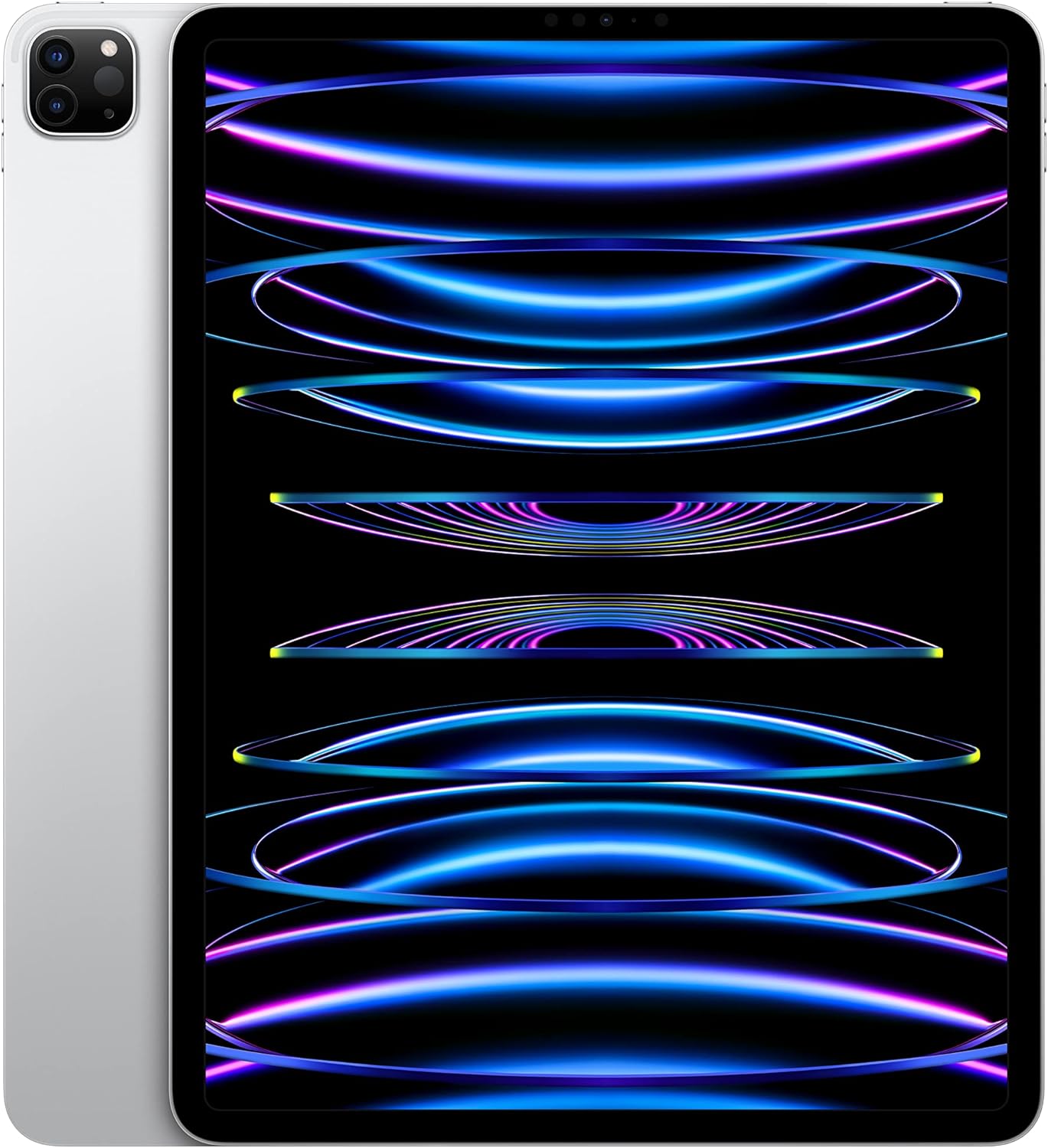
This manual provides essential information for the setup, operation, and maintenance of your Apple iPad Pro 12.9-inch (6th Generation). Featuring the powerful M2 chip, a stunning Liquid Retina XDR Display, and advanced Wi-Fi 6E connectivity, your iPad Pro is designed for high performance and versatility.
Please read this manual thoroughly to ensure proper use and to maximize your device's capabilities.
2. Configurare
2.1. Despachetare și încărcare inițială
Upon opening your iPad Pro package, verify that all components are present:
- iPad Pro de 12.9 inchi
- USB-C Charge Cable (1 meter)
- Adaptor de alimentare USB-C de 20W
Before first use, connect your iPad Pro to the 20W USB-C Power Adapter using the provided USB-C Charge Cable. Allow the device to charge for at least 30 minutes or until the battery indicator shows sufficient charge to begin setup.

2.2. Pornire și configurare inițială
- Țineți apăsat butonul Butonul de sus până când apare sigla Apple.
- Urmați instrucțiunile de pe ecran pentru a vă selecta limba și regiunea.
- Connect to a Wi-Fi network. The iPad Pro supports Wi-Fi 6E for fast wireless connections.
- Înființat Face ID pentru autentificare sigură.
- Conectați-vă cu ID Apple sau creați unul nou.
- Choose your preferred settings for location services, Siri, and analytics.

3. Instrucțiuni de utilizare
3.1. Performanța cipului M2
The iPad Pro is powered by the Apple M2 chip, featuring an 8-core CPU with 4 performance cores and 4 efficiency cores, a 10-core GPU, and a 16-core Neural Engine. This architecture provides significant performance for demanding applications, graphics-intensive tasks, and machine learning operations.
3.2. Liquid Retina XDR Display
The 12.9-inch Liquid Retina XDR display offers 1000 nits of full-screen brightness and 1600 nits of peak brightness, alongside a 1,000,000:1 contrast ratio. Advanced display technologies include ProMotion for adaptive refresh rates up to 120Hz, True Tone for ambient light color adjustment, and P3 wide color support for accurate color reproduction. Reference Mode is available for color-accurate workflows.

3.3. Sistem de camere
The iPad Pro features a versatile camera system:
- Camera frontală: 12MP Ultra Wide TrueDepth camera with Center Stage, Portrait mode, Portrait Lighting, and Smart HDR 4, ideal for video conferencing and selfies.
- Camerele din spate: 12MP Wide and 10MP Ultra Wide cameras with True Tone flash, Smart HDR 4, and support for 4K video recording at 24, 25, 30, or 60 fps, including ProRes video recording.
- Scaner LiDAR: Enhances augmented reality (AR) experiences by capturing a depth map of any space.
3.4. iPadOS and Multitasking
iPadOS provides a productive, intuitive, and versatile user experience. Key features include:
- Multitasking: Run multiple applications simultaneously.
- StagManager electronic: Organize apps with resizable, overlapping windows and external display support.
- Scribble: Use Apple Pencil to write in any text field.
- App Store: Access over a million applications, including essential apps like Safari, Messages, and Keynote.

3.5. Apple Pencil (2nd Generation) and Magic Keyboard
The iPad Pro supports the Apple Pencil (2nd Generation) and Magic Keyboard (both sold separately) to enhance productivity and creativity:
- Apple Pencil (a doua generație): Transforms the iPad Pro into a drawing canvas and note-taking device with precision and low latency.
- Tastatură magică: Provides a comfortable typing experience with a built-in trackpad and doubles as a protective cover for the iPad Pro.


3.6. Face ID
Face ID allows you to securely unlock your iPad Pro, authenticate purchases, and sign in to applications using facial recognition.
3.7. Conectivitate
The iPad Pro supports Wi-Fi 6E for high-speed wireless internet access. The conector USB-C supports Thunderbolt / USB 4, enabling fast data transfers and connection to various accessories.
4. Întreținere
4.1. Cleaning Your iPad Pro
- Folosiți o lavetă moale, fără scame, pentru a curăța ecranul și exteriorul.
- Evitați utilizarea materialelor abrazive, aerosolilor, solvenților sau produselor de curățare pe bază de amoniac.
- DampClătiți ușor cârpa cu apă, dacă este necesar, dar evitați pătrunderea umezelii în deschizături.
4.2. Îngrijirea bateriei
Pentru a optimiza durata de viață a bateriei:
- Keep your iPadOS updated to the latest version.
- Reglați luminozitatea ecranului la un nivel confortabil.
- Dezactivați Wi-Fi-ul sau Bluetooth-ul atunci când nu le utilizați.
- Limit background app refresh for apps that don't require constant updates.
- The iPad Pro offers up to 10 hours of web surfing on Wi-Fi or video playback, and up to 9 hours using cellular data.
4.3. Actualizări software
Regularly check for and install iPadOS updates to ensure your device has the latest features, security enhancements, and performance improvements. Go to Setări > General > Actualizare software.
5. Depanare
5.1. Probleme comune și soluții
- Dispozitivul nu pornește: Ensure the iPad Pro is charged. Connect it to the power adapter and wait a few minutes. If it still doesn't turn on, perform a force restart: Press and quickly release the Volume Up button, press and quickly release the Volume Down button, then press and hold the Top button until the Apple logo appears.
- Probleme de conectivitate Wi-Fi: Check if Wi-Fi is enabled in Settings. Restart your Wi-Fi router. Forget the network and reconnect. Ensure your iPadOS is updated.
- Se descarcă rapid bateria: Review battery usage in Settings to identify power-consuming apps. Adjust brightness, disable unnecessary background refresh, and ensure optimal battery care practices.
- Performance Slowdowns: Close unused apps. Restart your iPad Pro. Ensure sufficient storage space is available.
- Face ID Not Working: Ensure your face is clear and unobstructed. Check Face ID settings. If issues persist, reset Face ID and set it up again.
5.2. Further Assistance
If you encounter issues not covered here, or if problems persist, refer to Apple's official support resources or contact Apple Support.
6. Specificații
| Caracteristică | Detaliu |
|---|---|
| Dimensiunile produsului | 0.25 x 8.46 x 11.05 inci |
| Greutatea articolului | 1.5 lire sterline |
| Producător | Măr |
| ASIN | B0BJLD4SWD |
| Numărul de model al articolului | MNXQ3LL/A |
| baterii | Este necesară 1 baterie litiu-ion (inclusă) |
| Data primului disponibil | 18 octombrie 2022 |
| Marca | Măr |
| Numele modelului | iPad Pro |
| Capacitate de stocare a memoriei | 128 GB |
| Dimensiunea ecranului | 12.9 inchi |
| Rezoluția afișajului maximă | 2732 x 2048 pixeli |
| Afişa | 12.9‑inch Liquid Retina XDR display with ProMotion technology and True Tone |
| Opțiuni de capacitate | 128GB, 256GB, 512GB, 1TB or 2TB |
| Chip | Apple M2 chip, 8-core CPU, 10-core GPU, 16-core Neural Engine, 100GB/s memory bandwidth, 8GB RAM (128GB/256GB/512GB models), 16GB RAM (1TB/2TB models) |
| Cameră și video | 12MP Wide and 10MP Ultra Wide cameras with Smart HDR 4 and 4K video at 24, 25, 30, or 60 fps |
| Cameră frontală | TrueDepth camera with 12MP Ultra Wide front camera, Center Stage, Portrait mode, Portrait Lighting, and Smart HDR 4 |
| Durata de viață a bateriei | Până la 10 ore de navigare pe web on Wi‑Fi or watching video; Up to 9 hours of surfing the web using cellular data network |
| Conector | USB-C connector with support for Thunderbolt / USB 4 |
| Înălţime | 11.04 inchi (280.6 mm) |
| Lăţime | 8.46 inchi (214.9 mm) |
| Adâncime | 0.25 inchi (6.4 mm) |
| Greutate | 1.5 pounds (682 grams) Wi-Fi model; 1.51 pounds (685 grams) Wi-Fi + Cellular model |
| Apple Pencil Support | Apple Pencil (2nd Generation) - sold separately |
7. Garanție și asistență
7.1. Informații despre garanție
Your Apple iPad Pro is covered by a limited warranty provided by Apple. For detailed information regarding warranty terms, conditions, and coverage, please refer to the warranty documentation included with your product or visit the official Apple website-ul.
7.2. Suport tehnic
Pentru asistență tehnică, depanare sau solicitări de service, vă rugăm să vizitați pagina oficială de asistență Apple. website la support.apple.com/ipad or contact Apple Support directly. You can also find extensive resources, FAQs, and community forums on their website-ul.


