Introducere
This manual provides essential information for setting up, operating, maintaining, and troubleshooting your HP 17.3-inch laptop. This device is designed for business and educational use, offering robust performance and connectivity.

Figure 1: HP 17.3-inch Laptop Overview. This image displays the laptop open, revealing the large screen and full-size keyboard with a numeric keypad.
Ce este în cutie
Verificați dacă toate articolele sunt prezente în ambalaj:
- Laptop HP de 17.3 inci
- Adaptor de alimentare și cablu
- Ghid de pornire rapidă (poate fi inclus separat)
Înființat
- Conectare alimentare: Plug the power adapter into the laptop's power port and then into a wall outlet. Allow the battery to charge for at least 30 minutes before first use.
- Pornire: Deschideți capacul laptopului și apăsați butonul de pornire, situat de obicei pe tastatură.
- Configurarea inițială a Windows: Urmați instrucțiunile de pe ecran pentru a finaliza configurarea Windows 10 Pro, inclusiv limba, regiunea, conexiunea la rețea și crearea contului de utilizator.
- Conectați-vă la Wi-Fi: During setup or afterward, select your Wi-Fi network from the available list and enter the password. The laptop supports Wi-Fi 5 (802.11ac).
- Configurarea cititorului de amprente: If desired, configure the fingerprint reader for secure login through Windows Settings.
- Conectați periferice: Use the available ports to connect external devices such as a mouse, keyboard, external display, or USB storage.

Figure 2: Left Side Ports. This image shows the left side of the laptop, featuring a USB 3.0 Type-A port, an HDMI port, a USB 3.0 Type-C port, and a headphone/microphone combo jack.

Figure 3: Right Side Ports. This image displays the right side of the laptop, including a USB 3.0 Type-A port, the power input, and various status indicator LEDs.
Utilizarea laptopului
Managementul energiei
- Pornire/Oprire: Press the power button to turn the laptop on. To turn off, go to the Start Menu in Windows and select Power > Shut down.
- Modul de somn: Close the lid or select Power > Sleep from the Start Menu to put the laptop into a low-power state.
- Repornire: Select Power > Restart from the Start Menu to reboot the system.
Tastatură și touchpad
- Laptopul are o tastatură de dimensiuni normale cu tastatură numerică.
- Touchpad-ul acceptă gesturi multi-touch pentru navigare. Consultați setările Windows pentru personalizare.
Afișaj și grafică
- The 17.3-inch Full HD (1920 x 1080) IPS anti-glare display provides wide viewunghiuri de ing.
- Adjust display settings (brightness, resolution) through Windows Display Settings.
- The integrated AMD Radeon graphics handle visual processing.
Conectivitate
- Wifi: Connect to wireless networks via Wi-Fi 5 (802.11ac). Manage connections through the network icon in the taskbar.
- Bluetooth: Pair Bluetooth devices (e.g., headphones, mouse) via Windows Bluetooth settings.
- Porturi USB: Utilize the USB 3.0 Type-C and Type-A ports for data transfer and connecting peripherals.
- HDMI: Connect an external monitor or projector using the HDMI port.
- Mufa audio: Use the headphone/microphone combo jack for audio output and input.
Webcameră și audio
- The TrueVision HD Camera is suitable for video calls and online meetings.
- Tuned stereo speakers provide audio output. Adjust volume via the taskbar icon or keyboard function keys.
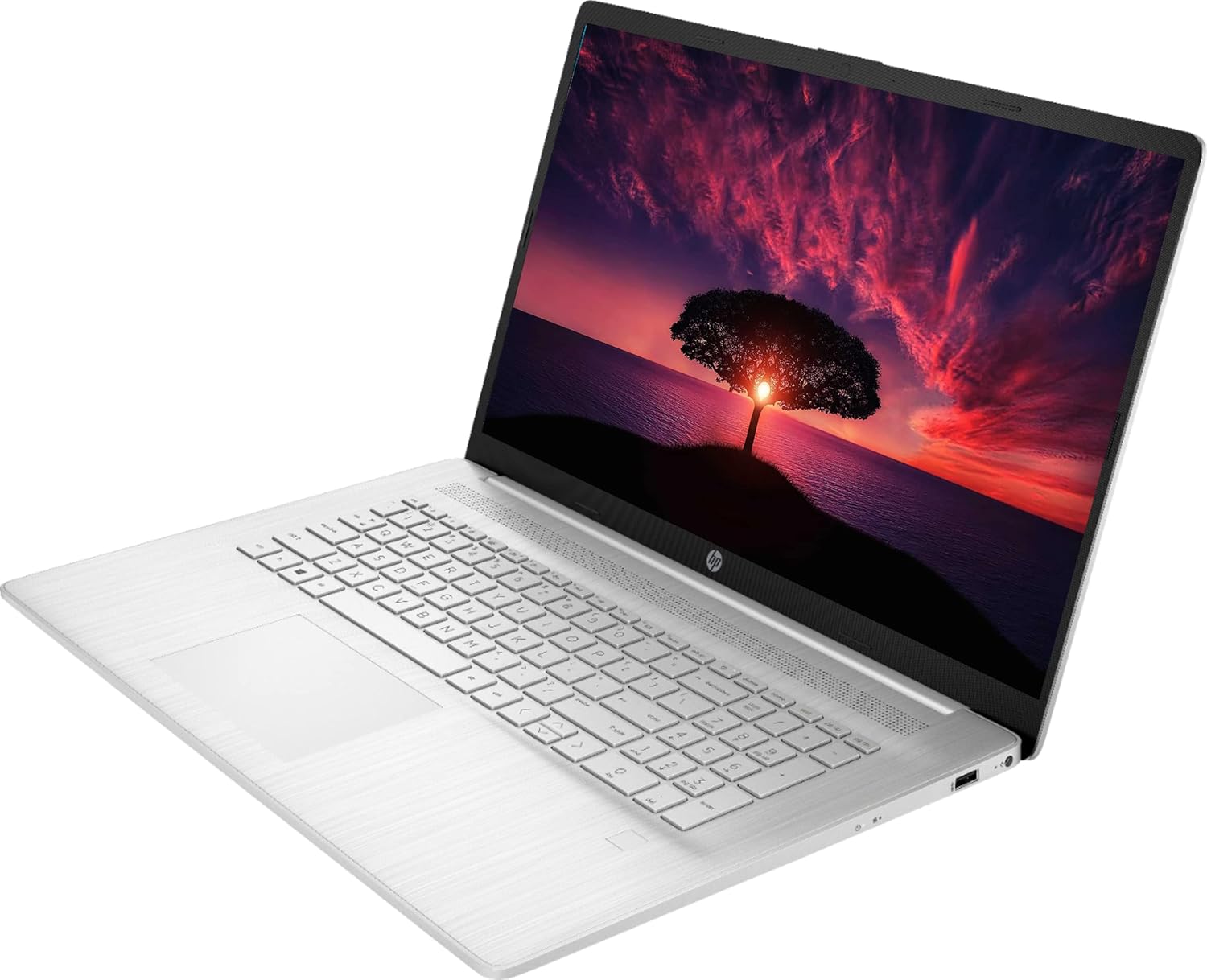
Figure 4: Laptop in Use. This image shows the HP laptop open at an angle, highlighting the display and the keyboard layout during operation.
Întreţinere
Curatenie
- Ecran: Utilizați ușor o cârpă moale, fără scame dampCurățați cu apă sau cu un detergent de ecran. Nu pulverizați lichid direct pe ecran.
- Tastatură și șasiu: Folosiți o cârpă moale și uscată. Pentru murdăria persistentă, uscați ușor.amp Se poate folosi o lavetă cu o soluție delicată de săpun, asigurându-vă că nu pătrunde lichid în orificii.
- Evitați agenții de curățare abrazivi sau solvenții.
Îngrijirea bateriei
- Pentru a prelungi durata de viață a bateriei, evitați temperaturile extreme.
- Nu lăsați laptopul conectat constant la priză la 100% încărcat pentru perioade lungi de timp.
- Descărcați periodic bateria până la aproximativ 20% înainte de reîncărcare.
Actualizări de software
- Regularly check for and install Windows updates via Windows Settings > Update & Security.
- Ensure drivers are up-to-date. HP provides driver updates through its support website or pre-installed utility software.
Managementul stocării
- Curățați periodic ce nu este necesar files and applications to maintain optimal performance of the 1TB SSD.
- Consider external storage for large backups.
Depanare
| Emisiune | Soluție posibilă |
|---|---|
| Laptopul nu pornește. | Asigurați-vă că adaptorul de alimentare este conectat corect atât la laptop, cât și la o priză funcțională. Verificați dacă priza funcționează. Încercați o altă priză. |
| Nicio afișare pe ecran. | Check if the laptop is powered on. Adjust screen brightness using function keys. If an external monitor is connected, ensure it's properly connected and selected as the output. |
| Probleme cu conexiunea Wi-Fi. | Verify Wi-Fi is enabled in Windows settings. Restart your router and modem. Ensure you are within range of the Wi-Fi signal. Re-enter the Wi-Fi password. |
| Sunetul nu funcționează. | Check volume levels in Windows and on any connected external speakers/headphones. Ensure correct audio output device is selected in Sound settings. Update audio drivers. |
| Laptop is slow or unresponsive. | Close unnecessary applications. Check Task Manager for high CPU/RAM usage. Ensure Windows and drivers are up to date. Run a system scan for malware. Consider restarting the laptop. |
| Cititorul de amprente nu funcționează. | Ensure your finger is clean and dry. Re-enroll your fingerprint in Windows Settings > Accounts > Sign-in options. Update fingerprint reader drivers. |
Specificații
| Numele modelului | CP 17 |
| Procesor | AMD Ryzen 5 5500U (4 GHz, 6 nuclee) |
| RAM | 32 GB DDR4 |
| Depozitare | SSD de 1 TB |
| Afişa | Ecran IPS antireflex de 17.3 inci FHD (1920 x 1080) |
| Grafică | Grafică integrată AMD Radeon |
| Sistem de operare | Windows 10 Pro |
| Conectivitate wireless | Wi-Fi 5 (802.11ac), Bluetooth 4.2 |
| Porturi | 2 x USB 3.0 Type-C, 1 x USB 3.0 Type-A, 1 x HDMI, 1 x Headphone/Microphone Combo Jack |
| Webcam | TrueVision HD Camera |
| Caracteristici speciale | Cititor de amprente |
| Durata de viață a bateriei (medie) | Până la 8.13 ore |
| Dimensiuni (Lxlxh) | 15.78 x 0.78 x 10.15 inci |
| Greutate | 7.58 lire sterline |
Garanție și suport
Your HP 17.3-inch laptop comes with a 1 ani garanție producătorPentru reclamații în garanție, asistență tehnică sau suport suplimentar, vă rugăm să vizitați pagina oficială de asistență HP. website-ul web sau contactați serviciul clienți HP.
Asistență HP Website: support.hp.com
Please have your product's serial number ready when contacting support. The serial number is typically located on a sticker on the bottom of the laptop or can be found in the system information within Windows.