1. Introducere
Thank you for choosing the Samsung OH46B High Brightness Outdoor Display. This manual provides essential information for the safe and efficient installation, operation, and maintenance of your display. The OH46B is designed for outdoor environments, offering superior visibility with high brightness and advanced anti-reflection technology, ensuring clear content delivery 24/7.
Key features include UL-verified outdoor visibility with brightness exceeding 3,500 nits, advanced color accuracy, enhanced visibility with Magic Protection Glass, and a highly efficient cooling system with hidden fans to prevent humidity.
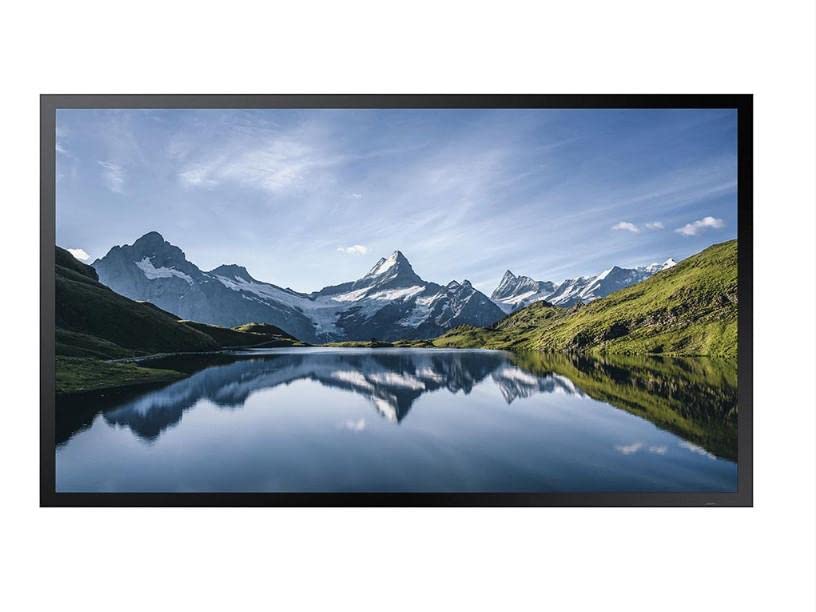
Figura 1: Față view of the Samsung OH46B Outdoor Display.
2. Informații de siguranță
Please read all safety instructions carefully before installing and operating the display. Failure to follow these instructions may result in electric shock, fire, or serious injury.
- Alimentare electrică: Conectați afișajul doar la o priză de alimentare cu împământare și cu voltajul corect.tage as specified on the product label. Do not overload power outlets.
- Instalare: Ensure the display is securely mounted in a location that can support its weight. Professional installation is recommended for outdoor displays. Avoid installing in areas with excessive vibration or direct impact risk.
- Conditii de mediu: While designed for outdoor use, avoid exposing the display to extreme weather conditions beyond its specified operating range. Ensure proper ventilation around the display.
- Lichide și obiecte străine: Do not allow liquids or foreign objects to enter the display. If this occurs, immediately disconnect power and contact qualified service personnel.
- Service: Do not attempt to service this product yourself. Refer all servicing to qualified service personnel. Opening covers may expose you to dangerous voltage sau alte pericole.
3. Configurare
3.1 Despachetarea
- Deschideți cu grijă ambalajul și scoateți afișajul.
- Check for any damage during transit. If damage is found, do not proceed with installation and contact your supplier.
- Verificați dacă toate accesoriile, inclusiv telecomanda, sunt prezente.
3.2 Montare
The Samsung OH46B display requires a robust mounting solution suitable for outdoor environments. Consult a professional installer to ensure proper and secure mounting. Ensure the mounting structure can safely support the display's weight of approximately 89.3 pounds (40.5 kg).
Note: Specific mounting hardware is sold separately and should be selected based on your installation environment and local regulations.
3.3 Conectarea surselor de alimentare și de intrare
After mounting, connect the necessary cables:
- Cablu de alimentare: Conectați cablul de alimentare la intrarea de alimentare a afișajului și apoi la o priză electrică cu împământare.
- Intrare video: Connect your video source (e.g., media player, PC) to the appropriate input port on the display (e.g., HDMI, DisplayPort).
- Conexiune la rețea (opțională): For remote management or content updates, connect an Ethernet cable to the display's network port.
An image showing the rear panel with various input ports would typically be included here.
3.4 Pornirea inițială
Once all connections are secure, press the power button on the display or the remote control to turn on the unit. The display should power on and show the Samsung logo, followed by the input source.
4. Operarea afișajului
4.1 Controale de bază
Use the provided remote control to navigate the display's functions. Common buttons include:
- Putere: Pornește sau oprește afișajul.
- Sursă: Selects the input source (e.g., HDMI1, HDMI2, DP).
- Meniu: Accesează meniul de afișare pe ecran (OSD).
- Butoane de navigare (Sus/Jos/Stânga/Dreapta): Folosit pentru navigarea prin opțiunile din meniu.
- Introdu/OK: Confirmă o selecție.
- Ieșire/Întoarcere: Ieșire din meniul curent sau revenire la ecranul anterior.
An image of the remote control with button labels would typically be included here.
4.2 Navigare prin meniu
Apăsați tasta Meniu button on the remote control to access the OSD menu. Use the navigation buttons to browse through categories such as Picture, Sound, System, and Support. Select an option with the Introdu/OK button to adjust settings. The OH46B offers advanced settings for brightness, contrast, color temperature, and more, optimized for outdoor visibility.
4.3 Brightness and Visibility
The OH46B display features high brightness (over 3,500 nits) and anti-reflection technology (Magic Protection Glass) to ensure content remains vivid and readable even in direct sunlight. The display automatically adjusts brightness based on ambient light conditions for optimal viewing and power efficiency.
5. Întreținere
5.1 Curăţarea afişajului
To clean the display screen and cabinet:
- Always turn off the display and disconnect the power cable before cleaning.
- Folosiți o cârpă moale, fără scame dampcurățate cu apă sau cu o soluție de curățare a ecranelor blândă, neabrazivă.
- Do not spray cleaning solutions directly onto the screen. Apply to the cloth first.
- Avoid using harsh chemicals, solvents, or abrasive materials, as these can damage the screen surface.
5.2 Considerații de mediu
The OH46B is designed to operate reliably in various outdoor conditions. Its integrated cooling system with hidden fans helps prevent humidity buildup and maintains optimal internal temperatures. Ensure that the fan vents, located on the underside of the display, are not obstructed to allow for proper airflow.
Regularly inspect the display for any signs of wear, damage, or debris accumulation, especially around seals and vents.
6. Depanare
If you encounter issues with your Samsung OH46B display, refer to the following common problems and solutions:
6.1 Fara putere
- Verificați cablul de alimentare: Ensure the power cable is securely connected to both the display and the power outlet.
- Verificați priza: Verificați dacă priza funcționează conectând un alt dispozitiv.
- Baterii pentru telecomandă: If using the remote, check its batteries.
6.2 Fără semnal / Ecran gol
- Verificați sursa de intrare: Press the 'Source' button on the remote to ensure the correct input source is selected.
- Verificați cablurile video: Ensure all video cables (HDMI, DisplayPort) are securely connected to both the display and the source device.
- Verificați dispozitivul sursă: Confirm that your video source device (e.g., media player) is powered on and outputting a signal.
6.3 Display Issues (e.g., distorted image, incorrect colors)
- Verificați calitatea cablului: Ensure you are using high-quality video cables, especially for long runs.
- Ajustați setările de afișare: Access the OSD menu to adjust picture settings like brightness, contrast, and color.
- Resetați la setările implicite din fabrică: If issues persist, consider resetting the display to its factory default settings via the OSD menu.
Dacă acești pași nu rezolvă problema, contactați serviciul de asistență pentru clienți Samsung pentru asistență suplimentară.
7. Specificații
| Caracteristică | Caietul de sarcini |
|---|---|
| Nume de marcă | Samsung |
| Numărul de model al articolului | OH46B |
| Dimensiunea ecranului | 46 inci |
| Rezoluţie | FHD 1080p |
| Raportul de aspect | 16:9 |
| Descrierea suprafeței ecranului | Lucios |
| Nume Culoare | Negru |
| Greutatea articolului | 89.3 livre (aprox. 40.5 kg) |
| Dimensiuni pachet | 45.5 x 28.1 x 28.1 inci |
| Caracteristici speciale | Flat, High Brightness, Anti-reflection |
8. Garanție și asistență
The Samsung OH46B display comes with a standard manufacturer's warranty. Please refer to the warranty card included with your product or visit the official Samsung webpentru termenii și condițiile detaliate de garanție specifice regiunii dumneavoastră.
For technical support, service, or warranty claims, please contact Samsung customer service. Have your model number (OH46B) and serial number ready when contacting support.
Additional protection plans may be available from third-party providers at the time of purchase. These plans are separate from the manufacturer's warranty and offer extended coverage.