Introducere
This manual provides comprehensive instructions for the installation, operation, and maintenance of your Caliber RMD805BT Car Radio Infotainment System. Please read this manual thoroughly before using the product to ensure proper operation and to prevent damage.
Informații de siguranță
Always observe the following safety precautions to avoid injury or damage to the unit:
- Nu utilizați unitatea într-un mod care vă distrage atenția de la condus. Acordați întotdeauna prioritate siguranței rutiere.
- Ensure proper wiring and connections to prevent electrical shorts or fire hazards. Consult a professional for installation if unsure.
- Nu expuneți unitatea la temperaturi extreme, la lumina directă a soarelui pentru perioade lungi de timp sau la umiditate excesivă.
- Folosiți doar sursele de alimentare și accesoriile specificate.
- Nu încercați să dezasamblați sau să modificați unitatea. Apelați la personal calificat pentru orice service.
Conținutul pachetului
Verificați dacă toate articolele sunt prezente în colet:
- Caliber RMD805BT Car Radio Unit
- Power/Speaker Wiring Harness (ISO connector)
- Telecomanda
- Hardware de montare
- Manual de utilizare (acest document)
Produs terminatview




Înființat
Instalare
The Caliber RMD805BT is designed for 2 DIN standard openings. Professional installation is recommended. Refer to Figure 3 for rear connections.
- Montare: Secure the unit into the vehicle's 2 DIN opening using the provided mounting brackets and screws.
- Cablaj: Connect the main power/speaker harness (ISO connector) to the vehicle's existing wiring. Ensure correct polarity for all connections.
- Antenă: Connect the vehicle's FM antenna to the unit's antenna input.
- Conexiuni opționale:
- subwoofer/Ampmai în viață: Connect external subwoofer or amplifier via the RCA output connectors.
- Camera spate: Conectați un dispozitiv spate compatibilview camera to the dedicated video input for automatic display when reversing.
- External Audio/Video: Use the auxiliary RCA inputs for other external audio/video sources.
- Verificare finală: Before fully securing the unit, perform a quick power-on test to ensure basic functionality.
Pornirea inițială
After installation, turn on your vehicle's ignition. The unit should power on automatically or by pressing the power button. The touchscreen will display the main menu.
Funcționează
Funcții de bază
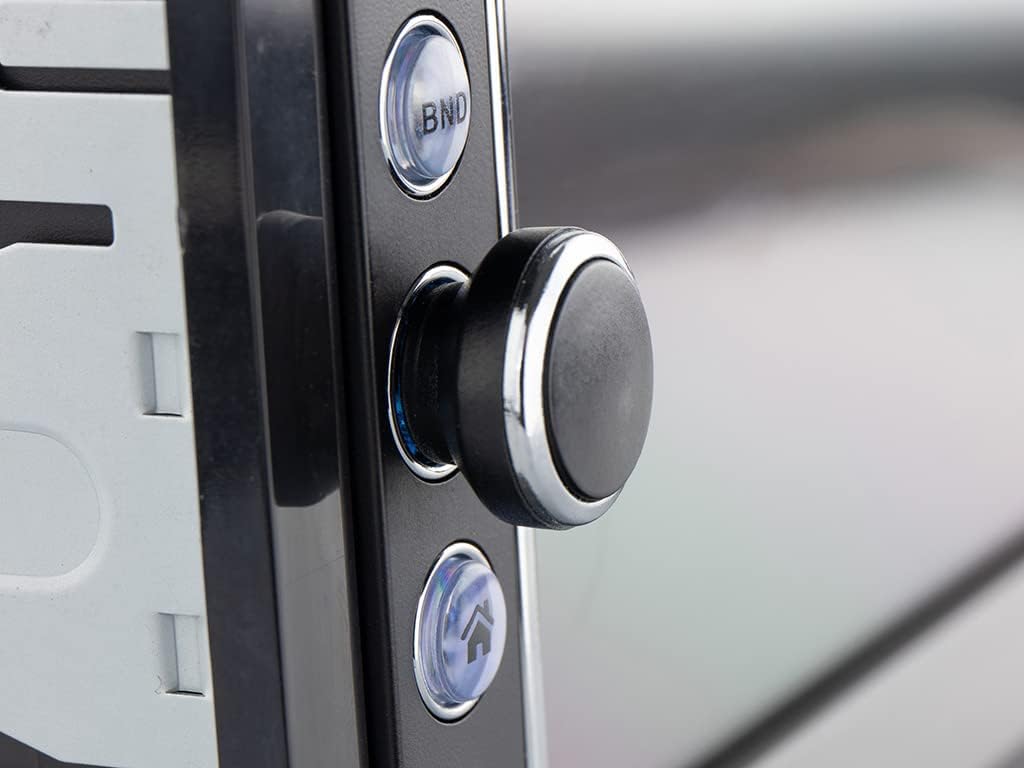
- Pornire/Oprire: Apăsați butonul de alimentare (de obicei, butonul rotativ) pentru a porni sau opri unitatea.
- Controlul volumului: Rotiți butonul pentru a regla volumul.
- Selectarea sursei: Tap the 'Mode' icon on the touchscreen or press the 'MODE' button on the remote to cycle through available sources (FM, Bluetooth, USB, SD, AV-IN).
Radio Operation (FM/RDS-EON)
- Reglare: In FM mode, use the touchscreen controls to manually tune or auto-scan for stations.
- presetări: Salvați posturile preferate pe butoanele de presetare pentru acces rapid.
- RDS-EON: The unit supports RDS-EON, displaying station information, program type, and traffic announcements (TA) when available.
Conectivitate Bluetooth
- Asociere: Enable Bluetooth on your smartphone. On the RMD805BT, select the Bluetooth source. Caută 'RMD805BT' on your phone and pair.
- Apeluri fără mâini: Once paired, you can make and receive calls directly through the unit. Use the touchscreen or remote control buttons to answer, end, or reject calls.
- Transmisie audio (A2DP): Stream music from your smartphone to the car radio. Control playback (play/pause, skip tracks) using the unit's controls or the remote.
Mirrorlink Functionality
The RMD805BT supports Mirrorlink for limited iOS and Android devices. This feature allows you to mirror your smartphone's screen onto the unit's display and control it via the touchscreen.
- Conexiune: Connect your smartphone to the unit via USB.
- Activare: Follow the on-screen prompts on both the unit and your smartphone to activate Mirrorlink.
- Controla: Once active, your phone's screen will appear on the RMD805BT, and you can interact with your phone's apps directly from the unit's touchscreen.
Redare USB/SD
The unit supports media playback from USB sticks and SD cards (up to 32 GB).
- Introduceți suportul media: Insert a USB stick into the USB port or an SD card into the SD card slot.
- Formate acceptate: The unit can play MP3 and WMA audio files, and display MPEG4, DivX video files, and JPEG image files.
- Navigare: Use the touchscreen to browse folders and select filepentru redare.
Touchscreen and Remote Control
The 6.2-inch touchscreen provides intuitive control. Alternatively, use the included remote control for convenient operation from a distance.
Întreţinere
- curatenie: Use a soft, dry cloth to clean the unit's surface and touchscreen. For stubborn marks, slightly dampClătiți laveta cu apă. Evitați substanțele de curățare abrazive sau solvenții.
- Îngrijire generală: Ensure the unit is not exposed to extreme temperatures or direct sunlight for extended periods. Keep USB and SD card slots free of dust and debris.
Depanare
If you encounter issues with your Caliber RMD805BT, refer to the following common problems and solutions:
| Problemă | Cauza posibila | Soluţie |
|---|---|---|
| Fără putere | Cablare incorectă; Siguranță arsă; Contactul vehiculului oprit | Check power connections; Replace fuse; Turn on vehicle ignition |
| Nici un sunet | Volum prea mic; Silențios activat; Cablare incorectă a difuzorului | Măriți volumul; Dezactivați sunetul; Verificați conexiunile difuzoarelor |
| Bluetooth nu se conectează | Bluetooth not enabled on phone/unit; Unit not in pairing mode; Device already paired to another unit | Ensure Bluetooth is on; Put unit in pairing mode; Disconnect from other devices |
| Nu se redă pe USB/SD | Neacceptat file format; Corrupted media; Media not inserted correctly | Verifica file formats; Try different media; Reinsert USB/SD card |
| Ecranul tactil nu răspunde | Eroare temporară de software; Problemă de calibrare a ecranului | Restart the unit (turn off/on vehicle ignition); If persistent, consult support |
Specificații
| Caracteristică | Detaliu |
|---|---|
| Marca | Calibru |
| Numărul de model | RMD805BT |
| Culoare | Negru |
| Tehnologia de conectivitate | Bluetooth, USB |
| Tip controler | Touch screen |
| Caracteristica specială | Apeluri fără mâini |
| Dispozitive compatibile | Difuzor, Smartphone |
| Tip conector | USB tip A |
| Mod ieșire audio | Stereo, Surround |
| Configurare canal de sunet surround | 2.0 |
| Codificare video | MPEG4, DivX |
| Max USB/SD Capacity | 32 GB |
| Putere de ieșire | 4 x 75 W |
| Baterie (pentru telecomandă) | 1 CR2032 (obligatoriu) |
Informații despre garanție
The Caliber RMD805BT comes with a Disponibilitate piese de schimb timp de 1 an guarantee from the date of purchase. For specific warranty terms and conditions, please refer to the warranty card included with your product or contact Caliber customer support.
Sprijin
For further assistance, technical support, or service inquiries, please contact Caliber customer support through their official website or the contact information provided in your product packaging. When contacting support, please have your product model number (RMD805BT) and purchase details ready.


