
Introducere
This manual provides detailed instructions for the installation, operation, and maintenance of your DEKCO 5MP Outdoor Security Camera (Model DC9L-2). Please read this manual thoroughly before using the product to ensure proper function and safety. Keep this manual for future reference.
Caracteristicile produsului
- Solar Panel Power & Excellent Durability: The security camera is powered by solar energy, significantly reducing electricity costs. It also features low-power technology that allows charging via the included USB cable when weather is bad or battery is low. A single charge provides 4-6 months of normal operation. It is resistant to rain, sun, high temperatures, and cold, ensuring long-lasting performance. (Please install the solar panel correctly according to the manual. For first use, fully charge the battery with the included USB cable.)
- 2K Resolution & 360° All-Directional Monitoring: The surveillance camera adopts 2K resolution for a clearer visual experience. Note: The default setting is SD resolution. Please manually adjust to FHD resolution. The camera features 355° horizontal pan and 90° vertical tilt, allowing remote lens rotation via the app for 360° all-directional monitoring. It also has 4x digital zoom for detailed surveillance.
- PIR Human Sensor & Smart Alarm Mode: The security camera is equipped with PIR human detection, featuring 10 sensitivity levels to efficiently capture intruder information and reduce false alarms. The smart alarm mode allows not only setting alarm times but also precisely defining alarm areas manually, avoiding disturbance to neighbors. It offers three alarm modes: audio alarm, white light alarm, and audio alarm with strobe light, with adjustable volume.
- Excellent Night Vision Function: Through multiple tests by researchers, the night vision function has been upgraded. It now offers three night vision modes for more effective security protection.
- Vedere de noapte inteligentă: When motion or a person is detected, it automatically switches from black and white mode to color mode, saving the clearest evidence.
- Modul Full Color: Provides full-color night vision, automatically turning on warm lights at night. Especially suitable for single-person households.
- Mod alb-negru: Further reduces power consumption. (Regardless of the night vision mode set, it does not affect the alarm function, so please be assured.)
- Two-Way Voice Talk & Message Notification: The security camera has a built-in microphone and speaker, enabling two-way voice communication. Not only do you receive message notifications when a delivery arrives at your entrance, but you can also use the app to speak with the delivery person, ensuring you don't miss important packages. The security camera also supports family sharing, allowing you to share the device with family members and have multiple people communicate online at any time. It is equipped with two 5 dbi antennas, providing a more stable and longer WIFI signal transmission distance than 4 dbi WIFI antennas, eliminating concerns about image delays due to unstable networks.

Image: DEKCO 5MP Outdoor Security Camera with solar panel and a smartphone displaying the live feed.

Imagine: Pesteview of DEKCO camera features including large capacity battery, 2.4G Wi-Fi, wireless, PIR sensor, recording, and storage.
Configurare și instalare
Montarea camerei
The DEKCO security camera can be mounted on a wall or overhead. Ensure the mounting location provides a stable surface and optimal viewunghiul de ing.
- Drill holes in the desired location and insert the wall plugs.
- Secure the mounting base to the wall using screws.
- Slide the camera onto the mounting base until it clicks into place.
Video: Demonstrates the easy installation process of the security camera on a wall.
Video: Shows how to install the camera stand, including drilling and securing the base.
Conectarea panoului solar
Attach the solar panel to the camera or mount it separately in a location with ample sunlight. Connect the solar panel cable to the camera's charging port.

Image: Illustrates the solar panel providing power to the camera with its 9800mAh battery.
App Connection Procedure
Download the dedicated app (Cloud Edge) from your smartphone's app store. Follow the in-app instructions to connect your camera to your 2.4GHz Wi-Fi network.
- Long press the power button on the camera to activate it. The red light will flash slowly.
- Press the reset button for 5 seconds to reset the camera.
- Conectați-vă smartphone-ul la o rețea Wi-Fi de 2.4 GHz.
- Scan the QR code displayed in the app with the camera. Once connected, the indicator light will turn blue.
Video: Demonstrates the camera connection procedure using the app.
Instrucțiuni de operare
Trăi View și control panoramic/înclinat
Access the live feed through the dedicated app. Use the on-screen controls to pan (355° horizontally) and tilt (90° vertically) the camera for a comprehensive 360° view. You can also use the 4x digital zoom to focus on specific areas.
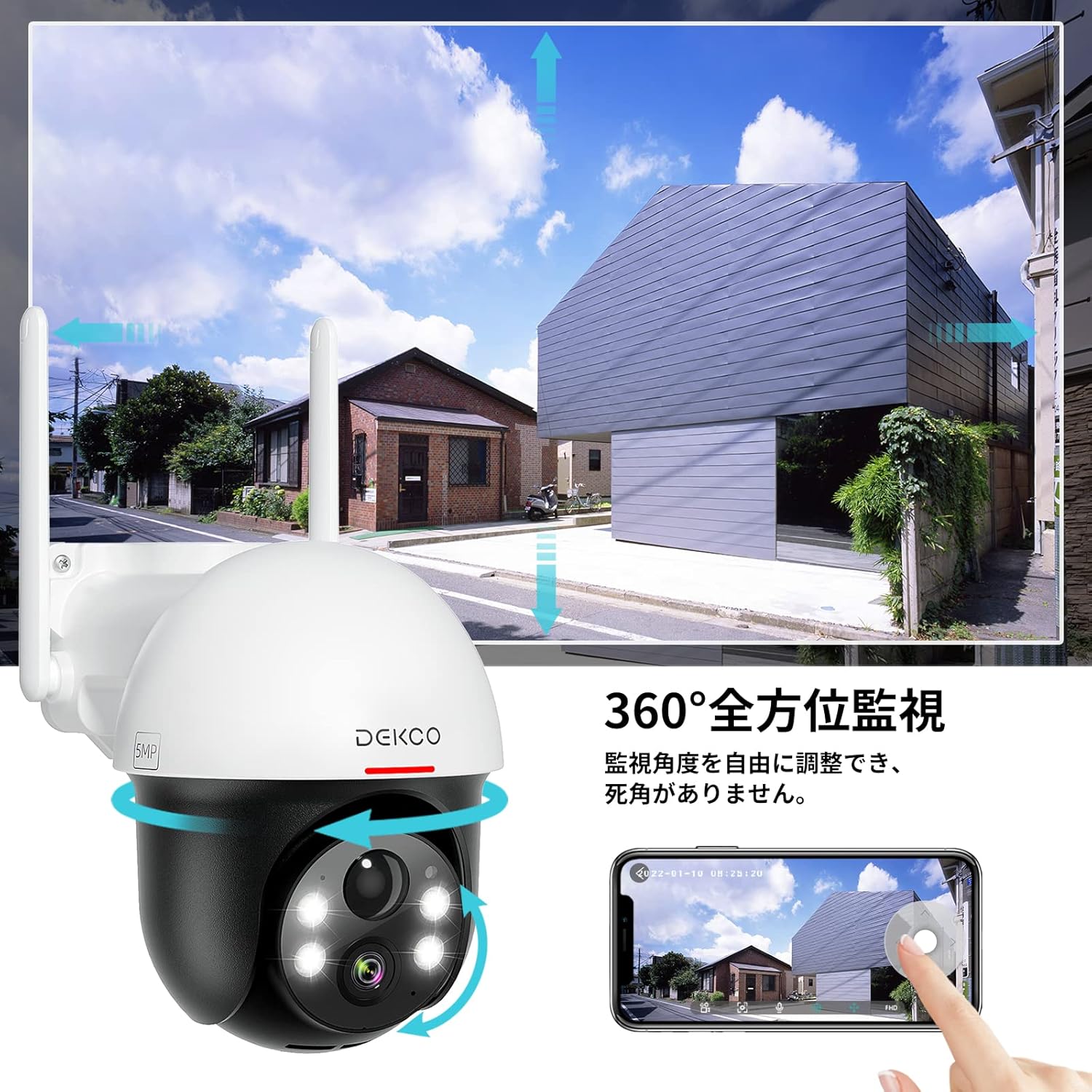
Image: Illustrates the camera's 360-degree pan and tilt capabilities controlled via a smartphone app.
Motion Detection and Alarms
The camera features PIR human detection with adjustable sensitivity. When motion is detected, you will receive smartphone notifications. The smart alarm mode allows you to set specific alarm times and define custom detection areas. Choose from audio alarm, white light alarm, or audio alarm with strobe light, with adjustable volume.
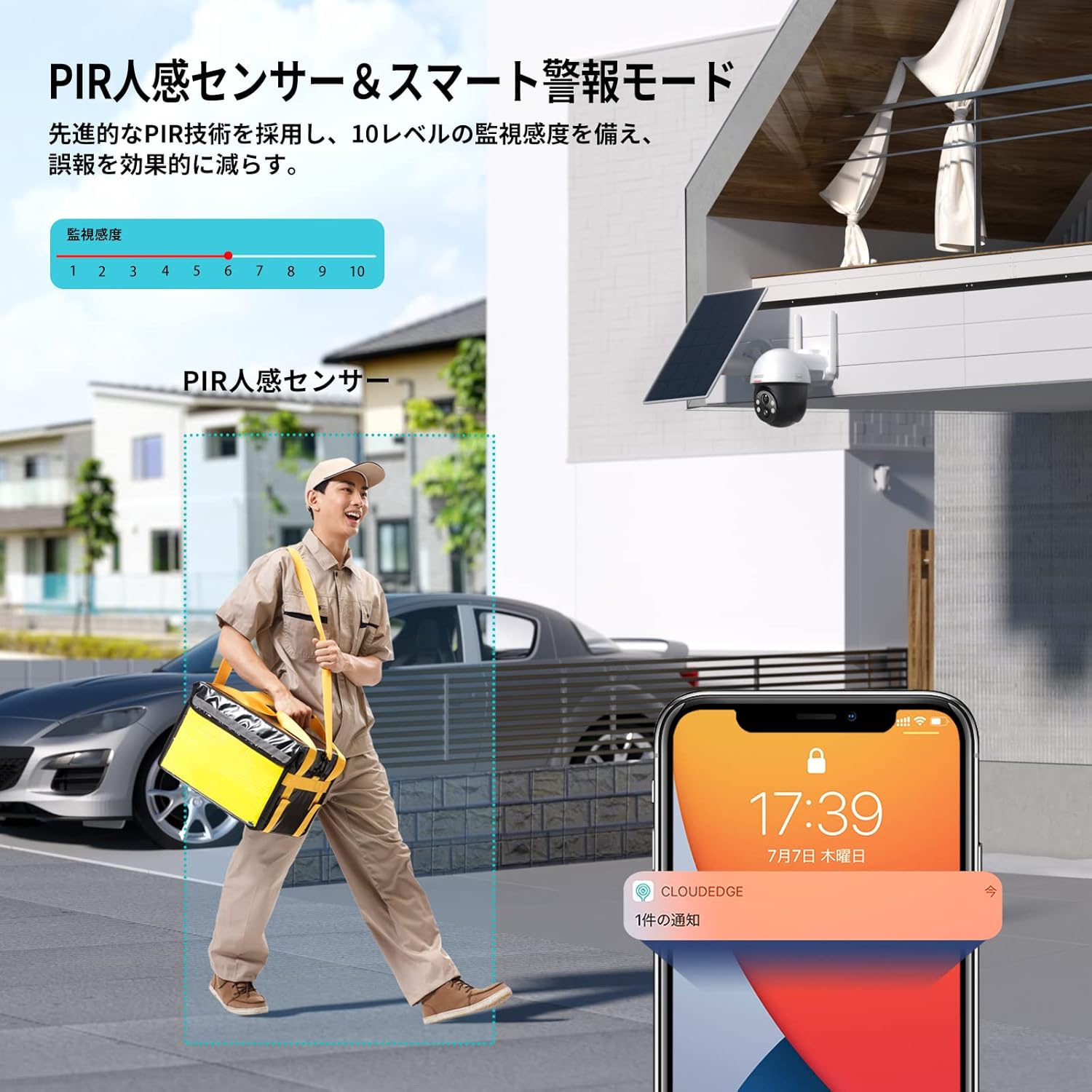
Image: Shows the PIR human sensor detecting a person and triggering a smartphone notification.
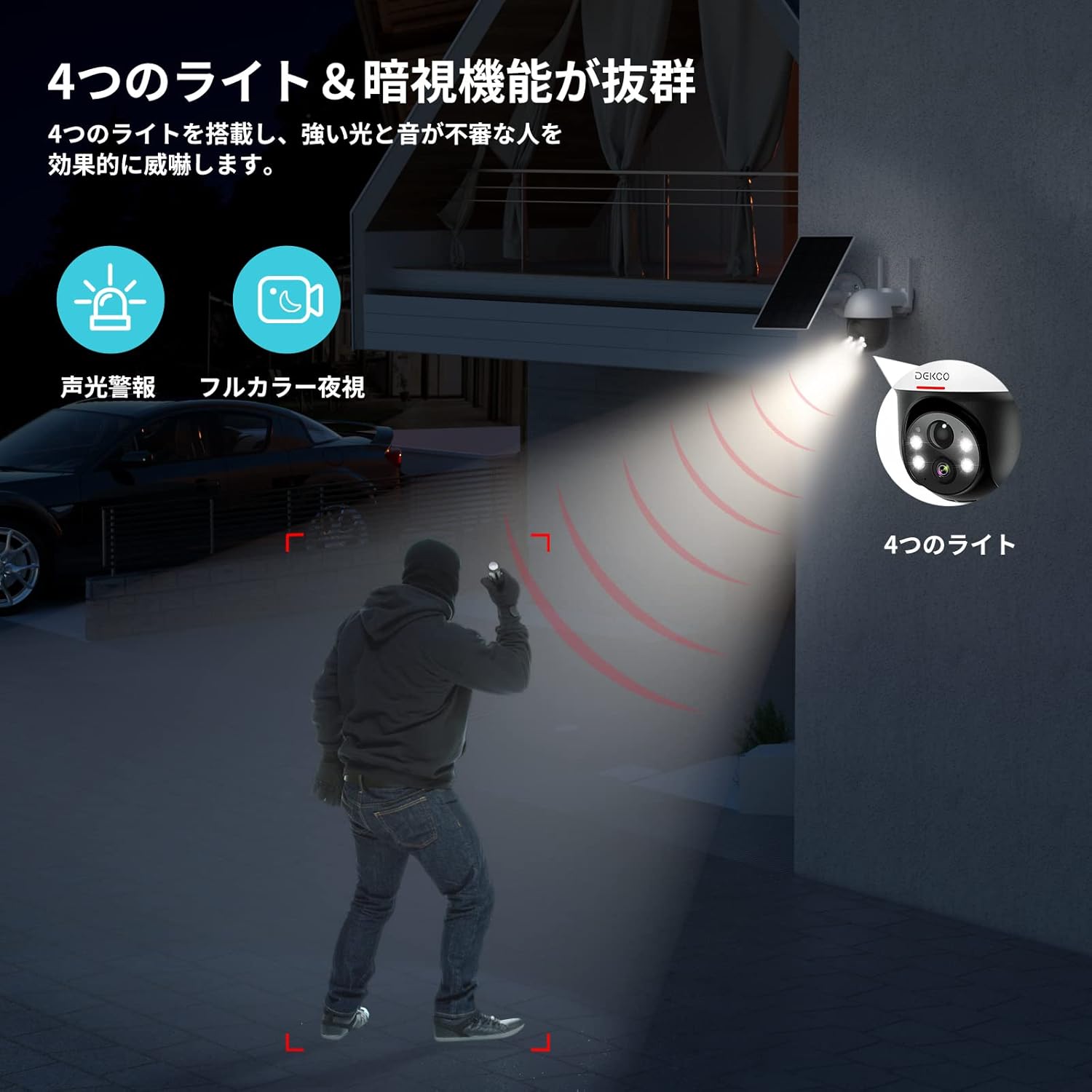
Image: Depicts the camera's four lights and night vision capabilities, including a sound and light alarm.
Moduri de vedere nocturnă
The camera offers three night vision modes: Smart Night Vision (auto-switches to color on detection), Full Color Mode (always color with warm lights), and Black and White Mode (for reduced power consumption). These modes ensure clear visibility even in low-light conditions.

Image: Demonstrates the camera's night vision modes (sound & light alarm, full color night, infrared night) and alarm functions.
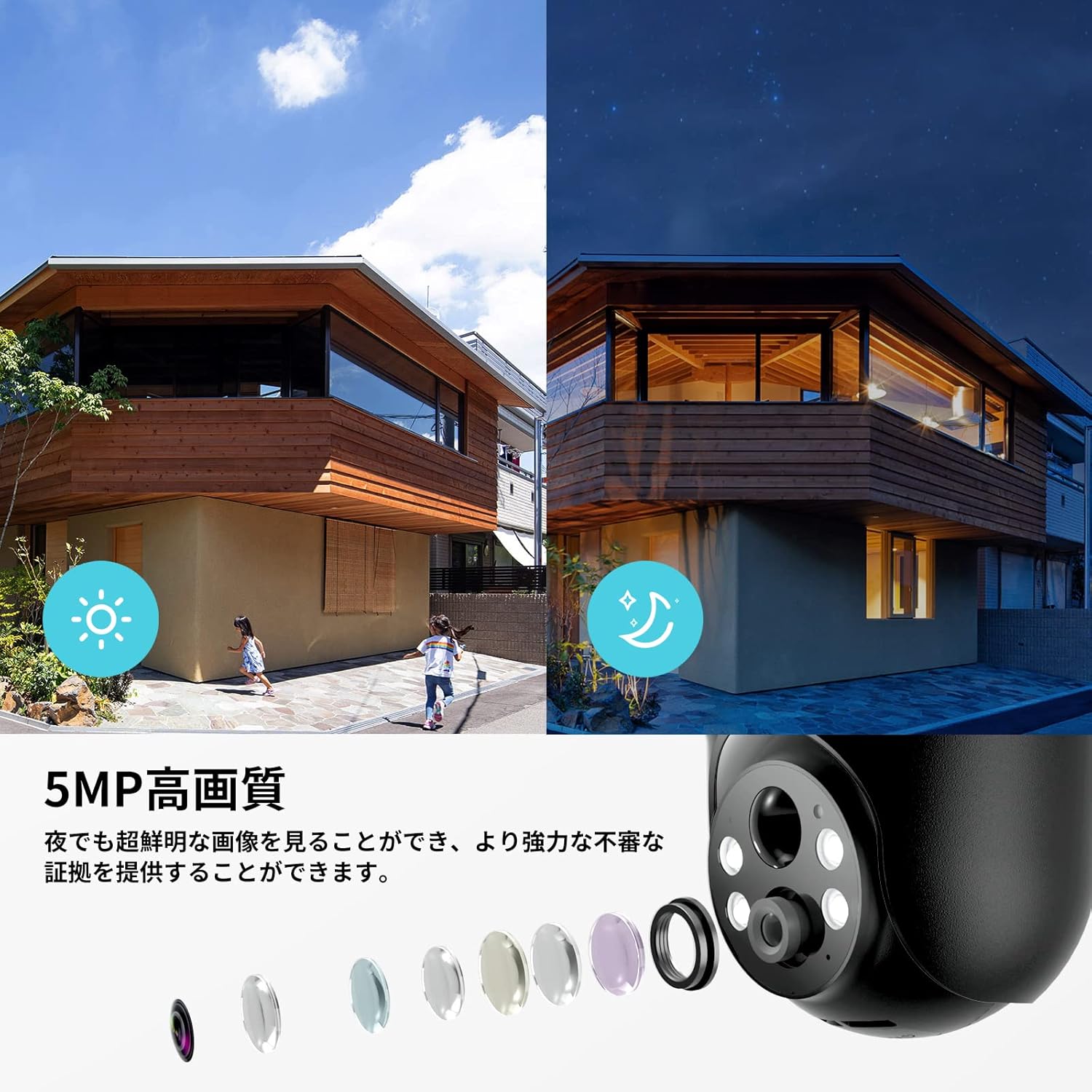
Image: Compares day and night image quality at 5MP resolution.
Two-Way Audio and Family Sharing
Utilize the built-in microphone and speaker for two-way communication through the app. This allows you to speak with visitors or delivery personnel. The device also supports family sharing, enabling multiple users to access the camera feed and communication features.

Image: A smartphone screen showing two-way audio communication with a delivery person.

Image: Multiple family members viewing the camera feed on their smartphones, illustrating the family sharing feature.
Întreţinere
Încărcarea bateriei
The camera is primarily solar-powered. Ensure the solar panel is clean and positioned to receive maximum sunlight. If solar charging is insufficient due to prolonged bad weather, use the included USB cable to manually charge the camera. A full charge can last 4-6 months under normal conditions.
Curatenie
Curățați regulat obiectivul camerei și panoul solar cu o lavetă moale șiamp cloth to ensure optimal performance and image clarity. Avoid using harsh chemicals or abrasive materials.
Actualizări de firmware
Periodically check the app for available firmware updates. Keeping your camera's firmware up-to-date ensures you have the latest features, security patches, and performance improvements.
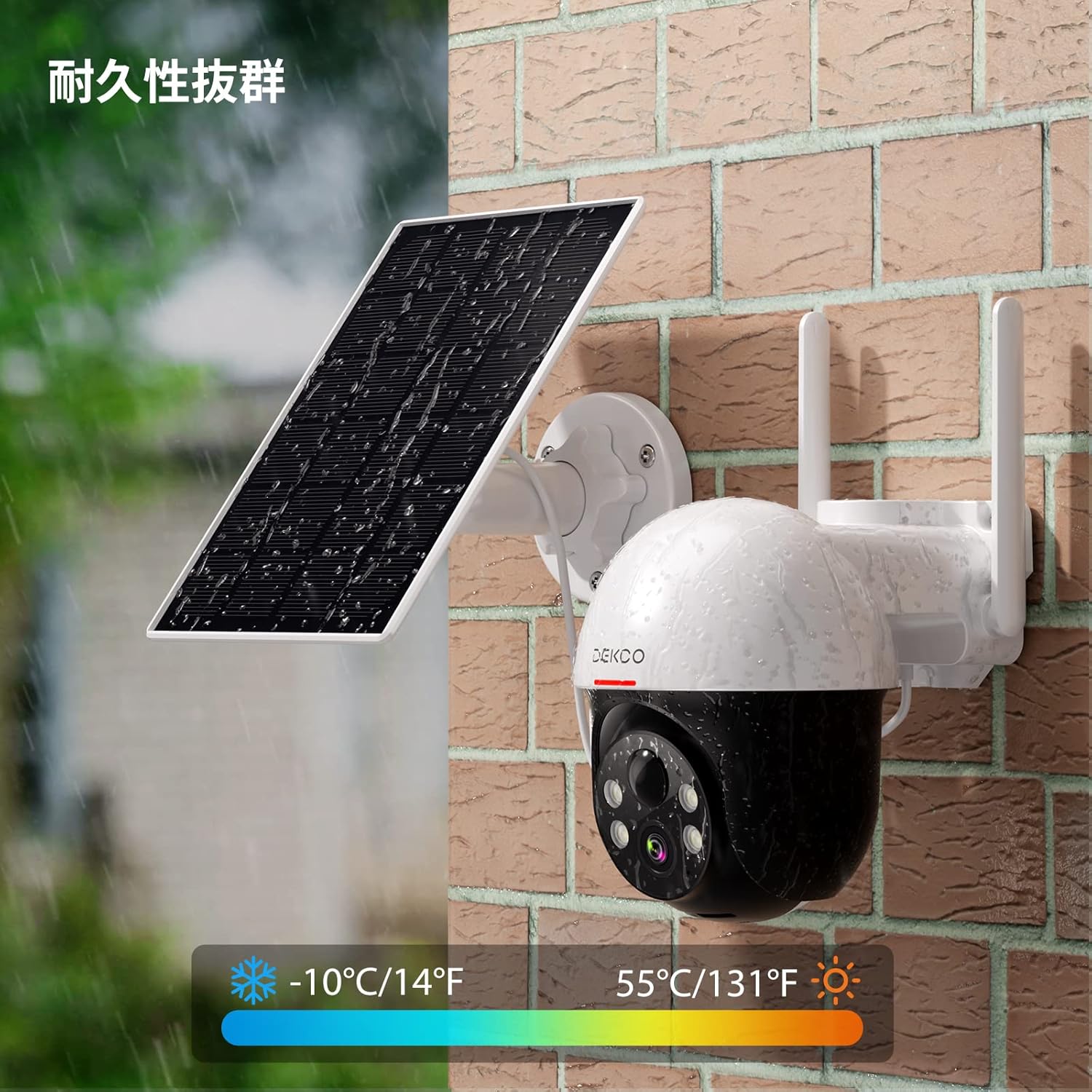
Image: The camera and solar panel are shown enduring rain, highlighting their durability and IP65 waterproof rating.
Depanare
- Camera nu se conectează la Wi-Fi: Ensure your Wi-Fi network is 2.4GHz. Reset the camera by pressing the reset button for 5 seconds and try the connection process again. Verify your Wi-Fi password is correct.
- Calitate slabă a imaginii: The default setting is SD resolution. Adjust to FHD resolution in the app settings for clearer images. Ensure the lens is clean and free from obstructions. Check your Wi-Fi signal strength; a weak signal can affect streaming quality.
- Bateria nu se încarcă: Confirm the solar panel is correctly installed and receiving direct sunlight. Check the connection between the solar panel and the camera. If necessary, charge the camera using the USB cable.
- Alarme false: Adjust the PIR human detection sensitivity in the app. Define specific alarm areas to exclude irrelevant zones.
- Nicio notificare: Check your smartphone's app notification settings to ensure they are enabled for the Cloud Edge app. Verify the camera's motion detection is active.
Specificații
| Caracteristică | Detaliu |
|---|---|
| Tip de montare | Montare pe perete |
| Rezoluție captură video | 1440p (2K) |
| Culoare | Alb |
| Număr de articole | 1 |
| Componente incluse | USB Cable, Solar Panel and Mounting Accessories, Mounting Screws, Instruction Manual, Security Camera and Mounting Base |
| Tehnologia comunicațiilor fără fir | Wifi |
| Factor de formă | Dom |
| Câmpul de View | 100 de grade |
| Tip de instalare | Înșurubat |
| Gama de vedere nocturnă | 10 metri |
| Voltage | 5 volți (DC) |
| Nivel de rezistență la apă | Impermeabil (IP65) |
| Numărul modelului produsului | DC9L-2 |
| Dimensiunea pachetului | 21.6 x 15.9 x 13.8 cm |
| Greutatea produsului | 980 g |
| Sursă de lumină | LED and Infrared |
| Utilizare recomandată | Securitate interioară, securitate exterioară |
| Marca | DEKCO |
| Numele modelului | DC9L |
| Tehnologia de conectivitate | Fără fir |
| Caracteristici speciale | PTZ Technology, Image Sensor, Built-in Light, Two-Way Audio, Night Vision |
| Utilizare în interior/exterior | În interior, în aer liber |
| Dispozitive compatibile | Smartphone, Tabletă |
| Sursa de alimentare | Alimentat cu energie solară |
| Protocol de conectivitate | Wifi |
| Tip controler | Cloud Edge |
Garanție și suport
For warranty information and technical support, please refer to the warranty card included with your product or visit the official DEKCO website. Vă rugăm să păstrați dovada achiziției pentru reclamații în garanție.