1. Introducere
Thank you for choosing the SOVMIKU 5MP Wireless Security Camera System. This system provides comprehensive surveillance with high-resolution cameras, two-way audio, and AI motion detection, designed for both indoor and outdoor use. This manual will guide you through the setup, operation, and maintenance of your new security system.
Please read this manual carefully before installation and use, and keep it for future reference.
2. Informații de siguranță
- Asigurați-vă că toate conexiunile de alimentare sunt sigure și respectă tensiunea specificată.tage cerințe.
- Nu expuneți NVR-ul sau camerele la temperaturi extreme, umiditate sau medii corozive.
- Evitați amplasarea NVR-ului în lumina directă a soarelui sau în apropierea surselor de căldură.
- Nu încercați să dezasamblați sau să modificați produsul. Aceasta va anula garanția.
- Păstrați produsul departe de copii și animale de companie.
- For outdoor cameras, ensure proper sealing of all cable connections to maintain IP66 waterproof rating.
3. Conținutul pachetului
The SOVMIKU 5MP Wireless Security Camera System (Two Camera Set) includes the following components:
- 1 x Small NVR Main Unit (with 1TB HDD built-in)
- 2 x 5MP PTZ Wireless Cameras
- Adaptoare de alimentare pentru NVR și camere
- Șuruburi și dopuri de montare
- Manual de utilizare (acest document)

Imagine: Pesteview of the SOVMIKU 5MP Wireless Security Camera System, showing the NVR, two cameras, and the included 1TB HDD.
4. Produs terminatview și Componente
Familiarize yourself with the main components of your SOVMIKU security system:

Image: Detailed diagram illustrating the various parts of the SOVMIKU camera (waterproof housing, WiFi antenna, microphone, IR lens, HD lens, spotlight, sensor) and the NVR (10-inch monitor, speaker, HDD box, bracket, power button, DC 12V 2A input, USB port, HDMI input, network port).
Caracteristicile camerei:
- Rezoluție ultra-înaltă de 5MP: Oferă imagini clare și detaliate.
- Funcționalitate PTZ: Pan (horizontal 320°), Tilt (vertical 90°) for 360° coverage with no blind spots.
- IR-CUT Function: Enhances night vision clarity.
- Lentila cu unghi larg de 110°: Surprinde un domeniu larg de view.
- Audio bidirecțional: Microfon și difuzor încorporate pentru comunicare în timp real.
- Evaluare de impermeabilitate IP66: Durabil pentru utilizare în exterior în diverse condiții meteorologice.
- Advanced 7DB Antenna: Ensures stable Wi-Fi signal for reliable communication.
NVR Features:
- Design compact: Opțiuni flexibile de plasare.
- HDD de 1 TB încorporat: Supports 24/7 continuous recording with automatic overwrite.
- 10-Channel Support: Expandable up to 10 cameras.
- Conectivitate multiplă: USB, HDMI, Network Port.
5. Ghid de instalare
The SOVMIKU wireless security camera system is pre-configured at the factory for easy setup. No complicated initial setup or LAN cable wiring is required for basic operation.
Instalare pas cu pas:
- Conexiune de alimentare: Connect the power adapters to the NVR and each camera. Ensure they are plugged into a stable power source.

Image: Illustrates connecting the power cables to both the NVR and the camera units.
- Camera and NVR Connection: Once powered on, the cameras will automatically connect to the NVR. The live view should appear on the NVR monitor.

Image: A visual guide to the four main setup steps: connecting power, automatic camera-NVR pairing, network connection, and mobile app configuration.
- Conexiune la rețea (opțională pentru acces la distanță): Pentru telecomandă viewing and app functionality, connect the NVR to your router using an Ethernet cable.
- Mobile App Setup (EseeCloud):
- Download the "EseeCloud" app from Google Play Store or Apple App Store.
- Înregistrați un cont și conectați-vă.
- Adăugați NVR-ul scanând codul QR de pe NVR sau introducând manual ID-ul acestuia.
- Odată adăugat, puteți view trăi footage, playback recordings, and manage settings from your smartphone or PC (using EseeCloud software).
6. Instrucțiuni de utilizare
Trăi View și înregistrare:
- The NVR automatically displays live feeds from connected cameras.
- The system supports 24/7 continuous recording to the built-in 1TB HDD. When the storage is full, older data will be automatically overwritten.
- Detectarea mișcării: The system features AI motion detection. When motion is detected, the camera will trigger recording, and you will receive instant notifications via the mobile app or email. This helps in quickly identifying and reviewing relevant events.
Control PTZ:
The cameras support Pan-Tilt-Zoom (PTZ) functionality, allowing you to adjust the camera's viewunghiul de reglare de la distanță.

Image: Illustration of the camera's 360° PTZ capabilities, showing horizontal rotation of approximately 355° and vertical rotation of 90°.
- Use the NVR interface or the EseeCloud app to control the camera's pan (horizontal 320°) and tilt (vertical 90°) movements.
- The system also supports 5x digital zoom for closer inspection of details.

Image: Demonstrates the 5x digital zoom feature, allowing users to magnify specific areas of the surveillance feed.
Audio bidirecțional:
The cameras are equipped with an omnidirectional microphone and speaker, enabling two-way communication.
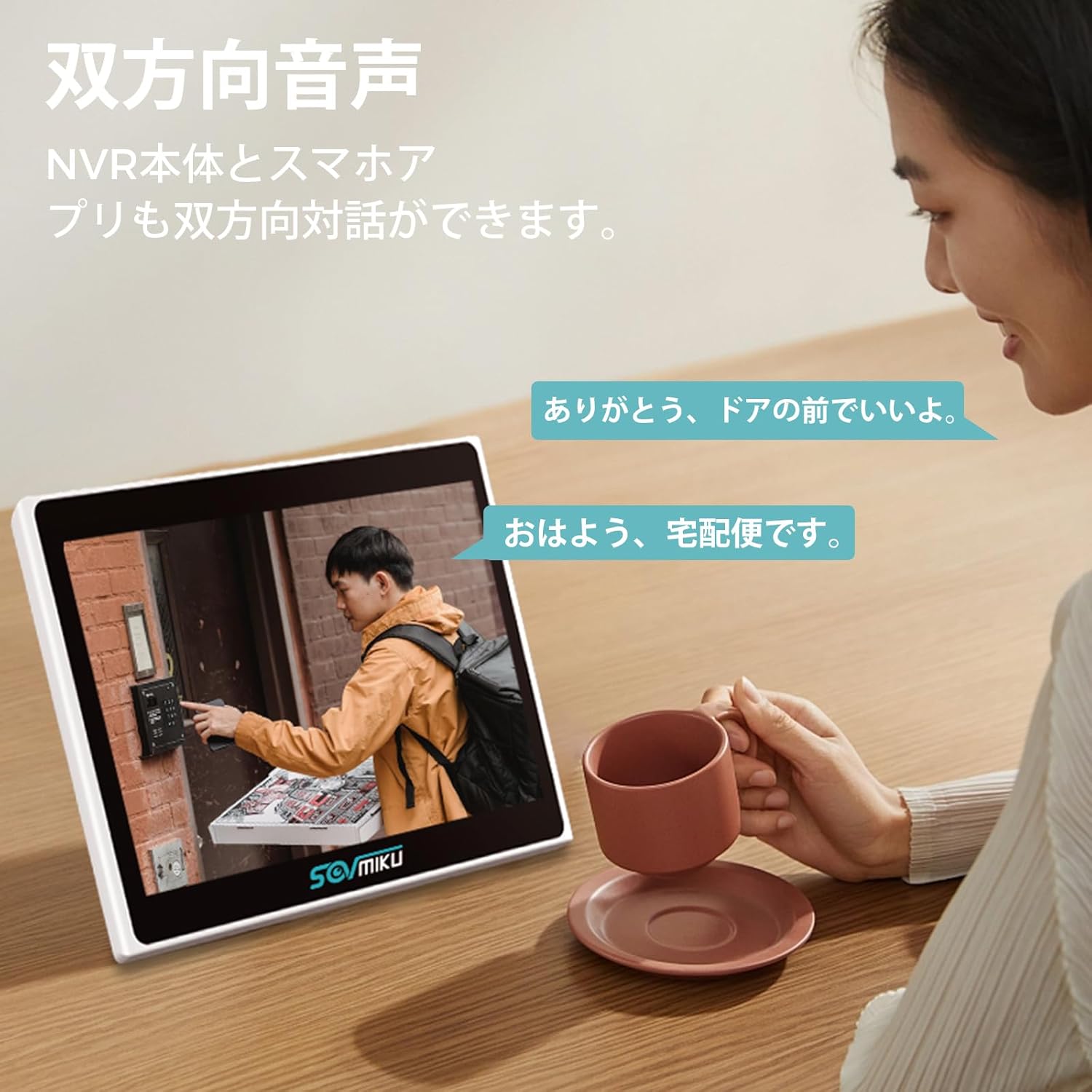
Image: Illustrates the two-way audio function, allowing communication between the NVR user and someone at the camera's location.
- Speak through the EseeCloud app or NVR to communicate with people near the camera.
- The clear audio quality ensures effective communication.
Moduri de vedere pe timp de noapte:
The cameras offer three night vision modes to suit different lighting conditions:
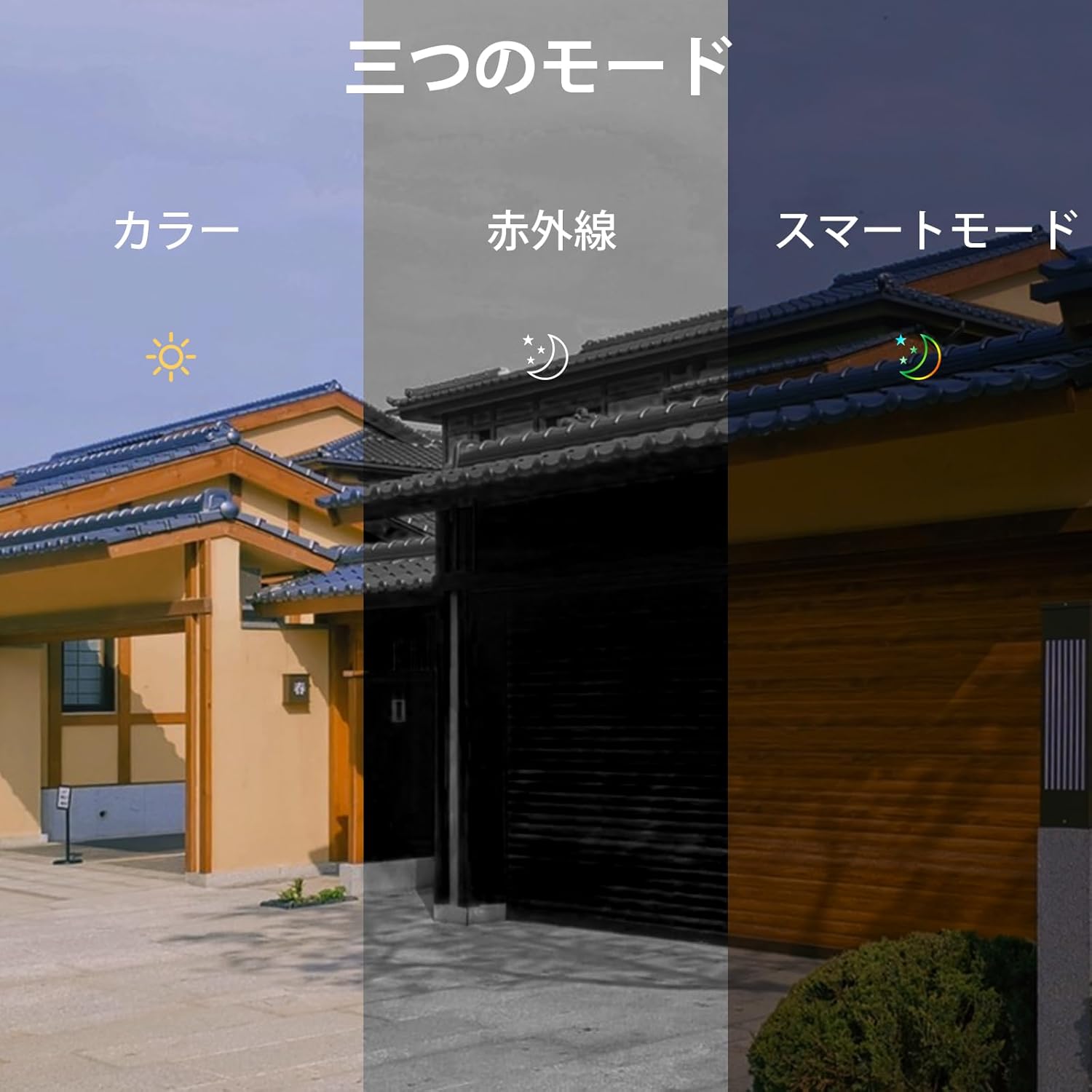
Image: Depicts the three available night vision modes: Full Color, Infrared, and Smart Mode, adapting to various low-light scenarios.
- Modul Full Color: Oferă imagini color chiar și în condiții de lumină slabă.
- Mod infraroșu: Standard black and white night vision for clear visibility in complete darkness (up to 20 meters).
- Mod inteligent: Automatically switches between infrared and color mode based on detected motion or light conditions.
7. Întreținere
- curatenie: Regularly wipe the camera lens and NVR screen with a soft, dry cloth. Do not use harsh chemicals or abrasive materials.
- Managementul stocării: The 1TB HDD automatically overwrites old data when full. No manual intervention is typically required for continuous recording.
- Actualizări firmware: Check the EseeCloud app or SOVMIKU's official webperiodic site-ul pentru actualizări de firmware, pentru a asigura performanță și securitate optime.
8. Depanare
If you encounter any issues with your SOVMIKU security camera system, please refer to the following common problems and solutions:
| Problemă | Cauză/Soluție posibilă |
|---|---|
| Nicio imagine pe ecranul NVR-ului. |
|
| Cannot access system via mobile app. |
|
| Poor image quality or screen issues. |
|
| Motion detection not working or false alarms. |
|
For issues not covered here, or if problems persist, please contact SOVMIKU customer support.
9. Specificații
| Caracteristică | Detaliu |
|---|---|
| Marca | SOVMIKU |
| Numărul de model | SFWK-2HD403-1T |
| Dimensiunile produsului | 20 x 22 x 14 cm |
| Greutatea articolului | 2.79 kilograme |
| Culoare | Two Camera Set |
| Sursa de alimentare | Electric cu fir |
| Tehnologia de conectivitate | Wired (for NVR network), Wireless (for cameras) |
| Rezoluție captură video | 1536p (5MP) |
| Caracteristici speciale | Wireless, Waterproof (IP66), Two-Way Audio, AI Motion Detection, PTZ (Pan/Tilt/Zoom) |
| Capacitate de stocare a memoriei | 1 TB (HDD built-in) |
| Extensibilitate | Up to 10 channels/cameras |
10. Garanție și asistență
Garantie:
SOVMIKU provides a 12 luni garantie from the date of product delivery. If you encounter any issues with the product, please contact our support team immediately.
Asistență clienți:
Our professional staff is dedicated to providing prompt and courteous support for product usage, troubleshooting, expansion, and installation inquiries.
- Asistență prin e-mail: sovmiku_JP@163.com
- LINE Service: Scan the QR code below or click the link to access SOVMIKU's official LINE account for easy support.

Image: QR code for quick access to SOVMIKU's official LINE support.


