Introducere
This manual provides detailed instructions for the operation and maintenance of your Kuephom Portable Bluetooth CD Walkman. Designed for versatility, this device supports CD, Bluetooth, USB, and AUX playback, featuring anti-skip protection and a built-in speaker. Please read this manual thoroughly before use to ensure proper functionality and longevity of your device.
Conținutul pachetului
Verificați dacă toate articolele enumerate mai jos sunt incluse în pachetul dumneavoastră:
- CD player X 1
- Căști X 1
- Cablu audio X 1
- Cablu de încărcare X 1
- Pouch X 1
Produs terminatview

Figure 1: Kuephom Portable Bluetooth CD Walkman and its accessories, including earbuds, audio cable, charging cable, and pouch.

Figure 2: Detailed diagram illustrating the various buttons and ports on the Kuephom Portable CD Walkman, including volume controls, playback buttons, mode selection, Bluetooth transmit, USB slot, AUX in jack, earphone jack, and speaker.
Înființat
Încărcarea dispozitivului
The CD player has a built-in rechargeable lithium battery. Before first use, fully charge the device.
- Connect the provided USB charging cable to the charging port (DC 5V) on the device.
- Connect the other end of the USB cable to a compatible USB power source (e.g., wall charger, power bank, car charger, or computer USB port).
- The charging indicator light will illuminate during charging and turn off when fully charged. A full charge takes approximately 4 hours.

Figure 3: The portable CD player connected to a power source via its USB charging cable, demonstrating various charging options.
Pornire/Oprire
Glisați ON/OFF switch located on the side of the device to turn it on or off.
Introducerea unui CD
- Glisați DESCHIDE switch to open the CD compartment cover.
- Carefully place a CD (CD, CD-R, CD-RW, MP3, WMA, WAV formats supported) onto the spindle with the label side facing up.
- Gently press the center of the CD until it clicks into place.
- Close the CD compartment cover firmly until it latches.
Video 1: Demonstration of inserting a CD into the Kuephom Portable CD Player and closing the compartment. This video also shows the supported disc formats.
Connecting Headphones or External Speakers (AUX)
For private listening or connecting to non-Bluetooth devices:
- Insert the 3.5mm jack of your headphones into the Mufă pentru căști.
- To connect to external speakers or a car audio system, use the provided 3.5mm audio cable. Insert one end into the AUX În Jack on the CD player and the other end into the AUX input of your external device.

Figure 4: The portable CD player connected to a car's audio system via an AUX cable, demonstrating its use in a vehicle with anti-shock protection for uninterrupted playback.
Instrucțiuni de operare
Redare de bază
- Apăsați tasta Redare/Pauză button (►▮▮) to start or pause playback.
- Apăsați tasta Următorul button (►►) to skip to the next track.
- Apăsați tasta Anterior button (◄◄) to go to the beginning of the current track or the previous track.
- Apăsați tasta Stop butonul (■) pentru a opri redarea.
- Reglați volumul folosind Vol+ şi Vol- butoane.
Funcționalitate Bluetooth
The device supports two-way Bluetooth connection:
Bluetooth Transmitting (Connecting to Bluetooth Headphones/Speakers)
- Ensure the CD player is powered on and a CD is inserted.
- Apăsați tasta Transmitere Bluetooth button (labeled "TRANSMIT" or "BT" on some models) to enter Bluetooth transmitting mode. The Bluetooth icon on the display will flash.
- Puneți căștile sau difuzorul Bluetooth în modul de asociere.
- The CD player will automatically search for and connect to nearby Bluetooth devices. Once connected, the Bluetooth icon will stop flashing.

Figure 5: The portable CD player actively transmitting audio via Bluetooth to both headphones and a separate Bluetooth speaker, illustrating its wireless output capability.
Bluetooth Receiving (Connecting to Smartphone/Laptop)
- Apăsați tasta Mod BT button (labeled "BT" or "MODE" on some models) to switch the CD player into Bluetooth receiving mode.
- Pe smartphone, tabletă sau laptop, activați Bluetooth și căutați dispozitivele disponibile.
- Select "Kuephom CD Player" (or similar name) from the list of devices to pair.
- Once connected, you can play audio from your smart device through the CD player's built-in speaker.
Video 2: This video demonstrates the Bluetooth playback feature, showing the CD player connecting to a smartphone to stream audio, highlighting its versatility as a Bluetooth speaker.
Alte moduri de redare
- Redare USB: Introduceți o unitate flash USB în Slot USB. The player will automatically switch to USB mode and begin playing compatible audio files.
- Funcția de repetare: Apăsați tasta Repeta button to cycle through repeat modes (e.g., repeat one, repeat all).
- A-B Repeating: Apăsați tasta AB button to set a starting point (A) and an ending point (B) for a section of audio to repeat. Press again to clear.
- Reglarea vitezei: Utilizați Reglarea vitezei buttons (labeled "SPEED" or "SPEED +/-") to increase or decrease the playback speed. This feature is particularly useful for language learning.
- Redare programată: Refer to the detailed product diagram (Figure 2) for the "PROG." button if available on your model for custom track sequencing.
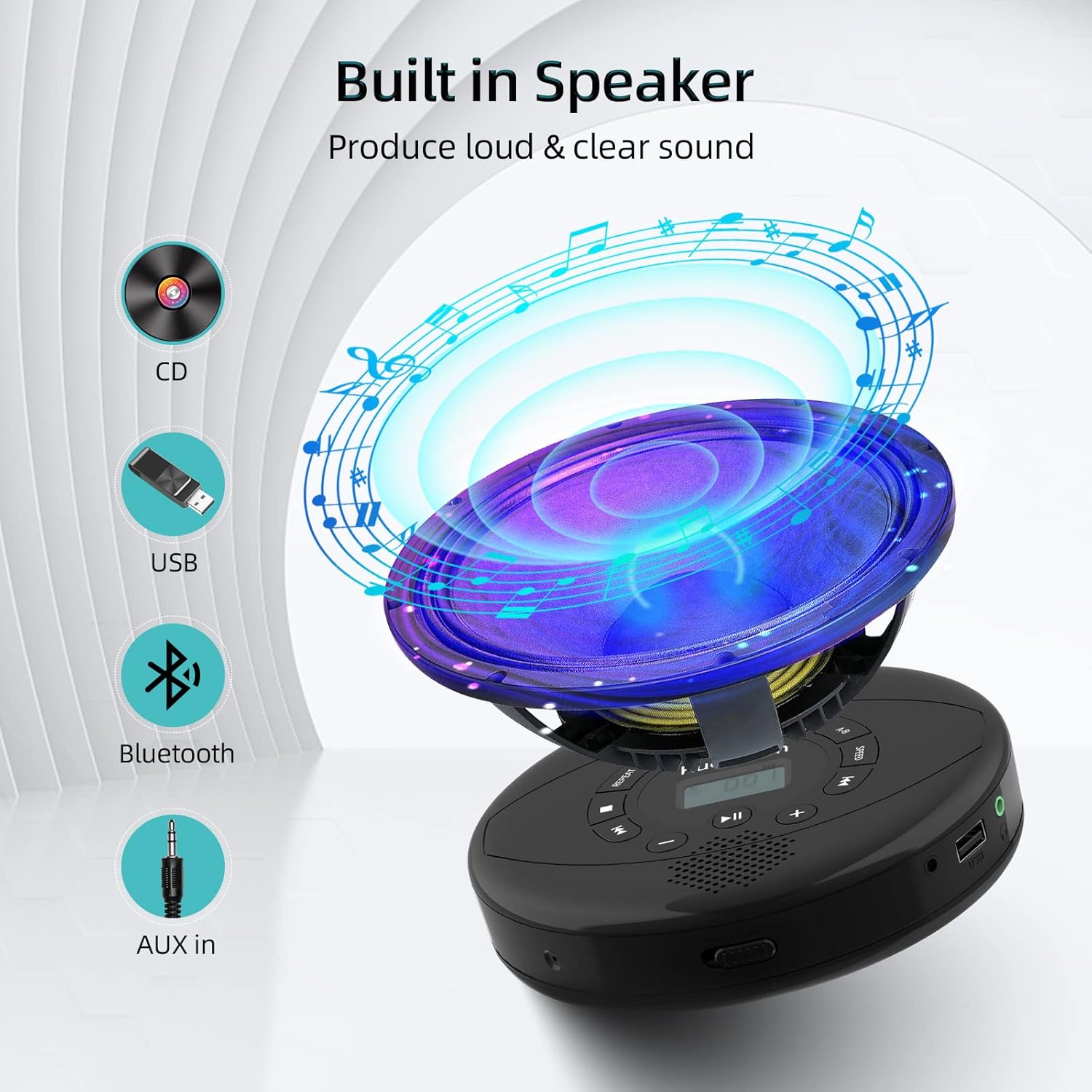
Figure 6: Illustration of the built-in speaker and the various audio input options supported by the device, including CD, USB, Bluetooth, and AUX in.
Întreţinere
- Mențineți dispozitivul curat ștergându-l cu o lavetă moale și uscată. Evitați utilizarea de produse de curățare abrazive sau solvenți.
- Nu expuneți dispozitivul la temperaturi extreme, la lumina directă a soarelui sau la umiditate ridicată.
- Handle CDs by their edges to prevent scratches and smudges. Clean CDs with a soft, lint-free cloth, wiping from the center outwards.
- Când nu este utilizat pentru perioade lungi de timp, depozitați dispozitivul într-un loc răcoros și uscat.
Depanare
| Problemă | Cauza posibila | Soluţie |
|---|---|---|
| Dispozitivul nu pornește. | Bateria este descărcată sau descărcată. Întrerupătorul de alimentare este oprit. | Încărcați complet dispozitivul. Asigurați-vă că întrerupătorul PORNIT/OPRIT este în poziția „ON”. |
| CD-ul sare sau nu se redă. | CD is dirty, scratched, or damaged. Device is unstable. | Clean the CD. Try another CD. Ensure the device is on a stable surface or utilize its anti-skip protection during movement. |
| Nu se aude sunet din căști/difuzoare. | Volume is too low. Headphones/speakers not properly connected. Incorrect mode selected. | Increase volume. Re-insert headphone/AUX cable firmly. Ensure correct mode (CD, Bluetooth, USB, AUX) is selected. |
| Asocierea Bluetooth nu reușește. | Device not in pairing mode. Bluetooth device too far. Interference. | Ensure the CD player is in Bluetooth transmitting/receiving mode. Move devices closer. Turn off other Bluetooth devices to reduce interference. |
Specificații
| Caracteristică | Detaliu |
|---|---|
| Dimensiunile produsului | 5.7 x 5.7 x 1.2 inci |
| Greutatea articolului | 1.21 lire sterline |
| Numărul de model | PM10-Black |
| Baterie | 1 baterie cu litiu polimer (inclusă) |
| Marca | Kuephom |
| Tehnologia de conectivitate | Bluetooth, auxiliar, USB |
| Formate acceptate | CD, CD-R, CD-RW, MP3, WMA, WAV |
| Caracteristica specială | Portable, Anti-Skip, Built-in Speakers |
Garanție și suport
For warranty information or technical support, please refer to the contact details provided with your purchase or visit the official Kuephom webPăstrați bonul fiscal ca dovadă a achiziției pentru orice reclamații în garanție.


