Introducere
This manual provides detailed instructions for the installation, operation, and maintenance of your Revolo Keyless Entry Door Lock with Touchscreen Keypads. Please read this manual thoroughly before installation and use to ensure proper function and safety.

Image: The Revolo Keyless Entry Door Lock in Oil Rubbed Bronze, installed on a white interior door, showcasing its sleek design and touchscreen keypad.
Caracteristicile produsului
- Intrare fără cheie: Highly responsive touchscreen for quick manual locking and unlocking. Supports up to 30 access codes for family use. Eliminates the need for physical keys.
- Blocare automată: Configurable auto-lock feature after 30 seconds or one-touch motorized locking.
- Parolă anti-peeking: Enhances security by allowing entry of random digits before or after the PIN code to prevent exposure.
- Certified Highest Security: All-metal construction with sturdy zinc alloy and stainless steel frame. Certified ANSI/BHMA A156.40 Grade 2 for durability and security.
- Rezistent la intemperii: IP65 weatherproof rating ensures protection in temperatures ranging from -35°C/-31°F to 66°C/151°F.
- Ultra Long Lifespan: Designed for long-term use in private houses, apartments, or offices. Includes two mechanical keys for backup.
- Instalare ușoară: Quick DIY installation in minutes with no drilling required. Compatible with right-handed or left-handed doors and fits most standard door preparations.
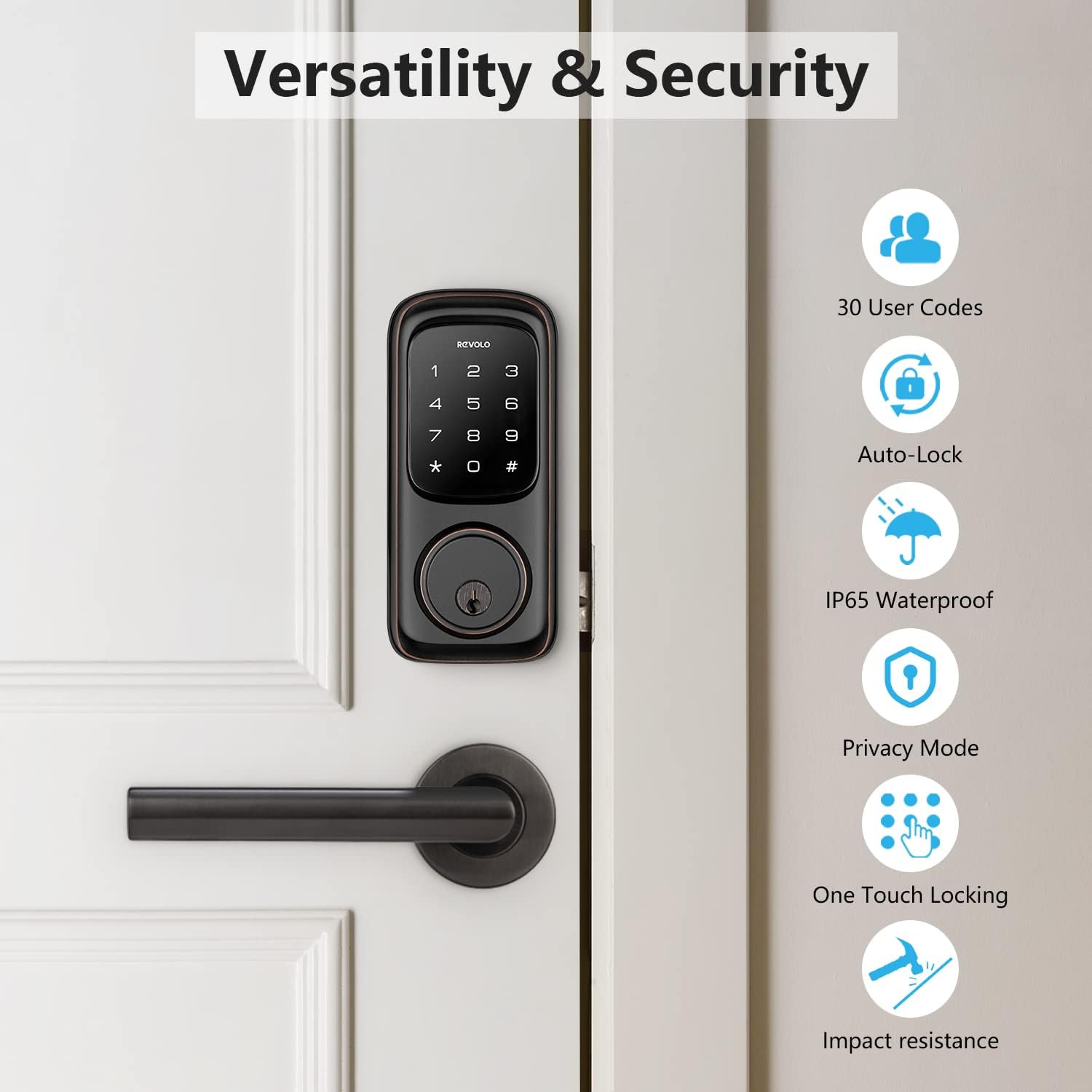
Image: An infographic highlighting the versatility and security features of the Revolo lock, including support for 30 user codes, auto-lock, IP65 waterproofing, privacy mode, one-touch locking, and impact resistance.
Ce este inclus
The Revolo Keyless Entry Door Lock package includes the following components:
- Revolo RE002 touchscreen keypad door lock (exterior and interior assemblies)
- 2 Mechanical Keys (for backup access)
- Zăvor
- Placă de grevă
- Instrucțiuni de instalare (acest manual)
- Instrucțiuni de programare
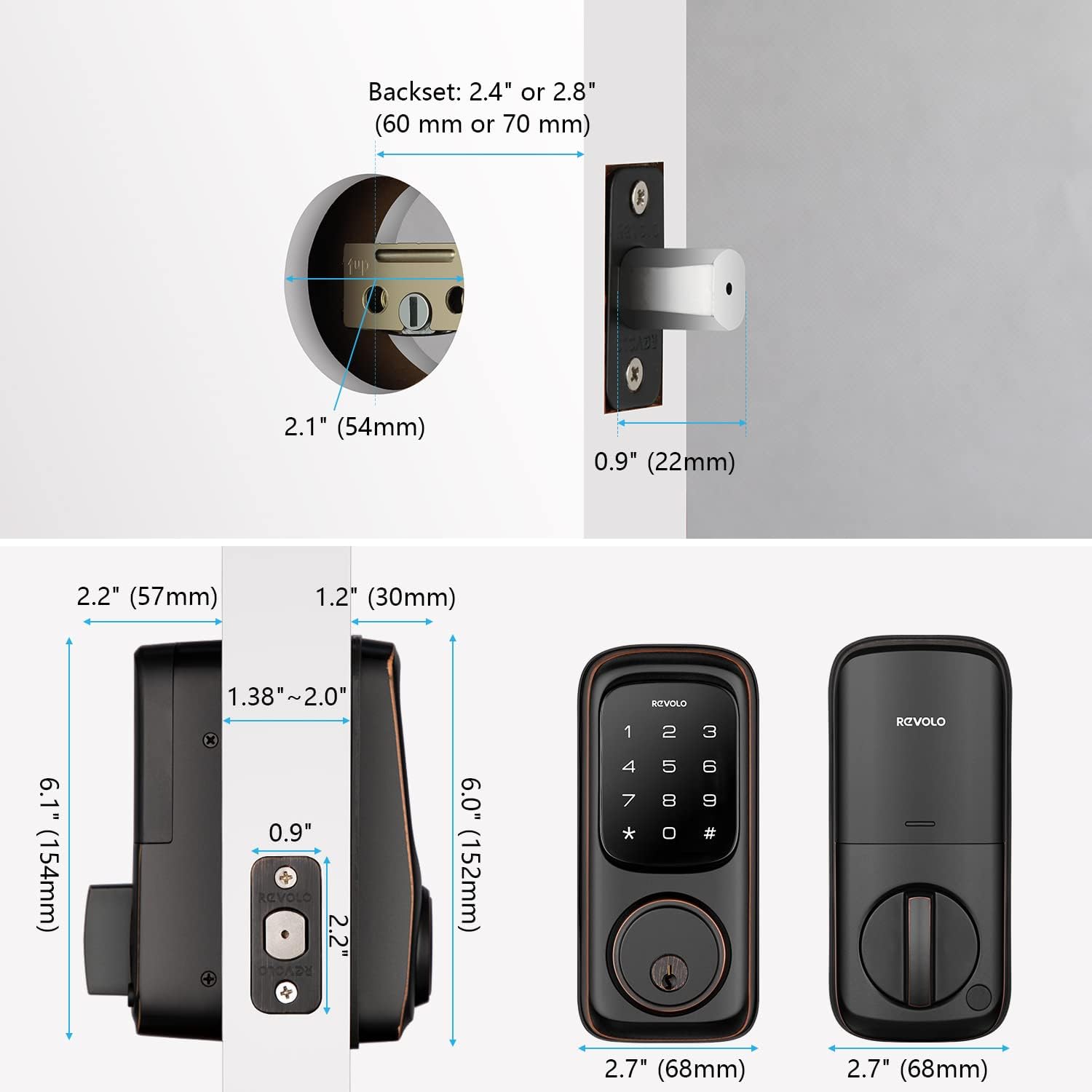
Image: A detailed diagram illustrating the dimensions of the Revolo Keyless Entry Door Lock components, including the exterior keypad, interior assembly, latch, and strike plate, along with measurements for door preparation.
Configurare și instalare
Follow these steps for a successful installation of your Revolo Keyless Entry Door Lock. For a visual guide, please refer to the installation video below.
Ghid video de instalare
Video: Official Revolo Keyless Entry Door Lock Installation Guide for Model RE002. This video provides a step-by-step visual walkthrough of the installation process.
Instalare pas cu pas
- Pregătiți ușa: Ensure your door is properly prepared for a deadbolt installation. Check the backset (2.4" or 2.8") and bore hole diameter (2.1").
- Instalați zăvorul: Insert the latch into the door edge. Ensure the latch bolt is facing the correct direction (downward for standard installation). Secure it with the provided screws.

Image: A hand inserting the latch mechanism into the door's edge, preparing it for the lock assembly.
- Instalați tastatura exterioară: Carefully align the exterior keypad with the latch. Ensure the lock cylinder is correctly aligned with the latch mechanism. Pass the cable through the door hole.

Image: A person installing the exterior keypad of the Revolo lock onto a door, demonstrating the ease of DIY installation.
- Instalați placa de montare: Position the mounting plate on the interior side of the door, ensuring the screw of the mounting plate aligns with the screw of the latch. Secure it with the long screws provided.
- Conectați cablurile și instalați ansamblul interior: Connect the cable from the exterior keypad to the connector on the interior assembly. Carefully tuck excess cable. Attach the interior assembly to the mounting plate and secure it with the small screws.
- Introduceți bateriile: Open the battery cover on the interior assembly. Insert 4 AA alkaline batteries (not included), ensuring correct polarity. Close the battery cover.
- Test the Latch and Deadbolt: Manually operate the deadbolt from the interior to ensure it extends and retracts smoothly. Test the keypad functionality.
Instrucțiuni de operare
Deblocarea Ușii
- Folosind un cod: Touch the keypad to activate it. Enter your 4-8 digit user code followed by the '#' key. The deadbolt will retract.
- Folosind cheia mecanică: Introduceți cheia mecanică în gaura cheii și rotiți-o pentru a o debloca.

Image: The Revolo lock keypad illustrating the capability of storing up to 30 unique password combinations for various users.
Încuierea Ușii
- Blocare automată: If enabled, the lock will automatically extend the deadbolt after 30 seconds of being unlocked. This duration can be adjusted (10 to 99 seconds).

Image: The Revolo lock demonstrating its automatic locking feature, where the deadbolt extends automatically after a set period.
- Blocare cu o singură atingere: Press and hold any key on the keypad for 2 seconds to lock the door instantly.
- Blocare manuală: From the interior, turn the thumb-turn knob to extend the deadbolt.
Anti-Peeking Password
To prevent others from guessing your code, you can enter random digits before or after your actual PIN. For example, if your PIN is 1234, you can enter 567123489#.
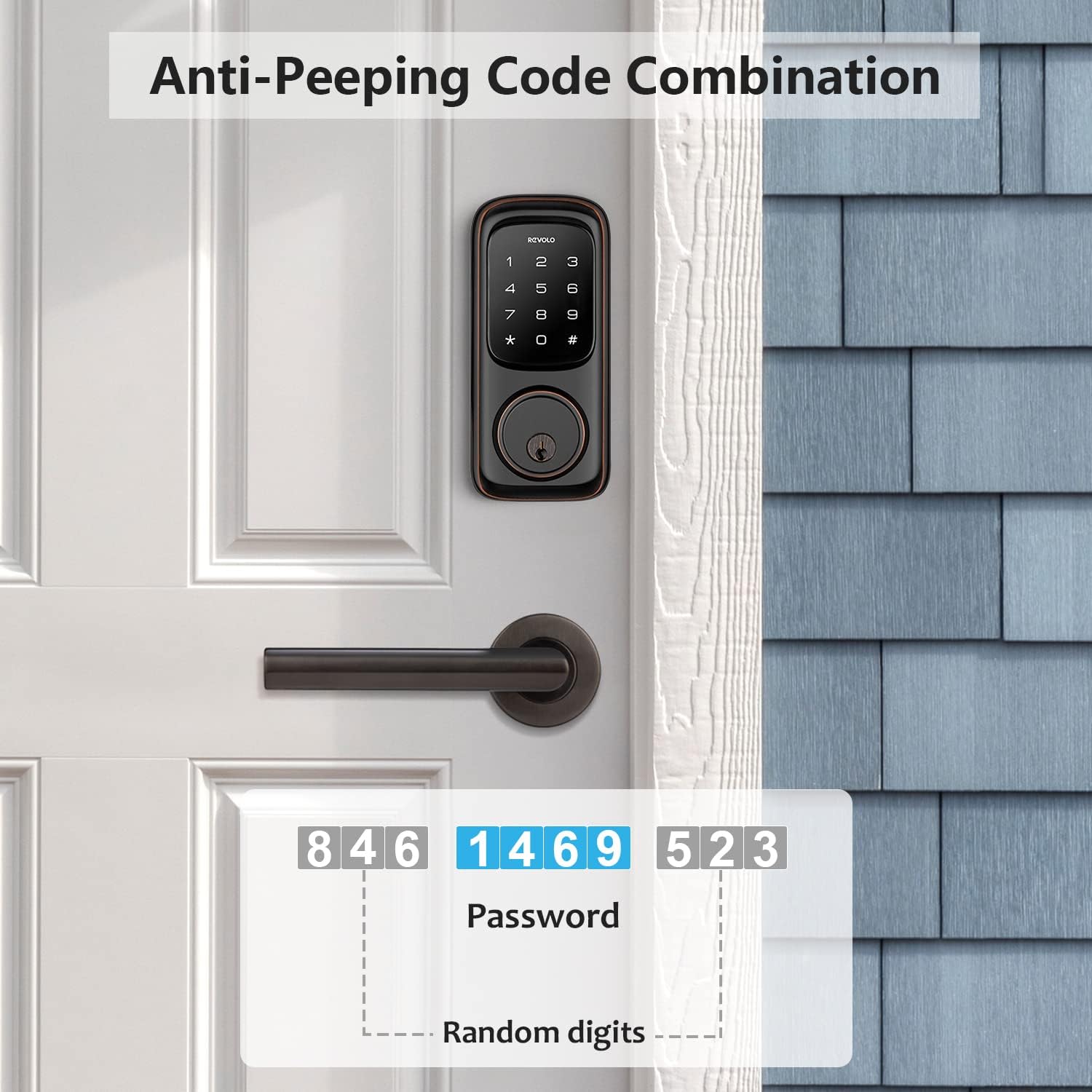
Image: An illustration of the anti-peeking code combination feature, showing how random digits can be added before and after the actual password for enhanced security.
Întreţinere
- curatenie: Clean the touchscreen keypad periodically with a soft, dry cloth to remove fingerprints and smudges. Avoid abrasive cleaners or solvents.
- Înlocuire baterie: The lock will indicate low battery with a warning light or sound. Replace all four AA batteries promptly to ensure continuous operation.

Image: The Revolo lock with a battery icon, indicating the battery status and reminding users about battery maintenance.
- Lubrifiere: Periodically lubricate the latch bolt and deadbolt mechanism with a silicone-based lubricant to ensure smooth operation. Do not lubricate the cylinder.
- Protecție împotriva intemperiilor: While the lock is IP65 weatherproof, extreme conditions can affect performance. Ensure proper installation to minimize exposure to direct heavy rain or snow.

Image: The Revolo lock illustrating its robust weather resistance, capable of withstanding temperatures from -31°F to 151°F, backed by its IP65 weatherproof rating.
Depanare
| Problemă | Cauza posibila | Soluţie |
|---|---|---|
| Încuietoarea nu răspunde la introducerea comenzilor de la tastatură. | Baterii descărcate; cod introdus greșit; tastatură defectă. | Replace batteries; re-enter code carefully; use mechanical key for access and contact support if issue persists. |
| Zăvorul nu se extinde/retrage ușor. | Misalignment during installation; obstruction in door frame; worn mechanism. | Check alignment of lock and strike plate; clear any obstructions; lubricate mechanism (avoid cylinder); contact support. |
| Funcția de blocare automată nu funcționează. | Feature disabled; incorrect time setting. | Refer to programming instructions to enable and set auto-lock time. |
| Keypad lights up but no response. | Internal connection issue; electronic fault. | Ensure all cables are securely connected (refer to installation); contact technical support. |
Specificații
- Marca: Revolo
- Nume model: RE002
- Tip blocare: Tastatura Deadbolt
- Material: Zinc (All-metal construction)
- Culoare: Bronz frecat cu ulei
- Dimensiuni articol (L x l x H): 9 x 7 x 4 inci
- Greutatea articolului: 4.18 lire sterline
- Sursa de alimentare: 4 baterii AA (nu sunt incluse)
- Caracteristici speciale: Auto-Lock, Anti-Peeking Password, IP65 Weatherproof
- Certificari: ANSI/BHMA A156.40 Gradul 2
- Interval de temperatură de funcționare: -35°C/-31°F până la 66°C/151°F
- Compatibilitate cu uși: Right-handed or left-handed doors, fits most standard door preparations.
Garanție și suport
Revolo provides a Garanție de 1 ani pentru produs from the date of purchase. Additionally, customers receive asistență tehnică gratuită pe viață.
For technical assistance, troubleshooting, or warranty claims, please contact Revolo customer service through the official channels provided at the time of purchase or visit the Revolo Store on Amazon.


