Introducere
Welcome to the user manual for your Tuanzi MaxO MAXo 4G Mini Rugged Android 12 Smartphone. This guide provides essential information on setting up, operating, and maintaining your device. Please read this manual thoroughly to ensure optimal performance and longevity of your smartphone.
Conținutul pachetului
- 1x Tuanzi MaxO MAXo Phone
- 1x Protective Film
- 1x cablu de încărcare
- 1x manual de instrucțiuni
- 1x încărcător
Produs terminatview
Caracteristici cheie
- IP68 Waterproof & Rugged Outdoor Design: Fully sealed to withstand rain, dust, and submersion, suitable for outdoor activities.
- Mini Android 12 Smartphone: Compact size (101*50.7*17.2mm) for portability and easy one-hand operation.
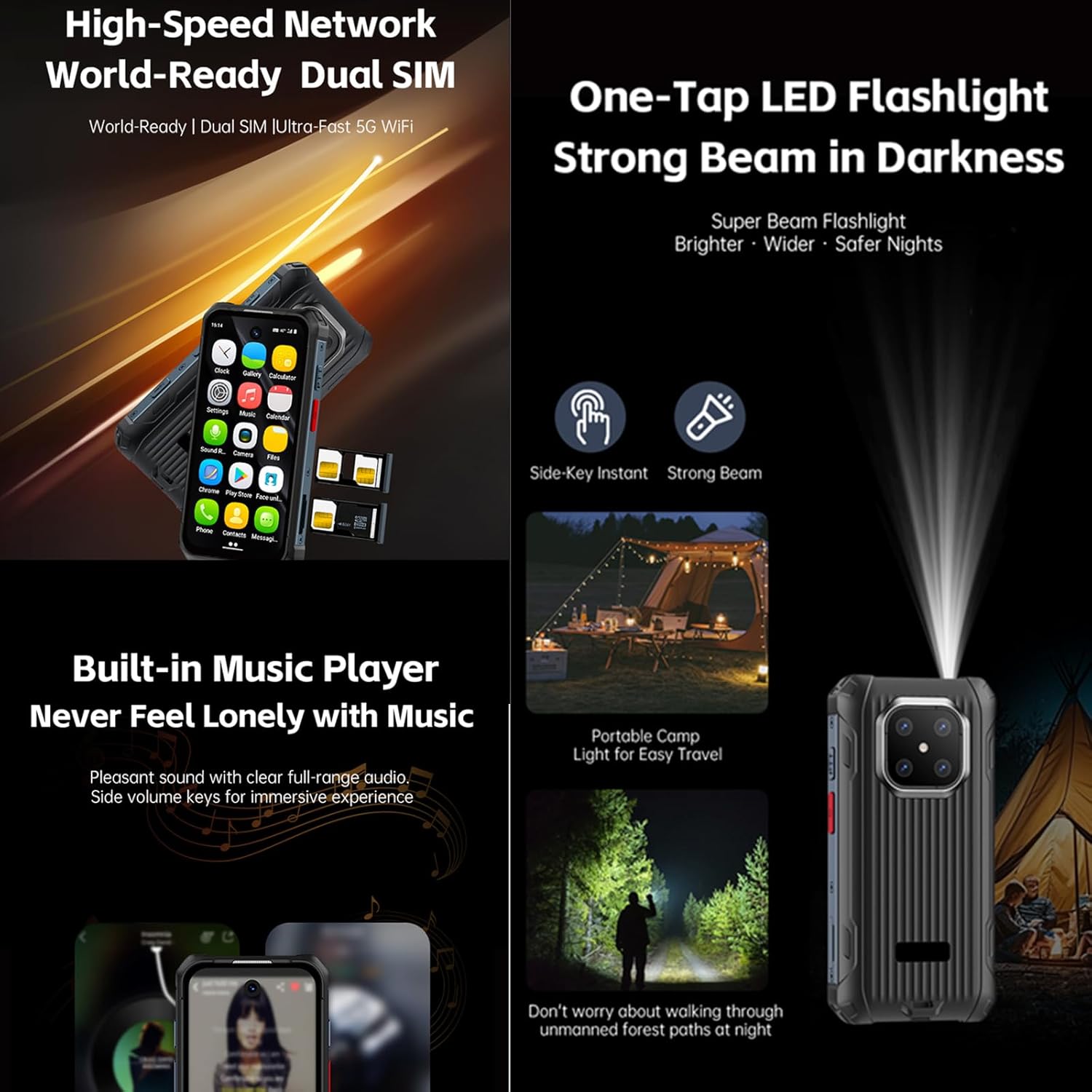
- Global 4G Bands & Dual SIM Support: Unlocked for worldwide use with dual nano-SIM slots for flexible connectivity.
- Octa-Core Performance & 6GB+128GB Memory: Equipped with a 2.0GHz 8-core processor and ample storage for smooth multitasking.
- Long-Lasting 3000mAh Battery & Compact HD Display: High-capacity battery for extended use, paired with a 3.88-inch HD screen.
- Instant Side-Key Flashlight & Face Recognition: Features a super-bright flashlight and secure facial recognition technology for quick unlocking.
Dispozitiv Dispozitiv
The image below illustrates the front and back of the Tuanzi MaxO MAXo smartphone, highlighting its display, camera module, and robust exterior.

Față și spate view of the Tuanzi MaxO MAXo smartphone, showing the display, camera, and rugged design.
Înființat
1. Instalarea cartelei SIM
- Localizați suportul pentru cartela SIM pe lateralul dispozitivului.
- Insert the SIM ejector tool (not included, use a thin pin) into the small hole next to the tray to open it.
- Introduceți cartela (cartelele) Nano-SIM și/sau cardul microSD în tavă cu contactele aurii orientate în jos.
- Împingeți cu grijă tava înapoi în slot până când se aliniază cu dispozitivul.
2. Pornirea inițială
- Apăsați și țineți apăsat butonul de pornire (de obicei în partea dreaptă) până când ecranul se aprinde.
- Urmați instrucțiunile de pe ecran pentru a selecta limba, regiunea și a vă conecta la o rețea Wi-Fi.
3. Configurare de bază
- Sign in with your Google account to access the Play Store and other Google services.
- Set up your screen lock method (PIN, pattern, password, or facial recognition).
- Review și ajustați setările de confidențialitate după cum doriți.
Instrucțiuni de operare
Efectuarea de apeluri
Tap the Phone icon on the home screen. Enter the phone number using the dial pad or select a contact from your address book. Tap the call button to initiate the call.
Trimiterea de Mesaje
Open the Messaging app. Tap the 'Start chat' or '+' icon to compose a new message. Enter the recipient's number or select from contacts, then type your message and send.
Folosind Camera
Open the Camera app from your home screen or app drawer. You can switch between photo and video modes. Tap the shutter button to capture an image or start/stop video recording.

A hand holding the Tuanzi MaxO MAXo smartphone, demonstrating the camera interface.
Conectivitate (Wi-Fi, Bluetooth)
Access Wi-Fi and Bluetooth settings from the Quick Settings panel (swipe down from the top of the screen) or through the main Settings app. Toggle Wi-Fi or Bluetooth on/off and select networks or devices to connect.
Ghid vizual
Imagini de produs
Explore various aspects of your Tuanzi MaxO MAXo smartphone through these detailed images.


Videoclipuri oficiale despre produse
No official product videos from the seller for the Tuanzi MaxO MAXo smartphone were found that meet the specified criteria for inclusion in this manual.
Întreţinere
Curățarea dispozitivului
Use a soft, lint-free cloth to clean the screen and body of your phone. Avoid using harsh chemicals or abrasive materials, as these can damage the device's surfaces and waterproof seals. For stubborn dirt, a slightly damp cloth with water is recommended.
Îngrijirea bateriei
To prolong battery life, avoid exposing your phone to extreme temperatures. Charge your device using the provided charger and cable. Do not leave the phone charging for extended periods after it has reached 100% to prevent overcharging.
Actualizări de software
Verificați și instalați periodic actualizări de software pentru a vă asigura că dispozitivul are cele mai recente funcții, corecții de securitate și îmbunătățiri de performanță. De obicei, puteți găsi această opțiune în meniul „Setări”, sub „Sistem” sau „Despre telefon”.
Depanare
Probleme comune și soluții
- Dispozitivul nu pornește: Asigurați-vă că bateria este încărcată. Conectați încărcătorul și așteptați câteva minute înainte de a încerca să porniți din nou.
- Ecranul nu răspunde: Try restarting the device by holding down the Power button for about 10-15 seconds.
- Probleme de conectivitate la rețea: Check if your SIM card is properly inserted. Toggle Airplane Mode on and off. Restart your device. Verify your mobile data or Wi-Fi settings.
- Aplicațiile se blochează sau se blochează: Clear the cache and data for the problematic app in 'Settings > Apps'. If the issue persists, uninstall and reinstall the app.
- Performanță lentă: Close unused apps, clear cache regularly, and ensure sufficient storage space. Consider a factory reset as a last resort (back up your data first).
Specificatii tehnice
| Caracteristică | Caietul de sarcini |
|---|---|
| Dimensiunile produsului | 3.98 x 2 x 0.68 inci |
| Numărul de model al articolului | MAXo |
| Sistem de operare | Android 12 |
| RAM | 6 GB |
| Capacitate de stocare a memoriei | 128 GB |
| Tehnologii de comunicații fără fir | Bluetooth, Celular, NFC, Wi-Fi |
| Tehnologii de conectivitate | Wifi |
| Caracteristici speciale | Rezistent la apă |
| Rezoluția scanerului | 384 x 854 |
| Alte caracteristici ale camerei | Faţă |
| Jack audio | Fără mufă pentru căști |
| Factor de formă | Bar |
| Culoare | MaxO Black 128GB |
| Putere nominală a bateriei | 3800 Miliamp Ore |
| Timp de convorbire telefonică | 18 de ore |
| Timp de așteptare al telefonului (cu date) | 7 zile |
| Producător | PADY-Soyes |
| Data primului disponibil | 26 aprilie 2022 |
| Dimensiunea ecranului în picioare | 3.88 inchi |
| Model CPU | MediaTek Helio |
| Viteza procesorului | 2000 MHz |
| Rezoluţie | 384 x 854 |
| Operator fără fir | Deblocat pentru toți transportatorii |
Informații de siguranță
Vă rugăm să respectați următoarele instrucțiuni de siguranță pentru a preveni deteriorarea dispozitivului sau vătămarea corporală:
- Nu încercați să dezasamblați, să reparați sau să modificați singur dispozitivul.
- Keep the device away from extreme heat sources, direct sunlight, and open flames.
- Evitați expunerea dispozitivului la câmpuri magnetice puternice.
- Utilizați numai încărcătoare și accesorii aprobate de producător.
- Aruncați dispozitivul și bateria acestuia în mod responsabil, în conformitate cu reglementările locale.
Garanție și suport
Your Tuanzi MaxO MAXo smartphone comes with a standard manufacturer's warranty. For detailed warranty terms, conditions, and support, please refer to the warranty card included in your package or contact Tuanzi customer service directly. Keep your proof of purchase for warranty claims.


