1. Introducere
This manual provides detailed instructions for the installation, operation, and maintenance of your Night Owl 1080p HD Wired Security System. This system includes a Digital Video Recorder (DVR) and 8 wired spotlight cameras, designed to provide comprehensive surveillance for your property. Please read this manual thoroughly before setup and use to ensure proper functionality and safety.
2. Conținutul pachetului
Verificați dacă toate componentele sunt prezente în pachet:
- 1x Night Owl 1080p HD DVR with 1TB Hard Drive
- 8x 1080p Wired Spotlight Cameras
- 8x Camera Cables (BNC)
- 1x DVR Power Adapter
- 2x Camera Power Adapters (for multiple cameras)
- 1 x mouse USB
- 1x cablu HDMI
- Hardware de montare pentru camere
- Ghid de instalare rapidă

Image: The Night Owl 1080p HD Wired Security System, showing the DVR unit and eight wired spotlight cameras.
3. Sistem terminatview
The Night Owl security system provides 1080p resolution video surveillance with integrated spotlight cameras for enhanced night vision and deterrence. The DVR includes a pre-installed 1TB hard drive for local storage.
3.1 Înregistrator video digital (DVR)
The DVR is the central unit for recording, storing, and managing video footage from up to 8 cameras. It features a 1TB SATA HDD for continuous recording without subscription fees.
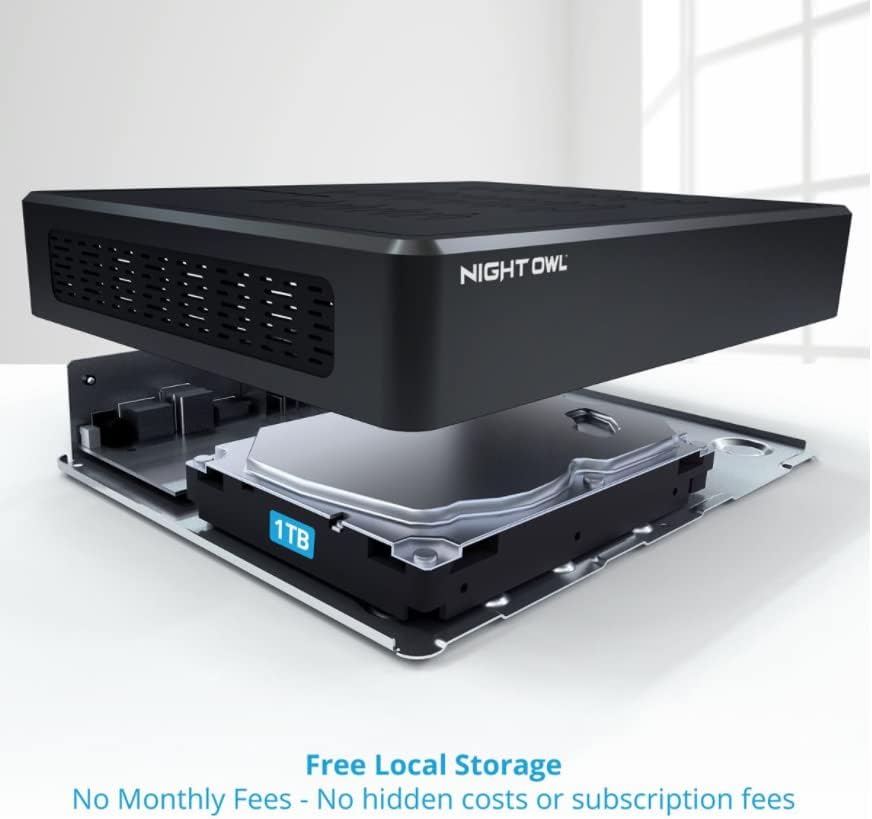
Imagine: O explozie view of the Night Owl DVR, highlighting the internal 1TB hard drive for local video storage.
3.2 1080p Wired Spotlight Cameras
Each camera captures video in 1080p resolution and includes a built-in spotlight for color night vision and a deterrent effect. They are wired for reliable power and video transmission.
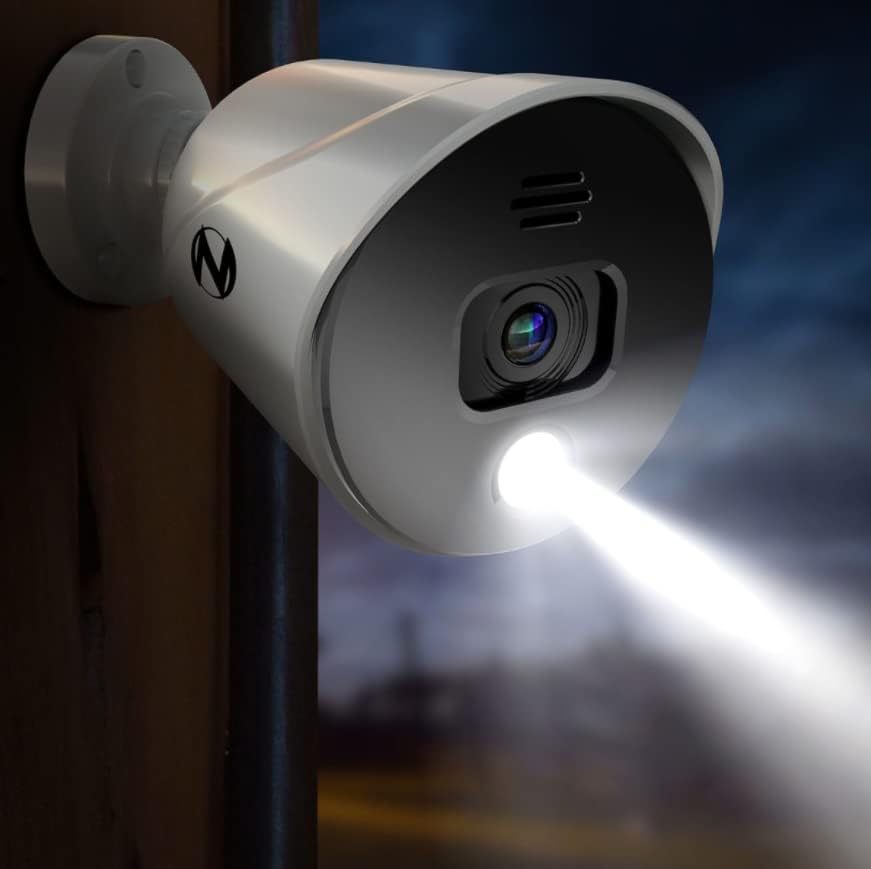
Image: A Night Owl spotlight camera mounted outdoors, with its integrated spotlight actively illuminating a dark area.
4. Configurare
4.1 Conectarea DVR-ului
- Conectarea la un monitor: Use the provided HDMI cable to connect the DVR's HDMI output to a monitor or TV.
- Conectați mouse-ul USB: Plug the USB mouse into one of the USB ports on the DVR's rear panel.
- Conectați-vă la rețea: Pentru telecomandă viewPentru funcționalitatea de înregistrare și aplicație, conectați un cablu Ethernet de la portul LAN al DVR-ului la router.
- Pornire: Connect the DVR power adapter to the DVR and then to an electrical outlet. The DVR will power on automatically.
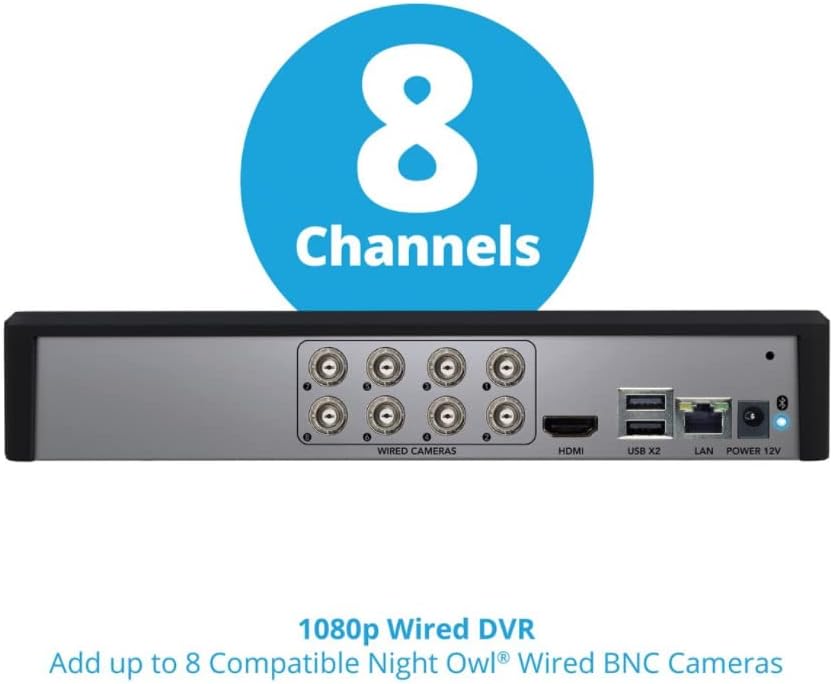
Image: The rear panel of the Night Owl DVR, displaying ports for wired cameras (BNC), HDMI, USB, LAN, and power input.
4.2 Conectarea camerelor
Each camera requires a BNC cable for video transmission and a power connection. The system supports up to 8 wired BNC cameras.
- Montarea camerelor: Securely mount each camera in your desired location using the provided hardware. Ensure the camera's field of view covers the intended surveillance area.
- Conectați cablurile BNC: Connect one end of the BNC cable to the camera's video output and the other end to an available BNC input port on the DVR.
- Conectare alimentare: Connect the camera's power input to a power adapter. Multiple cameras may share a single power adapter using splitters (if provided).
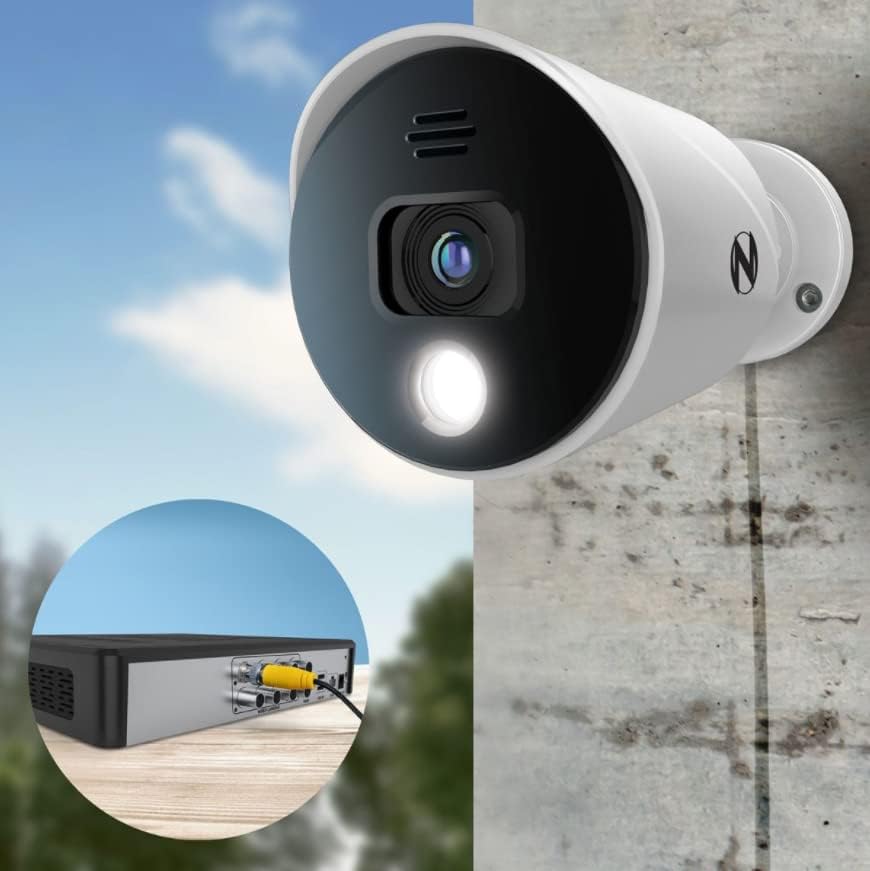
Imagine: Un prim-plan view showing a Night Owl camera connected to the DVR using a yellow BNC cable, illustrating the wired connection.
4.3 Initial Configuration and App Setup
The system features easy built-in Bluetooth wireless setup, eliminating the need for a monitor during initial configuration.
- Download the Night Owl Protect App: Caută "Night Owl Protect" in your smartphone's app store (App Store for iOS, Google Play for Android).
- Activați Bluetooth: Asigurați-vă că Bluetooth este activat pe smartphone-ul dvs.
- Pair with DVR: Open the Night Owl Protect app and follow the on-screen instructions to pair your smartphone with the DVR via Bluetooth. This will guide you through the initial setup process, including network configuration and account creation.

Image: A smartphone displaying the Night Owl app's Bluetooth setup screen, prompting the user to turn on Bluetooth for device pairing.
5. Operarea sistemului
5.1 În direct View și Înregistrare
Odată configurat, puteți view live camera feeds and manage recordings through the connected monitor or the Night Owl Protect mobile app.
- Monitor: Use the USB mouse to navigate the DVR's on-screen interface. Select camera views, access settings, and review inregistrat footage.
- Aplicație mobilă: The app provides remote access to live views, playback, and system settings from anywhere with an internet connection.
5.2 Caracteristici ale aplicației mobile
The Night Owl Protect app offers several features for convenient remote monitoring:
- Single Sign-On: Access all your Night Owl devices with one account.
- Trăi View: Stream real-time video from your cameras.
- Redare: Review recorded events stored on your DVR.
- Salveaza si distribuie: Download and share important video clips.
- Multi-Canal Viewing: View mai multe fluxuri de cameră simultan.
- Alerte în timp real: Receive notifications for detected activity.

Image: A smartphone displaying the Night Owl Protect mobile app, showing live view, event notifications, and playback options.
5.3 Smart Detection and Voice Alerts
The cameras are equipped with smart detection technology to identify relevant motion and reduce false alarms. Built-in camera sirens and preset voice alerts can be configured to deter intruders.

Image: An illustration depicting a Night Owl camera emitting a voice alert and siren, with a smartphone displaying the live feed of a detected person.
6. Întreținere
6.1 Gestionarea hard disk-ului
The 1TB hard drive automatically overwrites the oldest footage when full. Regularly back up important recordings to an external USB drive if needed.
6.2 Curățarea camerei
Curățați periodic obiectivele camerei cu o lavetă moale,amp o lavetă pentru a asigura o calitate clară a imaginii. Evitați substanțele de curățare abrazive.
6.3 Actualizări de software
Ensure your DVR firmware and mobile app are updated to the latest versions for optimal performance and security. Updates can typically be managed through the DVR's system settings or the mobile app.
7. Depanare
- No Video from Camera:
- Check BNC cable connections at both the camera and DVR.
- Verificați dacă aparatul foto primește energie.
- Ensure the camera is compatible with the DVR.
- DVR Not Connecting to Network/App:
- Confirm the Ethernet cable is securely connected to both the DVR and your router.
- Verificați conexiunea la internet a routerului.
- Restart the DVR and router.
- Ensure Bluetooth is enabled on your phone for initial setup.
- Calitate slabă a imaginii:
- Curățați obiectivul camerei.
- Check cable integrity for any damage.
- Ensure sufficient lighting for optimal performance, especially at night.
- Alerte de mișcare falsă:
- Ajustați setările de sensibilitate a detectării mișcării în DVR sau în aplicație.
- Definiți zone de detecție specifice pentru a exclude zonele cu mișcări irelevante frecvente (de exemplu, copaci care se leagănă).
8. Specificații
| Caracteristică | Caietul de sarcini |
|---|---|
| Marca | Bufnița de noapte |
| Model | B09TFZBPMK |
| Tehnologia de conectivitate | Cablat |
| Rezoluție captură video | 1080p |
| Caracteristica specială | Night Vision, Spotlight |
| Numărul de canale | 8 |
| Capacitate de stocare a memoriei | 1 TB (hard disk) |
| Sursa de alimentare | Electric cu fir |
| Dispozitive compatibile | Camere de luat vederi |
| Tehnologie cu lumină scăzută | Vedere de noapte |
| Frame Rate | 30 fps |
| Interfață hardware | Ethernet, BNC |
| UPC | 816522024796 |
| Greutatea articolului | 16.17 livre (Sistem) |

Image: An infographic summarizing key specifications: 8 Channels, 8 Cameras, 1TB SATA HDD, and 1080p Resolution.
9. Garanție și asistență
Pentru informații despre garanție, asistență tehnică sau asistență suplimentară, vă rugăm să vizitați site-ul oficial Night Owl. website-ul lor sau contactați serviciul lor de asistență pentru clienți. Păstrați bonul fiscal ca dovadă a achiziției.
Puteți găsi mai multe informații și resurse de asistență pe Magazinul Night Owl de pe Amazon.


