1. Produs terminatview
The Provision CAM-WiFi 2MP HD Security Camera (Model WP-919) is a high-definition outdoor surveillance device designed for reliable monitoring. It features 2-megapixel resolution, infrared night vision up to 10 meters, and two-way audio communication with a built-in speaker and microphone. The camera supports Wi-Fi connectivity for easy integration into your network and can be managed via a mobile application on iOS and Android devices.

Figura 1.1: Față și laterală view of the Provision CAM-WiFi 2MP HD Security Camera, showing the lens, antenna, and mounting bracket.

Figure 1.2: Key features of the camera including 2MP resolution, Day & Night (ICR), 10m IR, SD card support, 2-Way Audio, WiFi connectivity, and mobile app compatibility.
2. Informații de siguranță
- Asigurați-vă că sursa de alimentare corespunde cerințelor camerei pentru a preveni deteriorarea.
- Do not expose the camera to extreme temperatures, humidity, or strong magnetic fields.
- Avoid direct exposure of the lens to strong light sources, as this may affect image quality or damage the sensor.
- Manevrați camera cu grijă. Nu o scăpați și nu o supuneți la vibrații puternice.
- Țineți camera departe de copii și animale de companie.
- For outdoor installation, ensure proper waterproofing of all connections.
3. Conținutul pachetului
Vă rugăm să verificați pachetul pentru următoarele articole:
- Provision CAM-WiFi 2MP HD Security Camera (WP-919)
- Șuruburi de montare și dibluri de perete
- Adaptor de alimentare (poate fi vândut separat în anumite regiuni)
- Ghid de pornire rapidă
4. Configurare
4.1 Instalare fizică
- Alegeți o locație: Select a suitable outdoor location for installation, ensuring a clear view and strong Wi-Fi signal.
- Montare:
- Mark the drilling points using the camera's mounting base as a template.
- Dați găuri și introduceți dibluri de perete dacă montați pe zidărie.
- Secure the camera's mounting base to the wall or ceiling using the provided screws.
- Reglați unghiul camerei după cum este necesar.
- Conectare alimentare: Connect the power adapter to the camera's power input port and plug it into a power outlet.
- Instalare card SD (opțional):

Figura 4.1: lateral view of the camera showing the cover for the SD card slot and the integrated speaker.
- Locate the SD card slot cover on the side of the camera.
- Deschideți cu grijă capacul.
- Insert a compatible microSD card (up to 128GB, Class 10 recommended) into the slot with the contacts facing down.
- Închideți capacul în siguranță pentru a menține rezistența la intemperii.
- Conexiune prin cablu (opțională): If a wired connection is preferred, connect an Ethernet cable to the camera's RJ45 port and to your router.

Figure 4.2: The camera's connection cables, including power input, Ethernet (RJ45), and a reset button.
4.2 Configurarea aplicației mobile
- Descărcați aplicația: Caută the "Provision Cam2" or "Provision PnV" app (refer to your Quick Start Guide for the exact app name) on the Apple App Store (for iOS) or Google Play Store (for Android).
- Înregistrați un cont: Deschideți aplicația și urmați instrucțiunile de pe ecran pentru a înregistra un cont de utilizator nou.
- Adăugați o cameră:
- Tap the "+" icon or "Add Device" option in the app.
- Select "Wi-Fi Camera" or scan the QR code on the camera (if available).
- Follow the in-app prompts to connect the camera to your Wi-Fi network. This usually involves entering your Wi-Fi password and allowing the camera to connect.
- Once connected, give your camera a name and set a password for security.
5. Operarea camerei
5.1 În direct View
After adding the camera, tap on its name in the app to access the live video feed. You can view foo în timp realtage de la camera ta.
5.2 Sunet bidirecțional
The camera is equipped with a built-in speaker and microphone, enabling two-way audio communication.
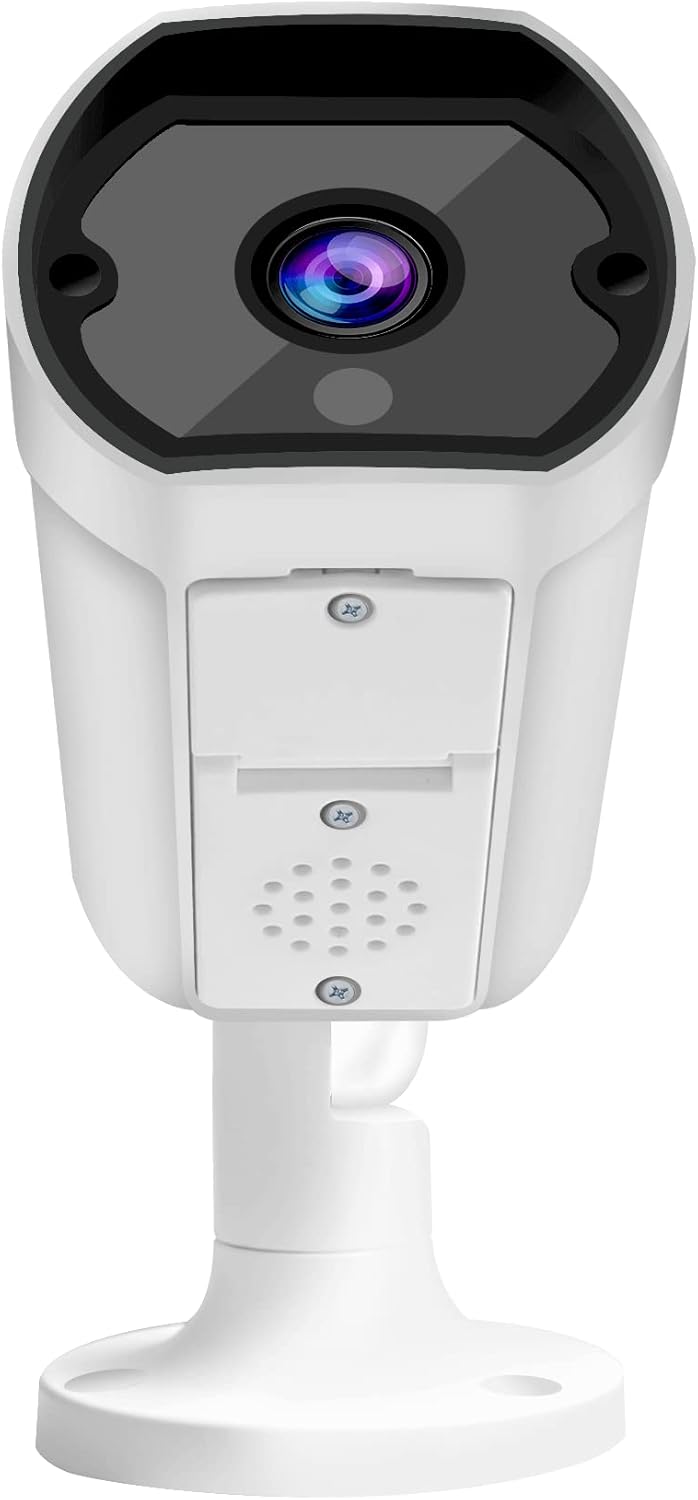
Figura 5.1: Față view of the camera, highlighting the lens and the integrated speaker/microphone area below it.
- To Listen: Ensure the speaker icon in the app is enabled to hear audio from the camera's location.
- To Speak: Press and hold the microphone icon in the app to transmit your voice through the camera's speaker. Release to stop speaking.
5.3 Vedere nocturnă
The camera automatically switches to infrared (IR) night vision mode in low-light conditions, providing clear black-and-white images up to 10 meters.
5.4 Înregistrare și redare
- Înregistrare continuă: If an SD card is installed and configured, the camera can record continuously.
- Înregistrare detectare mișcare: Configure motion detection settings in the app to record only when movement is detected.
- Redare: Acces înregistrat footage through the app's playback feature, typically found in the camera's settings or timeline view.
5.5 Mobile Notifications
Enable push notifications in the app settings to receive alerts on your mobile device when motion or other events are detected by the camera.
6. Întreținere
- curatenie: Folosiți o cârpă moale și uscată pentru a curăța obiectivul și corpul camerei. Nu utilizați substanțe chimice dure sau produse de curățare abrazive.
- Actualizări firmware: Regularly check for and install firmware updates via the mobile app to ensure optimal performance and security.
- Stabilitatea rețelei: Asigurați-vă că rețeaua Wi-Fi este stabilă și puternică pentru funcționarea neîntreruptă a camerei.
- Managementul stocării: Periodically check the SD card storage status and format it if necessary (this will erase all recorded data).
7. Depanare
| Problemă | Cauza posibila | Soluţie |
|---|---|---|
| Camera nu se conectează la Wi-Fi | Incorrect Wi-Fi password; Weak Wi-Fi signal; Camera too far from router; Router firewall settings. |
|
| Fără flux video live | Camera offline; Network issue; App glitch. |
|
| Calitate slabă a imaginii | Dirty lens; Low light conditions; Network bandwidth. |
|
| Audio bidirecțional nu funcționează | Microphone/speaker blocked; App volume settings; Network delay. |
|
| Cardul SD nu înregistrează | SD card full; SD card corrupted; Incorrect recording settings. |
|
8. Specificații
| Caracteristică | Detaliu |
|---|---|
| Numărul de model | WP-919 |
| Rezoluţie | 2MP (1080p video capture resolution) |
| Conectivitate | Fără fir (Wi-Fi), cu fir (Ethernet) |
| Vedere de noapte | IR-10M (Infrared up to 10 meters), Day & Night (ICR) |
| Audio | Two-Way Audio with Built-in Speaker/Microphone |
| Depozitare | Supports MicroSD card (details not specified, typically up to 128GB) |
| Mediul de utilizare | În aer liber |
| Sursa de alimentare | Cablu electric |
| Material | Metal |
| Dimensiuni (L x l x H) | 49.99 x 30 x 19 cm |
| Greutate | 640 g |
| Compatibilitate cu aplicațiile mobile | iOS/Android Mobile App |
9. Suport
For technical assistance, warranty claims, or further inquiries, please contact Provision ISR customer support. Refer to the contact information provided with your product packaging or visit the official Provision ISR website-ul.
Note: This manual provides general instructions. Specific features and app interfaces may vary with firmware updates.


