1. Introducere
This manual provides instructions for the SUPVAN KATASYMBOL E10/E11/E16 Extended Thermal Self-Adhesive Labels. These labels are designed for use with SUPVAN E10, E11, and E16 label makers, offering a reliable solution for various labeling needs.

Image 1.1: A roll of SUPVAN thermal self-adhesive labels, white with black print.
Caracteristicile produsului:
- Compatibilitate: Specifically designed for SUPVAN E10, E11, and E16 label makers.
- Dimensiuni: Each label measures 12 mm x 30 mm, with 220 pieces per roll.
- Culoare imprimare: Black text on a white label background.
- Durabilitate: Features a multi-layer design and synthetic materials for a lifespan exceeding 5 years. They are waterproof, oil-resistant, possess high adhesive strength, and resist high and low temperatures.
- Aplicații versatile: Suitable for home, office, and school use. Meets baby product standards, making them safe for labeling food, cosmetics, and household items.
- Eficient din punct de vedere al costurilor: Utilizes thermal printing technology, eliminating the need for ink or toner, which results in cost savings and clear print quality.
2. Configurare și instalare
Proper installation of the label roll is essential for optimal performance of your SUPVAN label maker.
2.1 Inserting the Label Roll
To install the label roll into your SUPVAN E10/E11/E16 label maker, follow these steps:
- Open the label compartment of your SUPVAN label maker.
- Place the label roll into the designated slot, ensuring the labels feed correctly.
- Închideți bine compartimentul pentru etichete.

Image 2.1: Illustration of how to insert the label roll into the label maker. A critical note indicates not to remove the smart chip sticker.
2.2 Important Note on Smart Chip
The label rolls are equipped with a smart chip on the back sticker. This chip allows the 'Katasymbol' application to automatically identify the label type and size. Do not remove this sticker. If the sticker is removed, the application may not recognize the label roll, preventing proper function.
3. Funcționare
These thermal labels are designed for ease of use with the SUPVAN E10/E11/E16 label makers and the 'Katasymbol' application.
3.1 Using the 'Katasymbol' Application
The 'Katasymbol' application provides extensive features to create custom labels:
- Automatic identification of label type and size.
- Access to over 600 templates for various purposes.
- Choice from 35 different fonts.
- Over 1000 icons to enhance your labels.
3.2 Labeling Applications
The labels are suitable for a wide range of organizational and identification tasks:
- Organizarea casei: Labeling food containers, storage boxes, spice jars, and personal items.
- Utilizare la birou: Organizarea files, folders, cables, and office supplies.
- Cu amănuntul: Preţ tags, product information, and inventory management.
- Şcoală: Labeling school supplies, books, and personal belongings.

Image 3.1: Labels applied to clear food storage containers, demonstrating organization in a kitchen setting.

Imaginea 3.2: Examples of label usage for organizing items such as food jars, computer cables, file folders, and clothing.
4. Întreținere și durabilitate
The SUPVAN thermal labels are engineered for long-lasting performance and minimal maintenance.
4.1 Caracteristici de durabilitate
- Material: Constructed from multi-layer synthetic materials.
- Durată de viaţă: Designed for a service life of over 5 years under normal conditions.
- Rezistenţă: Highly resistant to water and oil, ensuring labels remain legible and adhered in various environments.
- Adeziune: Features strong adhesive properties for secure attachment.
- Toleranta la temperatura: Maintains integrity across a wide range of high and low temperatures.
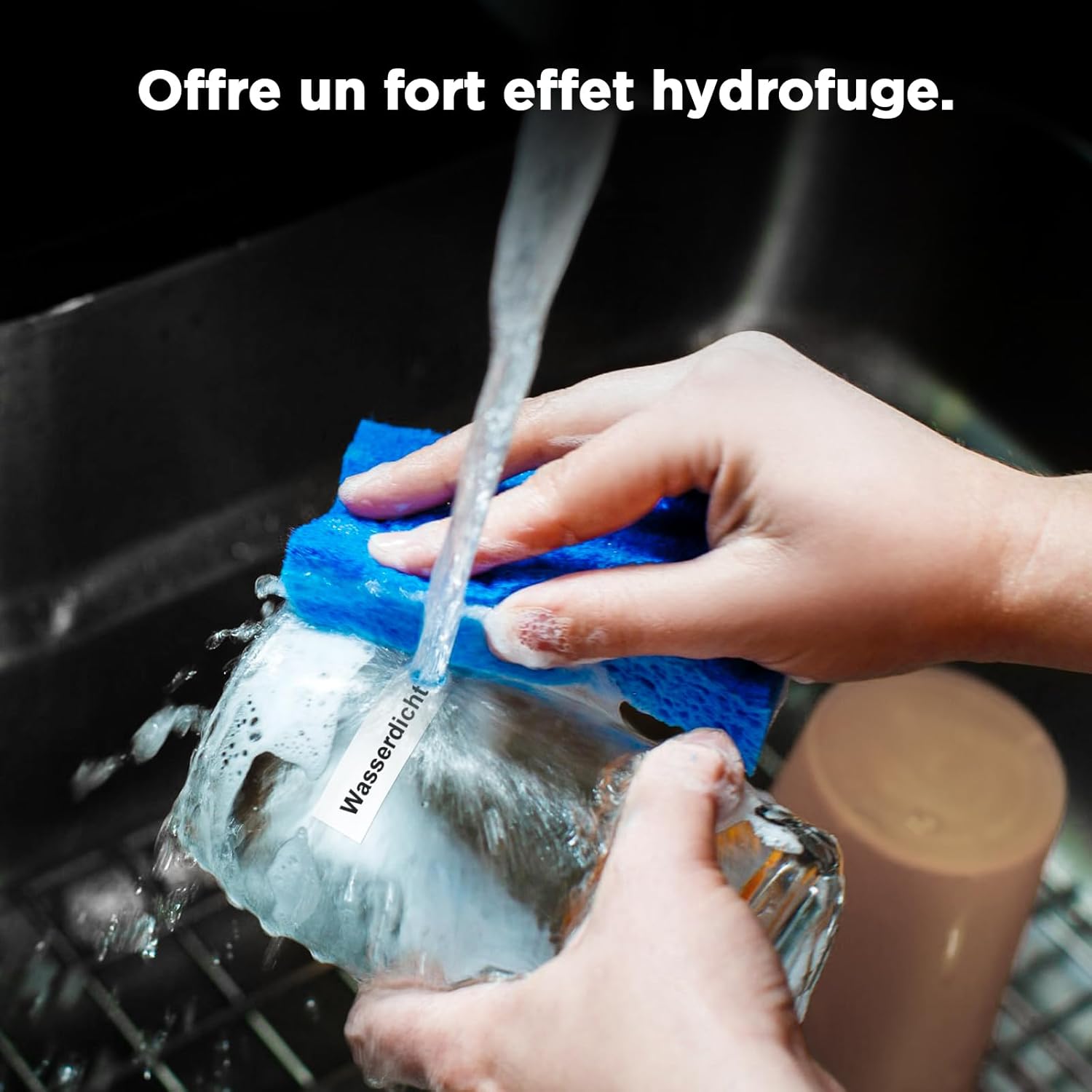
Image 4.1: A label on a glass being washed, illustrating the product's waterproof characteristic.

Image 4.2: Visual representation of label features including scratch resistance, resistance to deformation, and clean removal without leaving residue.
4.2 Curățarea și depozitarea
No specific cleaning is required for the labels themselves. Store unused label rolls in a cool, dry place away from direct sunlight to preserve their adhesive properties and print quality.
5. Depanare
Encountering issues with your labels? Refer to the following common solutions.
5.1 Label Not Recognized by Application
If the 'Katasymbol' application fails to identify the label type or size:
- Check the Smart Chip: Ensure that the sticker on the back of the label roll, which contains the smart chip, has not been removed or damaged. The application relies on this chip for automatic identification.
- Reinsert Roll: Remove the label roll and reinsert it, ensuring it is seated correctly in the label maker.
- Application Update: Verify that your 'Katasymbol' application is updated to the latest version.
6. Specificațiile produsului
| Caracteristică | Caietul de sarcini |
|---|---|
| Marca | SUPVAN |
| Numărul de model | E10, 12 mm*30 mm, 220, White |
| Dimensiunea etichetei | 12 mm x 30 mm |
| Etichete pe rolă | 220 |
| Culoare | White (Black print) |
| Formă | Dreptunghiular |
| Tip material | Paper (Synthetic materials) |
| Tip de finisare | Laminated, Adhesive |
| Greutatea articolului | 10 de grame |
| Dimensiuni produs (L x l x H) | 13 x 8 x 1.5 cm |
| Țara de origine | China |
7. Garanție și asistență
7.1 Informații despre garanție
Specific warranty details for the SUPVAN KATASYMBOL E10/E11/E16 Extended Thermal Self-Adhesive Labels are not provided in the available product data. Please refer to the retailer or manufacturer's official website for current warranty policies.
7.2 Asistență pentru clienți
For further assistance, technical support, or inquiries regarding SUPVAN products, please visit the official SUPVAN website-ul web sau contactați departamentul de asistență clienți. Informațiile de contact pot fi găsite de obicei pe ambalajul produsului sau pe prezența online oficială a mărcii.


