Introducere
Thank you for choosing the MageGee GT860 96-Key Wired RGB Backlit Gaming Keyboard. This keyboard is designed for both gaming and daily use, featuring a compact layout, ergonomic design, and customizable RGB backlighting. This manual will guide you through the setup, operation, and maintenance of your new keyboard to ensure optimal performance and user experience.
Conținutul pachetului
- MageGee GT860 96-Key Wired RGB Backlit Gaming Keyboard
- Manual de utilizare
Produs terminatview
Aspectul tastaturii
The MageGee GT860 features a 92% compact layout, retaining essential keys while offering a space-saving design. It includes a full numeric keypad and function keys.

Image: The MageGee GT860 keyboard showcasing its 96-key layout with RGB backlighting and black and yellow keycaps.

Imagine: O imagine detaliată view of the standard 96-key layout with full RGB backlighting, highlighting the compact yet functional design.
Caracteristici cheie
- Aspect compact 92%: Offers a balance between full functionality and a space-saving design.
- Membrană cu senzație mecanică: Utilizes advanced imitation mechanical technology for a tactile typing experience.
- Design ergonomic: Key layout is engineered for comfortable use during extended periods, reducing fatigue.
- Iluminare de fundal RGB: Features multiple lighting modes and colors, with adjustable brightness and breathing speed.
- Plug and Play: No drivers required for basic functionality.
- Compatibilitate largă: Supports Windows 10, 8, 7, XP, VISTA, and Mac OS.
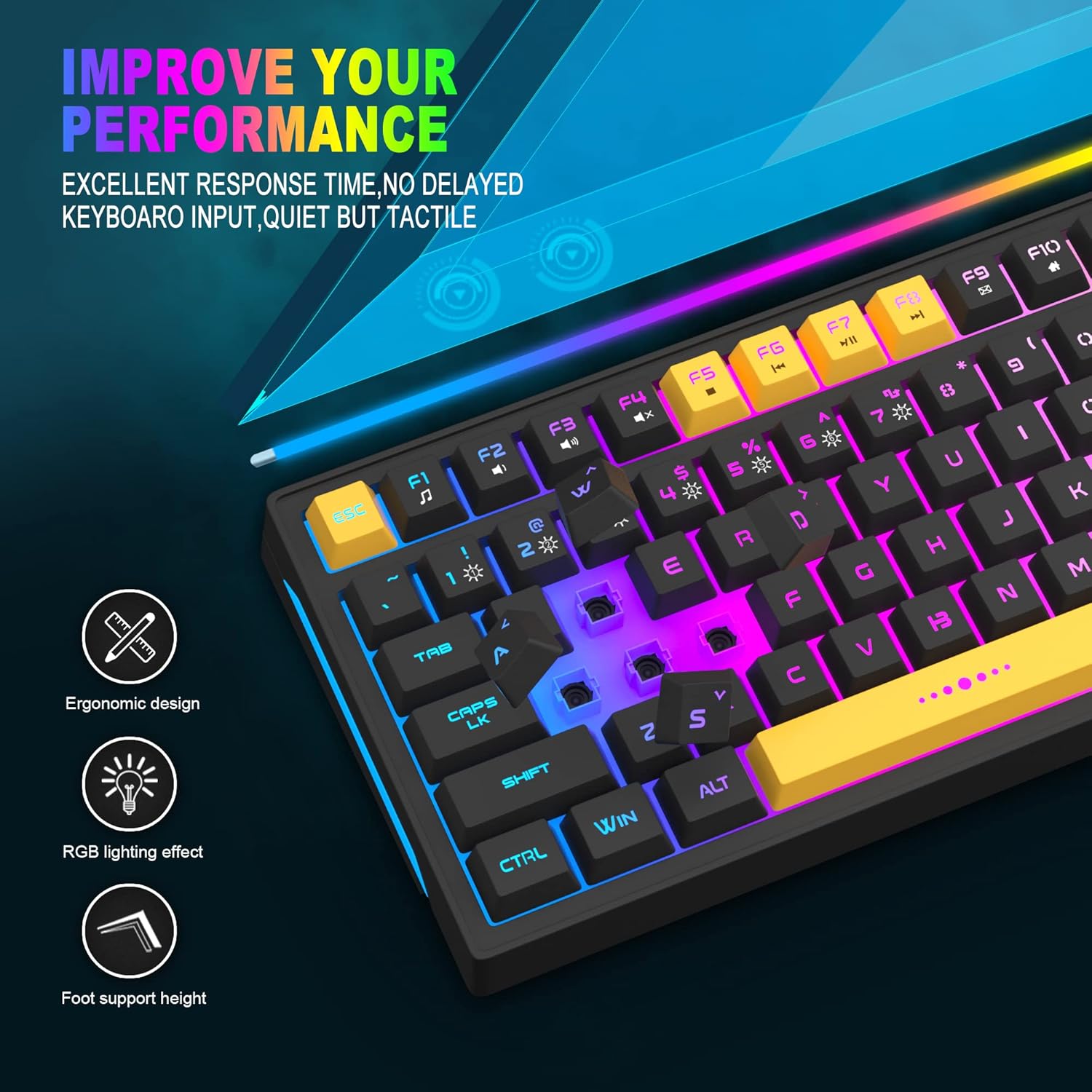
Image: Close-up showing the ergonomic design and RGB lighting effect of the keyboard, emphasizing comfort and visual appeal.

Imagine: O parte view of the keyboard illustrating its thoughtful ergonomic design with a 7-degree tilt for improved typing posture.
Instrucțiuni de configurare
- Unpack the keyboard and ensure all package contents are present.
- Conectați cablul USB de la tastatură la un port USB disponibil de pe computer.
- The keyboard is plug-and-play and should be automatically recognized by your operating system (Windows, Mac OS). No additional drivers are typically required for basic functionality.
- Once connected, the RGB backlighting will illuminate, indicating the keyboard is powered on and ready for use.
Instrucțiuni de operare
Controlul iluminării de fundal RGB
The MageGee GT860 keyboard features customizable RGB backlighting with various modes and effects.
- Schimbarea modurilor de iluminare: Apăsați tasta FN key combined with keys 1 prin 6 to cycle through different RGB lighting effects and colors.
- Reglarea luminozității: Use specific key combinations (refer to keyboard legends or experiment with FN + Arrow keys if not explicitly labeled) to increase or decrease backlight brightness.
- Adjusting Breathing Speed: Some modes allow adjustment of the breathing or animation speed.

Image: The keyboard displaying various RGB backlit lighting modes, illustrating the range of color options available.

Imagine: O dinamică view a afișajului tastaturiiasing its 18 RGB LED light effects, highlighting the vibrant backlighting.
Taste multimedia și funcționale
The keyboard includes dedicated function keys (F1-F12) that can be accessed by pressing the FN simultan cu tasta F dorită.
| Combinație de taste | Funcţie |
|---|---|
| FN + F1 | Media Player |
| FN + F2 | Reducerea volumului |
| FN + F3 | Creșterea volumului |
| FN + F4 | Mut |
| FN + F5 | Piesa anterioară |
| FN + F6 | Următoarea piesă |
| FN + F7 | Redare/Pauză |
| FN + F8 | Stop |
| FN + F9 | |
| FN + F10 | Pagina principală |
| FN + F11 | Blocare derulare |
| FN + F12 | Calculator |

Image: Diagram illustrating the various multimedia and function key combinations using the FN key (FN + F1-F12).
Întreţinere
To ensure the longevity and optimal performance of your MageGee GT860 keyboard, follow these maintenance guidelines:
- curatenie: Regularly clean the keyboard with a soft, dry cloth. For deeper cleaning, use compressed air to remove dust and debris from between the keys. A slightly damp cloth (not wet) can be used for keycap surfaces.
- Evitați lichidele: Nu vărsați lichide pe tastatură. Dacă se produce o vărsare, deconectați imediat tastatura de la computer și lăsați-o să se usuce complet înainte de a o reconecta.
- Depozitare: Depozitați tastatura într-un loc răcoros și uscat, ferit de lumina directă a soarelui și de temperaturi extreme, atunci când nu o utilizați pentru perioade lungi de timp.
- Îngrijirea cablului: Evitați îndoirea sau răsucirea excesivă a cablului USB pentru a preveni deteriorarea internă.

Imagine: Un prim-plan view of the keyboard with some keycaps removed, showing the underlying switches. This illustrates the internal structure for cleaning purposes.
Depanare
If you encounter issues with your MageGee GT860 keyboard, please refer to the following common troubleshooting steps:
- Tastatura nu răspunde:
- Asigurați-vă că ați conectat cablul USB în siguranță atât la tastatură, cât și la portul USB al computerului.
- Încercați să conectați tastatura la un alt port USB al computerului.
- Testați tastatura pe un alt computer pentru a determina dacă problema este cu tastatura sau cu sistemul dumneavoastră.
- Iluminarea de fundal nu funcționează sau este incorectă:
- Verificați dacă tastatura este conectată corect și primește alimentare.
- Cycle through the RGB lighting modes using FN + 1-6 to ensure a mode is selected.
- Ajustați setările de luminozitate.
- Cheile nu se înregistrează:
- Curățați tastele afectate pentru a îndepărta orice reziduuri care ar putea obstrucționa comutatorul.
- Ensure no software conflicts are present (e.g., other keyboard drivers or gaming software).
- Comportament neașteptat:
- Reporniți computerul.
- If the issue persists, contact MageGee customer support for further assistance.
Specificații
| Caracteristică | Detaliu |
|---|---|
| Marca | MageGee |
| Model | GT860 |
| Aspect | 96 Keys (92% Compact) |
| Conectivitate | USB cu fir |
| Iluminare din spate | RGB Backlit (Multiple modes) |
| Tip cheie | Membrane with Mechanical Feeling |
| Ergonomie | Design ergonomic |
| Sistem de operare compatibil | Windows 10, 8, 7, XP, VISTA, Mac OS |
| Dimensiunile produsului | 35.56 x 10.16 x 5.08 cm (14 x 4 x 2 țoli) |
| Greutate | 744 g (1.64 lbs) |
| Voltage | 5 volți |
| Culoare | Negru Galben |
Garanție și suport
For warranty information or technical support, please refer to the documentation provided with your purchase or contact MageGee customer service directly. Contact details can typically be found on the manufacturer's official website-ul sau pe ambalajul produsului.
Vă rugăm să păstrați dovada achiziției pentru orice reclamații în garanție.


