1. Produs terminatview
The HUAWEI WiFi AX2 is a high-performance wireless router designed to provide fast and reliable internet connectivity throughout your home. It supports Wi-Fi 6 technology, offering speeds up to 1500 Mbps, with a 5GHz band supporting up to 1201 Mbps and a 2.4GHz band supporting up to 300 Mbps. This router features HarmonyOS Mesh+ for seamless multi-router setups, comprehensive parental controls, and an advanced antenna design for stable connections.
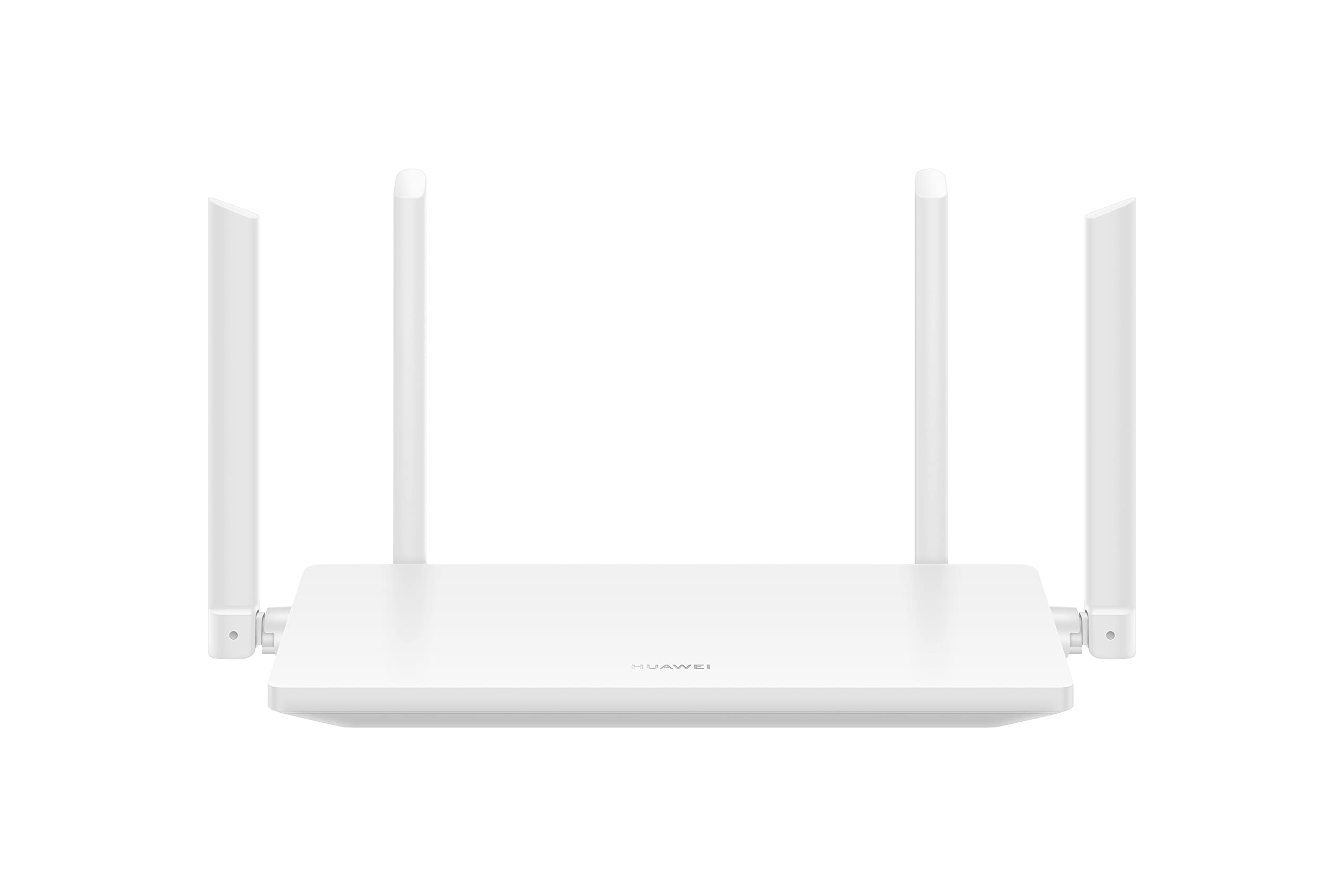
Imaginea 1.1: Față view of the HUAWEI WiFi AX2 Wireless Router, showing its sleek white design and four external antennas.
2. Conținutul pachetului
Înainte de a continua configurarea, vă rugăm să vă asigurați că toate articolele sunt prezente în pachet:
- HUAWEI WiFi AX2 Wireless Router (WS7001-20)
- Adaptor de alimentare
- Cablu Ethernet
- Ghid de pornire rapidă
- Card de garanție
3. Instrucțiuni de configurare
Follow these steps to set up your HUAWEI WiFi AX2 Router:
- Conectați adaptorul de alimentare: Plug the power adapter into the router's power port and then into a wall outlet. The power indicator light on the router should turn on.
- Conectați-vă la Internet: Connect one end of the Ethernet cable to the WAN port (usually labeled 'WAN' or a globe icon) on your router and the other end to your modem's LAN port.
- Conectați-vă dispozitivele:
- Conexiune prin cablu: Connect your computer or other network devices to any of the LAN ports (labeled 1, 2, 3) on the router using an Ethernet cable.
- Conexiune wireless: On your Wi-Fi enabled device (smartphone, tablet, laptop), search for the Wi-Fi network name (SSID) printed on the label at the bottom of your router. Select it and enter the Wi-Fi password (also on the label).
- Accesați Web-based Management Page: Deschide a web browser pe un dispozitiv conectat și introduceți 192.168.3.1 in the address bar. Follow the on-screen instructions to complete the initial setup, including setting up your Wi-Fi name and password.
- Download the HUAWEI AI Life App: For easier management and advanced features, download the HUAWEI AI Life app from your device's app store. Use the app to configure settings, manage connected devices, and utilize parental controls.

Imaginea 3.1: Spate view of the HUAWEI WiFi AX2 Router, showing the power port, three LAN/WAN ports, and the WPS/Reset button.
4. Instrucțiuni de utilizare
4.1 Dual-Band Automatic Switching
The HUAWEI WiFi AX2 operates on both 2.4GHz and 5GHz bands simultaneously. It intelligently switches your devices between these bands to ensure optimal connection quality and speed at all times. This means you don't need to manually select between 2.4GHz and 5GHz networks.
4.2 HarmonyOS Mesh+
If you have multiple HUAWEI routers that support HarmonyOS Mesh+, you can group them under a single Wi-Fi name. This creates a unified mesh network, allowing your devices to automatically switch between routers as you move around your home, ensuring continuous and strong Wi-Fi coverage.
4.3 Comprehensive Parental Control
Manage your family's internet usage with the built-in parental control features. Through the HUAWEI AI Life app, you can:
- Blocați accesul la informații nepotrivite website-uri.
- Limit internet access time for specific devices.
- View internet usage statistics for connected devices.
5. Întreținere
Pentru a asigura performanța optimă și longevitatea routerului, luați în considerare următoarele sfaturi de întreținere:
- Plasare: Place the router in a central location, away from obstructions, large metal objects, and other electronic devices that may cause interference. Ensure adequate ventilation around the router.
- Actualizări firmware: Regularly check for and install firmware updates through the HUAWEI AI Life app or the web-based management page. Updates often include performance improvements and security patches.
- Repornire: Dacă întâmpinați probleme de rețea, încercați să reporniți routerul deconectând adaptorul de alimentare timp de 10 secunde, apoi conectându-l din nou.
- curatenie: Păstrați routerul curat și fără praf. Folosiți o cârpă moale și uscată pentru a șterge exteriorul. Nu utilizați agenți de curățare lichizi.

Imaginea 5.1: Laterală view of the HUAWEI WiFi AX2 Router, highlighting the ventilation slots for proper heat dissipation.
6. Depanare
If you encounter issues with your HUAWEI WiFi AX2 Router, refer to the following common problems and solutions:
| Problemă | Cauza posibila | Soluţie |
|---|---|---|
| Fără acces la internet | Incorrect cable connection, modem issue, or incorrect router settings. | Check that the Ethernet cable is securely connected to the WAN port and your modem. Reboot both the modem and the router. Verify internet settings via the web-based management page or AI Life app. |
| Viteză Wi-Fi redusă | Interference, too many connected devices, outdated firmware, or poor router placement. | Ensure the router is placed optimally (see Maintenance section). Reduce the number of active devices. Update router firmware. Consider if your internet service provider (ISP) speed is the bottleneck. |
| Wi-Fi se deconectează frecvent | Signal interference, distance from router, or channel congestion. | Move closer to the router. Check for sources of interference (e.g., microwaves, cordless phones). Use the AI Life app to analyze Wi-Fi channels and switch to a less congested one. |
| Nu se poate accesa pagina de setări a routerului | Adresă IP incorectă, dispozitiv neconectat la router sau problemă cu browserul. | Ensure your device is connected to the router's Wi-Fi or via an Ethernet cable. Verify you are entering 192.168.3.1 correctly. Try a different web browser. |
If the problem persists, perform a factory reset by pressing and holding the WPS/Reset button on the back of the router for approximately 10 seconds until the indicator light flashes. Note that a factory reset will erase all your custom settings.
7. Specificații
| Caracteristică | Detaliu |
|---|---|
| Marca | HUAWEI |
| Numele modelului | WS7001-20 |
| Numărul de model al articolului | WS7001-20 |
| Dimensiunile produsului | 25.76 x 16.35 x 2.9 cm |
| Greutatea articolului | 580 g |
| Tip fără fir | 802.11ax (Wi-Fi 6) |
| Clasa de bandă de frecvență | Bandă dublă (2.4 GHz și 5 GHz) |
| Tehnologia de conectivitate | Wifi |
| Sistem de operare | RouterOS |
| Numărul de porturi | 3 (LAN/WAN auto-sensing) |
| Caracteristici speciale | Mod Punct de Acces |
| Dispozitive compatibile | Smartphone, Tabletă |
| Utilizări recomandate pentru produs | Acasă |
| Baterii incluse | Nu |
| Data primului disponibil | 7 septembrie 2023 |
8. Garanție și asistență
8.1 Informații despre garanție
For detailed warranty information, please refer to the warranty card included in your product package or visit the official HUAWEI webTermenii și condițiile de garanție pot varia în funcție de regiune și de comerciant.
8.2 Suport tehnic
If you require further assistance or have technical questions not covered in this manual, please contact HUAWEI customer support. You can find contact details on the official HUAWEI website or through the HUAWEI AI Life app.


