Introducere
Mulțumesc pentru achizițieasing the Fenton FT210LED Party Speaker. This manual provides essential information for the safe and correct operation of your device. Please read it thoroughly before use and retain it for future reference.
The FT210LED is a versatile portable party speaker designed for various audio needs, featuring Bluetooth connectivity, a built-in MP3 player, AUX input, and a microphone for karaoke. Its integrated battery and trolley system ensure portability, while colorful LED lighting enhances the atmosphere.
Instrucțiuni importante de siguranță
- Citiți cu atenție toate instrucțiunile înainte de a utiliza dispozitivul.
- Păstrați acest manual pentru referințe viitoare.
- Nu expuneți unitatea la ploaie sau umezeală pentru a preveni incendiul sau electrocutarea.
- Asigurați-vă că sursa de alimentare voltage corespunde cerințelor specificate pe unitate.
- Nu deschideți c.asing. În interior nu există piese care să poată fi reparate de utilizator. Apelați la personal calificat pentru orice service.
- Evitați amplasarea unității în apropierea surselor de căldură sau în lumina directă a soarelui.
- Curățați numai cu o cârpă uscată.
- Nu blocați orificiile de ventilație.
- Utilizați numai atașamente/accesorii specificate de producător.
- Disconnect the unit during lightning storms or when unused for long periods.
Conținutul pachetului
La despachetare, asigurați-vă că toate articolele enumerate mai jos sunt prezente și în stare bună:
- Fenton FT210LED Party Speaker
- Microfon cu fir
- Telecomanda
- Cablu de alimentare
- Manual de utilizare (acest document)

Figura 1: The Fenton FT210LED speaker shown with its accompanying remote control, power cable, and wired microphone.
Înființat
1. Încărcarea bateriei
The FT210LED features an integrated rechargeable battery for portable use. Before first use, fully charge the speaker.
- Connect the provided power cable to the speaker's power input and a suitable wall outlet (230V / 50Hz).
- Indicatorul luminos de încărcare se va aprinde.
- Allow several hours for a full charge. The indicator light may change or turn off when fully charged (refer to the specific behavior of your unit's indicator).
The speaker can be operated while charging.
2. Poziționarea difuzorului
The FT210LED is designed for portability and can be used in various locations. It features a trolley system for easy transport.
- Using the Trolley System: Extend the retractable handle and tilt the speaker to roll it on its integrated wheels.
- Pe un trepied: The speaker is equipped with a hat (pole mount) for placement on a standard speaker tripod (not included). Ensure the tripod is stable and rated for the speaker's weight (11.55 kg).

Figura 2: The base of the speaker, illustrating the wheels, retractable handle, and the pole mount for tripod placement.
Instrucțiuni de operare
Panou de control terminatview

Figura 3: The main control panel located on the rear of the speaker, featuring media player controls, volume, tone adjustments, and input ports.

Figura 4: Un detaliat view of the input section and control knobs on the speaker's rear panel.
Familiarize yourself with the control panel (Figures 3 & 4) before operation. Key controls include:
- Întrerupător: Pornește/oprește difuzorul.
- Comutator de lumină: Controlează iluminarea cu LED-uri.
- Media Player: USB/MicroSD slots, display, and playback controls (Play/Pause, Next, Previous, Mode).
- Buton de volum: Ajustează volumul general.
- Buton Treble: Reglează frecvențele înalte.
- Buton de bas: Reglează frecvențele joase.
- Buton de volum microfon: Reglează volumul microfonului.
- Butonul pentru eco: Ajustează efectul de ecou pentru microfon.
- Microfon incorporat: Mufă de 6.3 mm pentru conectarea microfonului.
- Intrare AUX: Mufă de 3.5 mm pentru dispozitive audio externe.
- DC12V extern: Input for external 12V power source (e.g., car battery, not for charging).
1. Pornire/Oprire
Localizați PUTERE switch on the control panel and toggle it to the ON position to power on the speaker. Toggle to OFF a opri.
2. Conexiune Bluetooth
Redați audio wireless de pe smartphone, tabletă sau laptop.
- Porniți difuzorul.
- Apăsați tasta MOD button on the control panel or remote control until "Bluetooth" or "BT" appears on the display. The speaker will enter pairing mode, indicated by a flashing Bluetooth icon or sound.
- Pe dispozitivul dvs., activați Bluetooth și căutați dispozitivele disponibile.
- Select "Fenton FT210LED" from the list.
- Once connected, the speaker will emit a confirmation sound, and the Bluetooth indicator will stop flashing.
- Acum poți reda sunet de pe dispozitiv prin difuzor.
3. USB/MicroSD Playback
Redați audio MP3 files directly from a USB flash drive or MicroSD card.
- Introduceți o unitate flash USB în USB port or a MicroSD card into the MICROSD slot.
- The speaker will automatically switch to USB/MicroSD mode and begin playing audio. If not, press the MOD pentru a selecta intrarea corectă.
- Utilizați comenzile de redare (REDARE/PAUZĂ, URMĂTORUL, ANTERIOR) on the control panel or remote control to manage playback.
4. Intrare AUX
Conectați dispozitivele audio externe folosind un cablu audio de 3.5 mm.
- Conectați un capăt al unui cablu audio de 3.5 mm (nu este inclus) la AUX IN portul difuzorului.
- Connect the other end to the headphone jack or audio output of your external device (e.g., MP3 player, TV).
- Apăsați tasta MOD apăsați butonul până când pe afișaj apare „AUX”.
- Adjust the volume on both the speaker and your external device.
5. Utilizarea microfonului (Karaoke)
The speaker comes with a wired microphone for karaoke or public address.
- Connect the wired microphone to the MICROFON INCORPORAT jack on the control panel.
- Ensure the microphone's ON/OFF switch is in the ON poziţie.
- Reglați volumul microfonului folosind butonul MIC VOL butonul.
- Apply an echo effect using the ECOU butonul.

Figura 5: The wired microphone, model DM-100, with its power switch.
6. Iluminare LED
The integrated colorful LED lights on the woofers can be turned on or off.
- Localizați APRINDE switch on the control panel.
- Comutați comutatorul la ON to activate the LED lights.
- Comutați comutatorul la OFF to deactivate the LED lights.

Figura 6: The speaker with its LED lights active, displaying blue and purple hues.

Figura 7: Un unghi view of the speaker showcasing its dynamic green and blue LED lighting.
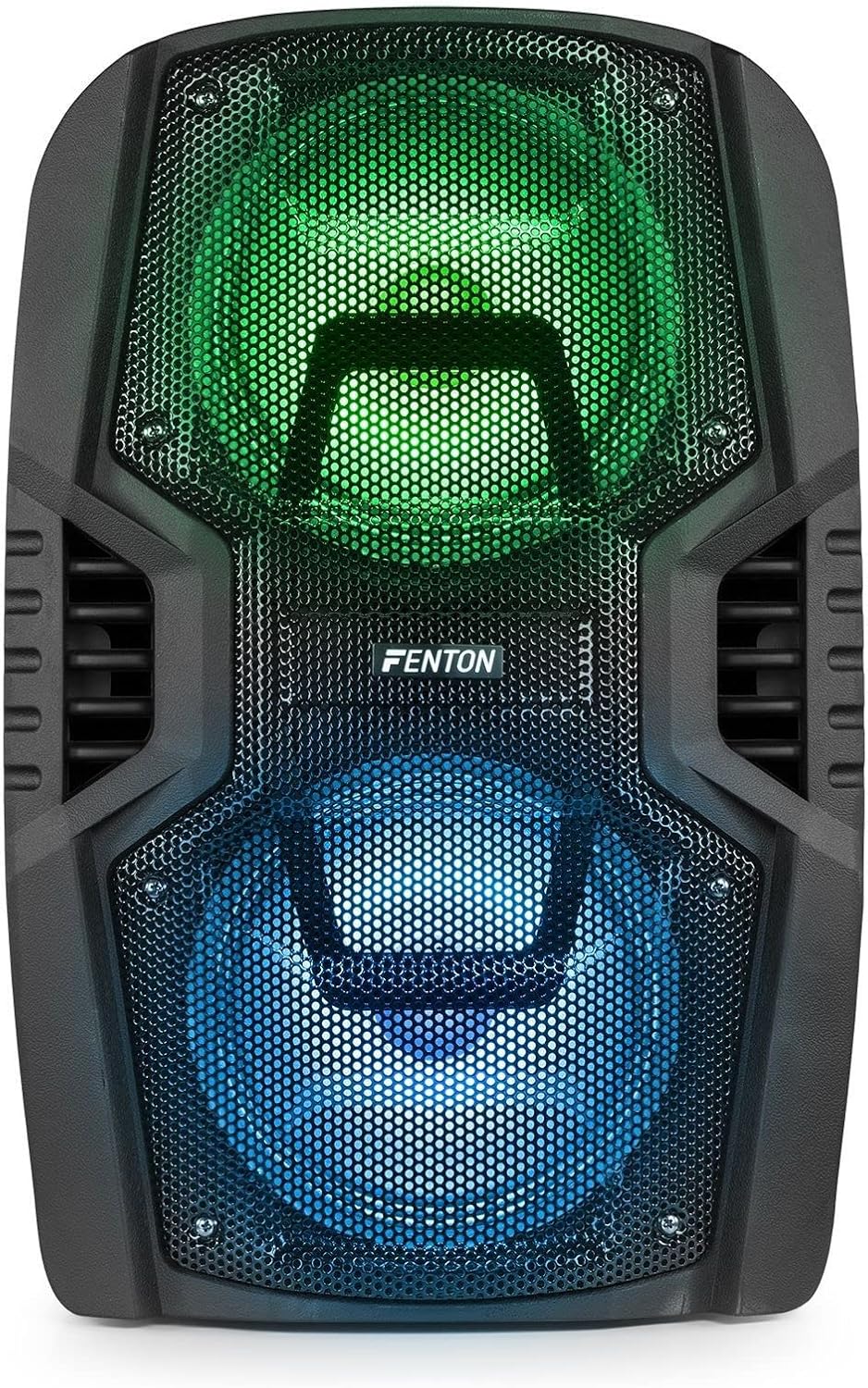
Figura 8: The front of the speaker with its LED lights displaying vibrant green and blue colors.

Figura 9: The speaker positioned in a room with low lighting, demonstrating the atmospheric effect of its blue LED lights.
Întreţinere
- curatenie: Folosiți o lavetă moale și uscată pentru a curăța exteriorul difuzorului. Nu utilizați produse de curățare abrazive, ceruri sau solvenți.
- Depozitare: Când nu este utilizată pentru perioade lungi de timp, depozitați difuzorul într-un loc răcoros și uscat, ferit de lumina directă a soarelui și de temperaturi extreme.
- Îngrijirea bateriei: To prolong battery life, avoid fully discharging the battery frequently. Recharge the battery periodically if the speaker is stored for a long time.
- Ventilare: Asigurați-vă că orificiile de ventilație sunt lipsite de praf și resturi pentru a preveni supraîncălzirea.
Depanare
| Problemă | Cauza posibila | Soluţie |
|---|---|---|
| Fără putere | Battery discharged; Power cable not connected; Power switch OFF. | Charge the battery; Connect power cable securely; Turn power switch ON. |
| Nici un sunet | Volum prea mic; Mod de intrare selectat incorect; Dispozitiv neconectat corect. | Increase volume; Select correct input (Bluetooth, USB, AUX); Reconnect device. |
| Bluetooth nu se asociază | Speaker not in pairing mode; Device Bluetooth OFF; Too far from speaker. | Ensure speaker is in BT mode; Enable Bluetooth on device; Move device closer (within 10m). |
| Microfonul nu funcționează | Microphone OFF; Mic Vol too low; Microphone not connected. | Turn microphone ON; Increase Mic Vol; Connect microphone securely. |
| Luminile LED nu funcționează | Light switch OFF. | Turn Light switch ON. |
Specificații
| Marca | Fenton |
| Numărul de model | FT210LED (170.022) |
| Putere de ieșire | 700 W |
| Raspuns in frecventa | 50 Hz - 18000 Hz |
| Woofer-uri | Dual de 10 inchi |
| Baterie | 7.4 V / 3 Ah |
| Conexiune Voltage | V 230 / 50 Hz |
| Intrări audio | Bluetooth, USB, MicroSD, AUX (3.5mm), Wired Microphone (6.3mm) |
| Caracteristici speciale | Integrated LED lighting, Trolley system, Echo effect for microphone |
| Dimensiuni produs (L x l x H) | 48.5 x 39.5 x 75.5 cm |
| Greutatea articolului | 11.55 kg |
| Producător | Tronios BV |
Garanție și suport
Pentru informații despre garanție sau asistență tehnică, vă rugăm să consultați documentația furnizată în momentul achiziției sau să contactați distribuitorul. Păstrați dovada achiziției pentru orice reclamații în garanție.


