1. Introducere
This manual provides comprehensive instructions for the setup, operation, and maintenance of your VTech CS2001 DECT 2 Handset Cordless Telephone system. Please read this manual thoroughly before using your new telephone to ensure proper functionality and to familiarize yourself with all features.

Image: The VTech CS2001 DECT 2 Handset Cordless Telephone system, showing one handset on its main base unit and a second handset on its auxiliary charging cradle. Both handsets feature a digital display and a standard telephone keypad.
2. Configurare
Follow these steps to set up your VTech CS2001 DECT Cordless Telephone system.
2.1 Conținutul pachetului
Asigurați-vă că toate componentele sunt prezente:
- 1 unitate de bază
- 2 AC adaptors
- 2 battery packs (NiMH)
- 2 receptoare fără fir
- 2 chargers (for auxiliary handset)
- Ghid de pornire rapidă
- Cablu de linie telefonică
2.2 Instalarea și încărcarea bateriei
- Deschideți capacul compartimentului bateriei de pe spatele fiecărui receptor.
- Connect the battery pack connector securely into the socket inside the compartment.
- Așezați pachetul de baterii în compartiment.
- Închideți capacul compartimentului bateriei.
- Place each handset onto its respective base unit or charger. Ensure the "Charge" indicator on the base/charger illuminates.
- Lăsați telefoanele să se încarce timp de cel puțin 16 ore înainte de prima utilizare pentru a asigura o performanță optimă a bateriei.
2.3 Conectarea unității de bază
- Conectați un capăt al cablului liniei telefonice la mufa TEL LINE de pe unitatea de bază.
- Conectați celălalt capăt al cablului telefonic la priza telefonică de perete.
- Connect the AC adaptor to the POWER jack on the base unit.
- Plug the AC adaptor into a standard electrical outlet.
- For the auxiliary charger, connect its AC adaptor to the charger and then to an electrical outlet.
Nota: Use only the supplied power adaptors and battery packs. Incorrect adaptors may damage the unit.
3. Instrucțiuni de utilizare
3.1 Efectuarea și primirea apelurilor
- Pentru a efectua un apel: Presa VORBI, then dial the number. Alternatively, dial the number first and then press VORBI.
- Pentru a răspunde la un apel: Când sună telefonul, apăsați VORBI.
- Pentru a încheia un apel: Presa Sfârşit sau așezați receptorul înapoi pe bază/încărcător.
3.2 Funcția difuzorului
The handsfree speakerphone allows you to converse without holding the handset.

Image: A VTech CS2001 handset is shown on a kitchen counter, with a person in the background engaged in an activity, illustrating the convenience of the handsfree speakerphone feature.
- Pentru a activa: În timpul unui apel, apăsați tasta Difuzor button (usually marked with a speaker icon).
- A dezactiva: Apăsați tasta Difuzor button again or lift the handset to switch back to normal mode.
3.3 Interfon și transfer de apeluri
The two handsets can communicate with each other and transfer calls.
- Interfon: Apăsați tasta INT button on one handset to call the other.
- Transfer de apel: În timpul unui apel extern, apăsați INT, select the other handset, and once connected, press TRANSFER.
4. Caracteristici cheie
4.1 DECT Technology and Long Range
The VTech CS2001 utilizes DECT (Digital Enhanced Cordless Telecommunications) technology, ensuring clear sound quality and secure communication. It offers a reliable long operating range of up to 300 meters outdoors.

Image: A woman is shown talking on a VTech cordless phone in a spacious, modern home environment, with graphic elements illustrating the phone's reliable long-range capability.
4.2 Nuisance Call Blocker
This feature helps manage unwanted calls. You can block specific numbers or calls from unknown numbers. The system can store up to 30 blacklisted numbers. An option to block all calls during a programmable period is also available.
Nota: This feature requires a Caller Display service subscription from your network provider, which may be chargeable.

Image: A man is depicted relaxing on a sofa, reading a book, with a VTech CS2001 handset on a table beside him. A graphic overlay signifies the call blocker feature, promoting peace of mind from unwanted calls.
4.3 Phonebook Directory
Store up to 30 names and numbers in the phonebook directory. Entries added to one handset are automatically shared with the other.

Image: A VTech CS2001 handset is shown on its charging base, accompanied by a graphic representation of a phonebook list, highlighting the 30 name and number storage capacity.
4.4 ID apelant și apel în așteptare
The system records up to 20 names and numbers for Caller ID. It also supports Call Waiting functionality.
Nota: These features require a Caller Display service subscription from your network provider, which may be chargeable.
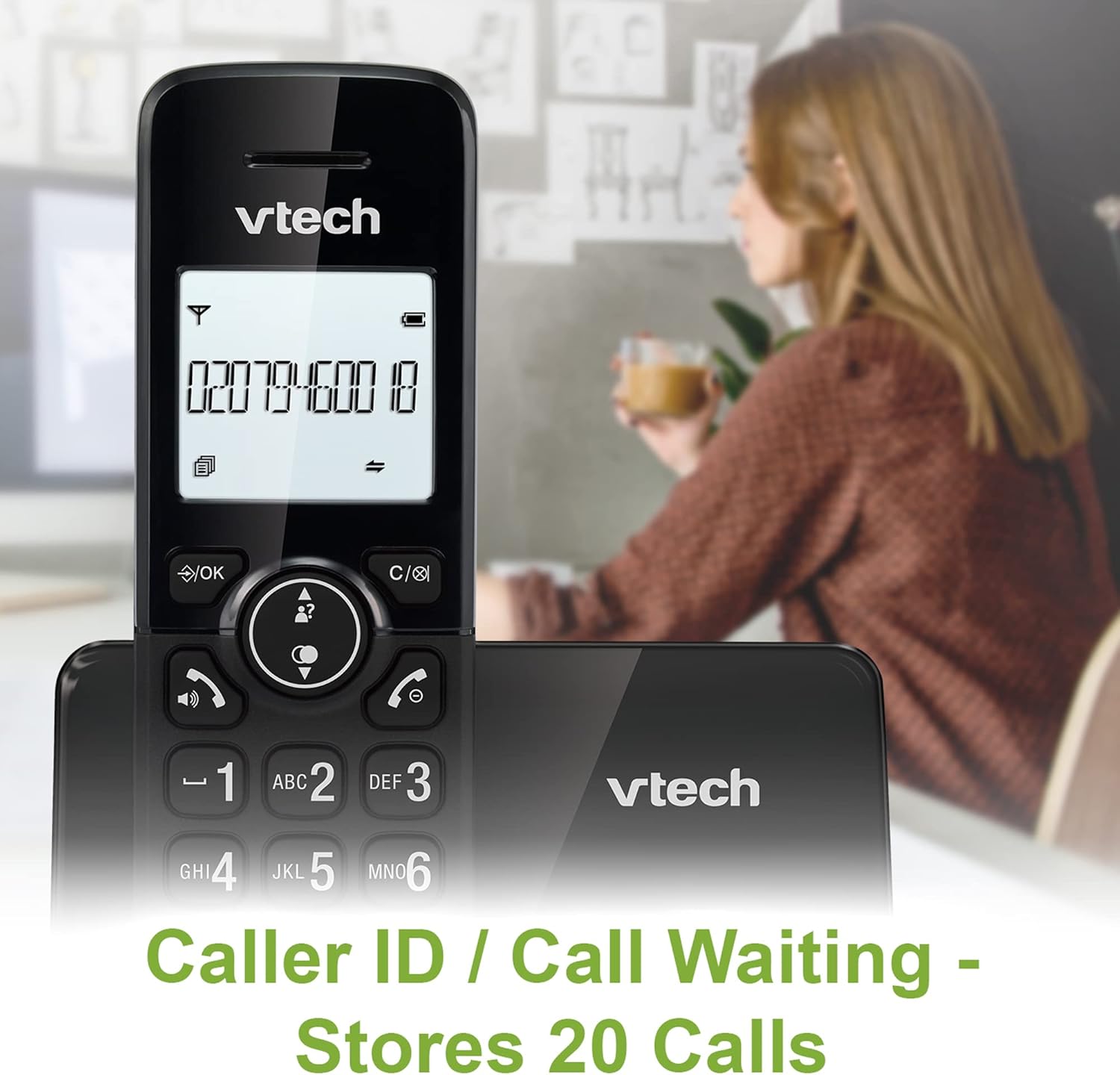
Image: A VTech CS2001 handset is positioned on its base, with its screen clearly displaying a phone number, illustrating the Caller ID feature. A person is visible in the blurred background.
4.5 1.8" Backlit Display
Each handset features a 1.8-inch backlit display, enhancing visibility and readability, especially in low-light conditions.

Imagine: Un prim-plan view of the VTech CS2001 handset's 1.8-inch backlit display, clearly showing the text "HANDSET 1", demonstrating its enhanced visibility.
4.6 Adjustable Ring Volume and Melody
Customize your phone experience by adjusting the ring volume and selecting from various melodies.

Image: A VTech CS2001 handset rests on a wooden table, with a graphic overlay highlighting the adjustable ring volume and melody features, allowing for personalized sound settings.
4.7 Modul ECO
The handset automatically adjusts the radio frequency strength based on its distance from the base station, optimizing power consumption.
4.8 Funcția de alarmă și dezactivare a sunetului
The phone includes an alarm function and a mute feature for privacy during calls.

Image: A split image visually represents the alarm and mute functions. One side shows a woman exercising with an alarm clock icon, while the other shows a couple relaxing with a music note icon, symbolizing the phone's versatile features.
5. Întreținere
- curatenie: Wipe the handsets and base unit with a soft, damp cloth. Do not use cleaning sprays or abrasive cleaners.
- Îngrijirea bateriei: Replace batteries when their performance significantly degrades. Use only NiMH battery packs specified for this model.
- Mediu: Keep the telephone away from heat sources, direct sunlight, and moisture.
6. Depanare
If you experience issues with your VTech CS2001, refer to the following common problems and solutions:
| Problemă | Soluţie |
|---|---|
| Fără ton de apel |
|
| Telefonul nu se încarcă |
|
| Calitate slabă a sunetului / Static |
|
| Nu pot efectua/primi apeluri |
|
7. Specificații
| Caracteristică | Detaliu |
|---|---|
| Marca | Vtech |
| Model | CS2001 |
| Tip de telefon | Fără fir (DECT) |
| Numărul de telefoane | 2 |
| Afişa | 1.8" Backlit |
| Capacitate agenda telefonică | 30 de nume și numere |
| Caller ID Records | 20 de nume și numere |
| Call Blocker Capacity | Până la 30 de numere |
| Reapelarea ultimului număr | 10 de înregistrări |
| Sursa de alimentare | Battery Powered (AC adaptors for base/chargers) |
| Tip baterie | NiMH (2 AAA batteries per handset, included) |
| Benzile radio acceptate | 1.9 GHz (DECT) |
| Gama în aer liber | Până la 300 m |
| Greutatea articolului | 680 g |
| Culoare | Negru |
8. Garanție și asistență
For warranty information and technical support, please refer to the documentation included with your product or visit the official VTech webPăstrați bonul fiscal ca dovadă a achiziției.


