MARKLIFE Label Maker Machine User Manual
Model: P50 | Brand: MARKLIFE
Produs terminatview
The MARKLIFE P50 Label Maker is a mini portable Bluetooth thermal label printer designed for various labeling needs in homes, offices, and small businesses. It utilizes thermal printing technology, eliminating the need for ink or toner, and supports black and white printing.
Caracteristicile cheie includ:
- Aplicație largă: Supports label widths from 0.59'' to 2.24'', suitable for address, clothing, price, cable, jewelry, and ingredient labels.
- Fără fir și portabil: Lightweight design with Bluetooth 4.0 connectivity for convenient, smooth, and fast printing from smartphones (Android & iOS) within 33 feet.
- Smart Printing Features: Offers voice and image recognition, barcode generation from scans, PDF batch printing, and the ability to print photos on labels. USB connection and online software are available for Windows PC.
- Etichete rezistente: Labels are designed to be tear-proof, watertight, and oil-proof, ensuring longevity.
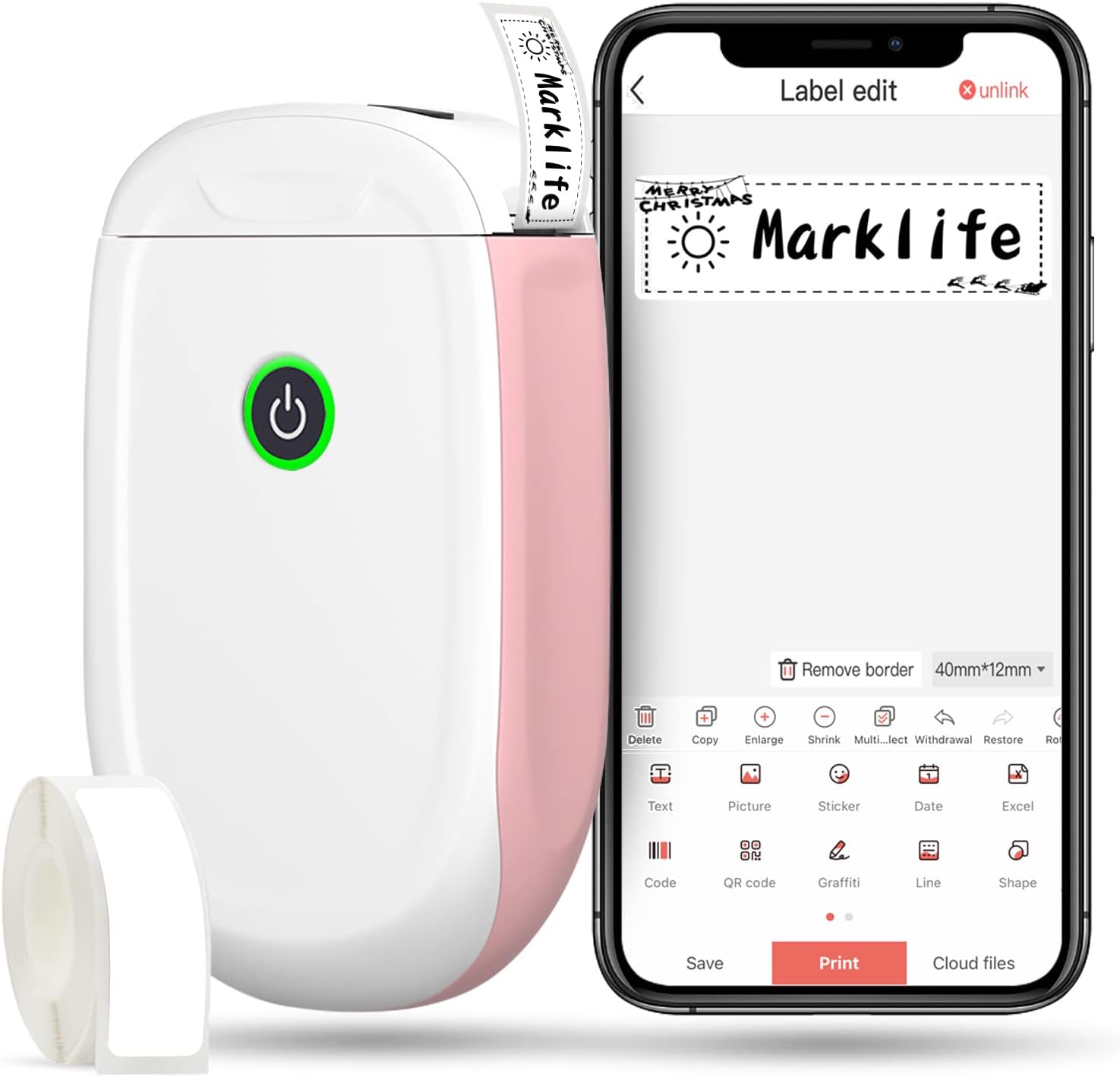
Figure 1: MARKLIFE P50 Label Maker and companion app.
Ghid de instalare
Follow these steps to set up your MARKLIFE P50 Label Maker:
- Load Label Paper: Open the cover and insert the label roll with the printing side facing up. Close the cover securely.
- Descărcați aplicația: Caută "Marklife" in your smartphone's app store (available for Android and iOS) and install it.
- Activați Bluetooth: Activați Bluetooth pe smartphone-ul dvs.
- Conectați-vă la dispozitiv: Open the Marklife app, turn on the labeler, and connect to the device via Bluetooth. The device name will typically start with "P11" or "P50".

Figure 2: Quick setup guide for the Marklife P50.
Video 1: Demonstrates the setup and basic usage of the Marklife P11 (similar to P50) label maker, including loading paper, connecting via Bluetooth, and printing a label.
Instrucțiuni de operare
Once connected, you can begin creating and printing labels:
- Choose a Template: In the Marklife app, select from various pre-designed templates or start a new blank label.
- Edit Label Content: Double-click on the label area to input text. You can customize font, size, alignment, and add elements like images, icons, dates, or barcodes.
- Preview și imprimați: Înainte de imprimare, preview your label to ensure it looks as desired. Then, tap the "Print" button to send the design to the label maker.
- Caracteristici avansate:
- Barcode/QR Code: Generate barcodes or QR codes directly from the app. Example barcode: 46745875478655
- Image Recognition (OCR): Use your phone's camera as an OCR scanner within the app to convert text from images into editable label content.
- Imprimare în lot: Print multiple labels from a PDF or a list for efficiency.
- Personalizare: Access over 600 combinations of templates, 9 languages, 600+ symbols, 27+ frames, and 15+ fonts.

Figure 3: Customize your own labels with various design elements.

Figure 4: Many designing items available in the app.
Întreţinere
To ensure the longevity and optimal performance of your MARKLIFE P50 Label Maker, follow these maintenance guidelines:
- curatenie: Regularly wipe the exterior of the device with a soft, dry cloth. For the print head, use a cotton swab lightly dampened with rubbing alcohol, ensuring the device is off and disconnected from power. Allow it to dry completely before use.
- Depozitare: Depozitați aparatul de etichetat într-un loc răcoros și uscat, ferit de lumina directă a soarelui și de temperaturi extreme.
- Îngrijirea rolei de etichete: Keep unused label rolls in their original packaging to protect them from dust and moisture.
- Îngrijirea bateriei: For optimal battery life, charge the device regularly, even if not in frequent use. Avoid completely draining the battery for extended periods.

Figure 5: Thermal printing technology requires no ink, simplifying maintenance.

Figure 6: Labels are designed for durability and resistance to water and oil.
Depanare
If you encounter issues with your MARKLIFE P50 Label Maker, try the following solutions:
| Problemă | Cauza posibila | Soluţie |
|---|---|---|
| Dispozitivul nu pornește. | Baterie descărcată. | Încărcați dispozitivul folosind cablul USB furnizat. |
| Nu se poate conecta prin Bluetooth. | Bluetooth is off on phone/device, or device is out of range. | Ensure Bluetooth is enabled on your phone and the label maker is within 33 feet. Restart both devices. |
| Calitate slabă a imprimării sau etichete goale. | Incorrect label paper loading, dirty print head, or low battery. | Re-load label paper correctly. Clean the print head. Charge the device. |
| Aplicația se blochează sau se blochează. | Software glitch or outdated app version. | Restart the app. Check for app updates in your app store. Reinstall the app if necessary. |
| Labels not feeding correctly. | Paper jam or incorrect paper type. | Open the cover and clear any jammed paper. Ensure you are using compatible Marklife label rolls. |
Specificații
| Caracteristică | Detaliu |
|---|---|
| Numele modelului | P50 |
| Marca | MARKLIFE |
| Tehnologia de imprimare | Termic |
| Tehnologia de conectivitate | Bluetooth |
| Ieșire imprimantă | Monochrome (Black ink) |
| Viteză maximă de imprimare (monocrom) | 30 ppm |
| Dimensiune maximă media | 3 x 5 inchi |
| Interval de lățime a etichetei | 0.59'' - 2.24'' |
| Greutatea articolului | 9.6 uncii (272 grame) |
| Dimensiunile produsului | 3.14 x 5.5 x 1.18 inci (aprox. 7.5 x 13.6 x 2.8 cm) |
| Dispozitive compatibile | Android & iOS mobile devices, Windows PC (via USB) |
| Componente incluse | Label Maker, Label Tape |
Aplicații
The MARKLIFE P50 Label Maker is versatile and can be used in various scenarios:
- Organizarea casei: Labeling spice jars, storage containers, baby items, and personal belongings.
- Utilizare la birou: Organizarea files, marking cables, labeling office tools, and creating name tags. Example barcode: 6953124066961
- Small Business: Creating price tags, product labels, barcode labels, and shipping labels for retail, clothing, and jewelry.
- Utilizare personală: Labeling gifts, creating custom stickers, and marking food expiration dates.
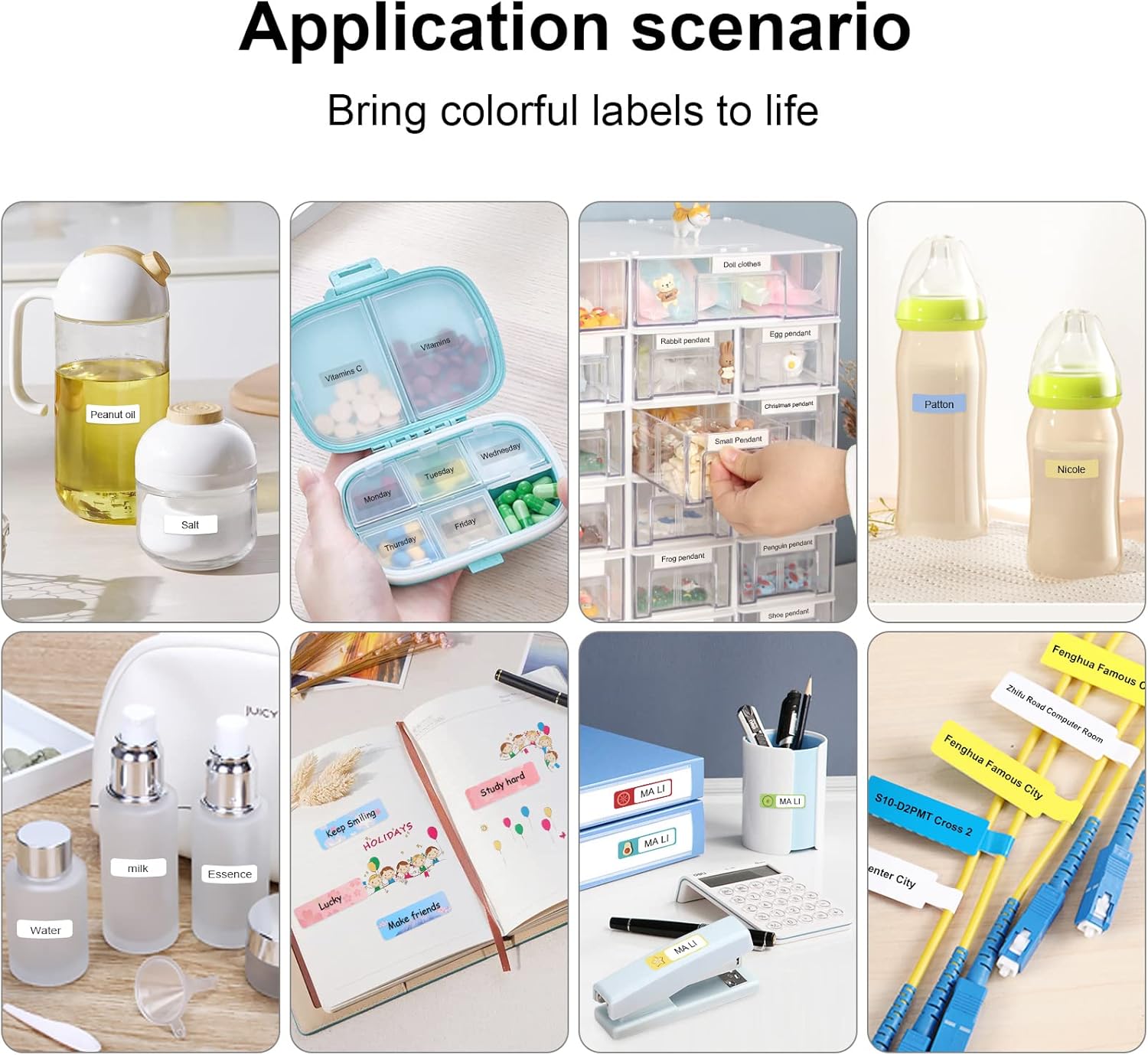
Figure 7: Diverse application scenarios for home and personal use.
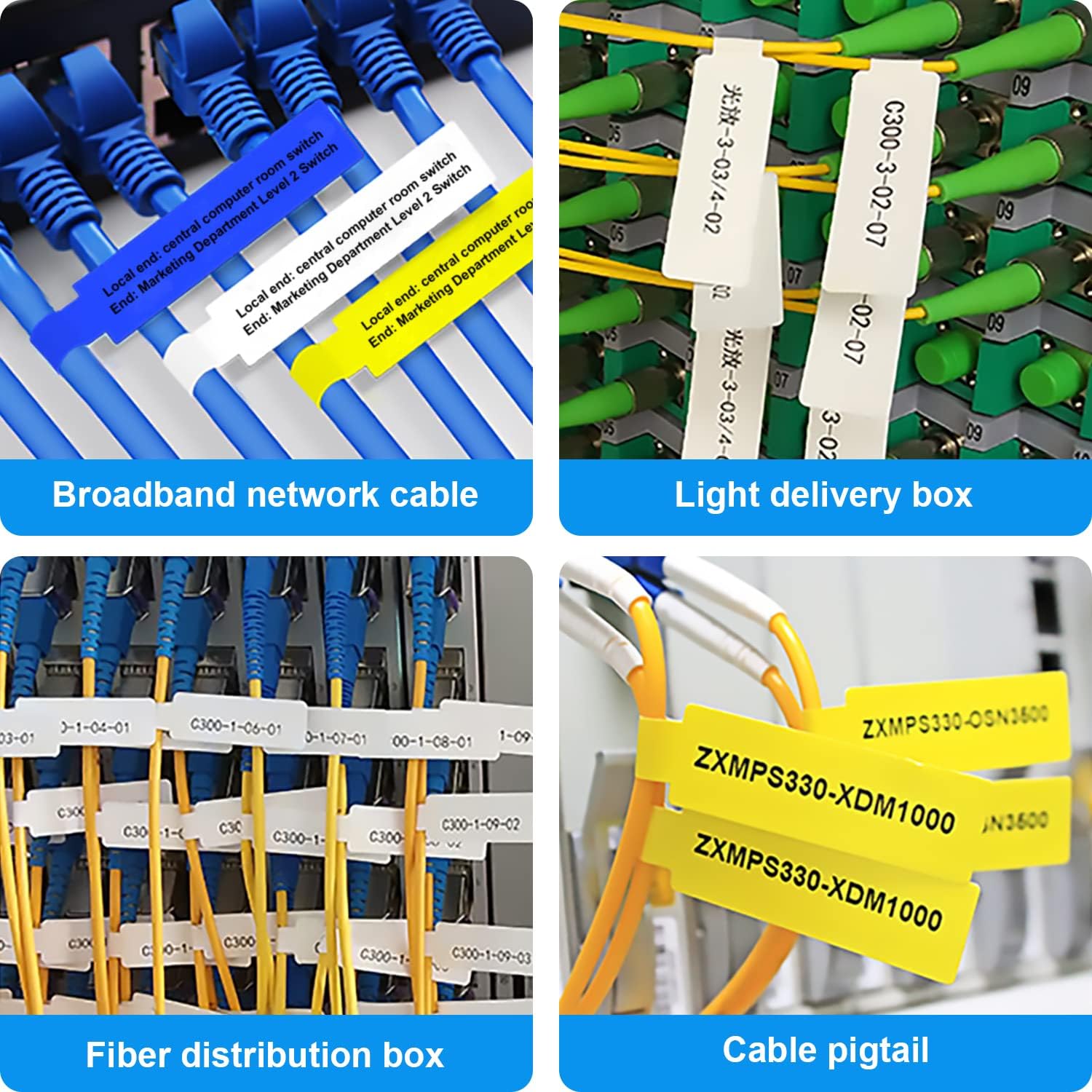
Figure 8: Labeling solutions for various types of cables and wiring.

Figure 9: Practical applications for office organization.

Figure 10: Creative uses for gift labeling.
Garanție și suport
MARKLIFE products are designed for reliability and performance. For specific warranty information and support, please refer to the warranty card included with your product or visit the official MARKLIFE website. For common inquiries, please consult the troubleshooting section of this manual or the FAQ section within the Marklife app.
You can also visit the official MARKLIFE store on Amazon for more information and product updates: MARKLIFE Store.


