1. Introducere
The Ruko U11S is a foldable mini FPV quadcopter designed for both beginners and experienced users, featuring a 4K camera, GPS auto return, and extended flight time. This manual provides essential information for the safe and optimal operation of your drone.
Experience the Ruko U11S in action:
Official Ruko U11S Foldable Drone promotional video, showcasincaracteristicile și ușurința în utilizare a acestuia.

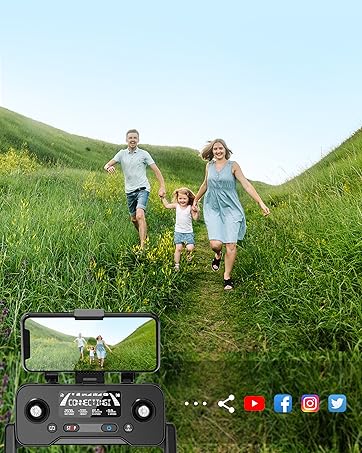
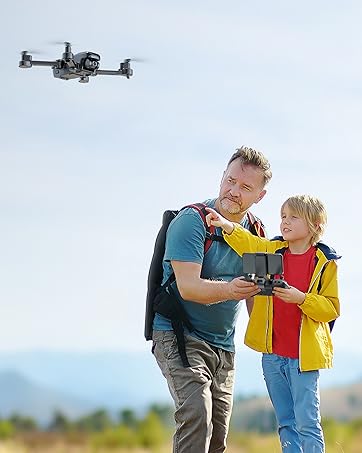
The Ruko U11S drone in flight, demonstrating its suitability for family activities and capturing memories.
2. Ce se află în cutie
Upon opening your Ruko U11S package, please verify that all the following components are included:
- Ruko U11S Drone (with Transmitter & Phone Holder) ×1
- Rechargeable Battery ×2
- Cablu USB tip C ×2
- Extra Propeller Blade ×4
- Husă de transport × 1
- Manual de utilizare ×1
- Șurubelniță × 1
- Șuruburi × 10
Contents of the Ruko U11S drone package.
3. Ghid de siguranță
Your Ruko U11S drone complies with FAA Declaration of Compliance for Remote ID. It is crucial to understand and adhere to all local regulations and safety guidelines before operating the drone. Registration may be required in your region. Always fly in open areas, away from people, animals, and obstacles.
For detailed safety information, please refer to the official Safety Information PDF: Informații de siguranță (PDF).
The Ruko U11S drone features a built-in Remote ID module for FAA compliance.
4. Configurare
4.1 Încărcarea bateriilor
Ensure both the drone batteries and the transmitter are fully charged before flight. Use the provided USB Type-C cables for charging. A full charge typically takes several hours.

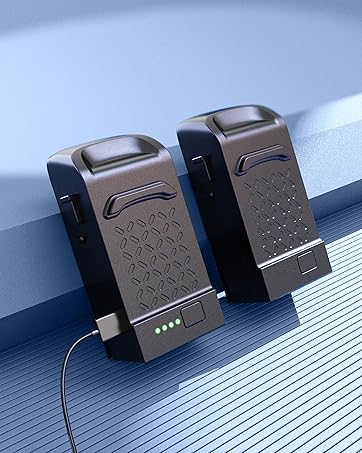
Ruko U11S drone batteries charging, providing up to 40 minutes of flight time with two batteries.

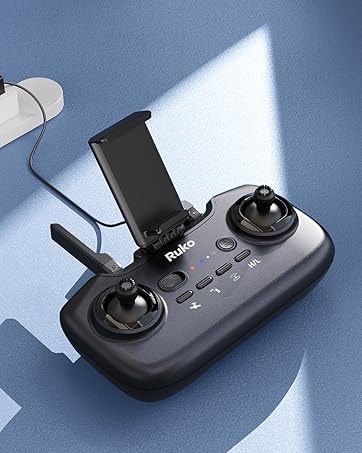
The rechargeable transmitter for the Ruko U11S drone, designed for easy operation.
4.2 Instalarea elicei
Attach the propellers according to the markings (A and B) on the propellers and motor arms. Ensure they are securely fastened.
4.3 Controller Setup & App Connection
- Extend the phone holder on the transmitter and securely place your smartphone.
- Download and install the 'RUKO GPS' app from your device's app store.
- Turn on the drone and then the remote controller.
- Connect your phone to the drone's Wi-Fi network (appears after drone and remote are linked).
- Open the RUKO GPS app to view the live feed and access flight controls.
4.4 Verificări înainte de zbor
Înainte de fiecare zbor, efectuați următoarele verificări:
- Asigurați-vă că bateriile sunt complet încărcate și introduse în siguranță.
- Check propellers for any damage and ensure they are correctly installed.
- Verify GPS signal strength (for outdoor flight) or optical flow positioning (for indoor flight).
- Confirm a stable Wi-Fi connection between your phone and the drone.
5. Operarea dronei
5.1 Comenzi de zbor de bază
The Ruko U11S features one-key functions for simplified operation:
- Pornire cu o singură cheie: Press the designated button to automatically launch the drone and hover at a safe altitude.
- Aterizare cu o singură tastă: Press the designated button to initiate an automatic landing sequence.
- Plutind: The drone will automatically maintain its altitude and position using GPS (outdoor) or Optical Flow (indoor) positioning.

The Ruko U11S offers beginner-friendly flight modes for easier control.
5.2 Moduri de zbor
- Poziționare GPS: For stable outdoor flight, the drone utilizes GPS to maintain precise position and altitude.
- Poziționarea fluxului optic: Provides safer and more stable flight indoors or in areas with weak GPS signals.
- Modul începător: Limits flight distance and altitude for new pilots, ensuring a safer learning experience.
5.3 Funcții inteligente de zbor
- Modul Urmăriți-mă: The drone will automatically follow the user, capturing dynamic footage.
- Point of Interest (Circle Fly): Set a point of interest, and the drone will autonomously circle around it, maintaining a set radius.
- Zbor la punctul de referință: Draw a custom flight path on the app screen, and the drone will follow the designated route.
- One-Key Return (RTH): The drone will automatically return to its takeoff point. This feature also activates in case of low battery or signal loss.
Intelligent flight modes like Follow-me and Point of Interest enhance the drone's capabilities.
Waypoint Fly allows custom flight paths, and multiple RTH modes ensure drone safety.
5.4 Funcționarea camerei
The Ruko U11S is equipped with a 4K UHD camera that can be adjusted 90 degrees for optimal viewing angles. Photos and videos are saved directly to your connected smartphone via the app.

The 4K UHD camera provides a broader vision and adjustable angle for capturing high-quality footage.
5.5 Live Transmission
The drone uses 5G Wi-Fi for live video transmission to your smartphone, providing a real-time view from the drone's perspective.
6. Întreținere
6.1 Îngrijirea bateriei
- Always use the Ruko charger for optimal performance.
- Avoid using chargers designed for other devices or those with an output higher than 12V.
- Nu supraîncărcați sau descărcați excesiv bateriile.
- Depozitați bateriile într-un loc răcoros și uscat atunci când nu sunt utilizate.
6.2 Curățare
Regularly clean the drone body and camera lens with a soft, dry cloth. Avoid using harsh chemicals or abrasive materials.
6.3 Depozitare
When not in use, fold the drone and store it in its high-grade carrying case to protect it from dust and damage. Store in a cool, dry environment.

The Ruko U11S drone's compact, foldable design makes it easy to pack and transport.
6.4 Înlocuirea elicei
If propellers are damaged, replace them with the extra propeller blades provided in the kit. Use the included screwdriver for installation.
7. Depanare
Iată câteva probleme comune și posibilele lor soluții:
| Problemă | Soluţie |
|---|---|
| Wi-Fi network not appearing. | Ensure the drone and remote controller are linked. It is recommended to connect your phone to Wi-Fi before entering the RUKO GPS app. |
| Difficulty refreshing Wi-Fi. | This may occur in environments with many Wi-Fi networks. Try moving to an area with less interference. |
| Wi-Fi disconnected during flight. | Turn on flight mode on your phone and turn off VPN. Disconnection can also be caused by surrounding signal interference or obstacles. Fly in an open environment. |
| Drone unstable or drifting. | Perform IMU calibration. Ensure you are flying in an open area with strong GPS signal (for outdoor flight) or clear ground for optical flow (for indoor flight). Check for propeller damage. |
| Poor camera image quality. | Ensure the camera lens is clean. Check lighting conditions. |
8. Specificații
| Caracteristică | Detaliu |
|---|---|
| Marca | RUKO |
| Numele modelului | U11S |
| Rezoluție captură video | 4K UHD 2160p |
| Tehnologia de conectivitate | Wi-Fi (5G) |
| Timp de zbor | Până la 20 de minute per baterie (40 de minute în total cu 2 baterii) |
| Capacitatea bateriei | 1200 Miliamp Ore |
| Greutatea articolului | 270 de grame (9.5 uncii) |
| Dimensiunile produsului | 9.06 cm L x 7.68 cm l x 2.36 cm Î |
| Nivel de calificare | Începător |
| Caracteristici speciale | Extended Flight Time, Portable, Speed Adjustment, One-Button Return, Compliance with FAA Remote ID, Follow Me, Circle Fly |
| Material | High-strength ABS plastic and fiberglass |
9. Garanție și asistență
Ruko products are designed for reliability and performance. For any operational difficulties or warranty inquiries, please contact the Ruko Customer Support team. Details regarding specific warranty periods and terms are typically provided with your purchase documentation.
Ruko Customer Support:
- Telefon: +1 (888) 892-0155
- Email: service@rukotoy.com
- Operating Hours: Mon-Fri: 8 AM to 2 AM (next day) PST; Sat-Sun: 8 AM to 5 PM (PST)


