Introducere
The Amazon Fire HD 8 tablet is designed for portable entertainment and productivity. Featuring an 8-inch HD display and a faster hexa-core processor, it offers an enhanced experience for reading, browsing, watching videos, and listening to music. This manual provides essential information for setting up, operating, maintaining, and troubleshooting your device.

Image: The Amazon Fire HD 8 tablet, highlighting its compact and portable design.
Înființat
Ce este în cutie
- Tabletă Fire HD 8
- Cablu USB-C (2.0)
- Adaptor de alimentare de 5W
- Ghid de pornire rapidă
Încărcare inițială
Before first use, fully charge your Fire HD 8 tablet. Connect the USB-C cable to the tablet's USB-C port and the 5W power adapter to a wall outlet. A full charge takes approximately 5 hours with the included adapter. For faster charging, a 9W adapter (under 3 hours) or a 15W adapter with a USB-C to C cable (under 2.5 hours) can be purchased separately.
Pornire și configurare inițială
Press and hold the power button until the Amazon logo appears. Follow the on-screen prompts to select your language, connect to a Wi-Fi network, and register your device with your Amazon account. This process will guide you through setting up your device preferences.
Utilizarea tabletei Fire HD 8
Navigație și interfață
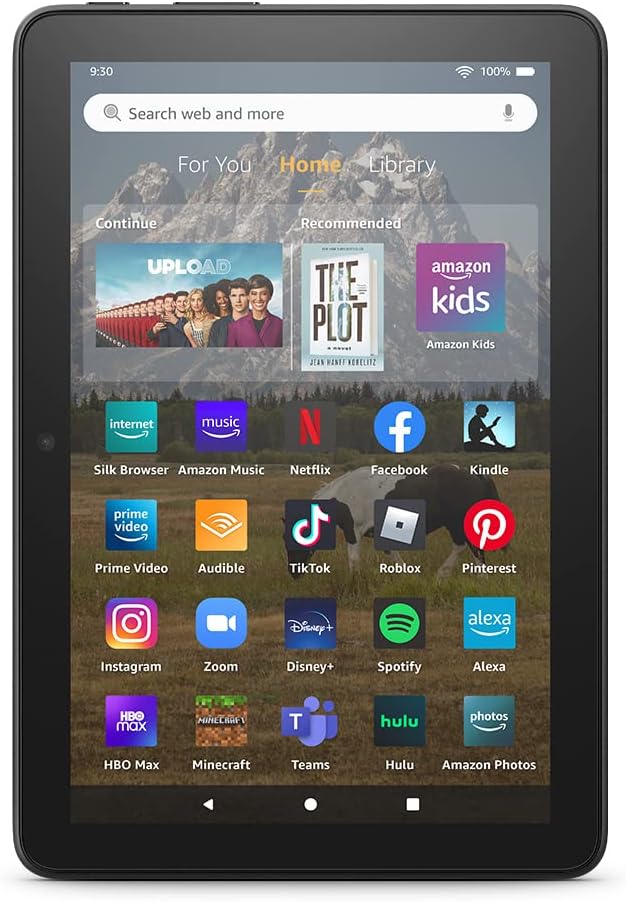
Image: The Fire HD 8 home screen, showing the intuitive Fire OS interface with quick access to apps and content.
The Fire HD 8 runs on Fire OS, providing a user-friendly interface. Swipe down from the top of the screen to access quick settings and notifications. The home screen features a "For You" section with personalized content, a "Home" tab for your apps, and a "Library" tab for quick access to recently viewed content like Kindle books or website-uri.
Entertainment and Apps
Stream or download your favorite shows and movies from services like Prime Video, Netflix, Disney+, and HBO. Access a wide range of apps through Amazon's Appstore, including Facebook, Hulu, Instagram, and TikTok. Note that Google Play is not supported, and some apps may require a subscription.
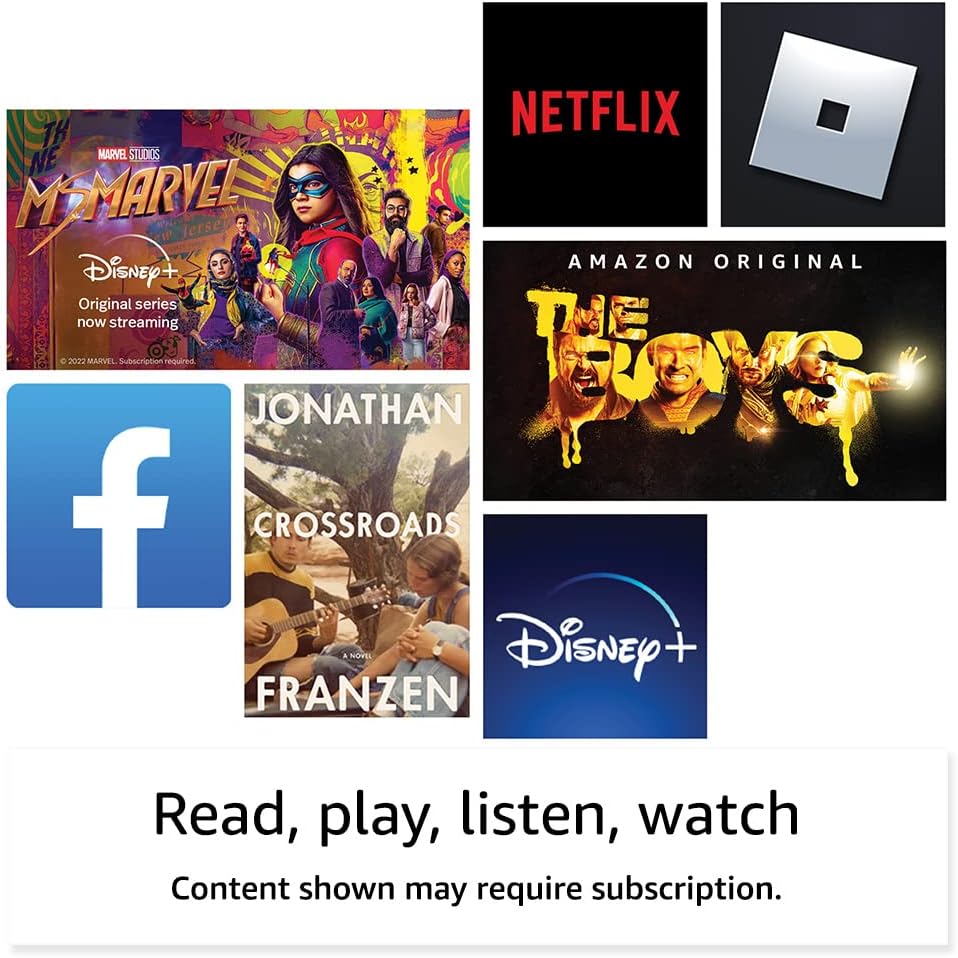
Imagine: Examples of popular streaming services and content accessible on the Fire HD 8 tablet.
Reading and Audio
Enjoy reading e-books with the vibrant 8-inch HD display. The tablet also features integrated speakers and a 3.5 mm stereo jack for audio. You can listen to music, podcasts, and Audible books.

Image: The Fire HD 8 tablet is ideal for reading e-books anywhere.

Image: Using Alexa to control audio playback on the Fire HD 8 tablet.
Integrare Alexa
Your Fire HD 8 tablet comes with Alexa built-in. Ask Alexa to play music, get news and weather updates, manage shopping lists, set reminders, and control smart home devices. You can also make video calls to friends and family using apps like Zoom.
Parental Controls with Amazon Kids
Amazon Kids offers easy-to-use parental controls, allowing you to manage content access and screen time. Subscribe to Amazon Kids+ for access to thousands of curated books, apps, games, videos, and Audible books suitable for children.

Image: The Fire HD 8 tablet is suitable for family use, especially with Amazon Kids features.
Întreţinere
Curățarea tabletei
To clean your Fire HD 8 tablet, use a soft, lint-free cloth. For stubborn smudges, slightly dampClătiți laveta cu apă. Evitați utilizarea de produse de curățare abrazive, solvenți sau spray-uri cu aerosoli direct pe dispozitiv.
Îngrijirea bateriei
The tablet offers up to 13 hours of battery life for mixed use. To prolong battery lifespan, avoid extreme temperatures and fully discharging the battery frequently. Charge the device using the provided adapter or a compatible USB-C charger.
Managementul stocării
Your Fire HD 8 comes with either 32 GB or 64 GB of internal storage. You can expand storage up to 1 TB using a microSD card. Regularly review și ștergeți inutilul files or apps to optimize performance. Some apps may require installation on internal storage.
Depanare
Probleme comune și soluții
| Emisiune | Soluţie |
|---|---|
| Dispozitivul nu pornește | Ensure the tablet is fully charged. Press and hold the power button for 20-30 seconds to perform a hard reset. |
| Probleme de conexiune Wi-Fi | Verificați dacă Wi-Fi-ul este activat în setări. Reporniți routerul și tableta. Uitați de rețea și reconectați-vă. |
| Aplicațiile se blochează sau se blochează | Close and reopen the app. Clear the app's cache in settings. Restart the tablet. Ensure sufficient storage space. |
| Performanță lentă | Close unused apps. Clear cache and data for frequently used apps. Free up internal storage. Restart the device regularly. |
Pentru depanare mai detaliată sau probleme persistente, vizitați Asistența pentru dispozitive Amazon. website sau contactați serviciul clienți Amazon.
Specificații

Image: Size comparison of various Amazon Fire tablet models, including the Fire HD 8.
| Caracteristică | Detaliu |
|---|---|
| Afişa | 8” high-definition touchscreen; 1280 x 800 resolution at 189 ppi, HD video playback, with IPS technology |
| Dimensiune | 7.94” x 5.40” x 0.37” (201.90 mm x 137.34 mm x 9.60 mm) |
| Greutate | 11.88 uncii (337 grame) |
| CPU și RAM | Hexa-core de 2.0 GHz cu 2 GB de RAM |
| Depozitare | 32 GB or 64 GB internal storage; microSD slot for up to 1 TB additional storage |
| Durata de viață a bateriei | Up to 13 hours of mixed use |
| Timp de încărcare | Under 5 hours (5W adapter); Under 3 hours (9W adapter); Under 2.5 hours (15W adapter) |
| Conectivitate Wi-Fi | Dual-band 802.11a/b/g/n/ac (Wi-Fi 6 not supported) |
| Porturi | Conector USB-C (2.0), slot microSD |
| Audio | 3.5 mm stereo jack, integrated speakers |
| Camere de luat vederi | 2 MP front-facing, 2 MP rear-facing with 720p HD video recording |
| Bluetooth | Bluetooth încorporat 5.2 |
| Generaţie | A 12-a generație - lansare 2022 |
Caracteristici de accesibilitate
The Fire HD 8 tablet includes various accessibility features to personalize the device for different needs. These can be found under Setări → Accesibilitate.
- VoceView cititor de ecran: Enables access for users who are blind or visually impaired.
- Lupă de ecran: Allows users to zoom in/out and pan around the screen.
- Atingeți pentru Alexa: Provides access to Alexa via touch through on-screen tiles or a keyboard, including saving favorite actions.
- Acces prin comutare: Enables access for users with motor impairments via compatible Bluetooth devices.
- Citire cu voce tare pe Kindle: Alexa îți poate citi cărțile Kindle cu voce tare.
- Additional features include settings for Closed Captioning, Font Size, Display Size, High Contrast Text, Color Inversion, Color Correction, and Convert Stereo to Mono audio.
Garanție și suport
Informații despre garanție
Your Fire HD 8 tablet comes with a 90-day limited warranty and service. Optional 1-year, 2-year, and 3-year extended warranties are available for U.S. customers and are sold separately. Use of the Fire HD 8 tablet is subject to Amazon's Conditions of Use and related terms.
Actualizări de securitate software
This device receives guaranteed software security updates for at least four years after it is last available for purchase as a new unit on Amazon website-uri. Pentru informații specifice dispozitivului dvs., vizitați Gestionați-vă conținutul și dispozitivele.
Asistență pentru clienți
For further assistance, visit the Amazon support website or contact Amazon customer service directly. You can find more information and support resources at amazon.com/devicesupport.


