1. Introducere
This manual provides detailed instructions for the setup, operation, and maintenance of your SKYWORTH T1 WiFi Bluetooth Projector. Please read this manual thoroughly before using the product to ensure proper function and to prevent damage.
The SKYWORTH T1 projector offers Native 1080P Full HD resolution with 4K support, 400 ANSI lumens brightness, and versatile connectivity options including WiFi and Bluetooth. It is designed for various entertainment and presentation needs.
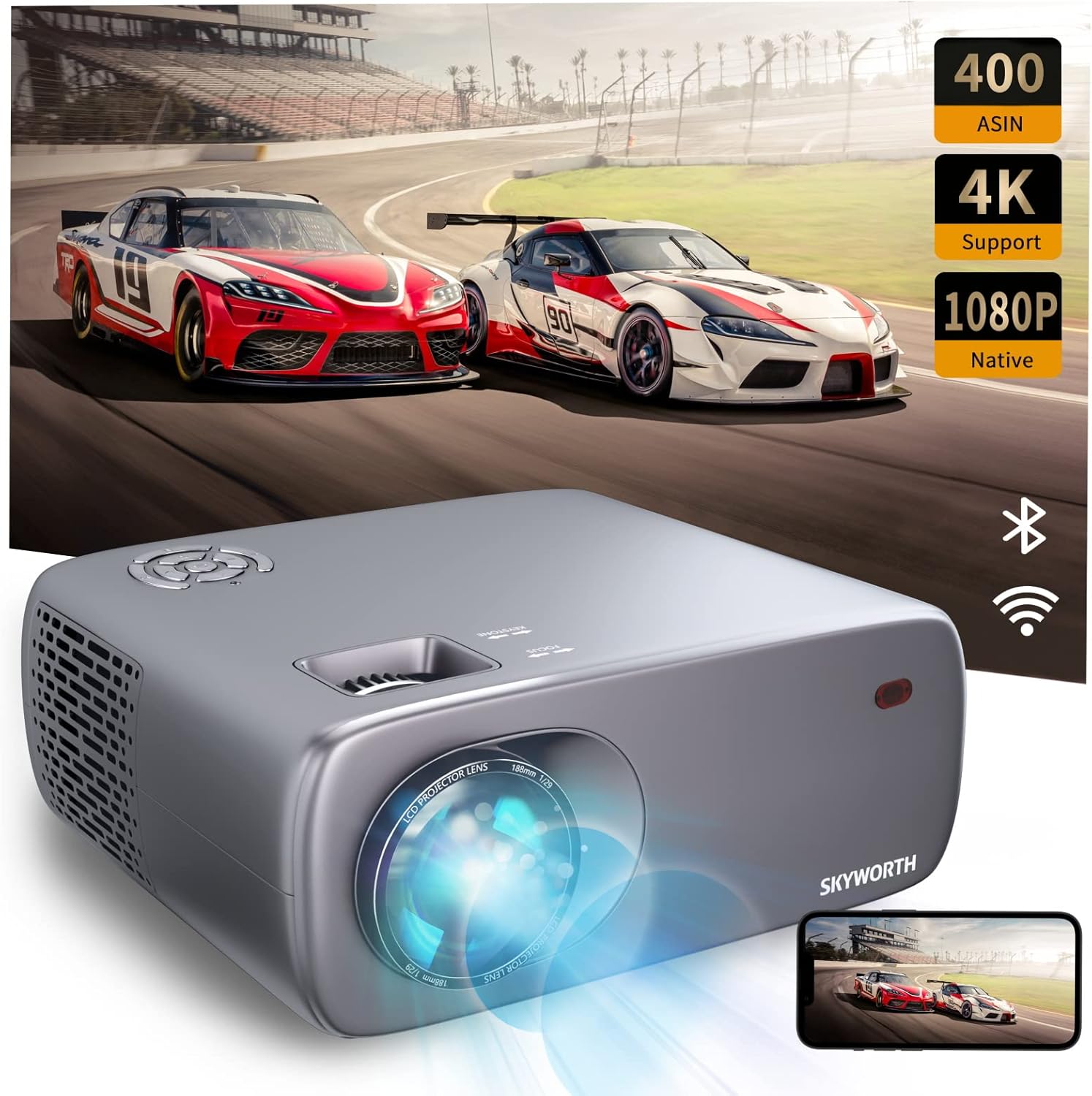
Image: The SKYWORTH T1 Projector, showcasing its capabilities with a vibrant projected image.
2. Caracteristicile produsului
2.1. Afișaj de înaltă definiție
The T1 projector delivers a Native 1080P Full HD resolution, supporting 4K content for clear and detailed images. With 400 ANSI lumens, it provides sufficient brightness for various viewing environments. The projector also features an 80% NTSC color gamut for accurate and vivid color reproduction.

Image: High-definition projection from the SKYWORTH T1, emphasizing 1080P Full HD, 4K support, and 400 ANSI lumens.

Image: Visual representation of the projector's 80% NTSC color gamut for enhanced color accuracy.
2.2. Conectivitate versatilă
The projector supports multiple connection methods:
- Wifi: For wireless screen mirroring from compatible devices (iOS Cast, Miracast).
- Bluetooth: For connecting to external audio devices such as speakers or headphones.
- HDMI: Two HDMI 1.4 ports for connecting media players, gaming consoles, or laptops.
- USB: Two USB 2.0 ports for playing media directly from USB drives.
- DE: One AV port for connecting older devices.
- Cască: One 3.5mm earphone jack for private listening.

Imagine: Detaliată view a porturilor de intrare și ieșire ale proiectorului.

Image: The projector highlighting its Bluetooth connection capabilities with a remote control.
2.3. Ajustarea imaginii
The T1 projector includes advanced image adjustment features to ensure a perfect display:
- Corecție trapezoidală 4D/4P: Adjusts vertical and horizontal angles up to ±40° to correct distorted images from off-axis projection.
- Funcție de zoom 50%: Allows you to reduce the screen size without moving the projector, providing flexibility in placement.

Image: Visual explanation of 4D/4P keystone correction for ideal image alignment.

Image: Diagram demonstrating the 50% zoom capability for flexible screen sizing.
2.4. Audio and Cooling
- Difuzor încorporat: Features a 5W HIFI speaker for integrated audio.
- Low-Noise Cooling: Equipped with a low-noise radiator dual fan system to minimize operational sound.

Image: Diagram illustrating the internal 5W HIFI speaker.
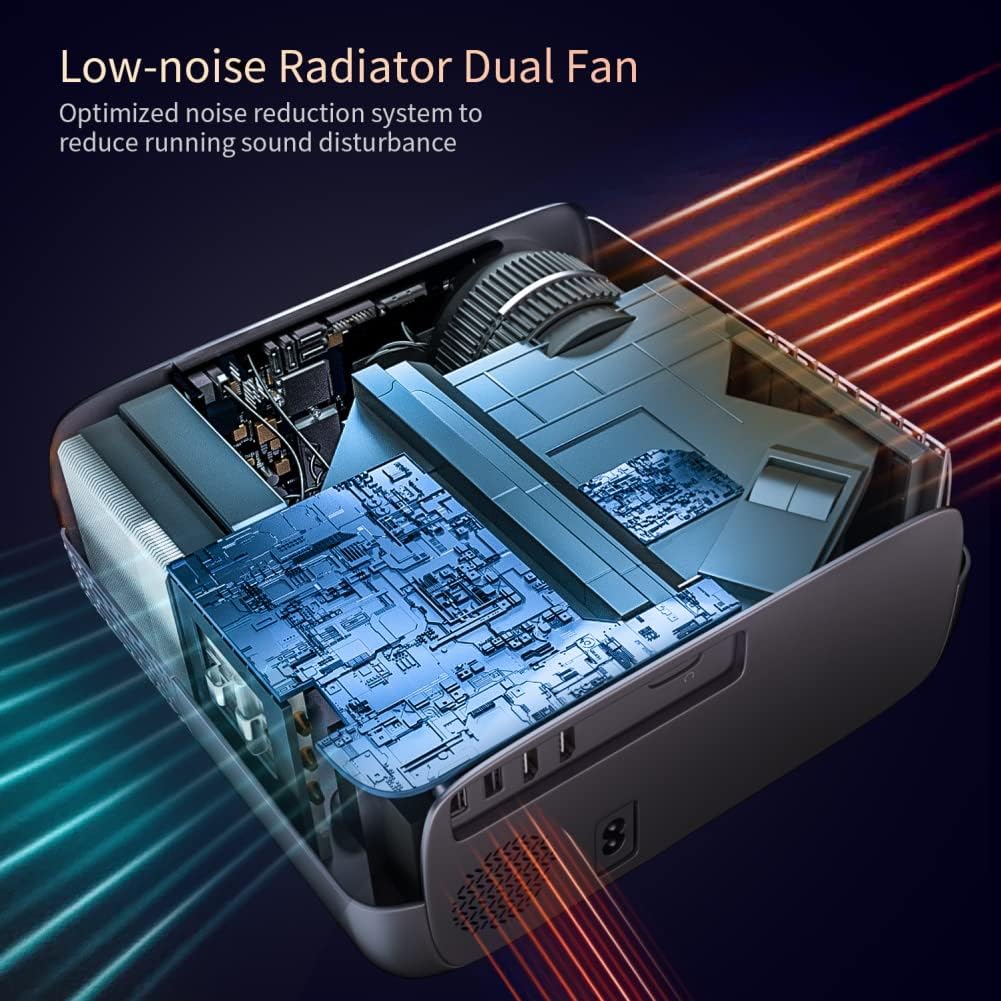
Imagine: Internă view of the projector's low-noise dual fan cooling system.
2.5. Produs terminatview Video
Video: Un pesteview of the SKYWORTH T1 400 ANSI Lumens Projector, highlighting its WiFi and Bluetooth capabilities.
3. Ghid de instalare
3.1. Despachetare și componente
Scoateți cu grijă toate componentele din ambalaj. Asigurați-vă că sunt prezente următoarele articole:
- SKYWORTH T1 Projector
- Telecomanda
- Cablu de alimentare
- Cablu AV
- Manual de utilizare (acest document)
3.2. Plasare
Poziționați proiectorul pe o suprafață stabilă și plană. Pentru o funcționare optimă viewing, ensure the projector lens is perpendicular to the projection surface (wall or screen). Refer to the projection distance chart for recommended distances based on desired screen size.

Image: Recommended projection distances for different screen sizes.
3.3. Conexiune la alimentare
- Conectați cablul de alimentare la portul de intrare al proiectorului.
- Conectați celălalt capăt al cablului de alimentare la o priză.
- Apăsați butonul de alimentare de pe proiector sau de pe telecomandă pentru a-l porni.
3.4. Focalizarea și reglarea trapezului
After powering on, adjust the focus and keystone correction for a clear, rectangular image.
- Focus: Rotate the focus ring on the projector lens until the image appears sharp.
- Cheie: Use the keystone adjustment controls (manual or digital via remote) to correct any trapezoidal distortion, ensuring the image is perfectly rectangular. The T1 supports 4D/4P keystone correction up to ±40°.
4. Instrucțiuni de utilizare
4.1. Selectarea sursei
Use the 'Source' button on the remote control or the projector's control panel to select the desired input source (HDMI1, HDMI2, USB1, USB2, AV, or Screen Mirroring).
4.2. Oglindirea ecranului fără fir
Proiectorul acceptă oglindirea wireless a ecranului pentru dispozitive iOS și Android.
- For iOS devices (iOS Cast): Select 'iOS Cast' from the main menu. Ensure your iOS device and the projector are connected to the same Wi-Fi network. On your iOS device, open Control Center and select 'Screen Mirroring', then choose the projector from the list.
- Pentru dispozitive Android (Miracast): Select 'Miracast' from the main menu. Ensure your Android device's wireless display feature (often called 'Smart View', 'Screen Cast', or 'Wireless Display') is enabled. Select the projector from the available devices.
Nota:
- Due to copyright restrictions, streaming services like Netflix, Amazon Prime Video, and Hulu may not support direct screen mirroring from mobile devices. For these services, it is recommended to use a TV Stick (e.g., Amazon Fire Stick, Roku) connected via HDMI.
- Bluetooth only supports audio transmission, not video.
4.3. Conexiune audio Bluetooth
To connect external Bluetooth speakers or headphones:
- Asigurați-vă că dispozitivul audio Bluetooth este în modul de asociere.
- Pe proiector, navigați la meniul de setări Bluetooth.
- Selectați dispozitivul din lista de dispozitive Bluetooth disponibile pentru asociere.
4.4. Utilizarea telecomenzii
The included remote control allows you to navigate menus, adjust settings, change input sources, and control media playback. Ensure batteries are correctly inserted.
5. Întreținere
5.1. Curățarea lentilei
Folosiți o lavetă moale, fără scame, special concepută pentru lentile optice, pentru a șterge ușor lentila proiectorului. Evitați utilizarea de produse de curățare abrazive sau forța excesivă, deoarece acestea pot zgâria lentila.
5.2. Cleaning the Vents
Regularly clean the air vents to ensure proper airflow and prevent overheating. Use a soft brush or a vacuum cleaner with a brush attachment to remove dust from the vents.
5.3. Depozitare
Când nu utilizați proiectorul pentru perioade lungi de timp, depozitați-l într-un loc răcoros și uscat, ferit de lumina directă a soarelui și de temperaturi extreme. Folosiți ambalajul original sau o carcasă de protecție pentru a preveni acumularea de praf și deteriorarea acestuia.
6. Depanare
- No Image or Blurry Image:
- Check the focus ring on the lens.
- Adjust keystone correction to ensure a rectangular image.
- Verify the input source is correctly selected and the external device is powered on.
- Ensure the projection distance is within the recommended range. - Fără sunet:
- Check the volume settings on both the projector and the connected source device.
- If using Bluetooth audio, ensure the device is properly paired and connected.
- If using HDMI, ensure the audio output settings on your source device are correct. - Nu mă pot conecta la WiFi/Bluetooth:
- Ensure the projector's WiFi and Bluetooth functions are enabled.
- For WiFi, verify the network password is correct and the signal is strong.
- For Bluetooth, ensure the external device is in pairing mode and within range. - Telecomanda nu răspunde:
- Check and replace the batteries in the remote control.
- Ensure there are no obstructions between the remote and the projector's IR receiver.
7. Specificatii tehnice
| Caracteristică | Caietul de sarcini |
|---|---|
| Marca | Skyworth |
| Numărul de model | T1 |
| Greutatea articolului | 6.76 lire sterline |
| Dimensiunile produsului | 10.2 x 9.6 x 4.3 inci |
| Rezoluția afișajului | 1920 x 1080 (Nativ) |
| Rezoluția afișajului maximă | 1920 x 1080 (Supports 4K input) |
| Luminozitate | 400 ANSI Lumens |
| Tehnologia de conectivitate | Bluetooth, HDMI, USB, WiFi |
| Tip difuzor | Built-In, Stereo (5W HIFI) |
| Corecție corecție | 4D/4P, ±40° |
| Funcția Zoom | 50% |
| Utilizări recomandate | TV Stick, Home Theater, Outdoor Projection |
8. Garanție și asistență
For warranty information, technical support, or service inquiries, please refer to the official Skyworth website-ul web sau contactați direct serviciul lor de asistență pentru clienți. Detaliile sunt de obicei furnizate pe ambalajul produsului sau pe paginile oficiale de asistență ale producătorului.


