Introducere
Thank you for choosing the JBL Cinema SB190 Soundbar. This manual provides essential information for setting up, operating, and maintaining your soundbar system. Please read it thoroughly to ensure proper use and optimal performance.
Informații importante privind siguranța
Always follow these basic safety precautions when using your soundbar system:
- Citiți cu atenție aceste instrucțiuni.
- Păstrați aceste instrucțiuni pentru referințe viitoare.
- Luați în considerare toate avertismentele.
- Urmați toate instrucțiunile.
- Nu utilizați acest aparat lângă apă.
- Curățați numai cu o cârpă uscată.
- Nu blocați niciun orificiu de ventilație. Instalați conform instrucțiunilor producătorului.
- Nu instalați lângă nicio sursă de căldură, cum ar fi calorifere, registre de căldură, sobe sau alte aparate (inclusiv ampliificatori) care produc căldură.
- Protejați cablul de alimentare să nu fie călcat sau ciupit, în special la prize, prize convenabile și la punctul de ieșire din aparat.
- Utilizați numai atașamente/accesorii specificate de producător.
- Deconectați acest aparat din priză în timpul furtunilor cu fulgere sau când nu este utilizat pentru perioade lungi de timp.
- Toate lucrările de întreținere se adresează personalului de service calificat. Întreținerea este necesară atunci când aparatul a fost deteriorat în vreun fel, cum ar fi cablul de alimentare sau ștecherul este deteriorat, s-a vărsat lichid sau au căzut obiecte în aparat, aparatul a fost expus la ploaie sau umezeală, nu funcționează normal , sau a fost abandonat.
Ce este în cutie
Your JBL Cinema SB190 package includes the following components:
- Soundbar
- Subwoofer fără fir
- Telecomanda cu baterii
- Power cords (region specific)
- cablu HDMI
- Kit suport de montare pe perete cu șuruburi
- Ghid de pornire rapidă
- Card de garantie
- Foaie de siguranță

Image: Included accessories for the JBL Cinema SB190, featuring the remote control, HDMI cable, power cords, and wall-mount hardware.
Produs terminatview
Soundbar Front and Top Panel

Imagine: față view of the JBL Cinema SB190 Soundbar, showcasing designul său elegant.
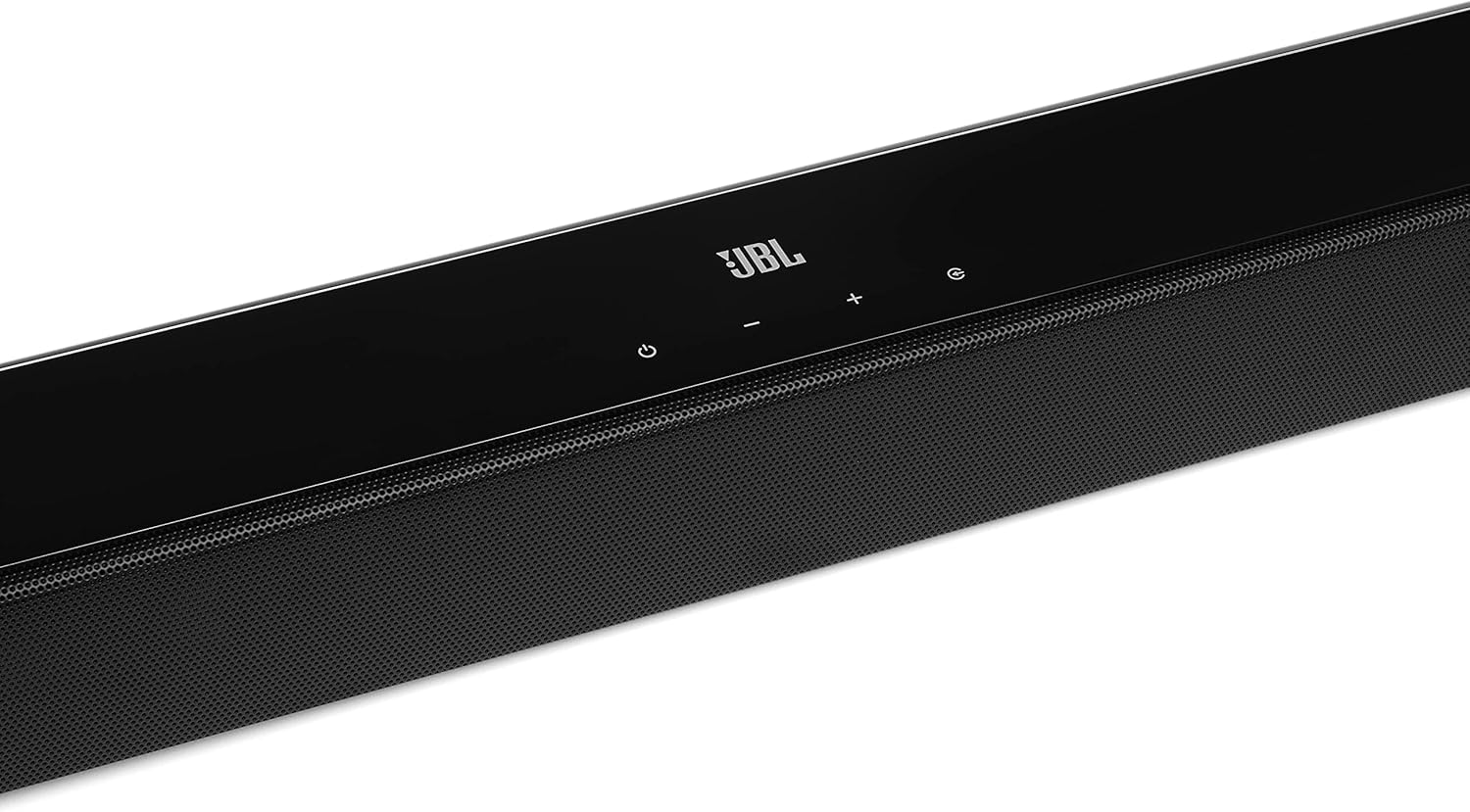
Image: Close-up of the top panel controls on the JBL Cinema SB190 Soundbar, including power, volume, and source selection buttons.
The soundbar features a minimalist design with essential controls located on the top panel for easy access. These include power, volume up/down, and input selection.
Conexiuni panou spate soundbar

Image: Rear panel of the JBL Cinema SB190 Soundbar, showing the power input, HDMI eARC, HDMI In, and Optical In ports.
The rear panel provides various connection options for your audio sources and TV, including HDMI eARC, HDMI In, and Optical In. A power input is also located here.
Subwoofer fără fir

Imagine: față view of the JBL Cinema SB190 Wireless Subwoofer, featuring the JBL logo at the bottom.

Imagine: Spate view of the JBL Cinema SB190 Wireless Subwoofer, showing the power input and pairing button.
The wireless subwoofer provides deep bass and connects automatically to the soundbar. Its rear panel includes the power input and a pairing button if manual pairing is required.
Telecomanda
The included remote control allows full command over your soundbar system, including power, volume, input selection, sound modes (Music, Movie, News), Voice enhancement, and Bass level adjustment.
Înființat
1. Plasare
Soundbar: Place the soundbar on a flat surface directly in front of your TV, centered. Ensure no objects obstruct the front of the soundbar. Alternatively, you can wall-mount the soundbar using the provided bracket kit.
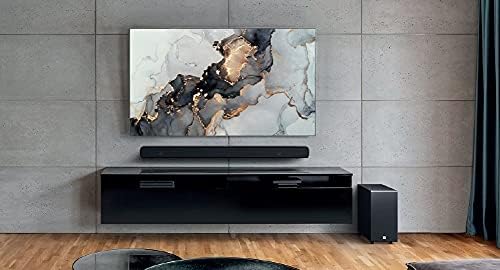
Image: The JBL Cinema SB190 Soundbar positioned below a television, with the wireless subwoofer to the side.
Subwoofer: The wireless subwoofer can be placed anywhere in the room, ideally within 50 feet (15 meters) of the soundbar, for optimal bass distribution. Avoid placing it in a corner directly, as this can sometimes lead to boomy bass.
2. Conexiuni
Choose one of the following connection methods to connect your soundbar to your TV:
- HDMI eARC (Recomandat): For the highest quality audio, connect an HDMI cable (included) from the HDMI eARC port on your soundbar to the HDMI eARC port on your TV. This connection supports Virtual Dolby Atmos and allows for TV remote control of the soundbar volume.

Image: HDMI icon, representing the HDMI eARC connection.
- Intrare optică: If your TV does not have an HDMI eARC port, connect an optical cable (not included) from the OPTICAL IN port on your soundbar to the optical output on your TV.

Image: TV icon, indicating connection to a television.
- Intrare HDMI: You can also connect an external device (e.g., Blu-ray player, game console) directly to the HDMI IN port on the soundbar. The video signal will pass through to your TV via the HDMI eARC/ARC connection.
3. Conexiune la alimentare
- Connect the power cords to the soundbar and subwoofer.
- Plug the power cords into an AC outlet.
- The soundbar and subwoofer will automatically power on and attempt to pair. The subwoofer's LED indicator will turn solid white once successfully paired.
Utilizarea soundbar-ului
Pornire/Oprire
Apăsați tasta Putere de pe soundbar sau de pe telecomandă pentru a porni sau a opri sistemul.
Controlul volumului
Utilizați Volumul + or Volum - butoanele de pe soundbar sau de pe telecomandă pentru a regla nivelul volumului.
Selectarea intrării
Apăsați tasta Sursă button on the soundbar or the dedicated input buttons (HDMI IN, HDMI ARC, OPT, BT) on the remote control to switch between audio sources.
Moduri de sunet
The remote control features dedicated buttons for optimizing audio for different content types:
- MUZICĂ: Enhances audio for music playback.
- FILM: Optimizes sound for cinematic experiences, including Virtual Dolby Atmos effects.
- ŞTIRI: Enhances vocal clarity for news and dialogue-heavy content.
Voice and Bass Adjustment
The remote control allows for fine-tuning of voice clarity and bass levels:
- VOCE: Press the VOICE button repeatedly to cycle through different levels of voice enhancement. This helps make dialogue clearer.
- BAS: Press the BASS button repeatedly to adjust the subwoofer's bass output level.
Asociere Bluetooth
Pentru a reda în flux audio fără fir de pe dispozitivul mobil:
- Apăsați tasta BT button on the remote control or soundbar. The soundbar's indicator will flash, indicating pairing mode.
- On your mobile device, enable Bluetooth and select "JBL Cinema SB190" from the list of available devices.
- Once connected, the indicator on the soundbar will turn solid. You can now stream audio from your device.

Image: Bluetooth icon, representing wireless audio streaming.
Întreţinere
To ensure the longevity and optimal performance of your JBL Cinema SB190 Soundbar:
- curatenie: Folosiți o lavetă moale și uscată pentru a curăța suprafețele soundbar-ului și ale subwoofer-ului. Nu utilizați agenți de curățare lichizi sau materiale abrazive, deoarece acestea pot deteriora finisajul.
- Ventilare: Ensure that the ventilation openings on the soundbar and subwoofer are not blocked to prevent overheating.
- Depozitare: Dacă depozitați unitatea pentru o perioadă lungă de timp, scoateți-o din priză și depozitați-o într-un loc răcoros și uscat.
Depanare
Dacă întâmpinați probleme cu soundbar-ul, consultați următoarele probleme și soluții comune:
Nu există sunet de la soundbar
- Asigurați-vă că soundbar-ul este pornit și că volumul nu este dezactivat sau setat prea jos.
- Verificați dacă este selectată sursa de intrare corectă pe soundbar (de exemplu, HDMI ARC, Optic, Bluetooth).
- Check all cable connections (HDMI, Optical) between the soundbar and your TV/source device. Ensure they are securely plugged in.
- If using HDMI ARC/eARC, ensure your TV's HDMI ARC/eARC feature is enabled in its settings.
- Try restarting both the soundbar and your TV.
Nu există sunet de la subwoofer
- Ensure the subwoofer is plugged into a power outlet and powered on.
- Check the LED indicator on the subwoofer. If it's not solid white, it may not be paired with the soundbar.
- To manually pair the subwoofer:
- Press and hold the pairing button on the back of the subwoofer until the LED flashes rapidly.
- Pe soundbar, apăsați și țineți apăsat butonul Putere button for 5 seconds. The soundbar will enter pairing mode.
- După asociere, LED-ul de pe subwoofer va deveni alb continuu.
Audio/Video Sync Issues
- If using HDMI eARC, this feature is designed to minimize sync issues. Ensure your TV's firmware is up to date.
- Some TVs have an audio delay setting (lip-sync) that can be adjusted. Consult your TV's manual.
- If connecting via Optical, audio lag can sometimes occur. Try connecting via HDMI eARC if available.
Probleme de conexiune Bluetooth
- Ensure Bluetooth is enabled on your mobile device and the soundbar is in pairing mode.
- Mută dispozitivul mai aproape de soundbar.
- Ștergeți lista de asociere Bluetooth de pe dispozitiv și încercați din nou asocierea.
- Asigurați-vă că nu există interferențe între alte dispozitive Bluetooth.
Specificații
| Caracteristică | Detaliu |
|---|---|
| Numele modelului | Cinema SB190 |
| Tip difuzor | Soundbar |
| Configurare canal de sunet surround | 2.1 |
| Putere totală de ieșire a difuzorului | 380 wați |
| Diametrul subwooferului | 6.5 inchi |
| Caracteristici speciale | Bluetooth 5.1 streaming, Dedicated sound mode to enhance voice clarity, HDMI In and Optical In connection, HDMI eARC capable, Virtual Dolby Atmos technology |
| Tehnologia de conectivitate | Bluetooth, Wired (HDMI, Optical) |
| Metoda de control | Telecomanda |
| Dimensiuni produs (bară de sunet) | 89.9L x 6.2A x 6.6Î centimetri |
| Greutatea articolului | 7.5 kilograme (sistem total) |
| Material | Plastic |
| Culoare | Negru |
| Componente incluse | Soundbar, Wireless subwoofer, Remote control with batteries, Power cords, HDMI cable, Wall-mount bracket kit with screws, Quick start guide, Warranty card, Safety sheet |
Garanție și suport
For detailed warranty information, please refer to the warranty card included in your product package. For technical support, product registration, or further assistance, please visit the official JBL support website-ul sau contactați serviciul pentru clienți.
Puteți găsi mai multe informații și resurse de asistență pe Magazinul JBL pe Amazon.


