Introducere
The Logitech Wireless Presenter R500s is designed to help you deliver impactful presentations with ease. Its intuitive controls and bright red laser pointer allow for seamless navigation and highlighting of key points, boosting your confidence during any presentation. With 2.4 GHz wireless connectivity, you can move freely up to 20 meters from the receiver, engaging with your audience without being tethered to your computer. The plug-and-play design ensures quick setup, making it ready for use whenever you are.
Caracteristici cheie
- Controale intuitive: Easy-to-find touch-keys for smooth slideshow navigation (forward/backward).
- Bright Red Laser Pointer: Class 1 laser for clear highlighting against most backgrounds.
- Rază wireless extinsă: Up to 20 meters (65 feet) for freedom of movement.
- Conectivitate Plug-and-Play: No software installation required; simply plug the USB receiver into a port.
- Conectivitate duală: Connects via USB-A receiver or Bluetooth.
- Design ergonomic: Comfortable to hold for extended periods.
- Smart Automatic On/Off: Ajută la conservarea duratei de viață a bateriei.
- Storable USB Receiver: Conveniently stores inside the presenter.
- Durată lungă de viață a bateriei: Up to 12 months on a single set of AAA batteries.
- Universal Compatibilitate: Works with Windows 10, 11 or later, macOS, and iOS.
Ghid de instalare
1. Instalați bateriile
The R500s requires two AAA batteries. Open the battery compartment, insert the batteries according to the polarity indicators, and close the compartment securely.

Image: The Logitech R500s Wireless Presenter shown with its accompanying USB receiver.

Image: The R500s presenter with the USB receiver detached, ready for connection.
2. Conectați receptorul USB
Remove the USB receiver from its storage slot within the presenter. Plug the USB receiver into an available USB-A port on your computer. The system will automatically detect and install the necessary drivers. No additional software is required for basic functionality.
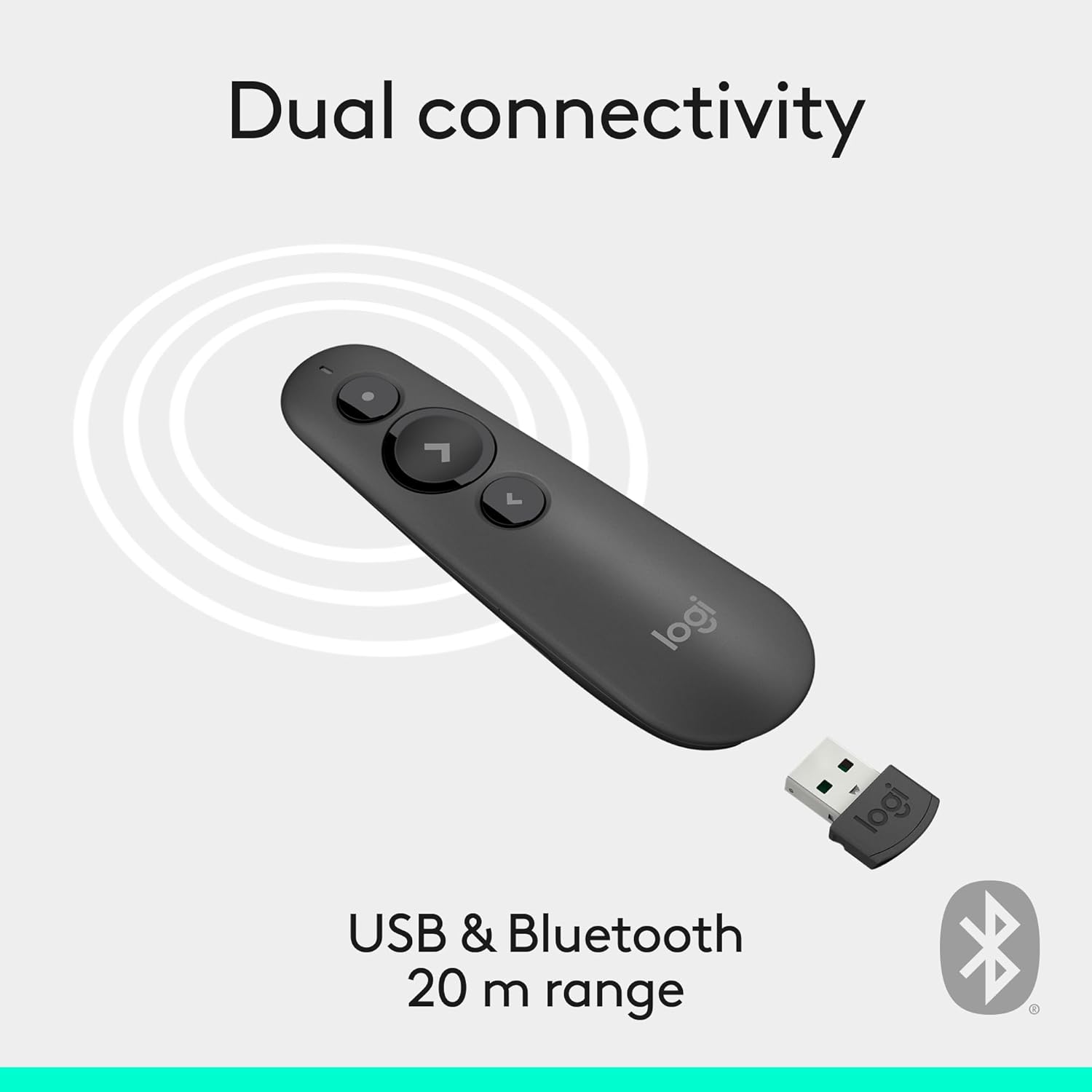
Image: Illustration of the R500s offering dual connectivity options: USB and Bluetooth.
3. Power On the Presenter
Locate the power switch on the side of the presenter and slide it to the 'On' position. The presenter is now ready for use.

Image: The R500s presenter positioned near a laptop, demonstrating its smart automatic on/off feature.
Instrucțiuni de operare
Slide Navigation
The R500s features intuitive buttons for controlling your presentation slides:
- Forward Button (Large Arrow): Apăsați pentru a trece la diapozitivul următor.
- Backward Button (Small Arrow): Apăsați pentru a reveni la diapozitivul anterior.

Image: A hand comfortably holding the R500s presenter, highlighting its ergonomic design and button placement.
Laser Pointer Usage
To activate the red laser pointer, press and hold the dedicated laser button (usually a small dot icon). Release the button to turn off the laser.

Image: The R500s presenter projecting its red laser pointer onto a presentation graph, illustrating its use for highlighting.
Butoane personalizabile
The R500s offers customizable buttons for enhanced control. You can configure long-press actions for specific functions such as starting a presentation or blacking out the screen. Refer to the Logitech Presentation Software (available for download from the official Logitech website) pentru opțiuni detaliate de personalizare.

Image: A laptop screen displaying the Logitech software interface for customizing the R500s buttons and timer settings.
Întreţinere
Înlocuirea bateriei
When the battery indicator on the presenter or in the Logitech software shows low power, replace the two AAA batteries. Ensure correct polarity when inserting new batteries.
Curatenie
Wipe the presenter with a soft, dry cloth. Avoid using abrasive cleaners or solvents.
Depanare
- Prezentatorul nu răspunde:
- Asigurați-vă că receptorul USB este conectat corect la un port USB funcțional.
- Check if the presenter is powered on.
- Înlocuiți bateriile dacă sunt slabe sau epuizate.
- Încercați să conectați receptorul USB într-un alt port USB.
- For Bluetooth connection, ensure Bluetooth is enabled on your computer and the presenter is paired.
- Indicatorul laser nu funcționează:
- Ensure the laser button is being pressed firmly.
- Verificați nivelul bateriei.
- Note that laser visibility can vary on different screen types (e.g., some projection screens or large TVs may reduce visibility).
- Conectivitate intermitentă:
- Ensure you are within the 20-meter wireless range.
- Minimize obstructions between the presenter and the receiver.
- Evitați interferențele electromagnetice puternice de la alte dispozitive.
Specificații
| Marca | Logitech |
| Numele modelului | R500s |
| Numărul de model al articolului | 910-006518 |
| Tehnologia de conectivitate | 2.4GHz RF Wireless, Bluetooth |
| wireless Range | Până la 20 metri (65 picioare) |
| Tip laser | Class 1 Red Laser |
| Tip baterie | 2 x baterii AAA (incluse) |
| Durata medie a bateriei | 12 luni |
| Compatibilitatea sistemelor de operare | Windows 10, 11 or later; macOS; iOS |
| Platformă hardware | PC, Mac |
| Greutatea articolului | 0.2 uncii |
| Dimensiunile produsului (Lxlxh) | 1 x 1.4 x 4.9 inci |
Garanție și suport
Produsele Logitech vin de obicei cu o garanție limitată pentru hardware. Pentru detalii specifice despre garanție, înregistrare și asistență tehnică, vă rugăm să vizitați pagina oficială de asistență Logitech. website or refer to the warranty card included with your product. You can also find FAQs and troubleshooting guides online.
Pentru asistență suplimentară, vizitați Magazinul Logitech pe Amazon.


