1. Introducere
Thank you for choosing the Baseus Smart Eye-Caring Desk Lamp. This portable and rechargeable LED lamp is designed to provide optimal illumination for various tasks, featuring intelligent auto-dimming, adjustable color temperature, and a flexible, space-saving design. This manual provides detailed instructions for setup, operation, maintenance, and troubleshooting to ensure you get the most out of your device.
2. Instrucțiuni de siguranță
- Do not disassemble, repair, or modify the product. Unauthorized disassembly may cause electric shock or fire.
- Nu expuneți lamp to water or high humidity. This product is designed for indoor use only.
- Evitați plasarea lamp in direct sunlight or near heat sources to prevent damage to internal components.
- Use only the specified charging cable and adapter. Incorrect charging may lead to battery damage or fire.
- A nu se lăsa la îndemâna copiilor.
- Dacă lamp exhibits abnormal behavior, such as smoke or unusual odors, immediately unplug it and contact customer support.
3. Conținutul pachetului
Vă rugăm să verificați pachetul pentru următoarele articole:
- 1 x Baseus Smart Eye-Caring Desk Lamp
- Cablu de încărcare 1 x USB-C
- 1 x Manual de utilizare (acest document)

Figure 3.1: Product packaging showing the desk lamp.
4. Produs terminatview
The Baseus Smart Eye-Caring Desk Lamp features a sleek, minimalist design with intuitive controls and advanced lighting technology.
4.1 Componente
- Bară luminoasă: Houses the LED light source.
- Brat reglabil: Connects the light bar to the base, allowing 0-180° rotation.
- Baza: Provides stability and contains the battery, control panel, and charging port.
4.2 Comenzi și caracteristici
- Atingeți Panoul de control: Located on the top of the base for power, brightness, and color temperature adjustments.
- Senzor de lumină ambientală: Automatically adjusts brightness based on surrounding light conditions.
- Comutator pornit/oprit: A physical switch located on the bottom of the base to enable or disable the ambient light sensor.
- Port de încărcare USB-C: Located at the back of the base for convenient charging.

Figura 4.1: Față view of the Baseus Smart Eye-Caring Desk Lamp.

Figure 4.2: Detail of the touch control panel and ambient light sensor on the lamp baza.

Figure 4.3: Bottom of the lamp base with the physical on/off switch for the ambient light sensor.
5. Configurare
- Despacheta: Scoateți cu grijă lamp și toate accesoriile din ambalaj.
- Taxă inițială: Înainte de prima utilizare, încărcați completamp using the provided USB-C cable and a compatible power adapter (not included). The charging indicator on the base will show charging status.
- Plasare: Așezați lamp on a stable, flat surface. Ensure the physical switch on the bottom of the base is in the 'ON' position to enable the ambient light sensor for automatic brightness adjustment.
6. Instrucțiuni de utilizare
6.1 Pornire/Oprire
- Pentru a porni: Tap the touch control button on the base.
- A opri: Tap the touch control button again.
6.2 Reglarea luminozității
- Reglare manuală: Long press the touch control button to continuously adjust the brightness level. Release when the desired brightness is reached.
- Automatic Adjustment (Auto-Dimming): With the physical switch on the bottom set to 'ON', the built-in ambient light sensor will automatically detect surrounding light and adjust the lamp's brightness accordingly. This feature helps prevent eye strain by optimizing illumination for the environment.

Figure 6.1: Illustration of the lamp's smart recognition and auto-dimming feature in different ambient light conditions.
6.3 Reglarea temperaturii culorii
- Moduri de ciclu: În timp ce lamp is on, short press the touch control button (do not long press) to cycle through the three available color temperature modes:
- 6000K (White Light): Bright, cool light suitable for focused work.
- 4500K (Mixed Light): Neutral light for general use.
- 3000K (Warm Light): Soft, warm light ideal for relaxation or reading.
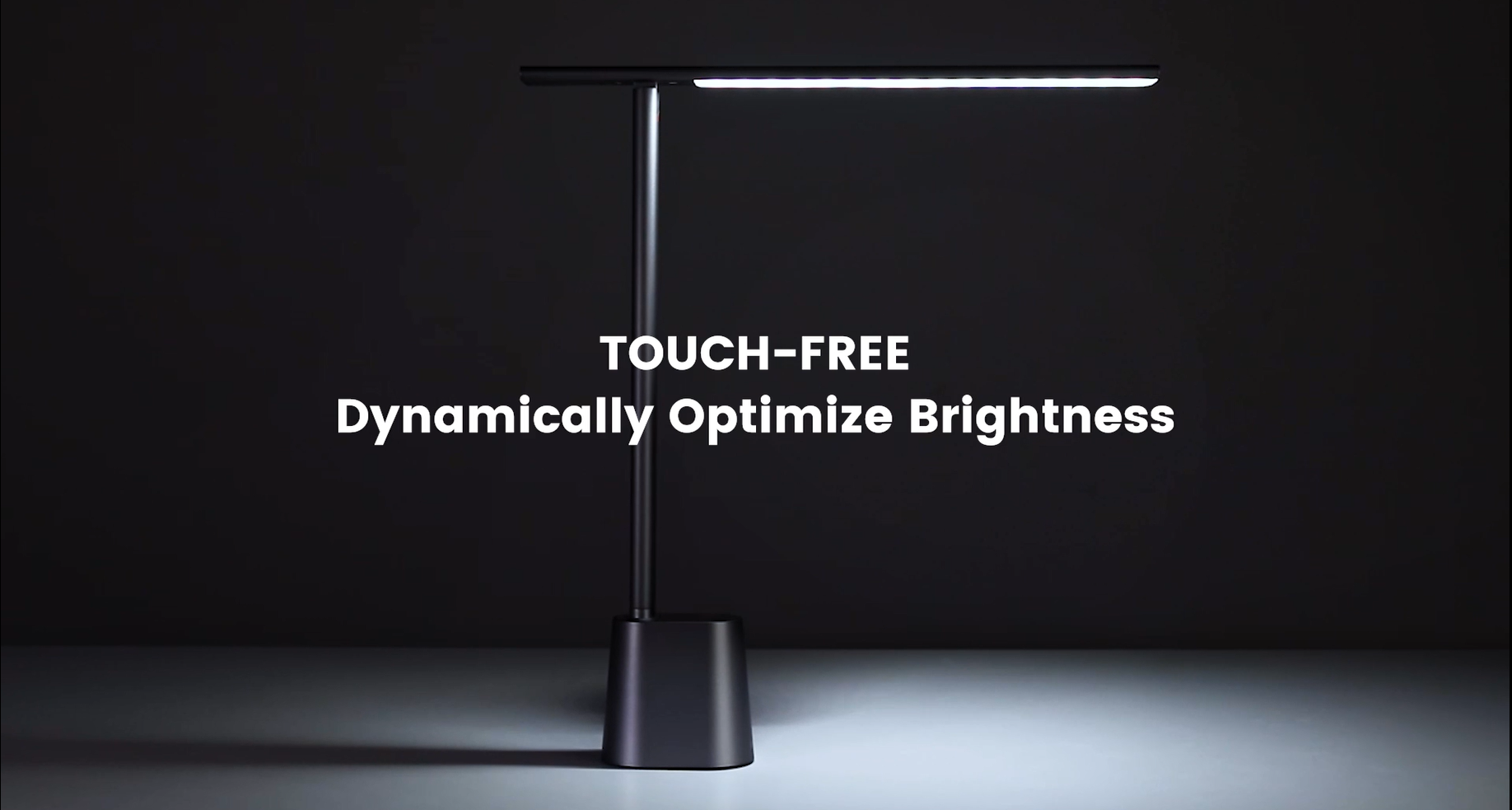
Video 6.1: Official demonstration of the auto-dimming and three color temperature modes (6000K, 4500K, 3000K) of the Baseus Desk Lamp.
6.4 Lamp Reglarea brațului
- Lamp arm can be manually adjusted from 0° to 180° to direct light precisely where needed. This flexibility allows for various lighting angles, including direct downward illumination for desktops or upward for ambient room lighting.
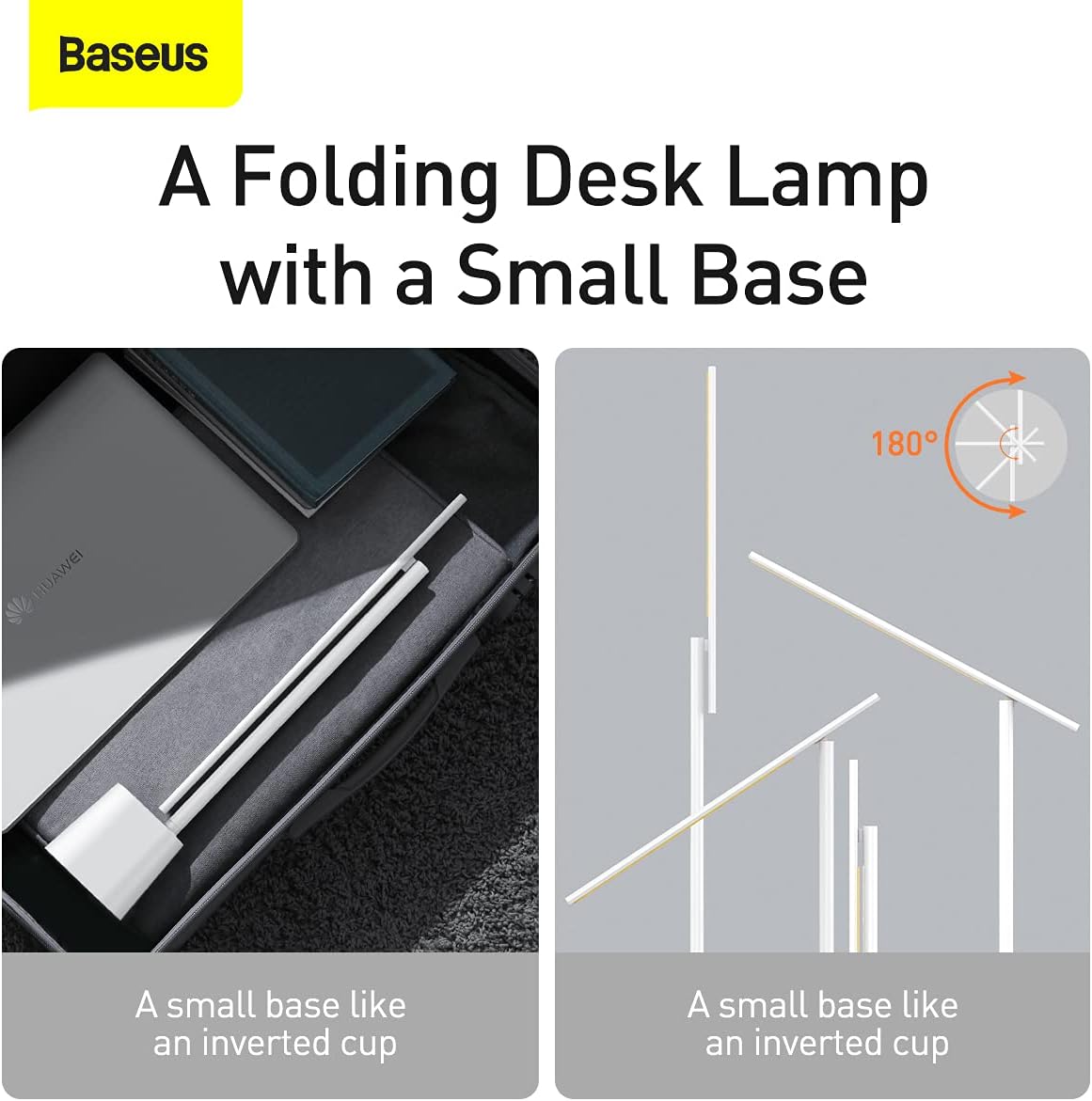
Figura 6.2: Lamp's foldable design and 180-degree adjustable arm for versatile positioning.
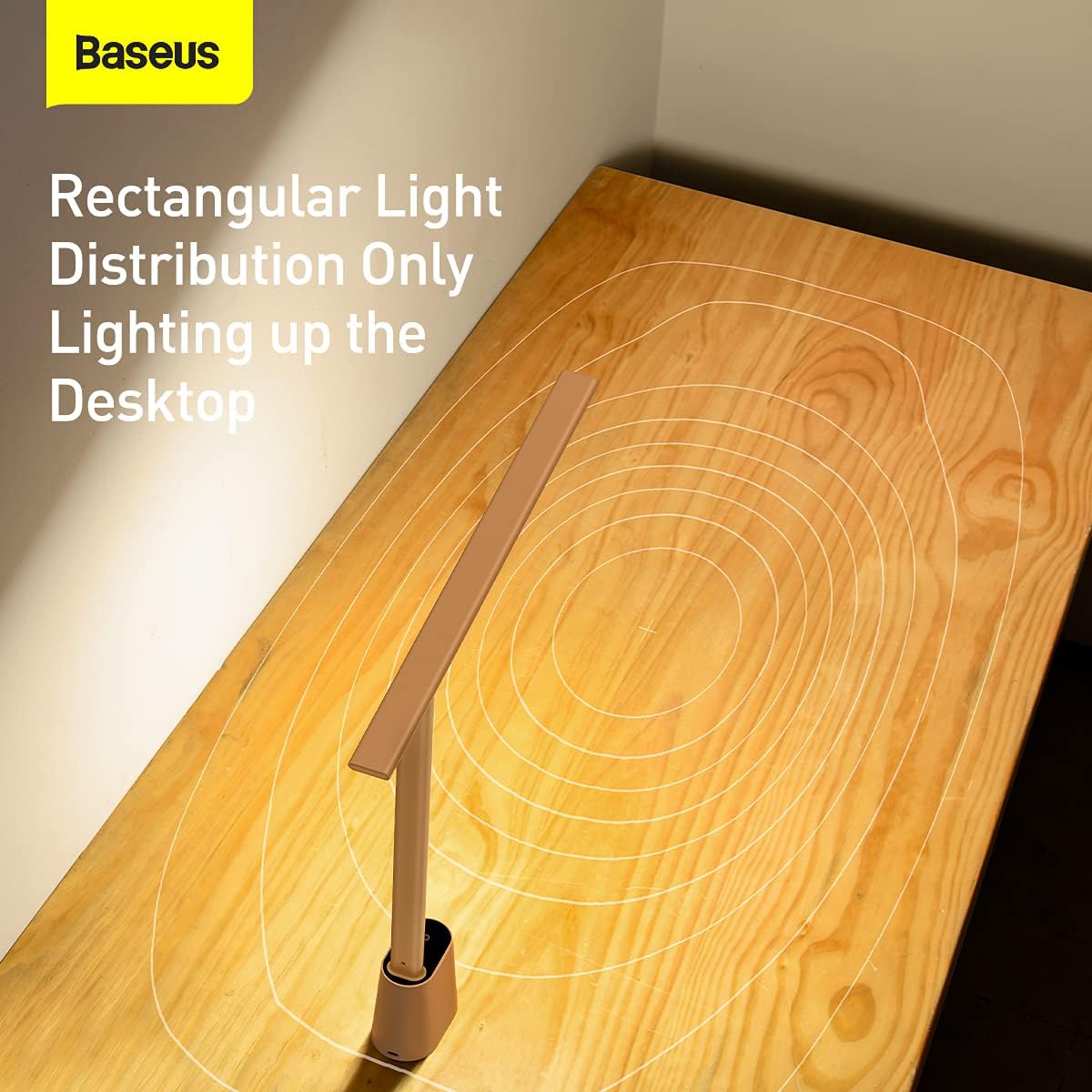
Figura 6.3: Lamp provides a rectangular light distribution, focusing illumination specifically on the desktop area.
7. Încărcare
The Baseus Smart Eye-Caring Desk Lamp is equipped with a built-in rechargeable Lithium-Ion battery (2200mAh capacity).
- Port de încărcare: Connect the provided USB-C cable to the charging port on the back of the lamp base and to a USB power source.
- Indicator de încărcare: The indicator light on the base will illuminate to show charging status (e.g., red for charging, green for fully charged).
- Durata de viață a bateriei: A full charge provides approximately 3-4 hours of use at maximum brightness and up to 10 hours at the lowest brightness setting.
8. Întreținere
- curatenie: Ștergeți lamp with a soft, dry cloth. Do not use abrasive cleaners or solvents.
- Depozitare: Când nu este utilizat pentru perioade lungi de timp, depozitați l-ulamp in a cool, dry place. It is recommended to fully charge the battery every 3 months to maintain battery health.
9. Depanare
| Problemă | Cauza posibila | Soluţie |
|---|---|---|
| Lamp nu pornește. | Bateria este epuizată. | Încarcă lamp complet. |
| Physical switch on bottom is OFF. | Flip the physical switch on the bottom of the base to the 'ON' position. | |
| Brightness adjustment is not working. | Not long-pressing the touch control. | Ensure you are long-pressing the touch control button for continuous adjustment. |
| Color temperature is not changing. | Not short-pressing the touch control. | Ensure you are short-pressing the touch control button to cycle modes. |
| Auto-dimming feature is not working. | Physical switch on bottom is OFF. | Flip the physical switch on the bottom of the base to the 'ON' position. |
| Ambient light sensor is obstructed. | Ensure the ambient light sensor on the base is not covered. |
10. Specificații
- Număr de model: DGZG-02
- Marca: Baseus
- Lamp Tip: Birou Lamp
- Tip sursă de lumină: LED
- Număr de surse de lumină: 32
- Wattage: 5 wați
- Voltage: 6 volți
- Sursa de alimentare: Alimentat cu baterie (reîncărcabil)
- Baterii: Sunt necesare 2 baterii litiu-ion (incluse)
- Capacitate baterie: 2200mAh (aproximativ)
- Tehnologie de conectivitate: USB (pentru încărcare)
- Metoda de control: Atingere
- Material: Aluminiu, Metal
- Tipul finisajului: Pictat
- Culoare: Alb
- Dimensiuni produs: 13.78 x 2.08 x 15.15 inches (approx. when unfolded)
- Greutatea articolului: 1.87 lire sterline (0.85 kilograme)
- Caracteristici speciale: Full Spectrum, Adjustable (0-180°), Auto-Dimming, Eye-Caring
- Utilizare în interior/exterior: De interior
- Nivel de rezistență la apă: Nu este rezistent la apă
11. Garanție și asistență
Produsele Baseus sunt fabricate la cele mai înalte standarde de calitate. Pentru informații privind acoperirea garanției, asistența tehnică sau solicitările de service, vă rugăm să consultați cardul de garanție inclus în achiziție sau să vizitați site-ul oficial Baseus. webPăstrați bonul fiscal ca dovadă a achiziției pentru reclamații în garanție.
For additional resources, you may find the official User Manual PDF Aici.


