Introducere
This manual provides essential instructions for the safe and effective use of your Welch Allyn Contact-Free Clinical-Grade Forehead Thermometer. Please read this manual thoroughly before initial use and retain it for future reference. This device is designed for accurate, non-contact temperature measurement of the forehead.
Informații de siguranță
- Nu utilizați termometrul în alte scopuri decât pentru măsurarea temperaturii corpului uman.
- Nu lăsați dispozitivul la îndemâna copiilor.
- Evitați să scăpați termometrul sau să îl supuneți la impacturi puternice.
- Do not expose the thermometer to direct sunlight, extreme temperatures, or high humidity.
- Consult a physician if you have concerns about temperature readings or your health.
- Nu încercați să dezasamblați sau să reparați singur dispozitivul.
Ce este în cutie
La despachetare, vă rugăm să verificați dacă toate articolele sunt prezente și nedeteriorate:
- (1) Welch Allyn Contact-Free Clinical-Grade Forehead Thermometer
- (2) Baterii AAA
Caracteristicile produsului
The Welch Allyn Contact-Free Thermometer offers several key features for efficient and accurate temperature measurement:
- Contact-Free Measurement: Eliminates the need for disposable probe covers and disinfection between readings, promoting hygiene.
- Clinical-Grade Accuracy: Designed for reliable temperature readings.
- Measurement Feedback System: Detects the proper operating distance to ensure consistent accuracy.
- Durată lungă de viață a bateriei: Capable of approximately 3,000 readings on two "AAA" batteries.
- Ecran cu iluminare din spate luminoasă: Asigură o vizibilitate clară a citirilor în diverse condiții de iluminare.
- Dedicated Function Buttons: Includes buttons for pulse timer, Celsius/Fahrenheit conversion, and memory recall.

Imaginea 1: Față view of the Welch Allyn Contact-Free Forehead Thermometer, showing the display, measurement button, memory button, C/F button, and pulse timer button.
Înființat
1. Instalarea bateriei
- Locate the battery compartment cover on the back or bottom of the thermometer.
- Glisați sau desfaceți ușor capacul pentru a deschide compartimentul.
- Insert the two "AAA" batteries, ensuring correct polarity (+ and -) as indicated inside the compartment.
- Puneți bine capacul compartimentului bateriei.
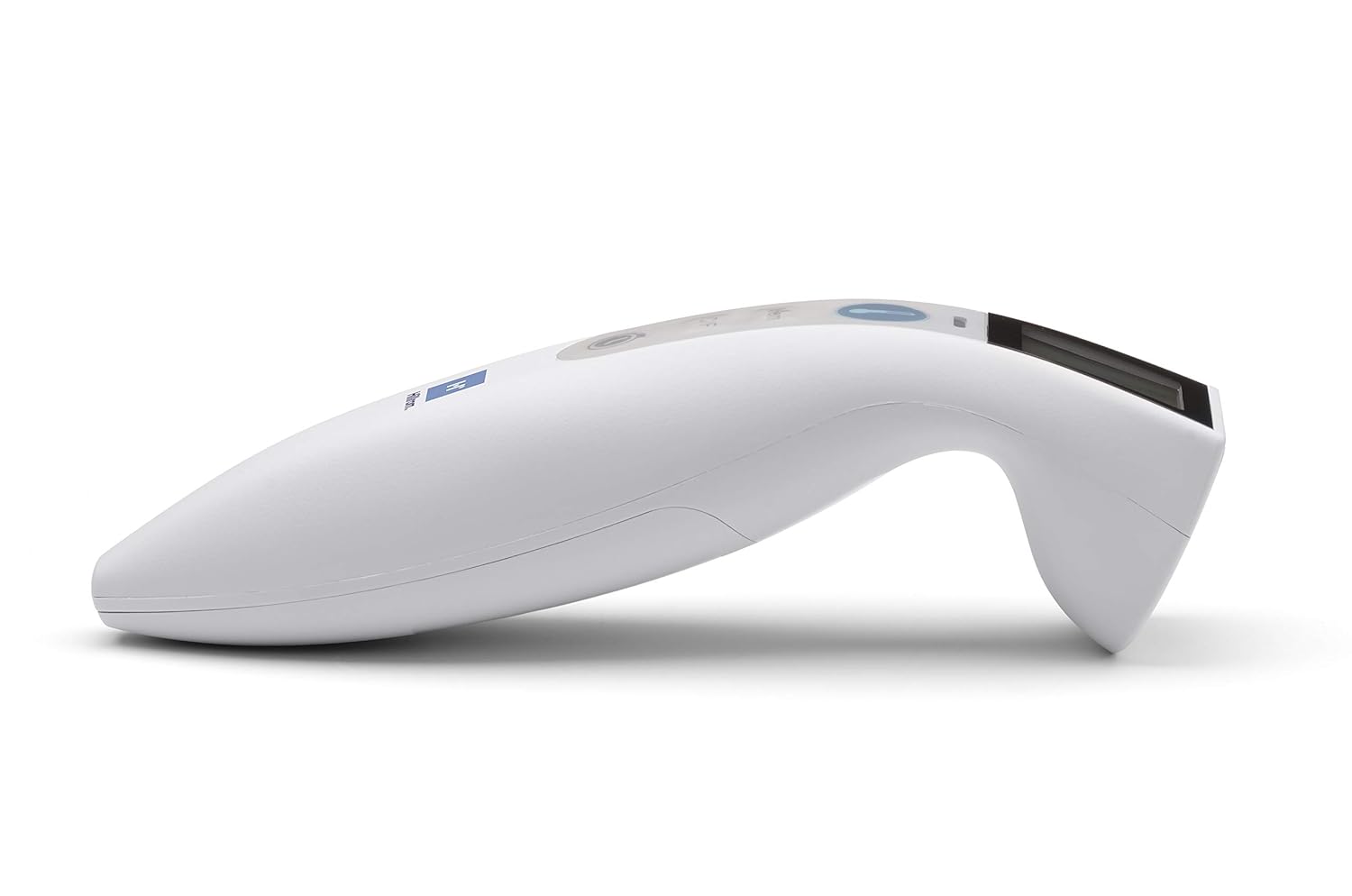
Imaginea 2: Laterală view of the Welch Allyn Contact-Free Forehead Thermometer, illustrating its ergonomic design. The battery compartment is typically located on the underside or rear of the device.
2. Pornirea inițială
After installing batteries, press the power/measurement button once to turn on the device. The display will illuminate, and the thermometer will perform a brief self-check before entering standby mode, ready for measurement.
Instrucțiuni de operare
1. Taking a Temperature Measurement
- Ensure the thermometer is clean and free of obstructions.
- Position the thermometer approximately 1-2 inches (2.5-5 cm) from the center of the patient's forehead. The device features a measurement feedback system to guide you to the correct distance.
- Press and release the measurement button (often indicated by a thermometer icon).
- Hold the thermometer steady until a beep sounds and the temperature reading appears on the display.
- Record the reading if necessary. The thermometer will automatically turn off after a period of inactivity or can be manually turned off by pressing and holding the power button.

Imaginea 3: View of the Welch Allyn Contact-Free Forehead Thermometer, highlighting the infrared sensor area at the front, which should be aimed at the forehead for accurate readings.
2. Switching Between Celsius and Fahrenheit
To change the temperature unit, press the "C/F" button. The display will toggle between Celsius (°C) and Fahrenheit (°F). The selected unit will be indicated on the screen.
3. Reamintirea memoriei
The thermometer stores previous temperature readings. To access these, press the "Mem" button. Repeated presses will cycle through stored readings. The number of stored readings may vary by model.
4. Pulse Timer Function
To use the pulse timer, press the dedicated pulse timer button (often indicated by a clock icon). Follow the on-screen prompts or refer to the specific timing sequence for accurate pulse measurement. This feature assists in manually counting pulse rates over a set period.
Întreţinere
Curățarea termometrului
- Wipe the thermometer body with a soft cloth dampened with isopropyl alcohol (70% concentration) or a mild disinfectant.
- Pay special attention to the sensor lens. Use a cotton swab lightly moistened with alcohol to gently clean the lens. Avoid excessive pressure or abrasive materials, as this can damage the sensor.
- Do not immerse the thermometer in water or any cleaning solution.
- Lăsați termometrul să se usuce complet la aer înainte de depozitare sau de următoarea utilizare.
Depozitare
- Depozitați termometrul într-un loc răcoros și uscat, ferit de lumina directă a soarelui și de temperaturi extreme.
- If the thermometer will not be used for an extended period, remove the batteries to prevent leakage and potential damage to the device.
Depanare
Dacă întâmpinați probleme cu termometrul, vă rugăm să consultați următoarele probleme și soluții frecvente:
| Problemă | Cauză/Soluție posibilă |
|---|---|
| "Err" message on display |
|
| Citiri inexacte sau inconsistente |
|
| Termometrul nu se pornește |
|
| Afișajul este slab iluminat sau pâlpâie |
|
Specificații
- Model: B08T5TLHMF
- Metoda de măsurare: Infraroșu fără contact
- Sursa de alimentare: 2 x "AAA" batteries
- Durata de viață a bateriei: Aproximativ 3,000 de citiri
- Afişa: LCD cu iluminare din spate
- Unități: Celsius (°C) / Fahrenheit (°F)
- Memorie: Stores previous readings (specific capacity may vary)
- Producător: Hillrom (Welch Allyn is a Hillrom brand)
- Dimensiuni pachet: 10.24 x 6.42 x 2.24 inci
- Greutate: 8.78 uncii (inclusiv bateriile)
Garanție și suport
Pentru informații despre garanție, asistență tehnică sau solicitări de service, vă rugăm să contactați direct producătorul.
Informații de contact ale producătorului:
- Marca: Welch Allyn (a Hillrom brand)
- Telefon: 800-535-6663
- Website: www.welchallyn.com (or relevant Hillrom support site)
Please have your product model number (B08T5TLHMF) and date of purchase available when contacting support.


