1. Introducere
This manual provides instructions for the safe and efficient operation of your Lepro PR210002-US LED Table Lamp. Acest versatil lamp offers a range of lighting options, including tunable white light, RGB color changing, dimming capabilities, and an auto-off timer. Please read this manual thoroughly before use and retain it for future reference.

Figure 1: Lepro PR210002-US LED Table Lamp.
2. Conținutul pachetului
Înainte de a continua configurarea, asigurați-vă că toate componentele sunt prezente:
- 1 x Lepro PR210002-US LED Table Lamp
- 1 x adaptor de alimentare din SUA
- 1 x cablu USB tip C
- 1 x Manual de utilizare (acest document)
3. Configurare
Follow these steps to set up your LED Table Lamp:
- Despacheta: Scoateți cu grijă toate componentele din ambalaj.
- Conectare alimentare: Insert the Type C USB cable into the lamp's charging port. Connect the other end of the USB cable to the provided US power adapter, then plug the adapter into a standard wall outlet.

Figure 2: Connecting the lamp to power. The lamp measures 3.9 inches in diameter and 7.1 inches in height, with a 4.9 ft cable.
4. Instrucțiuni de utilizare
The Lepro LED Table Lamp features intuitive touch controls located on the top surface and the base.

Figure 3: Touch Control Overview.
4.1. Pornire/Oprire
- Apăsare scurtă: Lightly tap the top touch area (power symbol) to turn the lamp pornit sau oprit.
4.2. Adjusting White Light (Tunable White Mode)
Lamp offers three white light temperatures: 2700K (Warm White), 4000K (Neutral White), and 5700K (Cool White).
- Schimbarea temperaturii: Press the 'M' button on the lamp's base to cycle through the white light temperatures (2700K → 4000K → 5700K).
- Reglați luminozitatea: While in any white light mode, Apăsare lungă the top touch area to continuously adjust the brightness from 5% to 100%. Release when desired brightness is reached.

Figure 4: Tunable White Light Options (2700K, 4000K, 5700K).
4.3. RGB Color Changing Modes
Lamp features 7 static RGB colors and an auto-color changing mode.
- Access RGB Modes: Press the 'M' button repeatedly until the lamp enters RGB mode.
- Select Static Color: While in RGB mode, Apăsare lungă the top touch area to cycle through the 7 available colors. Release when your desired color is displayed.
- Auto Color Changing: Continue pressing the 'M' button after the static RGB colors to activate the auto-color changing mode.
- Adjust Speed (Auto Mode): While in auto-color changing mode, Apăsare lungă the top touch area to adjust the speed of the color transitions (3-level speed).

Figure 5: RGB Color Changing Mood Light.
4.4. Auto-Off Timer
Lamp includes a convenient auto-off timer function for 30 or 60 minutes.
- Activare cronometru: Press the timer button (clock symbol) on the lampbaza lui.
- Temporizator de 30 minute: One press activates the 30-minute timer (indicated by one green LED on the base).
- Temporizator de 60 minute: A second press activates the 60-minute timer (indicated by two green LEDs on the base).
- Deactivate Timer: A third press will turn off the timer function (no green LEDs).
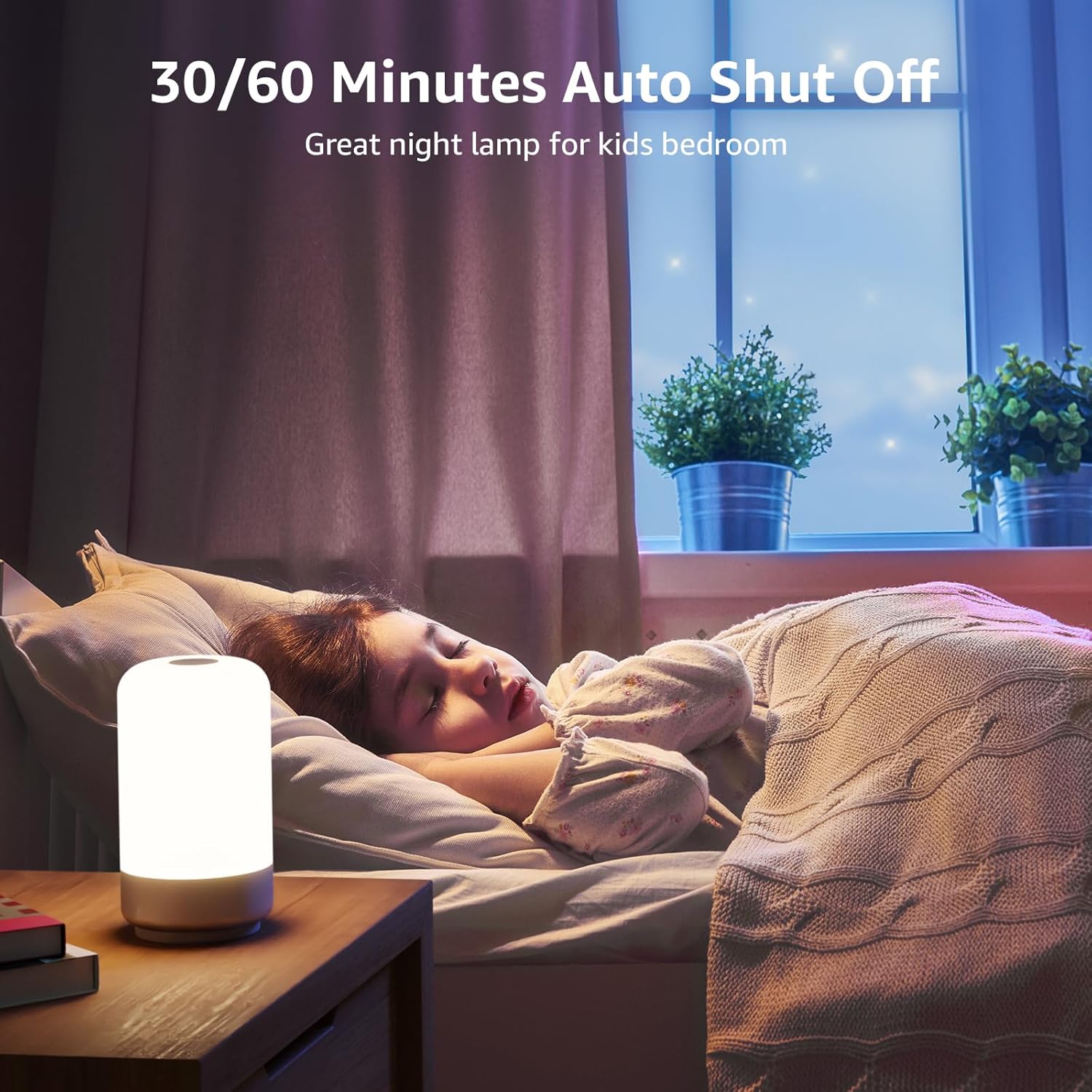
Figure 6: Auto-Off Timer Function.
4.5. Funcția de memorie
Lamp retains the last used brightness and color setting when turned off and on again, ensuring a consistent experience.
5. Întreținere
To ensure the longevity and optimal performance of your lamp, urmați aceste instrucțiuni de întreținere:
- curatenie: Deconectați lamp from power before cleaning. Use a soft, dry cloth to wipe the lampSuprafața lui. Nu utilizați produse de curățare abrazive, solvenți sau substanțe chimice dure, deoarece acestea pot deteriora finisajul.
- Manipulare: Manipulați lamp with care. Avoid dropping it or subjecting it to strong impacts.
- Depozitare: Dacă stocați lamp for an extended period, ensure it is clean and dry. Store it in a cool, dry place away from direct sunlight.
6. Depanare
If you encounter issues with your Lepro LED Table Lamp, consultați următoarele probleme și soluții comune:
| Problemă | Cauza posibila | Soluţie |
|---|---|---|
| Lamp nu pornește. | Fără conexiune la curent. | Ensure the power adapter is securely plugged into a working outlet and the USB-C cable is firmly connected to the lamp. |
| Brightness adjustment is not smooth or lamp turns off when dimming. | Incorrect operation of touch control. | Ensure you are performing a Apăsare lungă on the top touch area to adjust brightness. A short press will turn the lamp off. Release your finger when the desired brightness is achieved. |
| Colors are not changing or cycling. | Not in RGB mode or incorrect operation. | Press the 'M' button to cycle through modes until RGB mode is active. For static colors, Apăsare lungă the top touch area. For auto-changing, ensure auto-color changing mode is selected via the 'M' button, then Apăsare lungă the top touch area to adjust speed. |
| Funcția de cronometru nu funcționează. | Timer not activated or incorrectly set. | Press the timer button on the base. One green LED indicates 30-minute timer, two green LEDs indicate 60-minute timer. Ensure the correct timer setting is active. |
7. Specificații
| Caracteristică | Detaliu |
|---|---|
| Numărul de model | PR210002-US |
| Marca | Lepro |
| Dimensiunile produsului | 3.9" D x 3.9" L x 7.1" H |
| Greutatea articolului | 0.85 lire sterline (13.6 uncii) |
| Material | Plastic |
| Tip sursă de lumină | LED |
| Luminozitate | 350 lumeni |
| Wattage | 7 wați |
| Voltage | 120 volți (AC) |
| Opțiuni de culoare deschisă | 7 Colors + 3 White Light Temperatures (2700K-4000K-5700K) |
| Metoda de control | Atingere |
| Sursa de alimentare | Electric cu fir |
| Lungimea cablului | 4 picioare |
| Utilizare în interior/exterior | Numai pentru utilizare în interior |
| Nivel de rezistență la apă | Nu este rezistent la apă |
8. Garanție și asistență
For warranty information or technical support, please contact Lepro customer service through their official website or the retailer where the product was purchased. Please have your model number (PR210002-US) and purchase details ready when contacting support.


