1. Introducere
This manual provides detailed instructions for the DIHOOM Wireless Outdoor Security Camera (Model: B08QMM8JVC). This camera is designed as an expansion unit for existing DIHOOM security camera sets and wireless recorders. It features advanced AI human detection, two-way audio communication, 3-megapixel high-resolution video, and robust weather protection for outdoor use.

Figure 1: DIHOOM Wireless Outdoor Security Camera (Model B08QMM8JVC)
2. Configurare
2.1 Compatibility and Expansion
This camera unit is intended for expanding existing DIHOOM security camera sets (ASIN: B08QMHHJ4G, B09F2F1H25) and wireless recorders (ASIN: B0936H23R9, B09362BY11). A matching code is required to integrate this unit into an existing set. Please refer to your main system's manual for specific pairing instructions.
2.2 Instalare inițială
The DIHOOM wireless security camera system is designed for straightforward installation, requiring no complex wiring or construction. The camera body is pre-synchronized at the factory for ease of use.
- Conexiune de alimentare: Simply connect the camera to a power source using the provided power adapter.
- Recorder Connection: Connect your recorder unit to your router.
- Pornire: Power on the recorder. The system should automatically connect, allowing you to view recordings on your connected display or device.

Figure 2: Simplified setup process and app interface for DIHOOM cameras.
3. Funcționare
3.1 Monitorizare de la distanță prin aplicație
Utilize the dedicated DIHOOM application on your smartphone or PC to access live camera feeds and manage settings from anywhere.
- Trăi View: Check real-time images from your camera at any time.
- Notificări: When suspicious movement is detected, the system initiates recording and sends a push notification to your device.
- Setări: The user-friendly interface allows for viewing recorded images, adjusting recording quality, and other camera settings.
3.2 AI Human Detection
The camera is equipped with advanced AI human sensors and motion detection sensors. This technology significantly reduces false alarms caused by non-human movements such as swaying trees, light, or shadows, improving the accuracy of alerts for actual suspicious activity.

Figure 3: AI Human Detection distinguishing human movement from environmental factors.
3.3 Audio Recording and Two-Way Talk
The camera features a built-in microphone and speaker, enabling comprehensive audio and communication capabilities.
- Înregistrare audio: In addition to video, the camera records audio, providing a more complete record of events. Both real-time audio and saved video with audio can be accessed.
- Comunicare bidirecțională: The built-in speaker allows for two-way communication, enabling you to speak through the camera to visitors or deter intruders.
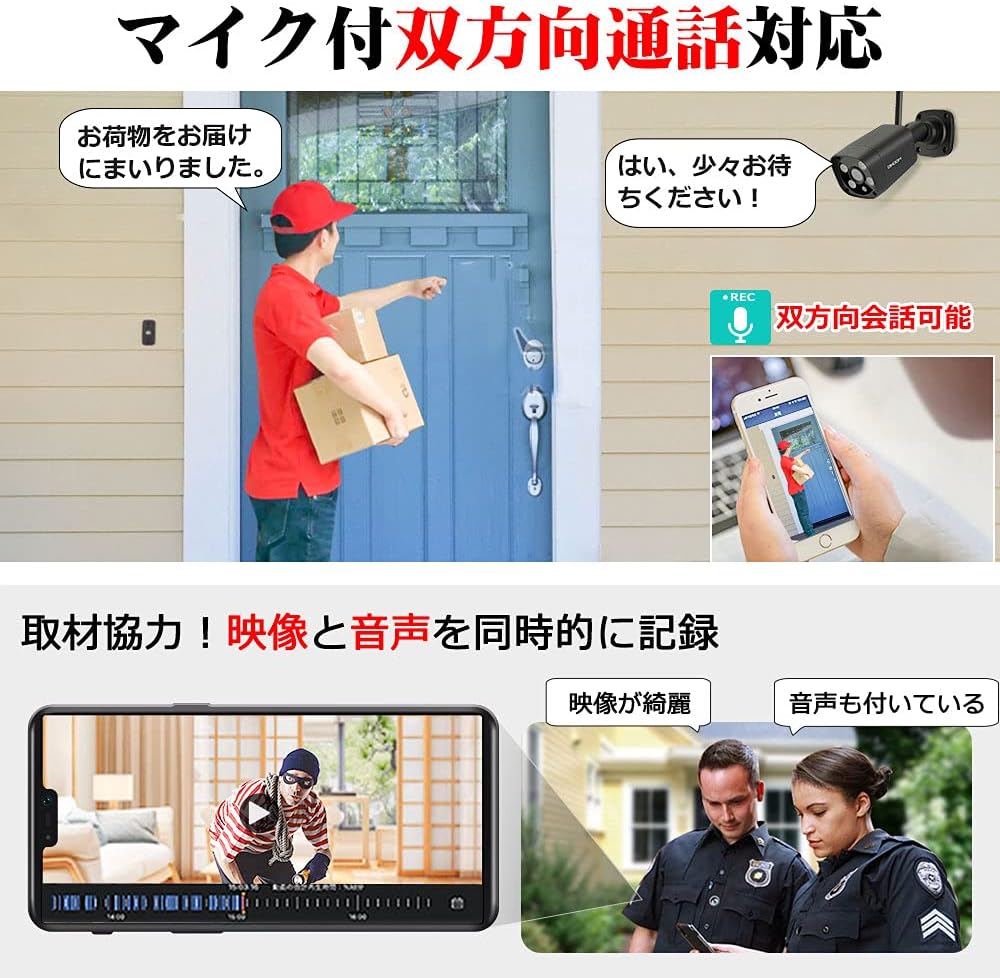
Figure 4: Demonstrating the two-way talk and audio recording capabilities.
4. Caracteristici și specificații cheie
4.1 3MP Ultra High Definition Video
The camera is equipped with a 3-megapixel high-sensitivity CMOS sensor, capable of capturing fine details with exceptional clarity. It incorporates digital noise reduction technology and Smart IR overexposure prevention technology to enhance video quality beyond conventional security cameras.

Figure 5: Comparison of image clarity with 3MP resolution and noise reduction technology.
4.2 Viziune nocturnă avansată
An advanced IR algorithm and Day/Night mode allow the camera to produce clear, daytime-like images even in complete darkness. The camera automatically switches to night mode when ambient light levels drop, ensuring continuous monitoring even without external lighting.

Figure 6: Visual representation of the camera's day and night vision capabilities.
4.3 IP66 Weatherproofing and 4KV Lightning Protection
Designed for outdoor installation, the camera conforms to IP66 protection standards, offering robust dustproof and waterproof capabilities. Additionally, its 4KV lightning protection design provides enhanced durability against harsh weather conditions, including dust, sand, and high-pressure water.
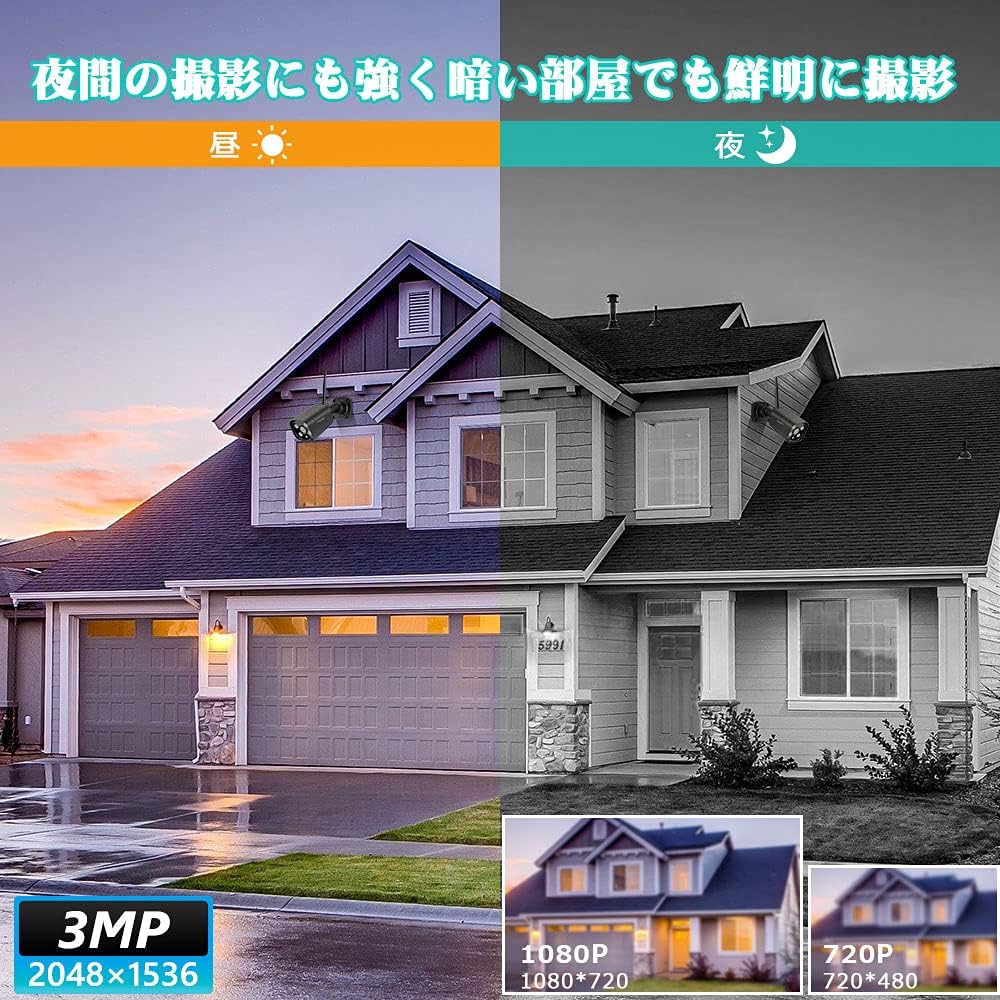
Figure 7: Illustrating the IP66 waterproof and 4KV lightning protection features.
4.4 Specificații tehnice
| Caracteristică | Caietul de sarcini |
|---|---|
| Marca | DIHOOM |
| Model | B08QMM8JVC (Expansion Camera Unit) |
| Tehnologia de conectivitate | Wireless (Wi-Fi) |
| Rezoluție captură video | 1536p (3 megapixeli) |
| Caracteristici speciale | Waterproof, AI Human Detection, Two-Way Talk, Night Vision |
| Evaluare rezistentă la apă | IP66 |
| Protecție împotriva trăsnetului | 4KV |
| Culoare | Negru |
| Utilizări recomandate | Home Security, Night Monitoring |
| Dimensiuni pachet | 19.7 x 11 x 10.9 cm |
| Greutatea articolului | 530 g |
5. Întreținere
To ensure optimal performance and longevity of your DIHOOM security camera, regular maintenance is recommended:
- Curățarea lentilelor: Periodically clean the camera lens with a soft, lint-free cloth to remove dust, dirt, or water spots that may obstruct the viewNu folosiți substanțe chimice dure.
- Inspecția locuințelor: Inspect the camera housing and mounting bracket for any signs of damage or loose connections. Ensure all screws are tightened securely.
- Actualizări de software: Check the DIHOOM app regularly for any available firmware or software updates for your camera system. Keeping the software updated ensures the latest features and security enhancements.
- Alimentare electrică: Ensure the power adapter and cable are free from damage and properly connected to prevent power interruptions.
6. Depanare
If you encounter issues with your DIHOOM security camera, try the following troubleshooting steps:
- No Image/Offline:
- Verify the camera is properly connected to a power source and receiving power.
- Ensure the camera is within range of your Wi-Fi network and the signal is strong.
- Check if your recorder is online and connected to the internet.
- Restart the camera and recorder by unplugging and re-plugging their power adapters.
- Calitate slabă a imaginii:
- Curățați obiectivul camerei conform descrierii din secțiunea Întreținere.
- Ensure there are no obstructions in front of the camera.
- Verificați viteza rețelei; o conexiune lentă poate afecta calitatea streamingului.
- Adjust video quality settings in the DIHOOM app if necessary.
- Alarme false:
- Ensure AI Human Detection is enabled in the app settings.
- Ajustați setările de sensibilitate a detectării mișcării în aplicație.
- Review câmpul camerei view for elements that might trigger false alarms (e.g., swaying branches, reflective surfaces).
- Probleme legate de comunicarea bidirecțională:
- Check the volume settings on your device and in the DIHOOM app.
- Ensure your device's microphone is enabled for the DIHOOM app.
- Verify network stability, as audio streaming requires a consistent connection.
If these steps do not resolve the issue, please contact DIHOOM customer support.
7. Garanție și asistență
DIHOOM is committed to providing high-quality products and excellent customer service.
7.1 Garanția producătorului
Acest produs vine cu un garanție de doi ani de la producător. This warranty covers defects in materials and workmanship under normal use. If you encounter any problems with your product during the warranty period, please do not hesitate to contact us.
7.2 Asistență pentru clienți
DIHOOM offers professional technical support to assist you with any inquiries or issues. Our support team is available year-round to provide assistance from pre-purchase consultations to post-purchase support.

Figure 8: DIHOOM's commitment to quality, warranty, and customer support.
For support, please refer to the contact information provided with your product packaging or visit the official DIHOOM store on Amazon.


