1. Produs terminatview
The Irfora BSD29 10A WiFi Smart Socket is a UK plug designed for intelligent control of your home appliances. It integrates seamlessly with your existing WiFi network, allowing for remote management, voice control, and scheduling through the Smart Life application. This smart socket offers features such as timing functions, electricity usage statistics, and device sharing capabilities.

Imaginea 1.1: Faţă view of the Irfora BSD29 10A WiFi Smart Socket, showing the UK plug configuration and power button with an illuminated indicator.
Caracteristici cheie:
- Control vocal: Compatibil cu Amazon Alexa și Google Assistant pentru operare hands-free.
- Conectivitate WiFi: Utilizes 2.4GHz WiFi (802.11b/g/n) for reliable wireless communication.
- Telecomanda: Manage connected devices from anywhere using the Smart Life APP.
- Funcția de sincronizare: Set schedules to automatically turn appliances on or off.
- Electricity Statistics: Monitor power consumption of connected devices.
- Partajarea dispozitivului: Share control of the smart socket with family members.

Imaginea 1.2: Diagram illustrating the various functions of the UK Smart Plug, including WiFi connection, voice control, customizable schedules, app control, remote access, timing, energy profiling, and device sharing.
2. Ghid de instalare
2.1. Ce se află în cutie
- 1 x Irfora BSD29 UK Smart Plug
- 1 x Manual de utilizare (engleză)
2.2. Descărcare și instalare a aplicației
The Irfora BSD29 Smart Socket operates with the "Smart Life" application. Ensure your mobile device meets the following requirements:
- iOS: Versiunea 8.0 sau mai recentă
- Android: Versiunea 4.4 sau mai recentă
- Caută "Smart Life" in the Apple App Store (for iOS) or Google Play Store (for Android).
- Descărcați și instalați aplicația.
- Înregistrează un cont nou sau autentifică-te dacă ai deja unul.
2.3. Împerecherea dispozitivului
- Plug the Irfora BSD29 Smart Socket into a standard UK wall outlet.
- Open the "Smart Life" APP on your mobile device.
- Atingeți „+" icon in the top right corner to add a device.
- Selectați „Priză electrică” sau „Priză (Wi-Fi)” din lista de dispozitive.
- Follow the on-screen instructions to connect the smart socket to your 2.4GHz WiFi network. Ensure your phone is connected to the same 2.4GHz WiFi network during pairing.
- Once successfully paired, you can rename the device for easier identification (e.g., "Living Room Lamp").
Nota: The smart socket only supports 2.4GHz WiFi networks. 5GHz networks are not supported.
3. Instrucțiuni de utilizare
3.1. Remote Control via Smart Life APP
After successful pairing, you can control your smart socket from anywhere with an internet connection.
- Deschideți aplicația Smart Life.
- Tap on the device name (e.g., "Living Room Lamp").
- Use the on/off toggle switch within the app to control the power supply to the connected appliance.

Imaginea 3.1: A person using a smartphone to remotely control home appliances, demonstrating the convenience of the Smart Life APP from any location.
3.2. Voice Control (Amazon Alexa & Google Assistant)
The Irfora BSD29 Smart Socket is compatible with Amazon Alexa and Google Assistant. To enable voice control:
- Ensure your Amazon Alexa or Google Home device is set up and connected to the internet.
- Open the Alexa APP or Google Home APP.
- Activează abilitatea/serviciul „Viață inteligentă”.
- Link your Smart Life account with your Alexa/Google account.
- Discover devices. Your smart socket should appear.
- Acum puteți utiliza comenzi vocale precum:
- „Alexa, pornește [numele dispozitivului]”
- „Hei Google, dezactivează [numele dispozitivului]”
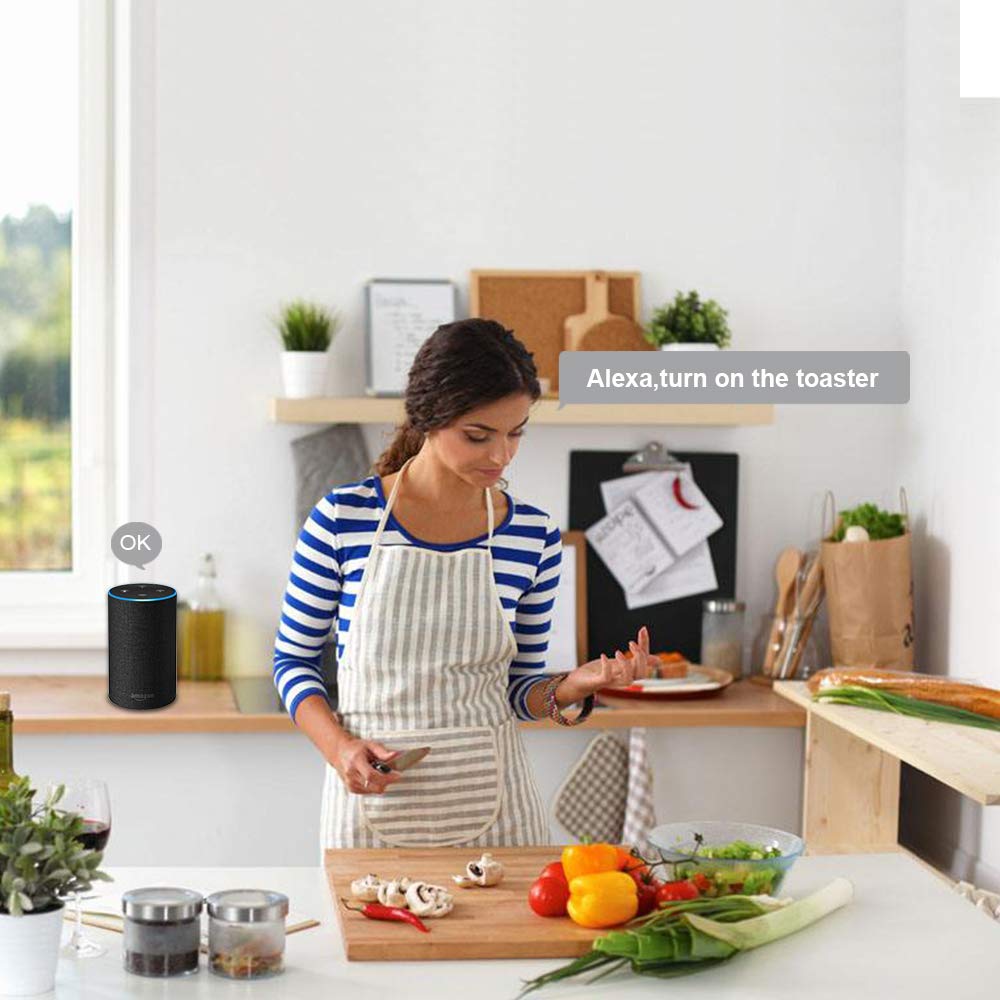
Imaginea 3.2: A person in a kitchen environment interacting with an Amazon Alexa device to control an appliance, demonstrating the voice control feature.
3.3. Timing Function and Schedules
Set custom schedules to automate your appliances.
- In the Smart Life APP, select your smart socket.
- Tap on the "Timer" or "Schedule" option.
- Set desired on/off times for specific days of the week.
- Confirmați-vă setările.

Imaginea 3.3: An illustration of a living room with on-screen overlays showing scheduled times for turning lights on and off, demonstrating the timing function and customizable schedules.
3.4. Electricity Statistics
Monitor the power consumption of devices connected to the smart socket.
- In the Smart Life APP, select your smart socket.
- Look for the "Electricity" or "Power Statistics" section.
- View real-time and historical power usage data.

Imaginea 3.4: A smartphone displaying electricity usage statistics from the Smart Life app, positioned next to a bedside lamp, illustrating how to track energy consumption.
3.5. Partajarea dispozitivului
Share control of your smart socket with family members or other authorized users.
- In the Smart Life APP, select your smart socket.
- Tap on the "Settings" icon (usually a gear or three dots).
- Look for "Share Device" or "Device Sharing".
- Enter the Smart Life account details (email or phone number) of the person you wish to share with.
- The invited user will receive a notification and can then control the device from their own Smart Life APP.

Imaginea 3.5: Two people looking at smartphones, with one phone displaying the device sharing interface of the Smart Life app, showing how to share control of smart devices with others.
4. Specificații
| Caracteristică | Detaliu |
|---|---|
| Vol. De lucrutage | AC 100~240V |
| Putere nominală | 1100W |
| Curent de lucru | Max 10A |
| Material | PC ignifug |
| Standardul prizei | UK |
| Temperatura de lucru | -20~60℃ |
| Umiditatea de lucru | <80% |
| Protocol radio | WiFi de 2.4 GHz, 802.11b/g/n |
| WiFi Distance (Indoor) | 30 meters (depends on building materials and structures) |
| WiFi Distance (Outdoor) | 50 metri |
| Phone System Compatibility | Android 4.4+ / iOS 8.0+ |
| Culoare | Alb |
| Dimensiunea articolului | φ5.7*5.5cm / φ2.24*2.16in |
| Greutatea articolului | 72 g / 2.53 oz |

Imaginea 4.1: Technical drawing showing the dimensions of the Irfora BSD29 Smart Socket and icons indicating compatibility with iOS, Android, 2.4GHz WiFi, Amazon Alexa, Google Assistant, IFTTT, and Smart Life.
5. Depanare
- Dispozitivul nu se conectează la WiFi:
- Ensure your router is broadcasting a 2.4GHz WiFi signal. The smart socket does not support 5GHz networks.
- Verify your mobile device is connected to the same 2.4GHz WiFi network during the pairing process.
- Check if the WiFi password entered in the Smart Life APP is correct.
- Move the smart socket closer to your WiFi router to improve signal strength.
- Reset the smart socket (refer to the reset procedure in the app or product documentation) and try pairing again.
- Controlul vocal nu funcționează:
- Confirm that the "Smart Life" skill/service is enabled and linked correctly in your Alexa or Google Home APP.
- Ensure the device name used in voice commands matches the name set in the Smart Life APP and discovered by Alexa/Google Assistant.
- Check your internet connection for both the smart speaker and the smart socket.
- Telecomanda nu răspunde:
- Verify that your smart socket has an active internet connection (indicated by the LED status).
- Asigurați-vă că dispozitivul mobil are o conexiune activă la internet.
- Close and reopen the Smart Life APP.
- Timing schedules not activating:
- Double-check the set times and days in the Smart Life APP.
- Ensure the smart socket is connected to WiFi and powered on.
6. Întreținere
To ensure optimal performance and longevity of your Irfora BSD29 Smart Socket:
- curatenie: Disconnect the smart socket from the power outlet before cleaning. Use a soft, dry cloth to wipe the exterior. Do not use liquid cleaners or abrasive materials.
- Mediu: Avoid exposing the smart socket to extreme temperatures, high humidity, or direct sunlight. Do not use it in wet environments.
- Protecție la suprasarcină: Do not exceed the maximum rated power of 1100W or current of 10A to prevent damage to the device and connected appliances.
- Actualizări firmware: Periodically check the Smart Life APP for any available firmware updates for the smart socket to ensure you have the latest features and security enhancements.
7. Garanție și asistență
This product comes with a standard manufacturer's warranty. Please refer to the warranty card included in the original packaging for specific terms and conditions, including the warranty period and coverage details.
For technical support, troubleshooting assistance, or warranty claims, please contact Irfora customer service through the contact information provided on their official webpe site sau în documentația produsului dumneavoastră.
Resurse online: For the latest FAQs and support articles, please visit the Smart Life APP's help section or the Irfora official support page (if available).

