1. Introducere
The Celly FLIP1 True Wireless Bluetooth Earbuds provide a wireless audio experience with Bluetooth 5.0 connectivity. Designed for portability and convenience, these earbuds feature a compact charging case with a lanyard and support both stereo and mono audio modes. They are suitable for various activities, including sports, and offer integrated controls for music and call management.
This manual provides instructions for setting up, operating, and maintaining your Celly FLIP1 earbuds.
2. Conținutul pachetului
Verificați dacă toate articolele sunt prezente în colet:
- Celly FLIP1 True Wireless Earbuds (Left and Right)
- Portable Charging Case with Lanyard
- Cablu de încărcare MicroUSB
- Manual de utilizare (acest document)
3. Produs terminatview
The Celly FLIP1 earbuds and charging case are designed for ease of use and portability. The earbuds fit securely in the ear, and the charging case protects them while providing additional battery life.

Image 3.1: Celly FLIP1 earbuds removed from the open charging case. The earbuds are white with a small blue indicator light on one, and the charging case is white and silver with battery indicator icons.
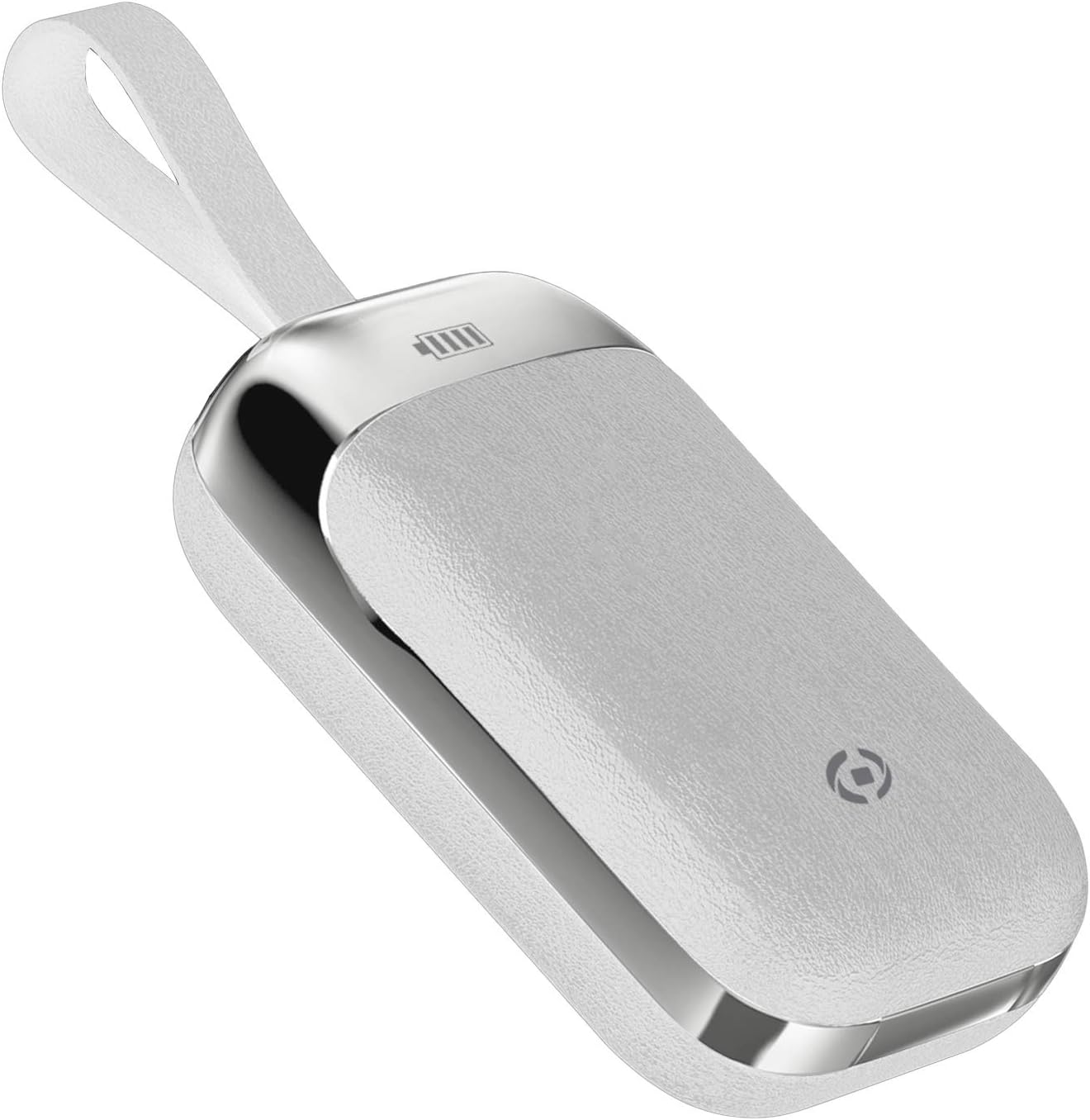
Image 3.2: The Celly FLIP1 charging case in a closed position, showing its compact design and integrated lanyard for easy carrying.

Imaginea 3.3: O explozie view illustrating the internal components of a Celly FLIP1 earbud, including the Bluetooth 5.0 chip, battery, and speaker driver.
4. Configurare
4.1 Încărcarea căștilor și a carcasei
Înainte de prima utilizare, încărcați complet căștile și carcasa de încărcare.
- Așezați căștile în carcasa de încărcare. Asigurați-vă că sunt așezate corect în sloturile corespunzătoare.
- Connect the MicroUSB charging cable to the charging port on the case and the other end to a USB power source (e.g., computer USB port, wall adapter).
- The indicator lights on the case and/or earbuds will show the charging status. Refer to the case for battery level indicators.
- A full charge typically takes approximately 1.5 hours. The charging case has a 400mAh capacity, and each earbud has a 50mAh battery.
Once fully charged, the earbuds provide approximately 4 hours of continuous music playback or talk time.
4.2 Împerecherea cu un dispozitiv Bluetooth
To connect your Celly FLIP1 earbuds to your smartphone or other Bluetooth-enabled device:
- Asigurați-vă că căștile sunt încărcate.
- Open the charging case and remove both earbuds. They will automatically power on and enter pairing mode. You may hear an audio prompt indicating they are ready to pair.
- On your device, go to the Bluetooth settings.
- Caută new devices. Select "Celly FLIP1" (or similar name) from the list of available devices.
- Once connected, you will hear a confirmation tone, and the earbuds' indicator lights may change.
- Dacă asocierea eșuează, puneți căștile înapoi în carcasă, închideți-o și repetați pașii.
The earbuds have a wireless range of up to 10 meters (33 feet) from your connected device.
5. Instrucțiuni de utilizare
The Celly FLIP1 earbuds feature multifunction keys for controlling audio playback and calls.
5.1 Pornire/Oprire
- Pornire: Remove earbuds from the charging case. They will power on automatically. Alternatively, press and hold the multifunction button on each earbud for a few seconds.
- Oprire: Place earbuds back into the charging case. They will power off automatically. Alternatively, press and hold the multifunction button on each earbud for several seconds until the indicator light turns off.
5.2 Redarea muzicii
- Redare/Pauză: Apăsați butonul multifuncțional o dată pe oricare dintre căști.
- Următoarea piesă: Apăsați de două ori butonul multifuncțional de pe casca intraauriculară dreaptă.
- Pista anterioară: Apăsați de două ori butonul multifuncțional de pe casca intraauriculară stângă.
- Controlul volumului: Volumul este de obicei controlat prin intermediul dispozitivului conectat.
5.3 Gestionarea apelurilor
- Răspundeți/Terminați apelul: Apăsați butonul multifuncțional o dată pe oricare dintre căști.
- Respinge apelul: Apăsați și mențineți apăsat butonul multifuncțional de pe oricare dintre căști timp de aproximativ 2 secunde.
- Asistent vocal: Triple-press the multifunction button on either earbud to activate your device's voice assistant (e.g., Siri, Google Assistant).
Mod 5.4 Mono/Stereo
The Celly FLIP1 earbuds support both stereo (using both earbuds) and mono (using a single earbud) modes. Each earbud has an integrated microphone.
- To use in mono mode, simply remove one earbud from the case and leave the other in the case. The single earbud will connect to your device.
- To switch back to stereo, remove the second earbud from the case. It will automatically connect to the first earbud and your device.

Image 5.1: A user wearing Celly FLIP1 earbuds while interacting with a smartphone, demonstrating typical use.
6. Întreținere
Întreținerea corespunzătoare asigură longevitatea și performanța optimă a căștilor tale.
- curatenie: Folosiți o lavetă moale, uscată și fără scame pentru a curăța căștile și carcasa de încărcare. Nu utilizați produse de curățare abrazive, alcool sau solvenți chimici.
- Depozitare: When not in use, always store the earbuds in their charging case to protect them from dust, scratches, and damage.
- Evitați umezeala: Nu expuneți căștile sau carcasa de încărcare la apă, ploaie sau umiditate excesivă.
- Temperatură: Avoid storing or using the device in extreme temperatures (hot or cold).
7. Depanare
If you encounter issues with your Celly FLIP1 earbuds, refer to the following common solutions:
| Problemă | Soluţie |
|---|---|
| Căștile nu pornesc. | Asigurați-vă căștile sunt încărcate. Așezați-le în carcasa de încărcare și conectați carcasa la o sursă de alimentare. |
| Căștile nu se conectează cu dispozitivul. | 1. Ensure Bluetooth is enabled on your device. 2. Place earbuds back in the case, close, then reopen and remove to re-enter pairing mode. 3. Forget/remove "Celly FLIP1" from your device's Bluetooth list and try pairing again. 4. Ensure earbuds are within 10 meters of your device. |
| Funcționează doar o cască. | 1. Ensure both earbuds are charged. 2. Place both earbuds back in the charging case, close the lid, wait a few seconds, then open and remove both simultaneously. 3. Re-pair the earbuds with your device. |
| Volum redus sau calitate slabă a sunetului. | 1. Adjust the volume on your connected device. 2. Ensure earbuds are clean and free of debris. 3. Check the fit of the earbuds in your ears. |
| Carcasa de încărcare nu se încarcă. | 1. Ensure the MicroUSB cable is securely connected to both the case and the power source. 2. Try a different MicroUSB cable or power adapter. |
8. Specificații
| Caracteristică | Detaliu |
|---|---|
| Numele modelului | FLIP1 |
| Numărul de model al articolului | FLIP1WH |
| Tehnologia de conectivitate | Fără fir (Bluetooth 5.0) |
| wireless Range | Până la 10 metri (33 picioare) |
| Capacitatea bateriei pentru căști | 50 mAh (fiecare) |
| Capacitatea bateriei carcasei de încărcare | 400 mAh |
| Timp de încărcare | Approx. 1.5 hours (earbuds and case) |
| Music Playback / Talk Time | Aproximativ. 4 ore |
| Material | Plastic |
| Culoare | Alb |
| Greutatea articolului | 50 g |
| Dimensiuni produs (carcasă) | 10 x 17 x 3.5 cm |
| Componente incluse | Charging box, Headphones, MicroUSB Cable |
9. Informații de siguranță
Vă rugăm să citiți și să urmați aceste instrucțiuni de siguranță pentru a preveni deteriorarea dispozitivului sau vătămarea corporală:
- Nu dezasamblați, reparați sau modificați produsul.
- Păstrați dispozitivul departe de temperaturi extreme, lumina directă a soarelui și flăcări deschise.
- Evitați expunerea dispozitivului la apă sau alte lichide.
- Do not use the device at high volume for extended periods to prevent hearing damage.
- A nu se lăsa la îndemâna copiilor și a animalelor de companie.
- Aruncați produsul și bateriile sale în mod responsabil, conform reglementărilor locale.
10. Garanție și asistență
Celly products are designed and manufactured to the highest quality standards. For information regarding warranty coverage, technical support, or service, please refer to the warranty card included with your purchase or visit the official Celly website-ul.
Vă rugăm să păstrați dovada achiziției pentru orice reclamații în garanție.


