1. Introducere
This manual provides detailed instructions for the Delton 10X Bluetooth Computer Headset. This wireless headset is designed for clear communication and extended use, featuring Bluetooth 5.0 connectivity, a noise-canceling microphone, and a USB dongle for versatile compatibility. Please read this manual thoroughly to ensure proper setup and operation of your device.

Imaginea 1.1: The Delton 10X Bluetooth Computer Headset and its accompanying USB dongle. This image displays the headset's over-the-head design, single ear cup, adjustable microphone boom, and the compact USB dongle.
2. Conținutul pachetului
Verificați dacă toate articolele sunt prezente în colet:
- Delton 10X Bluetooth Headset
- Dongle USB
- Cablu de încărcare
- Manual de utilizare (acest document)
3. Caracteristicile produsului
The Delton 10X headset offers a range of features designed for optimal performance and user comfort:
- Conectivitate Bluetooth 5.0: Asigură o conexiune wireless stabilă și eficientă până la 30 de metri.
- Microfon cu anulare a zgomotului: Reduces background noise for clear voice transmission.
- Microfon rotativ la 270°: Allows for flexible positioning and use on either ear.
- Durată de viață extinsă a bateriei: Up to 15 hours talk time, 18 hours play time, and 160 hours standby time.
- Încărcare rapidă: Se încarcă complet în aproximativ 1.5 ore.
- Adjustable Headband & Plush Ear Cushion: Provides comfort for prolonged wear.
- Ear Gripper T-Pad: Ensures secure fit during movement.
- Universal Compatibilitate: Works with smartphones, tablets, desktop PCs, laptops, and supports iOS and Windows platforms.

Imaginea 3.1: A visual summary of the Delton 10X headset's key features, including 15 hours talk time, Bluetooth 5.0, adjustable headband, high fidelity sound, noise-canceling mic, rotatable mic, long battery backup, voice assistant support, and plush cushions.
3.1 Performanța bateriei
The Delton 10X headset is equipped with a long-lasting battery to support your daily communication needs.
- Timp de convorbire: Până la 15 ore
- Timp de joc: Până la 18 ore
- Timp de așteptare: Până la 160 ore
- Timp de încărcare: Aproximativ 1.5 ore
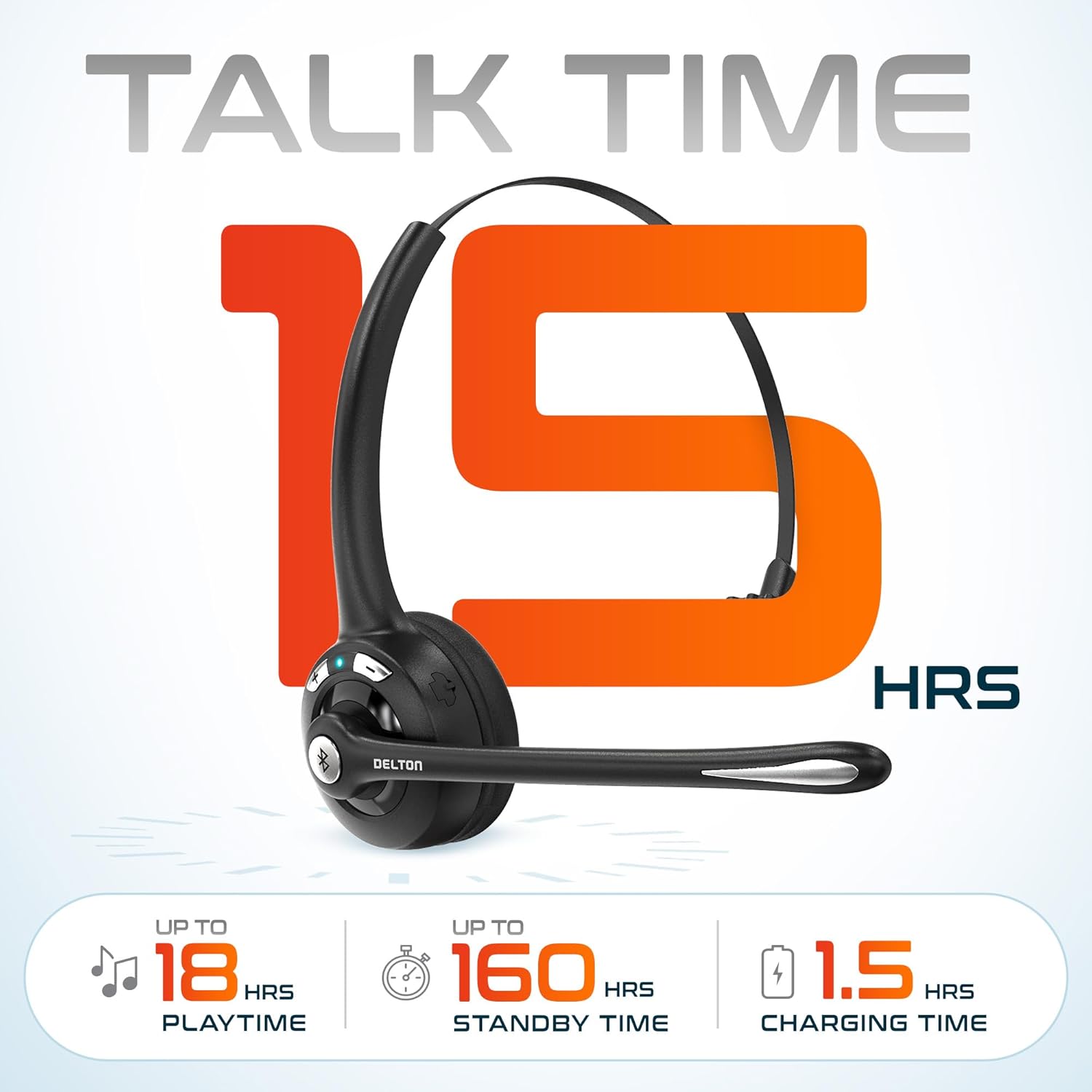
Imaginea 3.2: An infographic detailing the battery performance of the Delton 10X headset, highlighting 15 hours of talk time, 18 hours of play time, 160 hours of standby time, and a 1.5-hour charging time.
3.2 Advanced Technology
The headset incorporates an advanced chipset for seamless connectivity and improved power efficiency.

Imaginea 3.3: Un prim plan view of the headset's internal components, illustrating the advanced Bluetooth 5.0 chipset. This image emphasizes the technology that reduces outside noise, improves power efficiency, and provides seamless connectivity up to 30 feet.
4. Configurare
4.1 Încărcarea căștilor
- Connect the provided charging cable to the charging port on the headset.
- Plug the other end of the cable into a USB power source (e.g., computer USB port, wall adapter).
- Indicatorul LED va afișa starea de încărcare. O încărcare completă durează aproximativ 1.5 ore.
4.2 Pornire/Oprire
- Pentru a porni: Press and hold the Multi-Function Button (MFB) until the LED indicator flashes blue.
- Pentru a opri: Press and hold the MFB until the LED indicator flashes red and then turns off.
4.3 Bluetooth Pairing (Direct)
To connect the headset directly to a Bluetooth-enabled device (e.g., smartphone, tablet):
- Asigurați-vă că setul cu cască este oprit.
- Press and hold the MFB for approximately 5-7 seconds until the LED indicator flashes red and blue alternately, indicating pairing mode.
- Pe dispozitivul dvs., activați Bluetooth și căutați dispozitivele disponibile.
- Select "Delton 10X" from the list of found devices.
- După conectare, indicatorul LED de pe căști va clipi lent în albastru.
4.4 Conectarea dongle-ului USB
For computers without native Bluetooth or for a more stable connection, use the included USB dongle. The dongle provides instant auto-pairing.
- Plug the USB dongle into an available USB port on your computer. The dongle's LED will blink.
- Power on your Delton 10X headset.
- The headset and dongle will automatically pair. The dongle's LED will turn solid blue, and the headset's LED will flash blue slowly once connected.
- Ensure the Delton 10X is selected as the audio input and output device in your computer's sound settings.

Imaginea 4.1: A visual representation of the USB dongle being inserted into a laptop's USB port. The image highlights the 'Auto-Pair USB Dongle' feature and 'Plug & Play' functionality, indicating no driver installation is required.
4.5 Compatibilitate
The Delton 10X headset is designed for broad compatibility:
- Dispozitive: Smartphones, Tablets, Desktop PCs, Laptops.
- Sisteme de operare: iOS, Windows, Linux, Mac.
- Aplicatii: MS Teams, Zoom, Google Meet, Slack, Skype.

Imaginea 4.2: O ilustrație prezintăasing the wide compatibility of the Delton 10X headset with various devices, including phones, tablets, iOS & Windows laptops, and desktop computers/iMacs. This emphasizes its versatility across different platforms.
5. Instrucțiuni de utilizare
5.1 Comenzile căștilor
The headset features intuitive controls for managing calls and audio playback:
- Buton multifuncțional (MFB):
- Press once to Answer/End Call.
- Press and hold for 2 seconds to Redial.
- Apăsați o dată pentru a reda/întrerupe muzica.
- Buton de creștere a volumului (+):
- Apăsați o dată pentru a crește volumul.
- Press and hold for 2 seconds for Next Track.
- Buton de reducere a volumului (-):
- Apăsați o dată pentru a reduce volumul.
- Press and hold for 2 seconds for Previous Track.

Imaginea 5.1: A detailed diagram of the Delton 10X headset's controls, showing the Volume Down (-), Volume Up (+), and Multi-Function Button (MFB) with their respective functions for call management, track control, and power.
5.2 Utilizarea microfonului
The microphone is designed for clear voice pickup and can be adjusted for optimal positioning.
- Reglarea microfonului: The microphone boom can rotate 270 degrees. Position the microphone approximately 1-2 inches from your mouth for best voice clarity.
- Anularea zgomotului: The integrated noise-canceling technology helps filter out ambient sounds, ensuring your voice is heard clearly by others.
5.3 Purtarea căștilor
The Delton 10X headset is designed for comfort and can be worn on either ear.
- Bandă pentru cap reglabilă: Extindeți sau retrageți banda de susținere pentru a se potrivi confortabil dimensiunii capului dumneavoastră.
- Ear Gripper T-Pad: This feature helps secure the headset in place.
- Left or Right Ear: Rotate the microphone boom to position the ear cup on your preferred ear.

Imaginea 5.2: An image illustrating the comfort and adjustability features of the Delton 10X headset. It shows the adjustable headband, the Ear Gripper T-Pad, the plush ear cushion, and the 270° rotation of the flexible microphone, demonstrating its usability on both left and right ears.
6. Întreținere
Întreținerea corespunzătoare asigură longevitatea și performanța optimă a căștilor.
- curatenie: Folosiți o lavetă moale și uscată pentru a curăța căștile. Pentru pernițele urechilor, o lavetă ușor uscatăamp Se poate folosi o cârpă, dar asigurați-vă că sunt complet uscate înainte de utilizare. Evitați substanțele chimice dure sau materialele abrazive.
- Depozitare: Depozitați setul cu cască într-un loc răcoros și uscat, ferit de lumina directă a soarelui și de temperaturi extreme.
- Îngrijirea bateriei: Pentru a prelungi durata de viață a bateriei, evitați descărcarea completă frecventă a căștilor. Încărcați-le regulat, chiar dacă nu le utilizați pentru perioade lungi de timp.
- Evitați apa: Căștile nu sunt rezistente la apă. Evitați expunerea la lichide.
7. Depanare
If you encounter issues with your Delton 10X headset, refer to the following common solutions:
| Problemă | Cauza posibila | Soluţie |
|---|---|---|
| Căștile nu pornesc. | Baterie descărcată sau deloc. | Încărcați căștile timp de cel puțin 1.5 ore. |
| Nu se poate realiza asocierea cu dispozitivul. | Căștile nu sunt în modul de asociere; Bluetooth dezactivat pe dispozitiv; dispozitivul este prea departe. | Ensure headset is in pairing mode (flashing red/blue). Turn on device Bluetooth. Move headset closer to device (within 30 feet). Try using the USB dongle. |
| Poor microphone audio quality (others cannot hear me clearly). | Microphone position; computer audio settings; environmental noise. | Adjust the microphone closer to your mouth (1-2 inches). Check your computer's sound settings to ensure the Delton 10X is selected as the input device and microphone volume is adequate. Ensure the noise-canceling mic is facing the correct direction. |
| No sound or low sound from headset. | Headset volume too low; device volume too low; incorrect audio output device. | Increase headset volume using the '+' button. Increase volume on your connected device. Verify that the Delton 10X is selected as the audio output device in your computer's sound settings. |
| Conexiunea se întrerupe frecvent. | În afara razei de acțiune; interferență. | Ensure you are within 30 feet of the connected device or USB dongle. Minimize obstacles between the headset and device. |
8. Specificații
Detailed technical specifications for the Delton 10X Bluetooth Computer Headset:
| Caracteristică | Caietul de sarcini |
|---|---|
| Numele modelului | 10X Monoaural Headset + Dongle |
| Tehnologia de conectivitate | Fără fir (Bluetooth 5.0) |
| Gama Bluetooth | Până la 30 de picioare |
| Controlul zgomotului | Sound Isolation (Noise-Canceling Mic) |
| Raspuns in frecventa | 20 Hz - 20,000 Hz |
| Durata de viață a bateriei (timp de convorbire) | Până la 15 ore |
| Durata de viață a bateriei (timp de redare) | Până la 18 ore |
| Durata de viață a bateriei (standby) | Până la 160 ore |
| Timp de încărcare | 1.5 de ore |
| Mufă pentru căști | USB (pentru încărcare) |
| Tip control | Call Control, Volume Control, Track Control |
| Greutatea articolului | 1.5 uncii |
| Dimensiunile produsului | 6 x 6 x 2 inci |
| Material | Plastic |
| Plasarea urechii | Over Ear (Monoaural) |
9. Garanție și asistență
For warranty information or technical assistance, please contact Delton customer support. Details can typically be found on the official Delton website or through your purchase documentation. Please retain your proof of purchase for warranty claims.


