Introducere
This manual provides detailed instructions for the setup, operation, maintenance, and troubleshooting of your VTECH VS112-2 DECT 6.0 Bluetooth 2 Handset Cordless Phone. Please read this manual thoroughly to ensure proper use and to take full advantage dintre toate caracteristicile.

Image: The VTECH VS112-2 cordless phone system, showing two handsets and the base unit with an integrated answering machine.
Înființat
1. Despachetarea și amplasarea inițială
- Scoateți cu grijă toate componentele din ambalaj.
- Place the base unit near a standard electrical outlet and a telephone wall jack.
- Ensure the location is away from heat sources, direct sunlight, and other electrical devices that may cause interference.
2. Conectarea unității de bază
- Plug the small end of the power adapter into the power jack on the back of the base unit.
- Conectați capătul mare al adaptorului de alimentare la o priză de perete.
- Conectați un capăt al cablului telefonic la mufa TEL LINE din spatele unității de bază.
- Conectați celălalt capăt al cablului telefonic la o priză telefonică de perete.
3. Instalarea și încărcarea bateriei
- Each handset requires 2 product-specific batteries (included).
- Deschideți capacul compartimentului bateriei de pe spatele fiecărui receptor.
- Insert the batteries, observing the correct polarity (+ and - markings).
- Înlocuiți capacul compartimentului bateriei.
- Place each handset in its respective charger cradle. The CHARGE light on the handset will illuminate, indicating proper charging.
- Allow the handsets to charge for at least 16 hours before initial use.
4. Conectați-vă la asocierea celulară
The Connect to Cell feature allows you to make and receive cellular calls using your cordless handsets. You can pair up to two cell phones or one cell phone and one Bluetooth headset.
- Asigurați-vă că Bluetooth-ul telefonului mobil este activat și poate fi detectat.
- On the VTECH handset, navigate to the Bluetooth menu.
- Select 'Pair New Device' and follow the on-screen prompts to search for and connect to your cell phone.
- Confirmați codul de asociere pe ambele dispozitive, dacă vi se solicită.

Image: This image demonstrates the 'Connect to Cell' functionality, showing how the cordless phone integrates with mobile devices for call management.
5. Digital Answering System Setup
The system includes a digital answering machine with a voice guide to assist with setup.
- Access the Answering System menu on the handset or base unit.
- Follow the voice guide prompts to set the outgoing announcement, number of rings, and message alert tone.
- The system can record up to 22 minutes of messages, announcements, and memos.
Instrucțiuni de operare
1. Efectuarea și primirea apelurilor
- Pentru a efectua un apel: Presa ACASĂ / FLASH for a landline call or CELULA for a cellular call, then dial the number.
- Pentru a răspunde la un apel: Apăsați orice tastă de apelare (0-9, #, *) sau ACASĂ / FLASH or CELULA când sună telefonul.
- Pentru a încheia un apel: Presa OFF/CANCEL sau puneți receptorul în încărcător.
2. Funcția difuzorului
The handset features a full-duplex speakerphone, allowing both parties to speak and be heard simultaneously for natural conversations.
- În timpul unui apel, apăsați tasta VORTORUL buton pentru a activa difuzorul.
- Presa VORTORUL again to switch back to the earpiece.
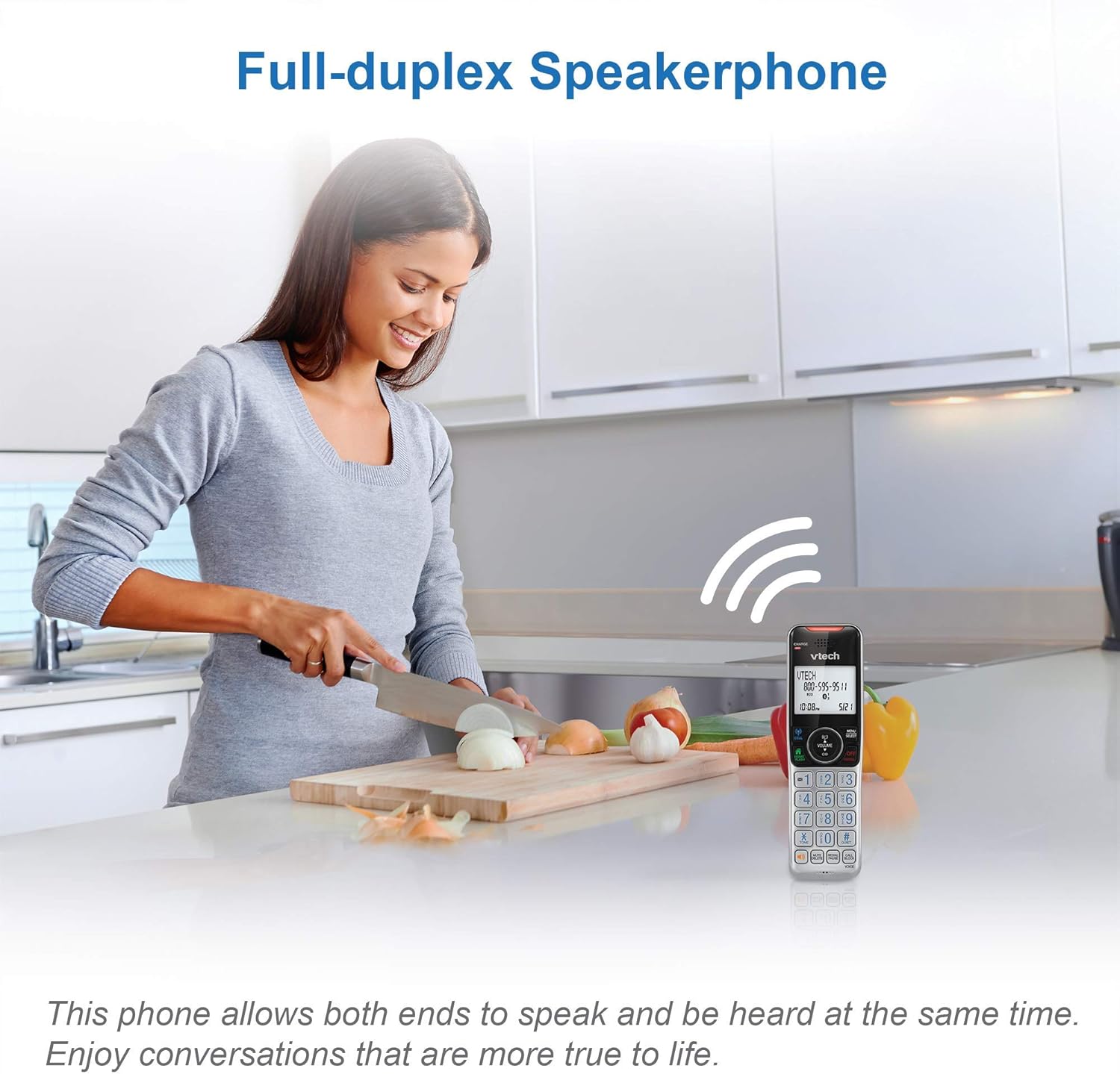
Image: This image illustrates the full-duplex speakerphone in use, showing a user engaged in a hands-free conversation.
3. Smart Call Blocker
This feature helps filter unwanted calls, including robocalls. It can block up to 1,000 numbers.
- To block a number during a call: Presa APEL BLOC.
- To block a number from Caller ID history: Navigate to the Caller ID log, select the number, and press APEL BLOC.
- Robocall screening: Set the system to ask callers to press the pound key.
- Unknown caller screening: Set the system to ask callers to record their names and press the pound key. The phone will announce the caller's name, allowing you to choose to answer, block, or send to voicemail.

Image: This graphic represents the Smart Call Blocker feature, designed to prevent unwanted calls from ringing through.

Image: This image illustrates the capacity of the smart call block directory, capable of storing up to 1,000 names and numbers.
4. Digital Answering System Operation
The answering system records incoming messages when you are unavailable.
- Playing messages: Presa PLAY/STOP on the base unit or access the Answering System menu on the handset.
- Recording a memo: Access the Answering System menu and select 'Record Memo'.
- The LED message counter on the base unit displays the number of new messages.

Image: This image highlights the digital answering system, showing the message counter and a visual representation of a recorded message.
5. Caller ID and Call Waiting
The phone stores up to 50 name and number caller ID records.
- When a call comes in, the caller's name and number will display on the handset screen (requires subscription to caller ID service).
- If you have call waiting service, a tone will indicate an incoming second call. Press FLASH pentru a comuta între apeluri.

Image: This close-up shows the phone's screen displaying caller ID details, indicating an incoming call.
6. Funcția de interfon
Use the intercom feature to communicate between handsets.
- Presa INT on one handset.
- The other handset will ring. Press any key to answer the intercom call.
7. Siri or Google Now Access
When connected to a cell phone via Bluetooth, you can access your smartphone's voice assistant.
- Țineți apăsat butonul CELULA button on the handset to activate Siri or Google Now.
- Speak your command into the handset.
8. Visual Ringer and Display
The handset features a visual ringer and a large, backlit display for enhanced usability.
- A light on top of the handset flashes during an incoming call, providing a visual alert, especially useful in noisy environments or for those with hearing impairments.
- The 2-inch high-contrast, white backlit display and enlarged, lighted keypad ensure easy readability and dialing in various lighting conditions.
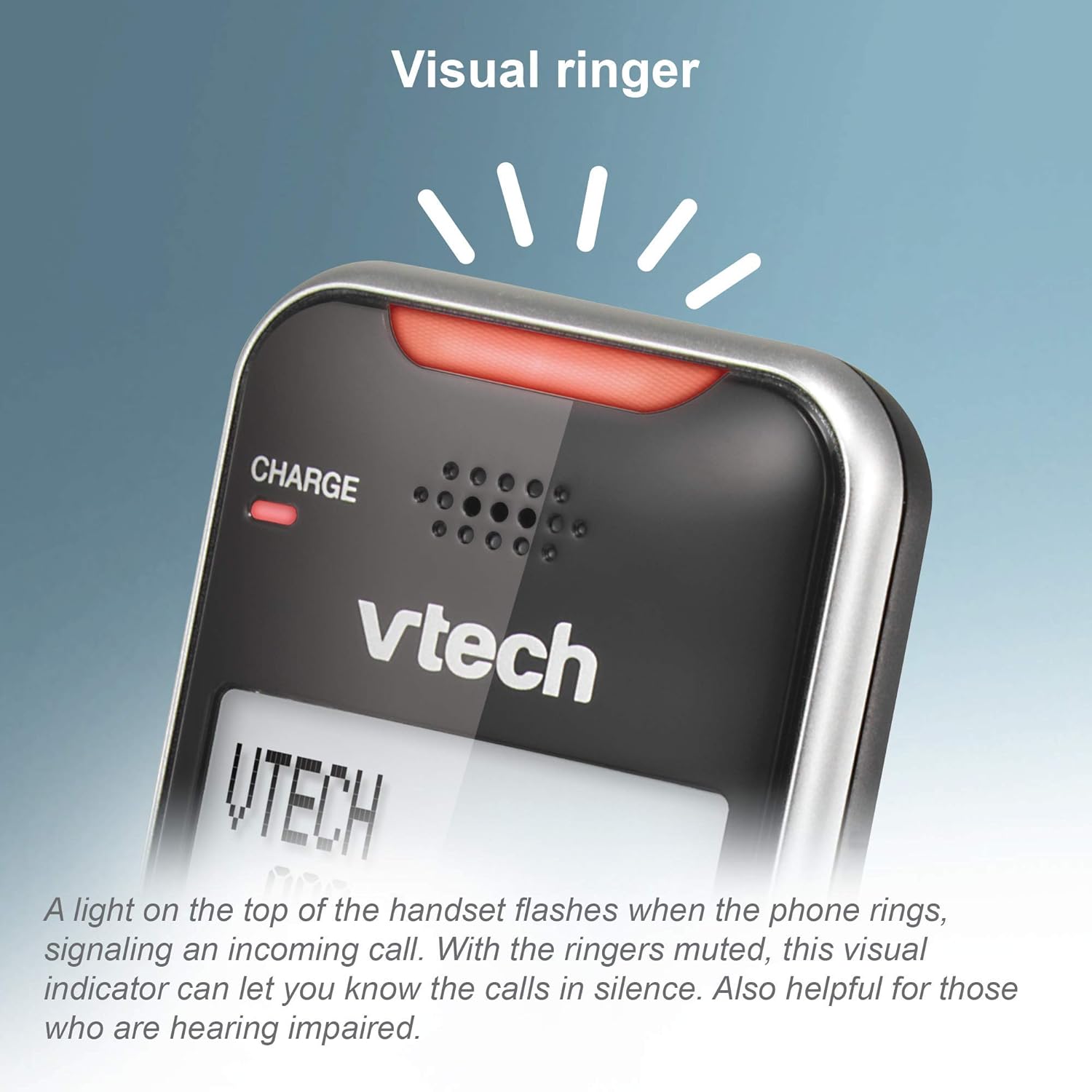
Image: This close-up shows the visual ringer, a light on the handset that flashes to signal an incoming call.

Image: This image highlights the large buttons and the 2-inch white backlit display of the handset, designed for improved visibility and ease of use.
Întreţinere
1. Curățarea telefonului
- Ștergeți telefonul și unitatea de bază cu o lavetă moale și ușor tamponată.amp pânză.
- Do not use cleaning sprays or liquid cleaners, as they may damage the finish or electrical components.
- Ensure the phone is unplugged from the power source before cleaning.
2. Îngrijirea bateriei
- To maintain optimal battery performance, keep the handsets in their chargers when not in use.
- If the phone will be unused for an extended period, remove the batteries to prevent leakage.
- Replace batteries when they no longer hold a charge effectively.
Depanare
If you experience issues with your phone, try the following troubleshooting steps:
Fără ton de apel
- Ensure the base unit's power adapter is securely plugged into a working electrical outlet.
- Verificați dacă este conectat corect cablul liniei telefonice atât la unitatea de bază, cât și la priza de perete.
- Check if other phones on the same line have a dial tone. If not, the issue may be with your telephone service.
Telefonul nu se încarcă
- Ensure the handset is correctly seated in the charger cradle. The CHARGE light should illuminate.
- Clean the charging contacts on both the handset and the charger with a dry cloth.
- Verify the charger's power adapter is plugged into a working outlet.
Poor Call Quality or Static
- Mutați receptorul mai aproape de unitatea de bază.
- Avoid placing the base unit near large metal objects, other cordless phones, Wi-Fi routers, or microwave ovens.
- If using Connect to Cell, ensure your cell phone is within range of the base unit.
Call Blocking Not Working
- Ensure you have correctly added the numbers to the call block list.
- Verify that the Smart Call Blocker feature is enabled in the phone's settings.
- Note that some call blocking features may require a subscription to caller ID service from your telephone provider.
Answering System Issues
- Asigurați-vă că robotul telefonic este pornit.
- Check the memory capacity; if full, delete old messages.
- Verify the number of rings setting.
Specificații
| Marca | Vtech |
| Model | VS112-2 |
| Tip de telefon | Fără fir |
| Tehnologie | DECT 6.0, Bluetooth |
| Numărul de telefoane | 2 |
| Tip de sistem de răspuns | Digital |
| Timp de înregistrare al sistemului de răspuns telefonic | Până la 22 de minute |
| Identificarea apelantului | Da |
| Smart Call Blocker Capacity | Până la 1,000 de numere |
| Afişa | 2-inch, high-contrast, white backlit |
| Sursa de alimentare | Electric cu fir |
| baterii | 2 baterii specifice produsului sunt necesare (incluse) |
| Dimensiunile produsului | 5.95 x 3.33 x 7.36 inci |
| Greutatea articolului | 1.82 lire sterline |
Garanție și suport
Garanție reînnoită Amazon
Acest produs este oferit ca articol Amazon Renewed. Produsele Amazon Renewed sunt inspectate și testate profesional pentru a funcționa și a arăta ca noi. Dacă nu sunteți mulțumit de achiziție, produsele reînnoite pot fi înlocuite sau rambursate în cadrul Garanției Amazon Renewed.
Asistență pentru producător
For further assistance, technical support, or detailed warranty information beyond the Amazon Renewed Guarantee, please refer to the official VTech website or contact VTech customer service directly. Contact information can typically be found on the manufacturer's website-ul sau în ambalajul original al produsului.


