1. Introducere
The Alfatron ALF CAM100 is an HD web camera designed for video conferencing, streaming, and other video communication needs. It provides 1080p video resolution for clear and sharp images. This manual provides instructions for setting up, operating, and maintaining your ALF CAM100 web aparat de fotografiat.
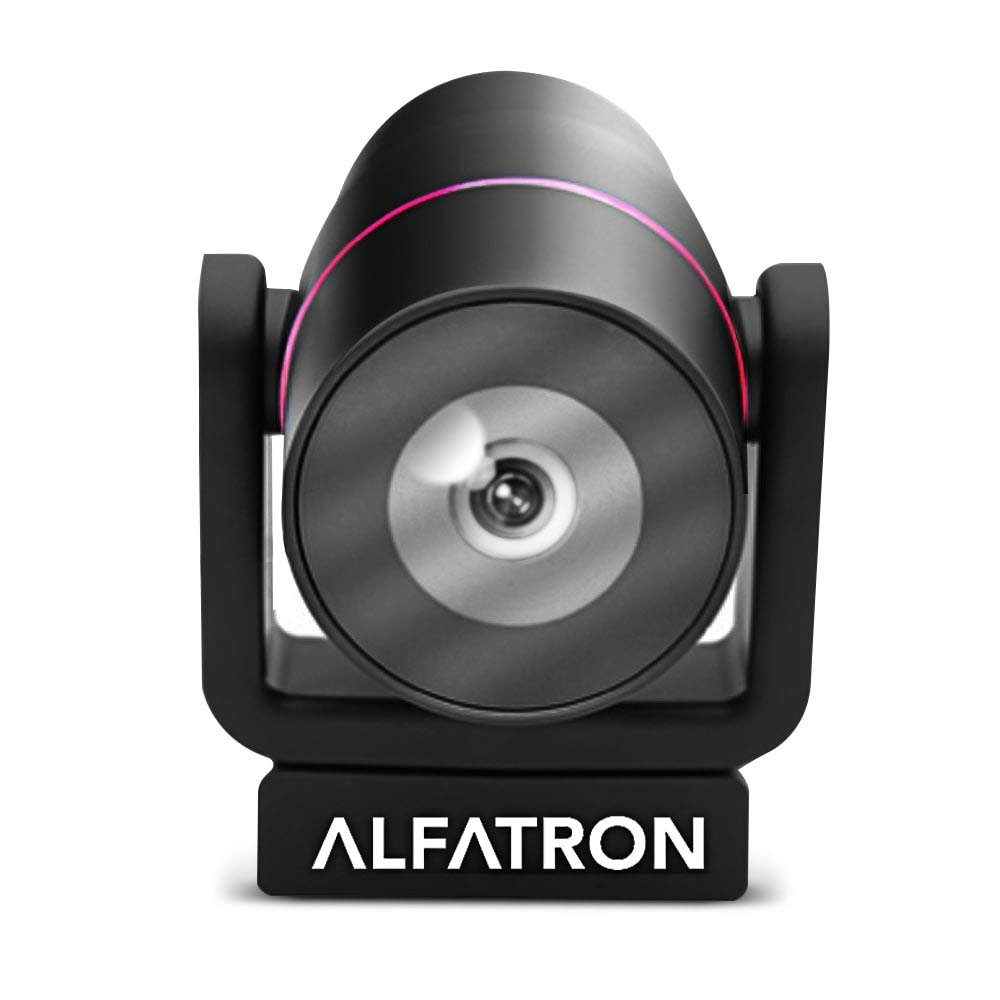
Image 1.1: The Alfatron ALF CAM100 HD Camera, highlighting its 1080p resolution, 120-degree wide shooting angle, and compatibility with video conferencing software like Skype and Zoom.
2. Ce se află în cutie
Verificați dacă toate articolele sunt prezente în colet:
- Alfatron ALF CAM100 HD Web Camera foto
- Cablu USB
3. Instrucțiuni de configurare
The ALF CAM100 web camera is designed for plug-and-play operation, requiring no additional driver installation for most operating systems.
- Conectați cablul USB: Plug the provided USB cable into the USB port on the ALF CAM100 camera.
- Conectare la computer: Insert the other end of the USB cable into an available USB 2.0 port on your computer.
- Recunoașterea sistemului: Your operating system (Windows, macOS, Linux) should automatically detect and install the necessary drivers for the camera. This process may take a few moments.
- Poziționați camera: Place the camera on a stable surface, monitor, or tripod. The adjustable lens allows for flexible positioning.
- Select Camera in Software: Open your preferred video conferencing or streaming application (e.g., Zoom, Skype, WeChat) and select "ALF CAM100" as your video input device in the application's settings.
4. Instrucțiuni de utilizare
4.1 Operare de bază
Once connected and selected in your software, the ALF CAM100 will begin streaming video. Ensure adequate lighting for optimal video quality.
4.2 Smart Hanging Mode
The camera features an intelligent hanging mode. If the camera is mounted upside down, it will automatically detect the orientation and adjust the video image stream accordingly, ensuring the picture is always right-side up.

Image 4.1: The Alfatron ALF CAM100 camera mounted in a conference room setting, illustrating its use and the intelligent hanging mode feature that automatically adjusts image orientation.
4.3 Adjustable Lens
The ALF CAM100 is equipped with a mechanically adjustable lens. This allows for precise framing and angle adjustments to achieve the desired view for your video calls or recordings.
5. Caracteristici pesteview
- Video de înaltă definiție: Streams in 1080p for clear and sharp video quality.
- Wide Range Shooting Angle: Features a 120-degree wide-angle lens to capture more of the environment.
- Universal Compatibilitate: Works with popular video meeting software including Zoom, Skype, and WeChat.
- Plug and Play: Simple USB connection with no driver installation required for most systems.
- Smart Hanging Mode: Automatically adjusts video orientation if the camera is mounted upside down.
- Lentila reglabila: Mechanically adjustable lens for flexible framing and angle adjustments.
- Performanță la lumină scăzută: Designed to perform well in low-light conditions.
6. Întreținere
Proper maintenance ensures the longevity and optimal performance of your ALF CAM100 web aparat de fotografiat.
- Curățarea lentilei: Folosiți o lavetă moale, fără scame, special concepută pentru lentile optice, pentru a șterge ușor obiectivul camerei. Evitați materialele abrazive sau substanțele chimice dure.
- Curățarea corpului: Ștergeți corpul camerei cu o cârpă moale și uscată. Dacă este necesar, ștergeți ușoramp Se poate folosi o cârpă, dar asigurați-vă că nu pătrunde umezeală în cameră.
- Depozitare: When not in use for extended periods, store the camera in a clean, dry place away from direct sunlight and extreme temperatures.
- Îngrijirea cablului: Evitați îndoirea sau răsucirea excesivă a cablului USB pentru a preveni deteriorarea.
7. Depanare
If you encounter issues with your ALF CAM100 web cameră, consultați următoarele soluții comune:
- Camera nu a fost detectată:
- Asigurați-vă că ați conectat cablul USB în siguranță atât la cameră, cât și la computer.
- Try connecting the camera to a different USB port on your computer.
- Reporniți computerul.
- Check your operating system's device manager (Windows) or system information (macOS) to see if the camera is listed.
- Fără ieșire video:
- Verify that the ALF CAM100 is selected as the video input device in your video conferencing or streaming application's settings.
- Ensure no other application is currently using the camera, as some software may not allow simultaneous access.
- Check for any privacy settings on your operating system that might be blocking camera access for certain applications.
- Calitate video slabă:
- Ensure adequate lighting in your environment. The camera performs best with sufficient illumination.
- Clean the camera lens using a soft, lint-free cloth.
- Check your internet connection speed if streaming, as low bandwidth can affect video quality.
- Confirm that your video application is set to use 1080p resolution if available.
8. Specificații
| Caracteristică | Detaliu |
|---|---|
| Numărul de model | ALFCAM100 |
| Dimensiuni | 104mm x 139mm x 124mm / 7.48 x 6.1 x 5.12 inches |
| Greutate netă | 500 g / 1.93 lire sterline |
| Culoare | Negru |
| Interfață | USB 2.0 |
| Obiectiv | 1/2.8, fixed focus, 120-degree angle |
| Senzor | Full HD CMOS Sensor |
| Rezoluție video | 1920 x 1080 (1080p) |
| Viteza de transmisie a imaginii | Până la 30 FPS |
| Aperture Coefficient | F2.0 |
| Caracteristica specială | Performanță în lumină slabă |
Note: Dimensions and weight are provided in both metric and imperial units as found in product data.
9. Garanție și asistență
The Alfatron ALF CAM100 comes with a limited 7-year warranty.
For technical support or warranty claims, please refer to the official Alfatron website-ul web sau contactați departamentul de asistență pentru clienți. Informațiile de contact sunt de obicei disponibile pe ambalajul produsului sau pe fișa producătorului. website-ul.


