1. Introducere
This manual provides detailed instructions for the installation, operation, and maintenance of your Imou IPC-G22P 2MP WiFi IP Bullet Camera. This device is designed for reliable surveillance, offering 2-megapixel live monitoring, efficient H.265 video compression, and robust IP67 weather resistance for various environmental conditions.

Image 1.1: The Imou IPC-G22P Bullet Camera, showcasing its weather-resistant design suitable for outdoor use.

Image 1.2: The Imou IPC-G22P camera is suitable for diverse installation environments, including residential and commercial outdoor settings.
2. Informații de siguranță
Vă rugăm să citiți și să urmați cu atenție toate instrucțiunile de siguranță pentru a preveni deteriorarea dispozitivului sau vătămarea corporală. Păstrați acest manual pentru referințe ulterioare.
- Alimentare electrică: Use only the power adapter provided with the camera. Ensure the power source meets the camera's voltage cerințe.
- Instalare: Install the camera securely on a stable surface. Avoid placing it in areas with extreme temperatures, high humidity, or direct exposure to corrosive substances.
- Expunerea la apă: While the camera is IP67 rated for weather resistance, avoid submerging it in water or exposing it to high-pressure water jets.
- curatenie: Deconectați alimentarea înainte de curățare. Folosiți o cârpă moale și uscată. Nu utilizați agenți de curățare lichizi sau cu aerosoli.
- Service: Nu încercați să dezasamblați sau să reparați singur camera. Apelați la personal calificat pentru toate lucrările de service.
3. Configurare
3.1 Instalare fizică
Mount the camera in your desired location using the provided mounting hardware. Ensure the camera has a clear field of view and is within range of your Wi-Fi network or close to an Ethernet port for wired connection.
3.2 Conexiune la alimentare
Connect the power adapter to the camera's power input and then plug it into a standard electrical outlet. The camera will power on automatically.
3.3 Conexiune de rețea
The Imou IPC-G22P supports both Wi-Fi and wired LAN connectivity, offering flexibility for installation.

Image 3.1: The camera supports both wireless (2.4GHz Wi-Fi) and wired (LAN) network connections for flexible installation and stable data transmission.
- Conexiune Wi-Fi: For wireless setup, ensure your Wi-Fi network is 2.4GHz. The camera features an upgraded 4.5dBi antenna for stronger and more stable signal reception.
- Conexiune LAN: For a more stable and reliable connection, connect an Ethernet cable from your router to the camera's LAN port.
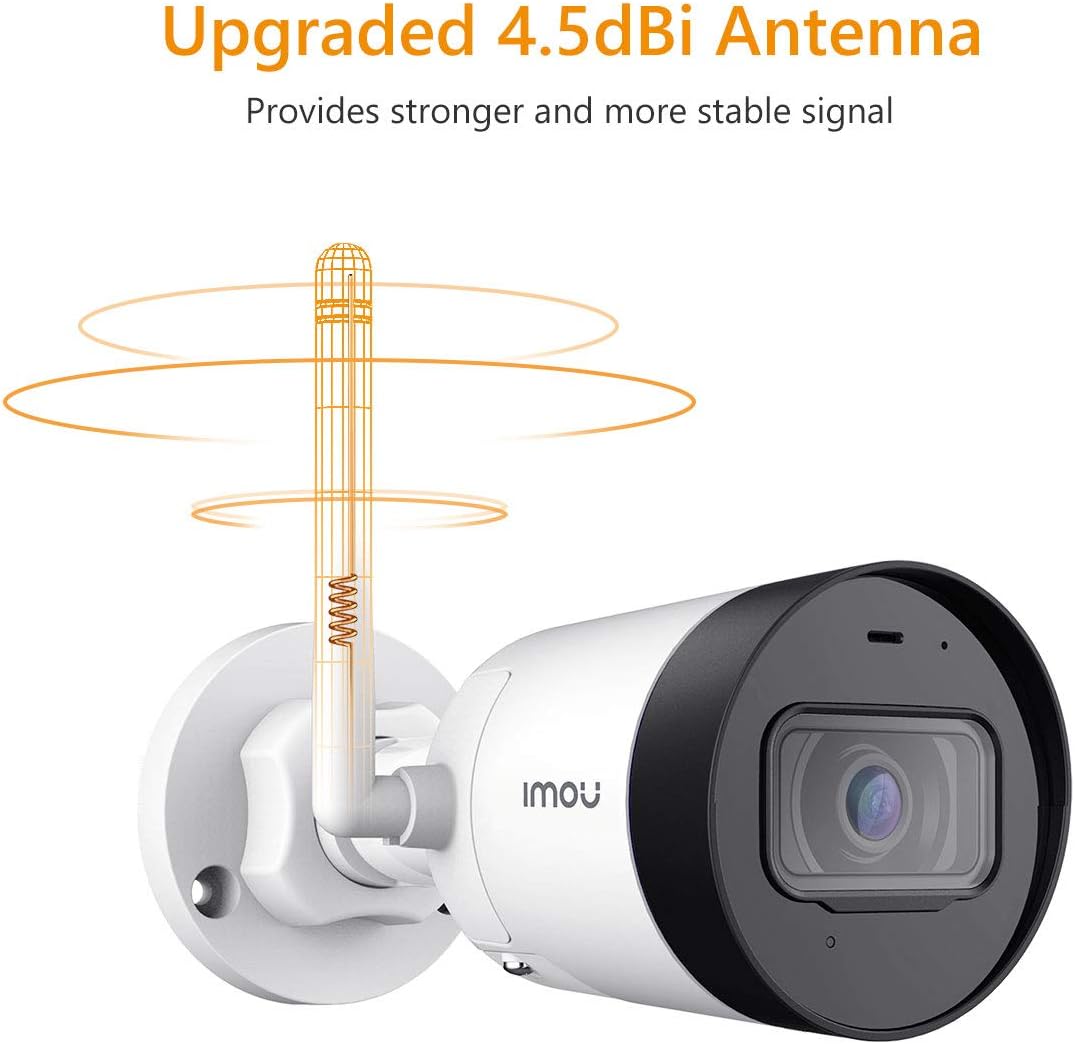
Image 3.2: The camera's 4.5dBi antenna enhances Wi-Fi signal strength and stability.
3.4 Instalarea aplicației și asocierea dispozitivelor
- Descărcați Viața Imou aplicația din magazinul de aplicații al smartphone-ului (disponibilă pentru Android și iOS).
- Creează un cont sau conectează-te dacă ai deja unul.
- Follow the in-app instructions to add your new camera. This typically involves scanning a QR code on the camera or manually entering its serial number.
- Complete the network configuration within the app.
4. Instrucțiuni de utilizare
4.1 În direct View și Înregistrare
Once connected, you can access the live video feed from your camera via the Imou Life app. The camera provides 2-megapixel resolution and utilizes H.265 compression to optimize bandwidth and storage usage while maintaining video quality.
4.2 Detectarea mișcării și alertele
The camera is equipped with motion detection capabilities. When movement is detected, the camera can send instant alerts to your smartphone, allowing you to monitor activity in real-time.

Image 4.1: The Imou camera provides instant alerts to your smartphone upon detecting movement, enhancing security monitoring.
Monitorizare audio 4.3
The built-in microphone allows you to listen to audio from the camera's vicinity through the Imou Life app.

Image 4.2: The camera includes a built-in microphone for audio monitoring of the surveillance area.
4.4 Vedere nocturnă
The camera features integrated night vision functionality, providing clear video monitoring even in low-light or complete darkness conditions.
4.5 Managementul stocării
The Imou IPC-G22P offers multiple options for video storage:
- Card Micro SD: Supports local storage on a Micro SD card, up to 128GB.
- Norul Imou: Cloud storage service for secure, remote access to your recordings.
- NVR (Recorder video de rețea): Compatibil cu sistemele NVR pentru înregistrare continuă și gestionare centralizată.

Image 4.3: The camera provides flexible storage solutions including Micro SD card, Imou Cloud, and NVR compatibility.
5. Întreținere
5.1 Curățare
To maintain optimal performance, periodically clean the camera lens and housing. Use a soft, lint-free cloth. For stubborn dirt, slightly dampClătiți laveta cu apă. Evitați substanțele de curățare abrazive sau solvenții.
5.2 de actualizări de firmware
Regularly check for and install firmware updates via the Imou Life app. Firmware updates often include performance improvements, new features, and security enhancements.
5.3 Rezistența la intemperii
The Imou IPC-G22P is IP67 certified, meaning it is protected against dust ingress and can withstand immersion in water up to 1 meter for 30 minutes. This rating ensures reliable operation in various outdoor weather conditions, including rain and snow.
6. Depanare
- Fără putere:
Ensure the power adapter is securely connected to both the camera and a working electrical outlet. Verify the outlet is supplying power. - No Network Connection / Frequent Disconnections:
Check your Wi-Fi signal strength at the camera's location. If using Wi-Fi, ensure the camera is within range of your 2.4GHz router. If using LAN, verify the Ethernet cable is properly connected and functional. Restart your router and the camera. - Imou Life App Issues (Slow Loading, Playback Delays):
Ensure your smartphone has a stable internet connection. Close and reopen the app. Clear the app's cache or reinstall it if issues persist. Network congestion can also affect app performance. - Probleme de calitate a imaginii:
Curățați obiectivul camerei. Asigurați-vă că nu există obstrucții în câmpul de acțiune al camerei. view. Check network bandwidth, as low bandwidth can affect streaming quality. - Camera Heats Up During Use:
It is normal for electronic devices to generate some heat during operation. If the camera becomes excessively hot to the touch or exhibits abnormal behavior, disconnect power and contact support. - Obiectiv fix Viewunghi:
The Imou IPC-G22P features a fixed lens. The viewing angle cannot be adjusted remotely. Ensure the camera is physically mounted at the desired angle during installation.
7. Specificații
| Caracteristică | Caietul de sarcini |
|---|---|
| Numele modelului | Imou IPC G22PIMOU (Bullet Lite) |
| Număr producător | IPC-G22P |
| Rezoluţie | 2 Megapixeli |
| Tehnologia de conectivitate | Wireless (Wi-Fi), Wired (LAN) |
| Frecvența Wi-Fi | 2.4 GHz |
| Utilizare în interior/exterior | Outdoor (IP67 certified) |
| Caracteristici speciale | Night Vision, Motion Detection, Built-in Microphone |
| Dispozitive compatibile | Smartphone, Tabletă |
| Sursa de alimentare | Electric cu fir |
| Dimensiunile produsului | 8.5 x 7 x 16.5 cm |
| Greutatea articolului | 260 g |
| Bateriile necesare | 1 AA batteries (for remote, not camera operation) |
| Producător | Imou |
8. Garanție și asistență
Pentru informații despre garanție și asistență tehnică, vă rugăm să consultați site-ul oficial Imou. website-ul web sau contactați distribuitorul local. Păstrați bonul fiscal ca dovadă a achiziției.
For further assistance, you may visit the Imou support page or contact their customer service directly.


