1. Introducere
This manual provides comprehensive instructions for setting up, operating, and maintaining your Microsoft Surface Go 2 tablet. The Surface Go 2 is a versatile 10.5-inch touch-screen device, powered by an Intel Pentium processor, 8GB of RAM, and a 128GB SSD, running Windows 10. It is designed for portability and efficiency, suitable for various tasks from productivity to entertainment.
2. Components and Ports
Familiarize yourself with the physical components and connection ports of your Surface Go 2.
2.1 Dispozitiv pesteview
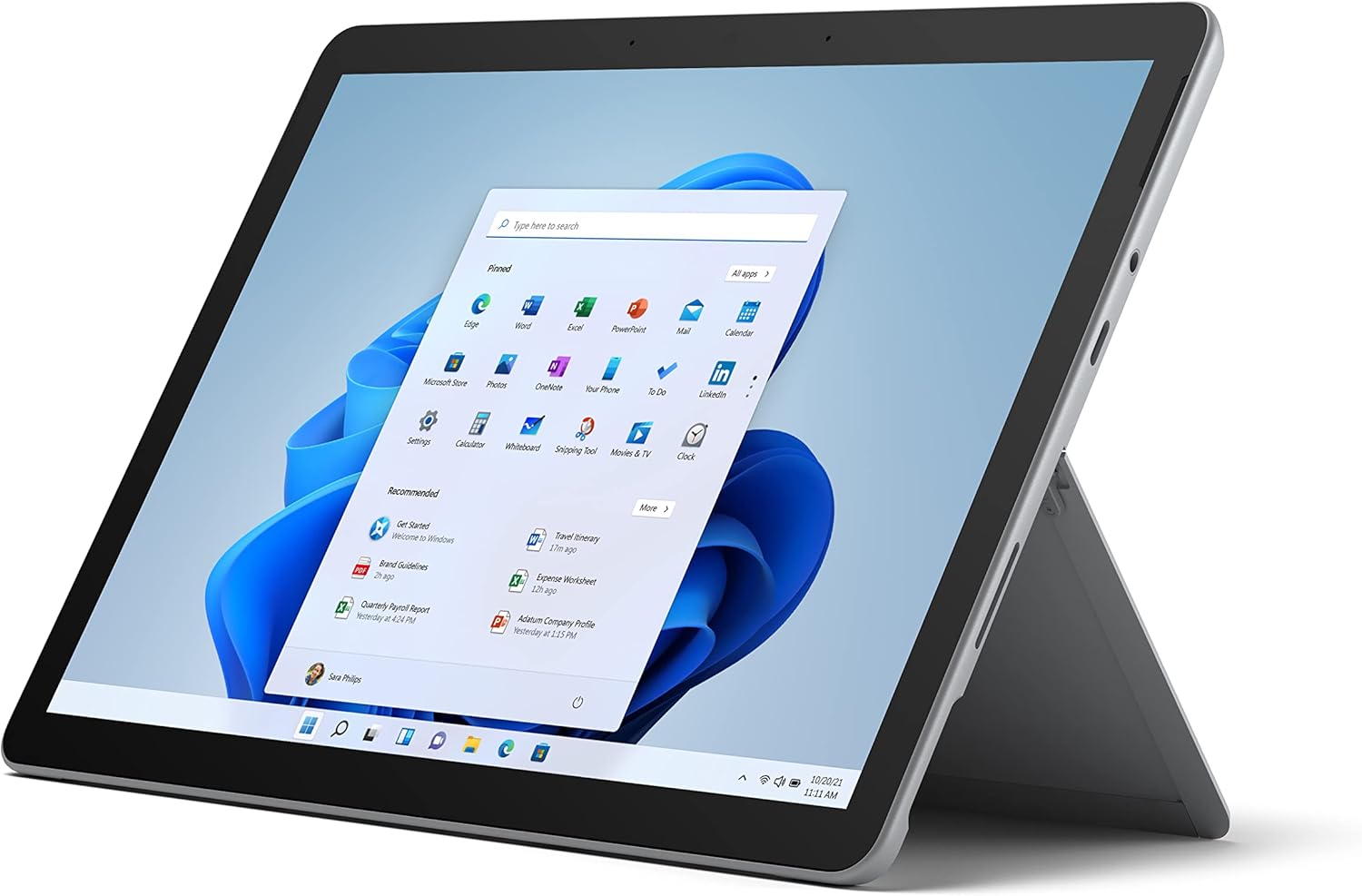
Figure 2.1: Microsoft Surface Go 2 tablet in landscape orientation, showcasing the Windows desktop interface.
2.2 Side Ports and Buttons
- Port USB tip C: For data transfer, video output, and charging.
- 3.5 mm Headphone Jack: Pentru conectarea căștilor sau a dispozitivelor audio externe.
- Port de conectare la suprafață: Magnetic port for charging and connecting to Surface Dock (sold separately).
- Cititor de carduri MicroSD: For expanding storage with a microSD card.
- Butoane de volum: Pentru a regla volumul audio.
- Buton de alimentare: Pentru a porni/opri dispozitivul sau a-l pune în modul repaus.

Figura 2.2: Un avantaj lateralfile of the Surface Go 2, illustrating the various ports and buttons along its edge.
2.3 Integrated Kickstand
The Surface Go 2 features an integrated kickstand on the back, allowing for multiple viewing angles. This enables comfortable use in various modes, such as tablet, laptop (with Type Cover), or studio mode.

Figure 2.3: The Surface Go 2 with its Type Cover keyboard attached and the kickstand deployed, demonstrating its laptop-like configuration.
3. Configurare inițială
Follow these steps to set up your Surface Go 2 for the first time.
3.1 Pornirea și configurarea de bază
- Încărcați dispozitivul: Connect the included power adapter to the Surface Connect port on your device and plug it into a power outlet.
- Pornire: Press and hold the power button located on the top edge of the device until the Microsoft logo appears on the screen.
- Urmați instrucțiunile de pe ecran: The device will guide you through selecting your region, language, and connecting to a Wi-Fi network.
- Microsoft Account Setup: Sign in with an existing Microsoft account or create a new one. This is essential for accessing Microsoft services and applications.
- Setări de confidențialitate: Review and adjust your privacy settings as prompted.
- Windows Hello: Set up facial recognition for faster and more secure sign-in (optional).
4. Instrucțiuni de utilizare
The Surface Go 2 offers flexible interaction methods.
4.1 Navigare pe ecran tactil
The 10.5-inch PixelSense display supports 10-point multi-touch. You can navigate Windows 10 using gestures similar to a smartphone or tablet:
- Robinet: Selectați elemente sau deschideți aplicații.
- Beţivan: Derulați prin conținut sau navigați între ecrane.
- Ciupire pentru zoom: Enlarge or reduce content size.
- Apăsați și mențineți apăsat: Access context menus (right-click equivalent).
4.2 Using the Type Cover Keyboard (Sold Separately)
Attach the Type Cover keyboard to transform your Surface Go 2 into a laptop. The keyboard connects magnetically to the bottom edge of the tablet.
- Atașament: Align the Type Cover with the magnetic connector at the bottom of the Surface Go 2 until it snaps into place.
- tastare: Use the physical keys for efficient text input.
- Trackpad: The integrated trackpad allows for precise cursor control and multi-touch gestures.

Figure 4.1: The Surface Go 2 tablet separated from its Type Cover keyboard, illustrating the modular design.
4.3 Using the Surface Pen (Sold Separately)
The Surface Pen (sold separately) enhances creativity and productivity, allowing for natural writing and drawing directly on the screen.

Figure 4.2: The Surface Go 2 tablet displayed with a compatible Surface Pen, highlighting its digital inking capabilities.
5. Întreținere
Proper care ensures the longevity and performance of your Surface Go 2.
- Curățarea ecranului: Folosiți o cârpă moale, fără scame dampened with water or an approved screen cleaner. Avoid harsh chemicals.
- Curățarea corpului dispozitivului: Ștergeți exteriorul cu o cârpă moale și uscată.
- Actualizări de software: Verificați și instalați periodic actualizări Windows pentru a asigura performanță și securitate optime. Accesați Setări > Actualizare și securitate > Actualizare Windows.
- Îngrijirea bateriei: To maximize battery lifespan, avoid extreme temperatures and try to keep the battery charge between 20% and 80% when possible.
- Managementul stocării: Periodically clear temporary files and unnecessary data to free up storage space. Go to Setări > Sistem > Stocare.
6. Depanare
Probleme comune și soluțiile lor.
- Dispozitivul nu pornește: Asigurați-vă că dispozitivul este încărcat. Conectați adaptorul de alimentare și așteptați câteva minute înainte de a încerca să îl porniți din nou.
- Ecranul tactil nu răspunde: Restart the device. If the issue persists, check for pending Windows updates or consider a system restore.
- Probleme de conexiune Wi-Fi: Verify your Wi-Fi network is active. Restart your router and the Surface Go 2. Check Wi-Fi settings on the device.
- Performanță lentă: Close unnecessary applications. Check for background processes consuming high resources (Task Manager). Ensure sufficient free storage space.
- Se descarcă rapid bateria: Adjust screen brightness, disable unnecessary background apps, and ensure all software is up to date.
7. Specificații
| Caracteristică | Detaliu |
|---|---|
| Afişa | 10.5" PixelSense 10-Point Touch Display |
| Rezoluţie | 1920 x 1280 (216 ppi) |
| Procesor | 1.6 GHz Intel Pentium 4425Y Dual-Core Processor |
| RAM | 8 GB |
| Depozitare | SSD de 128 GB |
| Grafică | Intel HD Graphics 615 integrat |
| Fără fir | Wi-Fi 5 (802.11ac) | Bluetooth 4.1 |
| Camere de luat vederi | 8MP Rear Camera | 5MP Front Camera |
| Porturi | USB Type-C, 3.5 mm Headphone Jack, Surface Connect, MicroSD Card Reader |
| Durata de viață a bateriei | Până la 9 de ore (utilizare tipică) |
| Sistem de operare | Windows 10 |
| Greutate | 1.15 lbs (aprox.) |
| Dimensiuni | 6.8 x 9.64 x 0.32 inci |
8. Garanție și asistență
This Microsoft Surface Go 2 is a renewed product. Renewed products are eligible for replacement or refund under the Amazon Renewed Guarantee if you are not satisfied with your purchase. For specific terms and conditions, please refer to the Amazon Renewed program details.
For further technical support or inquiries, please visit the official Microsoft Surface support website-ul sau contactați serviciul pentru clienți.


