1. Introducere
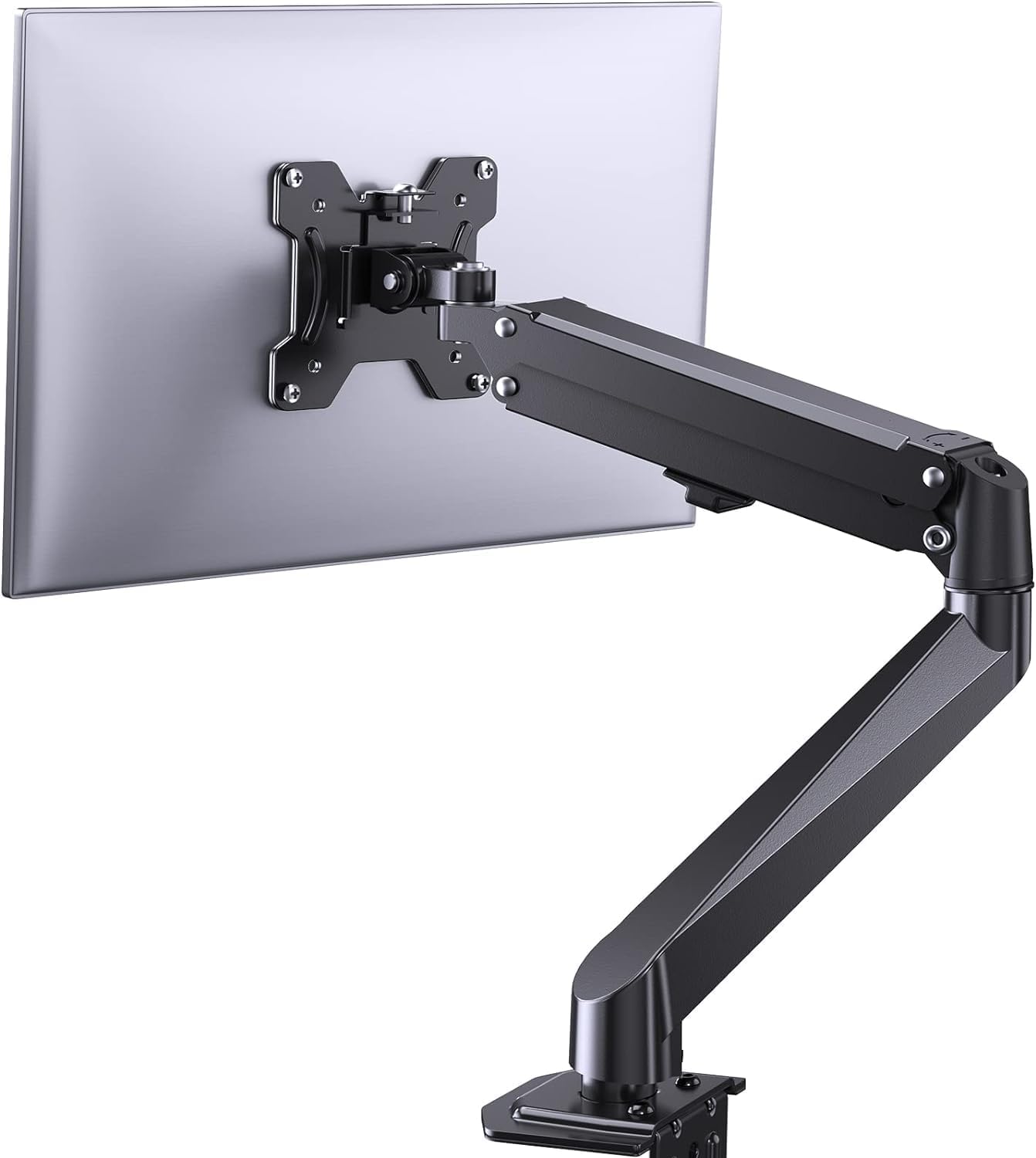
This manual provides comprehensive instructions for the installation, operation, and maintenance of your ErGear Single Monitor Mount, Model EGSS7. This monitor arm is designed to enhance your workspace ergonomics by providing adjustable positioning for a single monitor. Please read this manual thoroughly before installation and retain it for future reference.

Image 1.1: The ErGear Single Monitor Arm (Model EGSS7) in a typical office setup.
2. Informații de siguranță
Vă rugăm să respectați următoarele măsuri de siguranță pentru a preveni vătămările corporale sau deteriorarea echipamentului dumneavoastră:
- Nu depășiți capacitatea maximă de greutate de 6.5 kg.
- Ensure your monitor is between 17 and 27 inches in size.
- Verify that your monitor is VESA compatible (75x75mm or 100x100mm).
- Install the mount on a sturdy desk surface that can support the combined weight of the mount and your monitor.
- Follow all installation steps carefully. Improper installation may result in equipment damage or personal injury.
- Păstrați piesele mici departe de copii.
3. Conținutul pachetului
Before proceeding with installation, please ensure all components are present and undamaged. Refer to the included parts list for detailed identification.
Imaginea 3.1: Pesteview of the ErGear Single Monitor Mount components.
4. Specificații
| Caracteristică | Caietul de sarcini |
|---|---|
| Marca | Ergear |
| Model | EGSS7 |
| Dimensiune compatibilă a monitorului | 17 - 27 inci |
| Capacitate de greutate | Până la 14.3 lbs (6.5 kg) |
| Compatibilitate VESA | 75x75mm, 100x100mm |
| Tip de montare | C-clamp sau Grommet |
| Material | Oțel aliat |
| Culoare | Negru |
| Interval de înclinare | -35° până la +50° |
| Gama rotativă | -90° până la +90° |
| Rotaţie | 360° |
| Dimensiunile produsului | 41.2 x 30.4 x 10 cm |

Image 4.1: Monitor size and weight capacity details.
5. Instrucțiuni de configurare
The ErGear Single Monitor Mount offers two installation options: C-clamp or Grommet mounting. Choose the option best suited for your desk.

Image 5.1: C-clamp and Grommet mounting options with desk thickness ranges.
5.1 C-Clamp Instalare
- Atașați C-clamp to the base of the monitor arm.
- Poziționați C-clamp on the edge of your desk. Ensure the desk thickness is between 0.4 and 3.3 inches.
- Strângeți clamp securely using the provided knob until the mount is stable.
5.2 Grommet Installation
- If your desk has a grommet hole, insert the grommet bolt through the base of the monitor arm and the desk hole. Ensure the desk thickness is between 0.4 and 3.1 inches.
- Secure the mount from underneath the desk using the provided plate and nut.
5.3 Atașarea monitorului
- Carefully attach your VESA-compatible monitor to the VESA plate on the arm using the appropriate screws.
- Ensure the screws are tightened firmly but do not overtighten.
5.4 Reglarea tensiunii
The gas spring arm requires tension adjustment to properly support your monitor's weight. Use the included Allen key to adjust the tension screw located on the arm. Turn clockwise to increase tension for heavier monitors, and counter-clockwise to decrease tension for lighter monitors. Adjust until the monitor stays in position when moved.

Imaginea 5.2: Intern view of the flexible gas spring arm.
6. Instrucțiuni de utilizare
Once installed, your ErGear monitor mount allows for flexible positioning of your monitor.
6.1 Reglarea poziției monitorului
- Reglarea înălțimii: Gently push or pull the monitor to the desired height. The gas spring mechanism will hold it in place.
- Înclinare: The monitor can be tilted from -35° to +50° to reduce glare and optimize viewunghiuri de ing.
- pivotare: Swivel the monitor from -90° to +90° for collaborative work or to view content from different angles.
- Rotaţie: Rotiți monitorul la 360° pentru a comuta între orientarea peisaj și portret.

Image 6.1: Monitor height adjustment.

Image 6.2: Full motion range capabilities of the monitor arm.
6.2 Managementul cablurilor
The monitor arm features an integrated cable management system to keep your workspace tidy. Route your monitor cables through the designated channels on the arm to conceal them.

Image 6.3: Integrated cable management system.
7. Întreținere
Întreținerea regulată asigură longevitatea și performanța optimă a suportului de monitor.
- Verificați periodic toate șuruburile și conexiunile pentru a vă asigura că sunt strânse.
- Clean the surface of the mount with a soft, damp pânză. Evitați curățarea abrazivă.
- Re-adjust the gas spring tension if your monitor feels too loose or too stiff when moving.
8. Depanare
| Problemă | Cauza posibila | Soluţie |
|---|---|---|
| Monitorul se lasă sau nu rămâne în poziție. | Gas spring tension is too low. | Increase gas spring tension using the Allen key (clockwise). |
| Monitor is difficult to move. | Tensiunea arcului cu gaz este prea mare. | Decrease gas spring tension using the Allen key (counter-clockwise). |
| Montura pare instabilă. | C-clamp or grommet connection is loose. | Strângeți C-clamp knob or grommet nut. |
| Monitorul nu se potrivește cu placa VESA. | Incorrect VESA pattern. | Ensure your monitor has a 75x75mm or 100x100mm VESA pattern. |
9. Garanție și asistență
For warranty information or technical support, please refer to the contact details provided with your purchase or visit the official ErGear website. Please have your model number (EGSS7) and purchase date available when contacting support.


