Introducere
Thank you for choosing the MageGee Pink Gaming Keyboard. This mechanical keyboard is designed to enhance your gaming and typing experience with its responsive blue switches, dynamic backlighting, and durable construction. This manual provides detailed instructions for setup, operation, maintenance, and troubleshooting to ensure optimal performance.

Înființat
The MageGee Pink Gaming Keyboard is designed for simple plug-and-play functionality, requiring no additional drivers for most operating systems.
Conectarea tastaturii
- Localizați un port USB disponibil pe computer (PC sau Mac).
- Insert the USB connector of the keyboard into the USB port. The keyboard features a gold-plated USB port for stable data transmission.
- Wait for your operating system to recognize the device. This usually happens automatically within a few seconds.
- The keyboard's backlight will illuminate upon successful connection, indicating it is ready for use.

Instrucțiuni de operare
This section details the various functions and features of your MageGee Gaming Keyboard.
Caracteristici cheie
- Professional Blue Switches: Equipped with linear, top-to-bottom switches that offer a smooth and responsive typing experience with a distinct tactile and audible click.
- Rulare cu tastele N: Features 100% anti-ghosting across all 104 keys, ensuring that every simultaneous key press is registered accurately, crucial for fast-paced gaming.
- Iluminare dinamică de fundal: Offers 18 distinct backlight models to customize your typing environment.
- Durabilitate extremă: Built with a solid base and double injection ABS keycaps, designed for long-term use and resistance to wear.
- Compatibilitate largă: Supports Windows 10, Windows 8, Windows 7, Mac OS X, Windows XP, Windows VISTA, and other common operating systems.
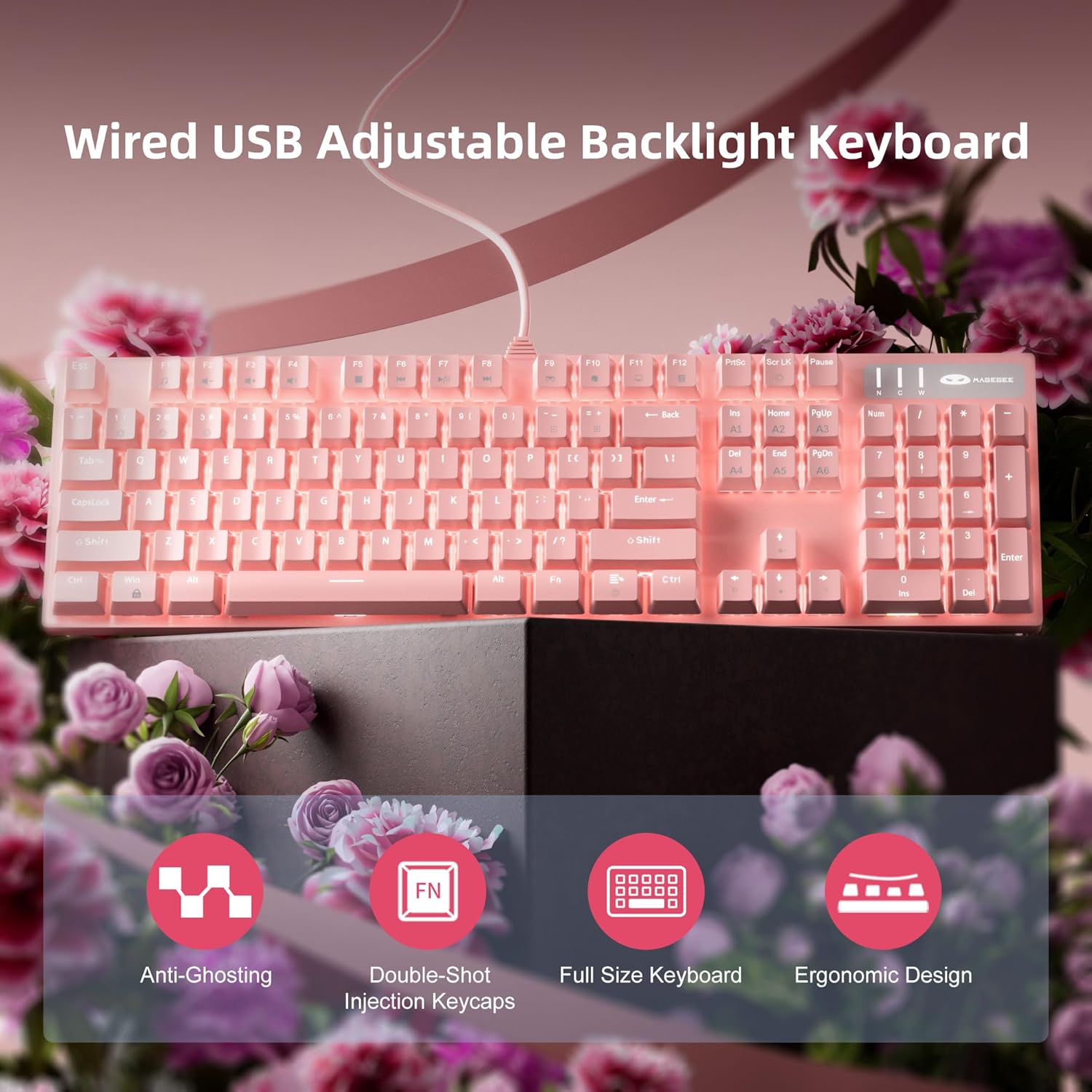
Controlul luminii de fundal
The keyboard offers various backlight settings for customization:
- Reglați luminozitatea: Presa FN + Up Arrow Key to increase backlight brightness. Press FN + Down Arrow Key pentru a reduce luminozitatea iluminării de fundal.
- Schimbați modul de iluminare din spate: The keyboard has 18 different backlight modes. Refer to the keyboard's function key combinations (e.g., FN + F1-F12, or specific keys) to cycle through these modes. Detailed mode switching instructions may vary; experimentation is encouraged.

Întreţinere
Proper care will extend the life and maintain the performance of your keyboard.
- curatenie: Use a soft, dry cloth to wipe down the keyboard surface. For deeper cleaning, use compressed air to remove dust and debris from between the keycaps.
- Îndepărtarea capacului tastelor: The double injection ABS keycaps are designed for durability. If you need to remove keycaps for cleaning or replacement, use a keycap puller to avoid damaging the switches. Gently pull straight up on the keycap.
- Scurgeri de lichid: While the keyboard is designed to be splash-proof, avoid direct exposure to large amounts of liquid. In case of a spill, immediately disconnect the keyboard from your computer and allow it to dry completely before reconnecting.

Depanare
Dacă întâmpinați probleme cu tastatura, încercați următoarele soluții:
| Problemă | Soluție posibilă |
|---|---|
| Tastatura nu răspunde |
|
| Lumina de fundal nu funcționează sau este slabă |
|
| Cheile nu se înregistrează sau se tastează de două ori |
|
Specificații
| Caracteristică | Detaliu |
|---|---|
| Dimensiunile produsului | 17 x 5 x 1.5 inci |
| Greutatea articolului | 2.74 lire sterline |
| Producător | MageGee |
| Numărul de model | Storm Pink |
| Tehnologia de conectivitate | USB |
| Descrierea tastaturii | Mecanic |
| Utilizări recomandate | Jocuri |
| Caracteristica specială | Lighting, Multimedia Keyboard |
| Culoare | Roz |
| Numărul de chei | 104 (Full Size) |
| Backlighting Color Support | RGB (Adjustable) |
| Stil | Modern |
| Prima dată disponibilă | 17 aprilie 2020 |
Garanție și suport
MageGee products are built with quality and durability in mind. For specific warranty information, please refer to the warranty card included with your product or visit the official MageGee website. If you require technical assistance or have questions not covered in this manual, please contact MageGee customer support through their official channels.
Pentru mai multe informații și actualizări de produs, vizitați Magazinul MageGee pe Amazon.


