Introducere
This manual provides detailed instructions for the setup, operation, and maintenance of your LTC Nimbleback LK-301 Low Profile Mechanical Keyboard. Please read this manual thoroughly before using the product to ensure proper functionality and to maximize your user experience.

Image: The LTC Nimbleback LK-301 Low Profile Mechanical Keyboard, showcasinaspectul său complet și designul elegant.
Caracteristicile produsului
- Low Profile Comutatoare mecanice: Equipped with responsive and comfortable white mechanical switches.
- Conectivitate duală: Supports both Bluetooth 3.0 wireless and wired USB Type-C connections.
- Comutare multi-dispozitiv: Seamlessly switch between up to three connected Bluetooth devices.
- Aranjament cu 96 de taste: A compact layout that retains essential keys, including a numeric keypad.
- Iluminare de fundal albă: Features white backlighting with 17 different modes, adjustable brightness, and speed.
- RGB Side Lighting: Customizable RGB lighting on the sides of the keyboard.
- Construcție durabilă: Built with an all-metal frame for enhanced durability and a premium feel.
- Design subțire și ușor: Ideal for portability and comfortable use.
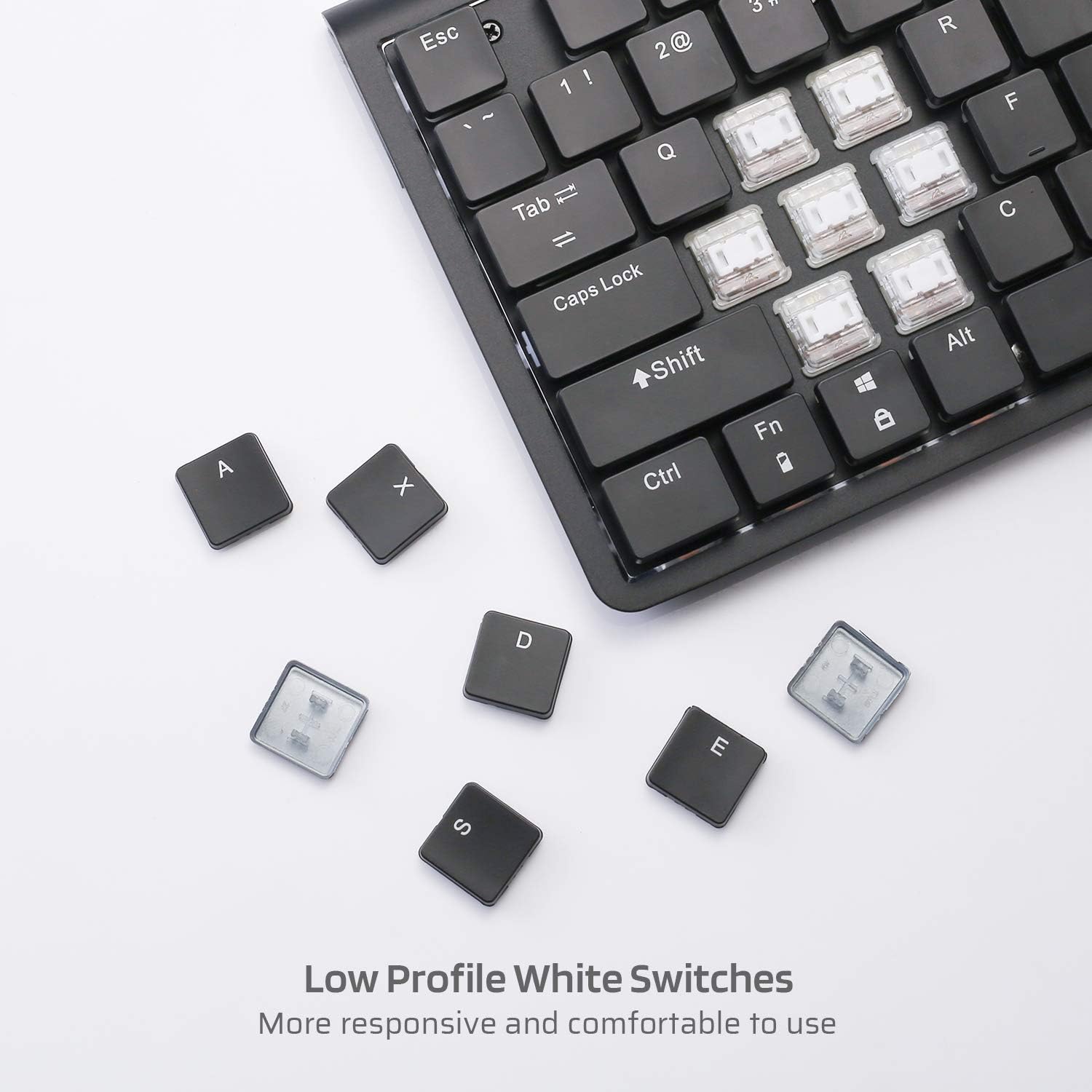
Imagine: Prim-plan view of the low profile white mechanical switches, highlighting their design.
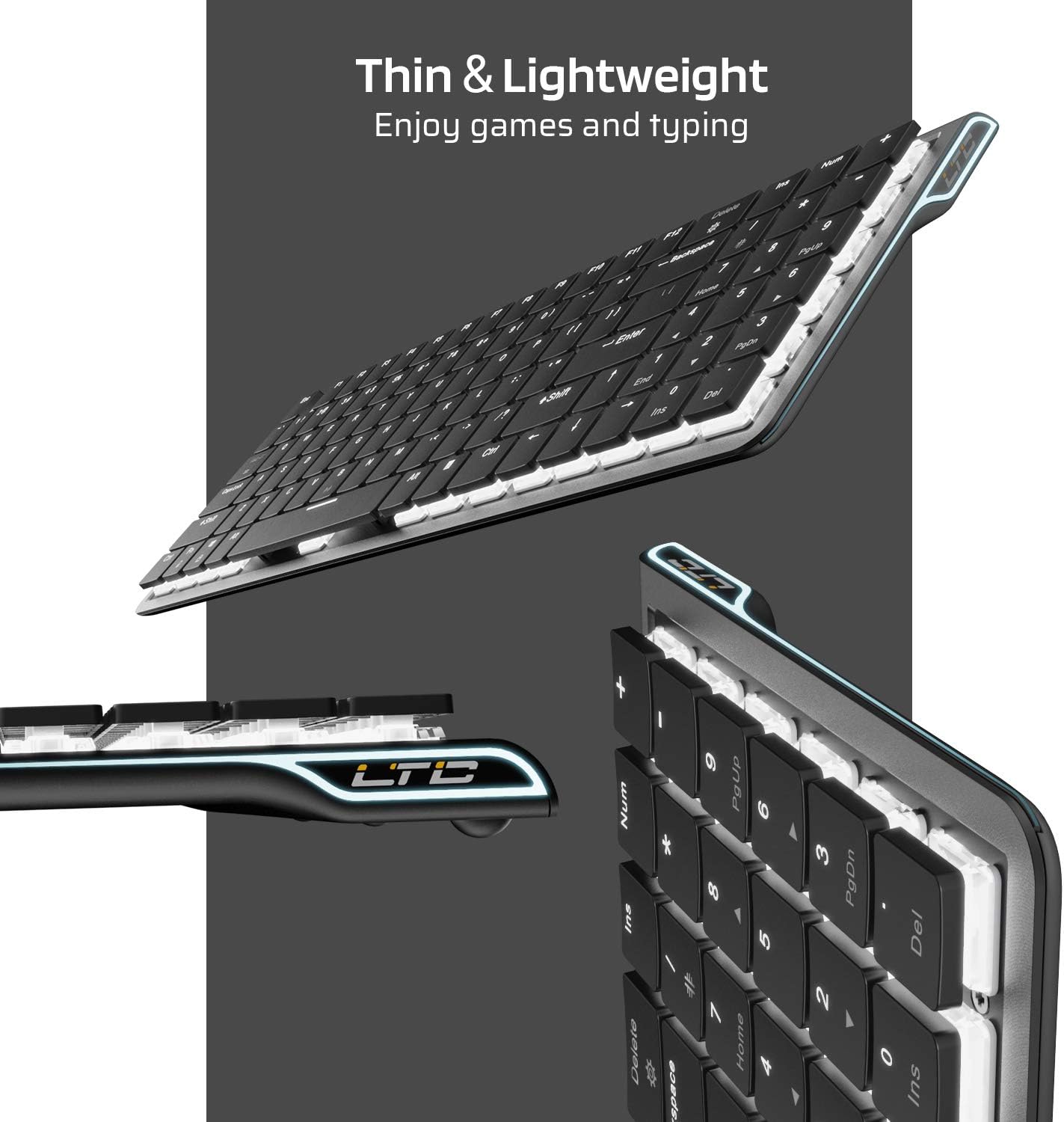
Imagine: Laterală view of the keyboard, emphasizing its thin and lightweight profile.
Instrucțiuni de configurare
Conexiune prin cablu
- Locate the USB Type-C cable included in the package.
- Connect one end of the USB Type-C cable to the port on the keyboard.
- Conectați celălalt capăt al cablului la un port USB disponibil de pe computer.
- Tastatura va fi recunoscută automat și gata de utilizare.
Conexiune wireless Bluetooth
- Asigurați-vă că tastatura este încărcată sau conectată inițial prin USB-C.
- Locate the ON/OFF switch on the underside of the keyboard and slide it to the 'ON' position.
- Presa Fn + Tab to switch the keyboard to wireless mode. The keyboard's backlight will blink twice to indicate wireless mode.
- To select a Bluetooth device slot, press Fn + Q, Fn + W, sau Fn + E. The corresponding key will blink slowly.
- To enter pairing mode, long-press Fn+B for 3 seconds. The selected Bluetooth key (Q, W, or E) will blink quickly, indicating it is ready to pair.
- On your device (computer, tablet, or mobile phone), enable Bluetooth and search for available devices. Select "LTC Nimbleback LK-301" from the list.
- Once paired, the selected Bluetooth key will stop blinking and remain steadily lit.

Image: Illustration showing both wireless Bluetooth 3.0 and wired USB Type-C connection options for the keyboard.

Image: The keyboard connected to multiple devices (smartphone, tablet, laptop), demonstrating its multi-device switching capability.
Video: Un pesteview of the LTC Nimbleback LK-301 Low Profile Mechanical Keyboard, demonstrating its features and design. This video is provided by AceGadget.
Instrucțiuni de operare
Controlul luminii de fundal
- Schimbați modul de iluminare din spate: Presa Fn + Ștergere to cycle through 17 different white backlight modes.
- Pre-set Backlight Modes:
- Presa Fn + 1 for FPS (First-Person Shooter) backlight mode.
- Presa Fn + 2 for LOL (League of Legends) backlight mode.
- Presa Fn + 3 for Office backlight mode.
- Reglați luminozitatea luminii de fundal: Presa Fn + săgeată sus pentru a crește luminozitatea și Fn + Săgeată în jos pentru a reduce luminozitatea.
- Reglați viteza luminii de fundal: Presa Fn + Săgeata dreapta to increase animation speed, and Fn + Săgeata la stânga to decrease animation speed.
Side RGB Lighting Control
- Change Side Light Mode/Color: Presa Fn + /? (located on the numeric keypad) to cycle through various RGB side lighting effects and colors.
Video: O analiză detaliatăview of the LTC Nimbleback LK-301 Low Profile Mechanical Keyboard, including demonstrations of its backlighting and side RGB effects. This video is provided by AngelPGC Store.
Întreţinere
Pentru a asigura longevitatea și performanța optimă a tastaturii, urmați aceste instrucțiuni de întreținere:
- curatenie: Folosiți o cârpă moale și uscată pentru a șterge suprafața tastaturii. Pentru o curățare mai profundă, folosiți aer comprimat pentru a îndepărta praful și resturile dintre capacele tastelor. Evitați utilizarea substanțelor chimice dure sau a materialelor abrazive.
- Depozitare: When not in use, store the keyboard in a cool, dry place away from direct sunlight and extreme temperatures. The included fabric bag can be used for protection during storage or travel.
- Expunerea la lichid: Avoid spilling liquids on the keyboard. In case of accidental spills, immediately disconnect the keyboard, turn it off, and allow it to dry completely before attempting to use it again.
Depanare
Keyboard Not Responding (Wired Mode)
- Asigurați-vă că este conectat corect cablul USB Type-C atât la tastatură, cât și la computer.
- Încercați să conectați tastatura la un alt port USB al computerului.
- Testați tastatura pe un alt computer pentru a exclude probleme specifice sistemului.
Keyboard Not Connecting (Bluetooth Mode)
- Verify that the keyboard's ON/OFF switch is in the 'ON' position.
- Ensure the keyboard is in wireless mode (Fn + Tab).
- Confirm that the correct Bluetooth device slot is selected (Fn + Q/W/E).
- Re-enter pairing mode by long-pressing Fn+B timp de 3 secunde.
- Check your device's Bluetooth settings to ensure Bluetooth is enabled and the keyboard is visible or already paired. Try removing and re-pairing the device.
- Asigurați-vă că bateria tastaturii este suficient încărcată.
Backlight Not Working or Dim
- Ajustați luminozitatea folosind Fn + săgeată sus.
- Comutați prin modurile de iluminare din spate folosind Fn + Ștergere pentru a vedea dacă un alt mod activează luminile.
- Ensure the keyboard battery has sufficient charge, as low battery can affect backlight performance.
Specificații
| Caracteristică | Detaliu |
|---|---|
| Numărul de model | LK-301 |
| Tehnologia de conectivitate | Bluetooth 3.0, USB Tip-C (cu fir) |
| Descrierea tastaturii | Tastatură mecanică pentru jocuri |
| Caracteristici speciale | Bluetooth, Lighting (White Backlit, RGB Side), Wireless |
| Culoare | Negru |
| Material | Metal |
| Greutatea articolului | 1.76 livre (aproximativ 0.8 kg) |
| Dimensiuni pachet | 15.28 x 6.3 x 2.2 inci |
| Componente incluse | USB Receiver (Note: USB Type-C cable is also included for wired connection and charging) |
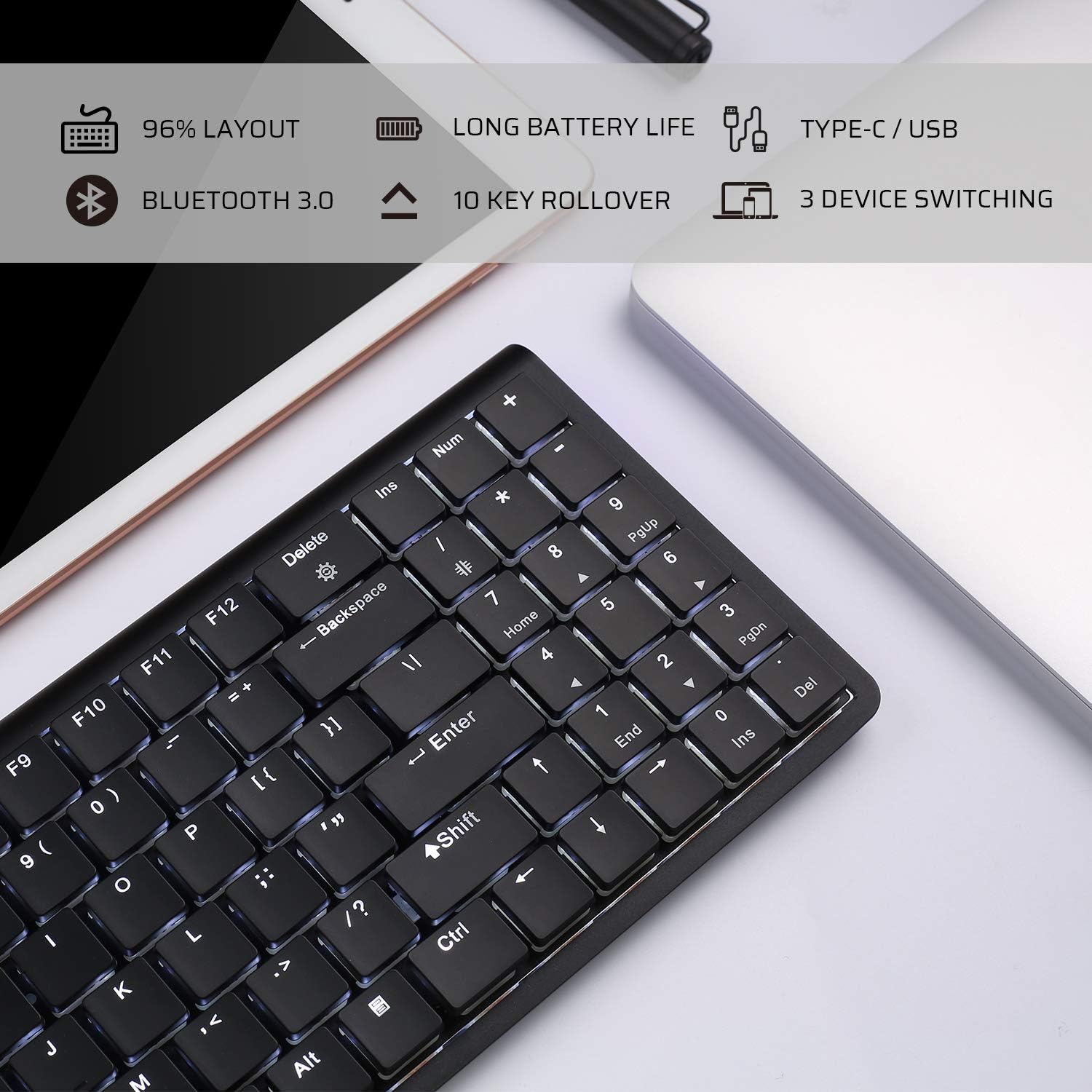
Image: An infographic highlighting key features such as 96% layout, long battery life, Type-C/USB, Bluetooth 3.0, 10-key rollover, and 3-device switching.
Garanție și suport
For warranty information and customer support, please refer to the warranty card included in your product packaging or visit the official LTC webPăstrați bonul fiscal ca dovadă a achiziției pentru orice reclamații în garanție.


