1. Introducere
The MEDION P85295 Internet Radio 2.1 offers a versatile audio experience, combining traditional radio reception with modern streaming capabilities. This device allows you to access over 25,000 internet radio stations and numerous podcasts worldwide, along with DAB+ digital radio and FM radio. It features Wi-Fi connectivity, a 3.2-inch TFT color display, and a 2.1 sound system with an integrated subwoofer for enhanced audio quality. This manual provides detailed instructions for setting up, operating, and maintaining your MEDION P85295 Internet Radio.
2. Informații de siguranță
Vă rugăm să citiți cu atenție toate instrucțiunile de siguranță înainte de a utiliza dispozitivul. Păstrați acest manual pentru referințe ulterioare.
- Alimentare electrică: Folosiți doar adaptorul de alimentare furnizat. Asigurați-vă că volumultage corespunde cerințelor specificate pe dispozitiv.
- Ventilare: Do not block any ventilation openings. Place the device on a stable, flat surface with adequate space around it for proper airflow.
- Apă și umiditate: Nu expuneți dispozitivul la ploaie, umezeală sau lichide care picură/stropi. Nu așezați obiecte umplute cu lichide, cum ar fi vaze, pe dispozitiv.
- Surse de caldura: Țineți dispozitivul departe de surse de căldură, cum ar fi calorifere, registre de căldură, sobe sau alte aparate producătoare de căldură.
- curatenie: Deconectați alimentarea înainte de curățare. Folosiți o cârpă moale și uscată. Nu utilizați agenți de curățare lichizi sau cu aerosoli.
- Service: Nu încercați să reparați singur acest produs. Consultați toate lucrările de service către personalul calificat de service.
3. Conținutul pachetului
Verificați dacă toate articolele sunt prezente în colet:
- MEDION P85295 Internet Radio (MD 88295)
- Telecomanda cu baterie
- Adaptor de alimentare
- Manual de utilizare
- Card de garantie
4. Produs terminatview
The MEDION P85295 features a user-friendly design with intuitive controls and a clear display.
4.1 Panou frontal și afișaj
The front panel includes a 3.2-inch TFT color display, two rotary knobs for power/volume and navigation/selection, and several control buttons for various functions.

Imagine: Faţă view of the MEDION P85295 Internet Radio, highlighting the central 3.2-inch TFT color display. The display shows icons for various streaming services like Amazon Music, Spotify, Deezer, and an 'Internet Radio' icon. Two large rotary knobs are visible on either side of the display, along with several smaller buttons below, including MUTE, MODE, FAV, USB, Headphone, INFO, MENU, and Back.
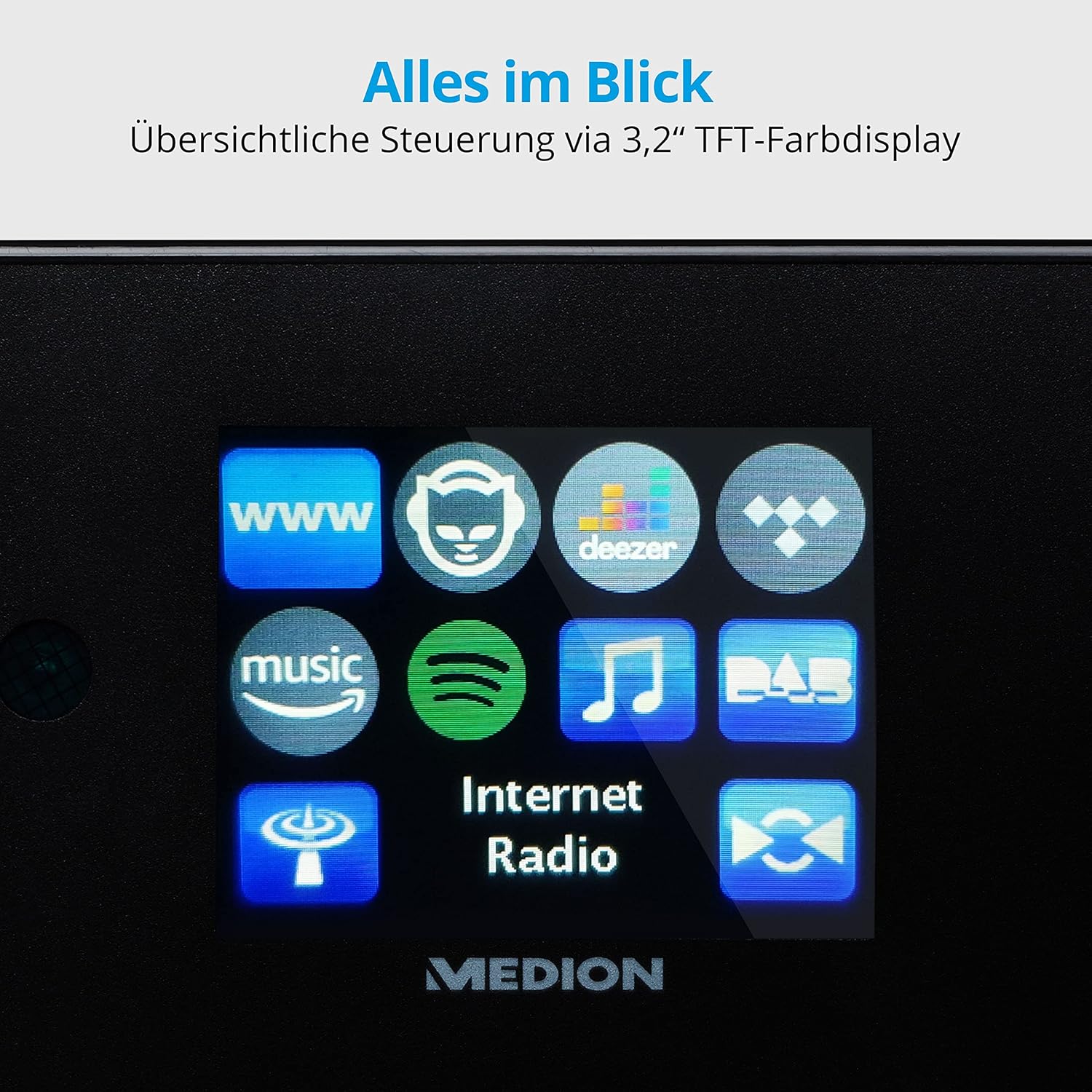
Imagine: Un prim plan view of the 3.2-inch TFT color display of the MEDION P85295 Internet Radio. The screen clearly shows various application icons, including WWW, a cat-like icon, Deezer, a music note, Amazon Music, Spotify, DAB, and Internet Radio, indicating the device's diverse functionalities.
4.2 Panoul din spate și conexiunile
The rear panel provides various input and output ports for external devices and network connectivity.
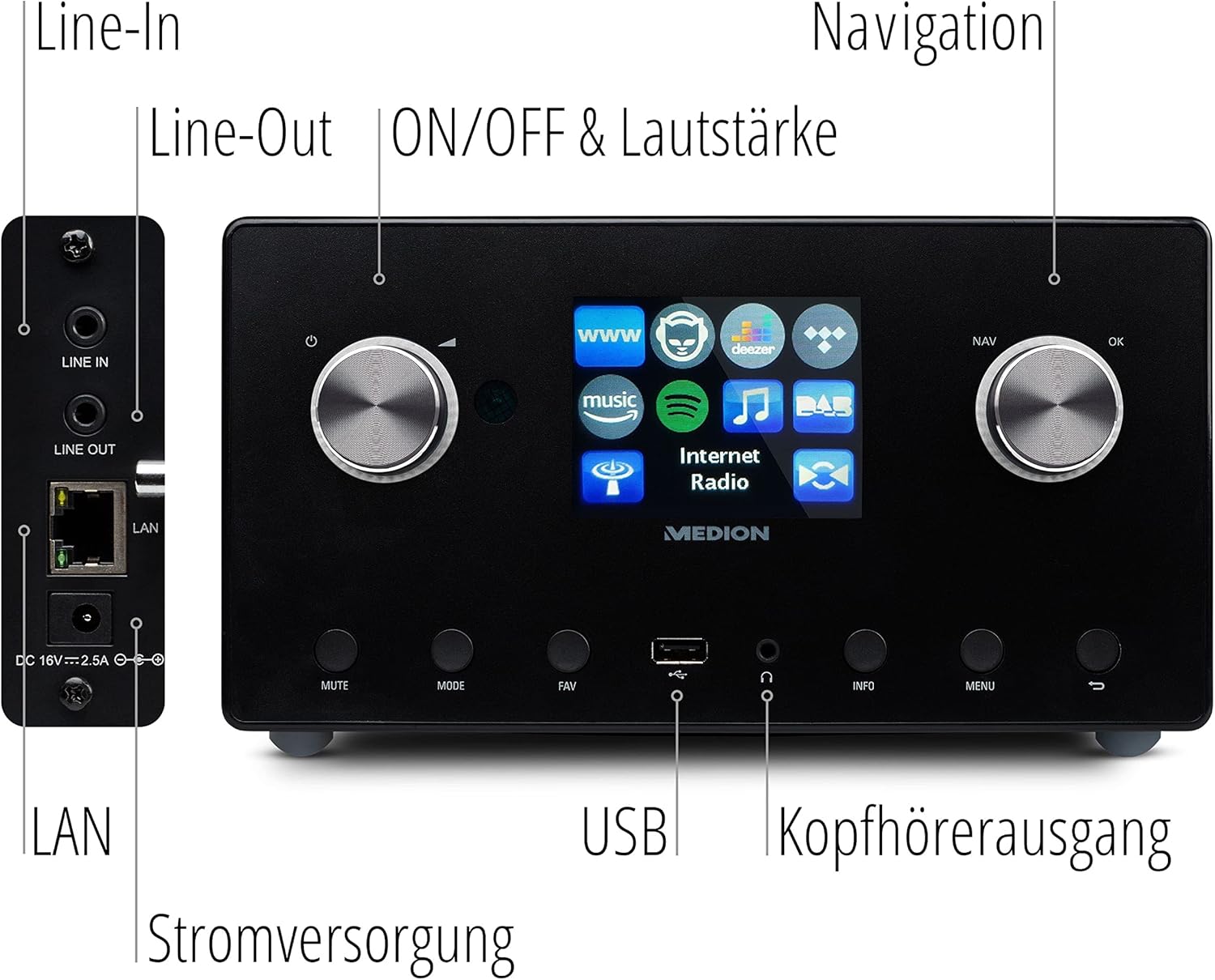
Imagine: Un detaliat view of the rear panel of the MEDION P85295 Internet Radio, with various ports clearly labeled. From top to bottom on the left side, there are Line-In and Line-Out jacks, followed by a LAN port and the DC 18V power input. On the front panel, below the display, a USB port and a headphone output are also indicated.
- Linie de intrare: Conectați surse audio externe.
- Ieșire linie: Conectați-vă la un extern ampliifier sau sistem stereo.
- LAN: Pentru conexiune la rețea prin cablu.
- Intrare de alimentare DC 18V: Pentru conectarea adaptorului de alimentare.
- Port USB: For playing media from USB storage devices.
- Ieșire căști: Pentru ascultare privată.
5. Configurare
5.1 Conexiune la alimentare
- Connect the power adapter to the DC 18V input on the rear of the radio.
- Conectați adaptorul de alimentare la o priză de perete.
5.2 Expertul de configurare inițială
La prima pornire, dispozitivul vă va ghida printr-un asistent de configurare inițială:
- Selectarea limbii: Folosiți butonul de navigare pentru a selecta limba preferată și apăsați OK.
- Ora și data: Set the current time and date. The device can synchronize this via the internet.
- Configurarea Rețelei:
- Conexiune Wi-Fi: Select 'Wireless Network' and choose your Wi-Fi network from the list. Enter the password using the on-screen keyboard and confirm.
- Conexiune LAN: If using a wired connection, connect an Ethernet cable to the LAN port on the rear of the device. The radio will automatically detect the connection.
6. Operare
6.1 Controale de bază
- Power/Volume Knob (Left): Turn to adjust volume. Press to power on/off or mute.
- Navigation/OK Knob (Right): Turn to navigate menus. Press to confirm selection.
- Butonul MOD: Switch between different operating modes (Internet Radio, DAB+, FM, USB, Line In).
- Butonul FAV: Access or save favorite stations.
- Butonul MENU: Accesați meniul principal pentru setări și opțiuni.
- Buton INFO: Display information about the current station or track.
6.2 Moduri radio
The MEDION P85295 supports multiple radio reception types:
- Radio prin internet: Access over 25,000 stations and podcasts globally via Wi-Fi or LAN. Use the navigation knob to browse by genre, location, or search for specific stations.
- Radio digital DAB+: Enjoy high-quality digital radio broadcasts. The radio will automatically scan for available DAB+ stations.
- Radio FM: Tune into traditional FM broadcasts. Automatic and manual station search with automatic station storage is available.
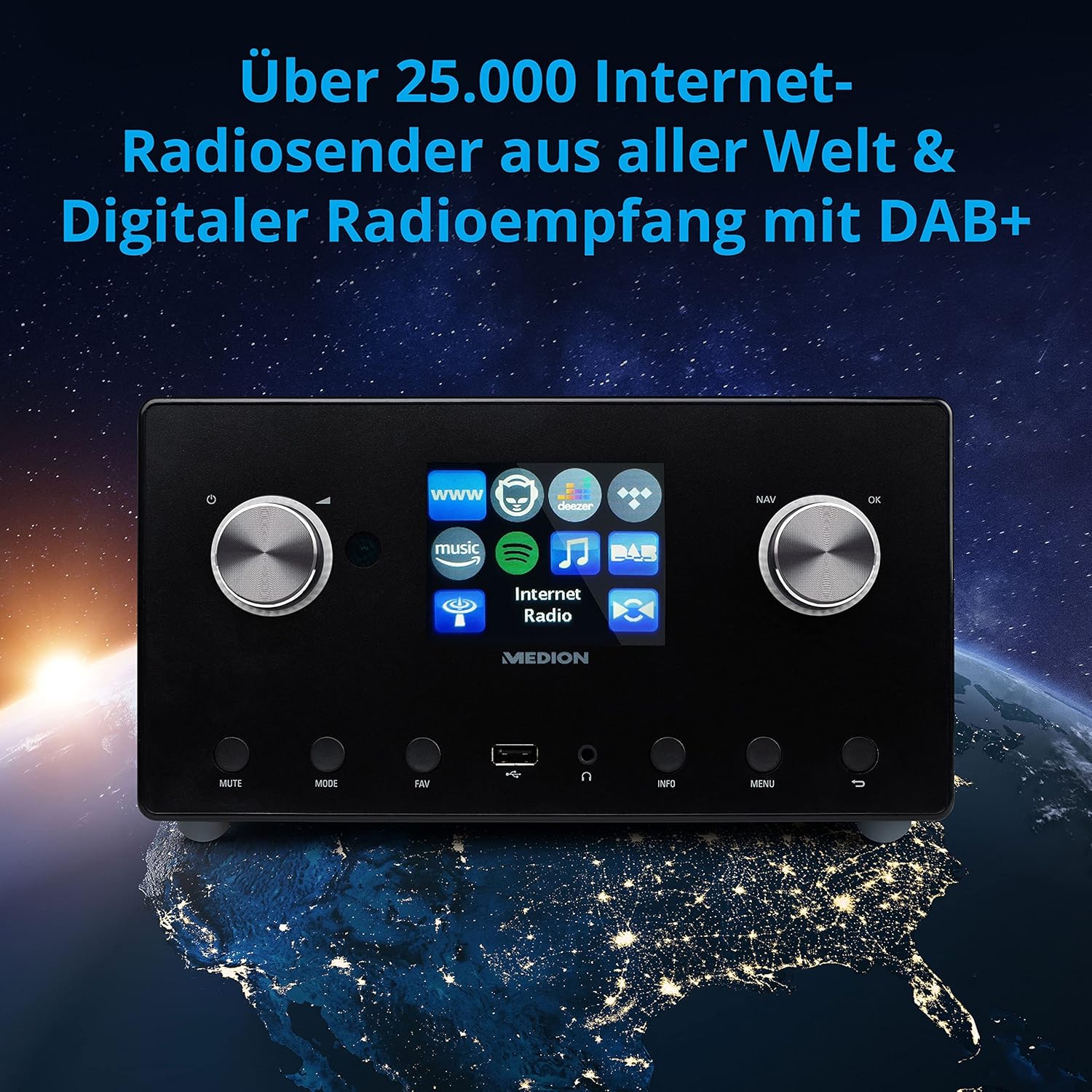
Imagine: The MEDION P85295 Internet Radio positioned on a stylized globe, emphasizing its capability to receive over 25,000 internet radio stations worldwide and digital radio reception with DAB+.
6.3 Servicii de streaming
The device supports various streaming services:
- Spotify Connect: Stream music directly from your Spotify account using the Spotify app on your smartphone or tablet.
- Amazon Music, Napster, Tidal, Deezer: Access these services directly from the radio's interface. A subscription may be required for some services.
6.4 Redare media
- USB: Connect a USB storage device to the front USB port to play MP3 files.
- DLNA: Stream music from compatible devices on your home network (e.g., PC, NAS) using DLNA. Control is convenient via the MEDION LifeStream 2 App (Android or iOS).
6.5 Caracteristici audio
The MEDION P85295 features a 2.1 sound system for rich audio:
- Putere de iesire: 2 x 7.5 W + 1 x 15 W RMS.
- Subwoofer integrat: Provides powerful bass.

Imagine: A diagram showing the MEDION P85295 Internet Radio with sound waves emanating from its sides and bottom, illustrating its 2.1 sound system and the additional subwoofer for powerful sound.
7. Alarm, Snooze, and Sleep Functions
The radio includes convenient time-based functions:
- Funcția de alarmă: Set two individually adjustable alarm times.
- Funcție de amânare: Temporarily pause the alarm.
- Funcția de somn: Set a timer for the radio to automatically turn off.
These functions can often be configured via the device's menu or a dedicated button on the remote control.
8. Întreținere
Îngrijirea adecvată asigură longevitatea dispozitivului dumneavoastră:
- curatenie: Wipe the exterior with a soft, dry, lint-free cloth. Do not use abrasive cleaners, waxes, or solvents.
- Praf: Regularly dust the device, especially around ventilation openings, to prevent overheating.
- Depozitare: Dacă depozitați dispozitivul pentru o perioadă lungă de timp, deconectați-l de la priză și depozitați-l într-un loc răcoros și uscat.
9. Depanare
Dacă întâmpinați probleme, consultați următoarele probleme și soluții comune:
| Problemă | Cauza posibila | Soluţie |
|---|---|---|
| Fără putere | Adaptorul de alimentare nu este conectat sau priza este defectă. | Verificați conexiunile de alimentare. Încercați o altă priză. |
| Nici un sunet | Volume too low, muted, or incorrect source selected. | Increase volume, check mute status, ensure correct input mode (e.g., Internet Radio, FM). |
| Nu se poate conecta la Wi-Fi | Parolă incorectă, semnal slab sau problemă cu routerul. | Verificați parola Wi-Fi. Mutați radioul mai aproape de router. Reporniți routerul. |
| Buffering/deconectare radio prin internet | Slow internet connection or network interference. | Check internet speed. Reduce network traffic. Try a wired LAN connection if possible. |
| DAB+/FM reception poor | Semnal slab sau poziția antenei. | Adjust the antenna. Perform a new station scan. |
Dacă problema persistă, vă rugăm să contactați serviciul de asistență pentru clienți.
10. Specificații
- Marca: MEDIU
- Număr de model: P85295
- Culoare: Antracit
- Afişa: Ecran color TFT de 3.2 inci
- Tehnologie de conectivitate: Wi-Fi, USB, LAN
- Benzile radio acceptate: FM, DAB+, Internet Radio
- Caracteristici speciale: DAB+, Auxiliary Input, USB, Spotify Connect, Amazon Music, DLNA, Alarm, Snooze, Sleep Function
- Sistem de sunet: 2.1 (2 x 7.5 W + 1 x 15 W RMS with integrated subwoofer)
- Dispozitive compatibile: Căști
- Sursa de alimentare: Electric Cable (DC 18V)
- Dimensiuni produs: 24 cm (L) x 13.5 cm (L) x 19 cm (Î)
- Componente incluse: Internet Radio P85295 (MD 88295), Remote Control with Battery, Power Adapter, User Manual, Warranty Card
- Baterii: Necesită 2 baterii AAA (pentru telecomandă)

Imagine: The MEDION P85295 Internet Radio shown with its physical dimensions: 24 cm in length, 13.5 cm in width, and 19 cm in height, providing a clear understanding of its size.
11. Garanție și asistență
Your MEDION P85295 Internet Radio comes with a manufacturer's warranty. Please refer to the included warranty card for specific terms and conditions.
For technical support, troubleshooting assistance, or warranty claims, please contact MEDION customer service. Contact information can typically be found on the MEDION official website-ul sau pe cardul de garanție furnizat împreună cu produsul.
Resurse online: Vizitați pagina oficială MEDION website for updated drivers, firmware, and additional support documentation.


